

Knowledge base
1000 FAQs, 500 tutorials and explanatory videos. Here, there are only solutions!
Copy Infomaniak email content internally
This guide explains how to copy the content of an Infomaniak email address (all email messages, folders, subfolders, in short, the entire structure of your mailbox) to another of your existing addresses at Infomaniak, thanks to the Infomaniak import tool!
Preamble
- The operation does not affect the data already present on the destination address, nor that of the source address.
- Any duplicates are managed: identical content will only be copied once.
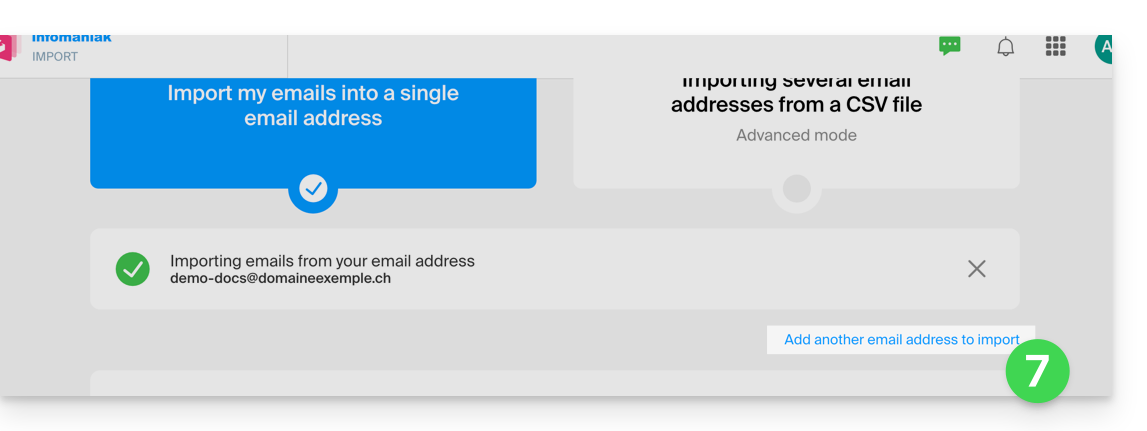
- It is possible to specify a second address to import during the same process.
- If necessary, refer to this other guide to import messages from an external email provider other than Infomaniak.
Copying emails from one account to another
To import the content of another email address:
- Go to the address https://import-email.infomaniak.com/.
- If necessary, log in to your Infomaniak account on the Organization of your choice; indeed, the import will be to an email address attached to the Infomaniak Web interface Mail (online service ksuite.infomaniak.com/mail) of the account you are using.
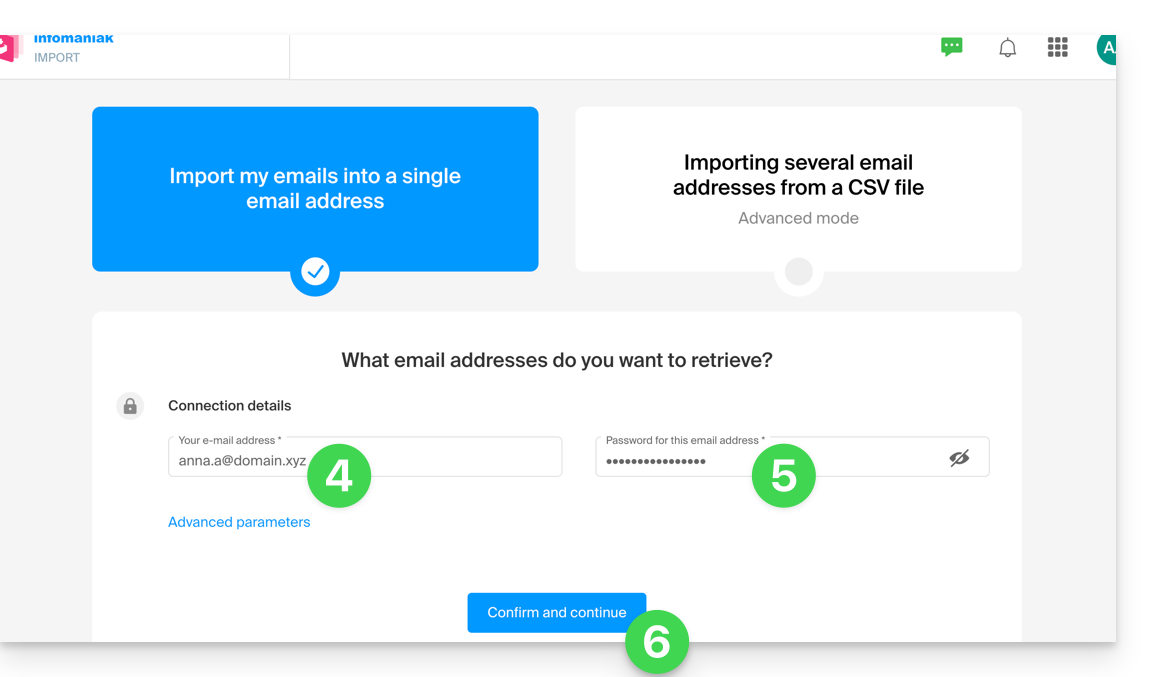
- Click on single import.
- Fill in the left field with your starting email address (whose content is to be copied).
- Fill in the right field with the password of the same email address (click here to verify that you are using the correct password and if necessary, modify the password of your email address).
- Click on Confirm:
- If necessary, enter a second email address to be imported at the same time:
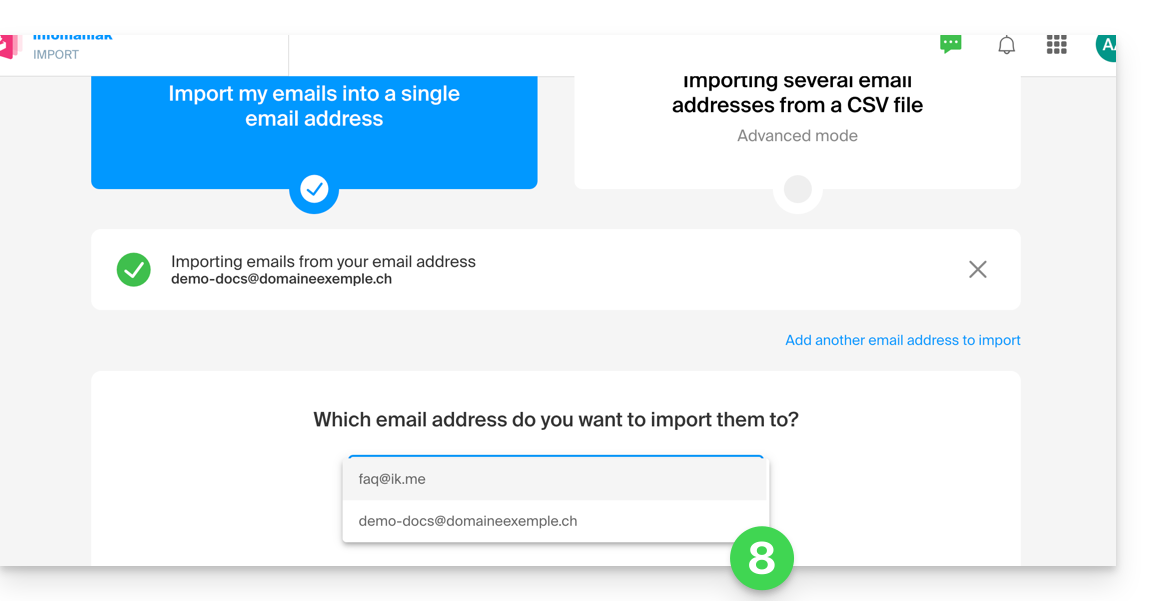
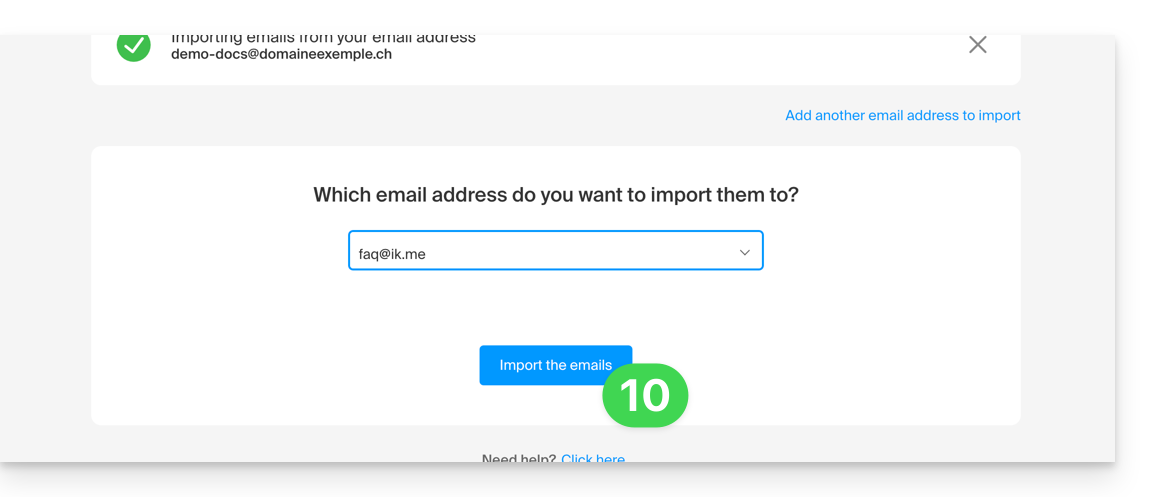
- Choose which email address to import the emails to; the drop-down menu lists the email addresses currently attached to your Infomaniak Web interface Mail (online service ksuite.infomaniak.com/mail) of the Infomaniak account with which you are logged in:
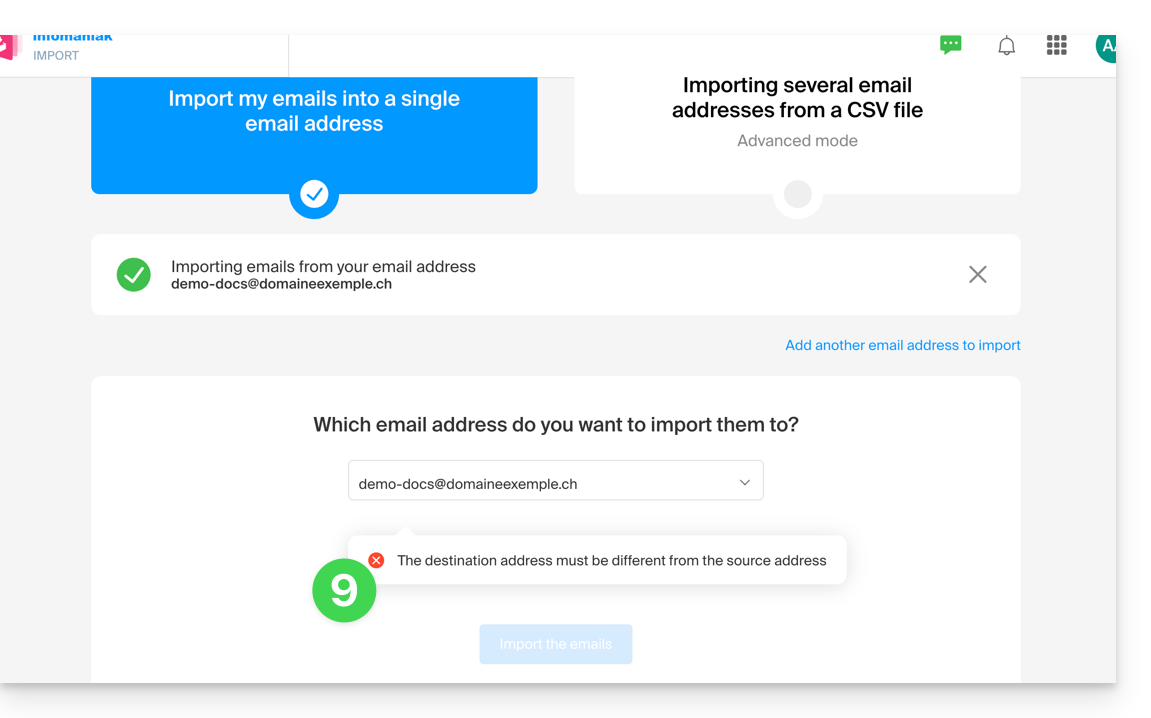
- It is obviously impossible to copy emails to the same address:
- After selecting the desired destination address from the list, click the blue button Import emails:
- The copy begins and continues in the background, you can close the window that appears.
- A confirmation email will be automatically sent to all email addresses concerned by the operation once the import is complete, mentioning the number of messages copied.
Link to this FAQ: