1000 FAQs, 500 tutorials and explanatory videos. Here, there are only solutions!
Understanding the difference between email address and Infomaniak account
This guide details the principle of an email address created within an Infomaniak Mail Service and the concept of an Infomaniak account user, when the latter uses an Infomaniak email address and consequently some features may be restricted.
1. Create an address on a Mail Service
The administrator of a Mail Service creates a new email address (refer to this other guide if necessary) and must select the creation mode suitable for their situation:
- An address for themselves (and directly visible on their Mail interface)
- An address for multiple users (sending invitations)
- An address without invitation (not linked to their Mail interface)
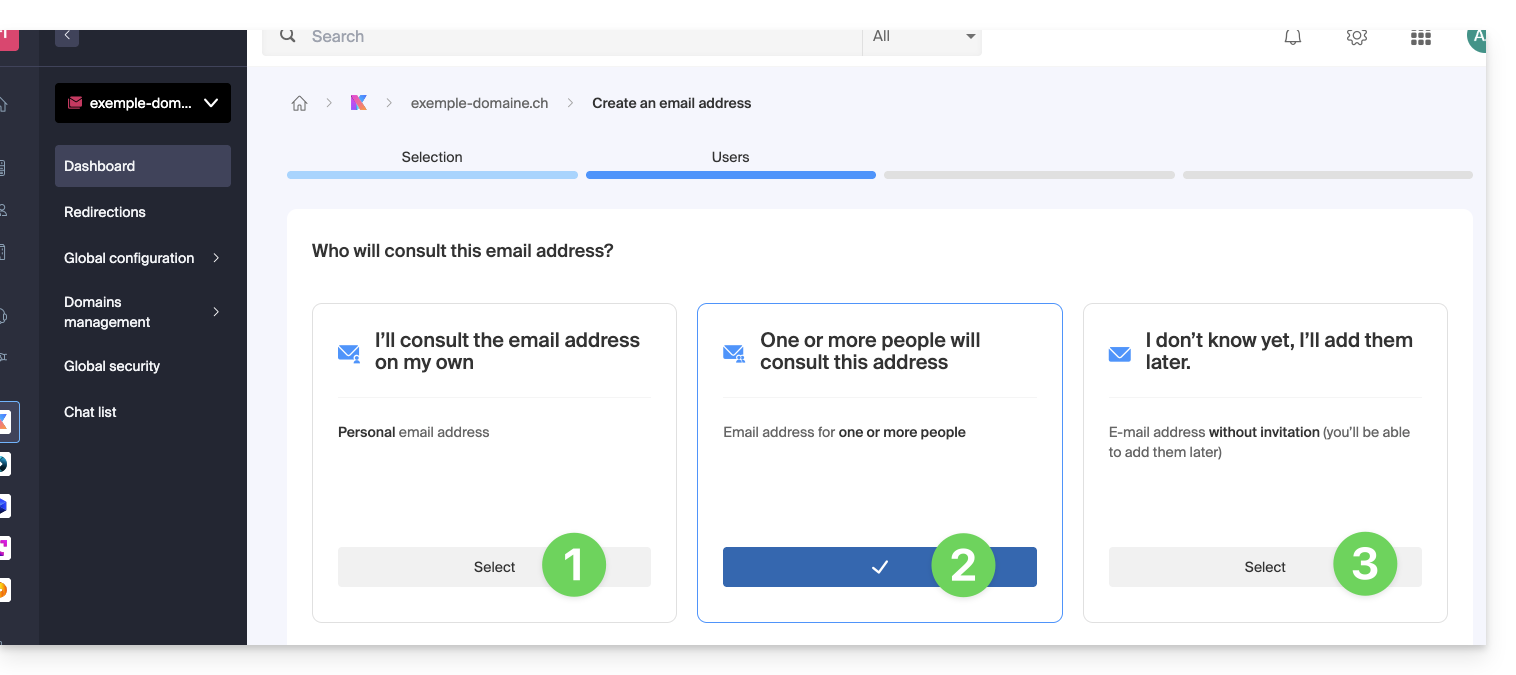
Option 2: address for multiple users
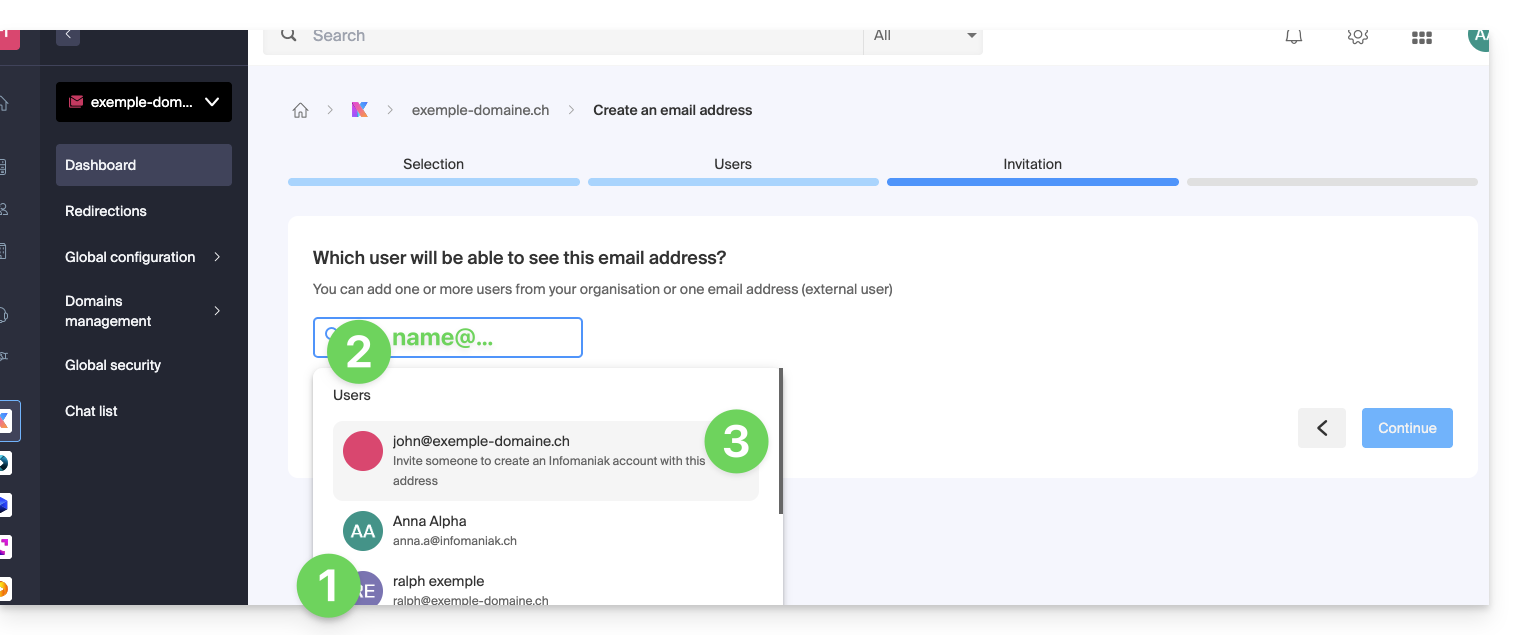
If the choice is made to create the email address for other users, it is still necessary to choose who will be able to access the address among:
- existing users in your Organization
- an external email address to which you send an invitation link to the email address that you must specify in the field
- a new user to whom you will send an invitation link by your own means
2. Create an Infomaniak account with the created email address
If the user needs to create an Infomaniak account to use the new email address, and if this same email address is specified as the login identifier…
- … this is mainly the case for choices 2 & 3 above, when this box is selected in the next step:
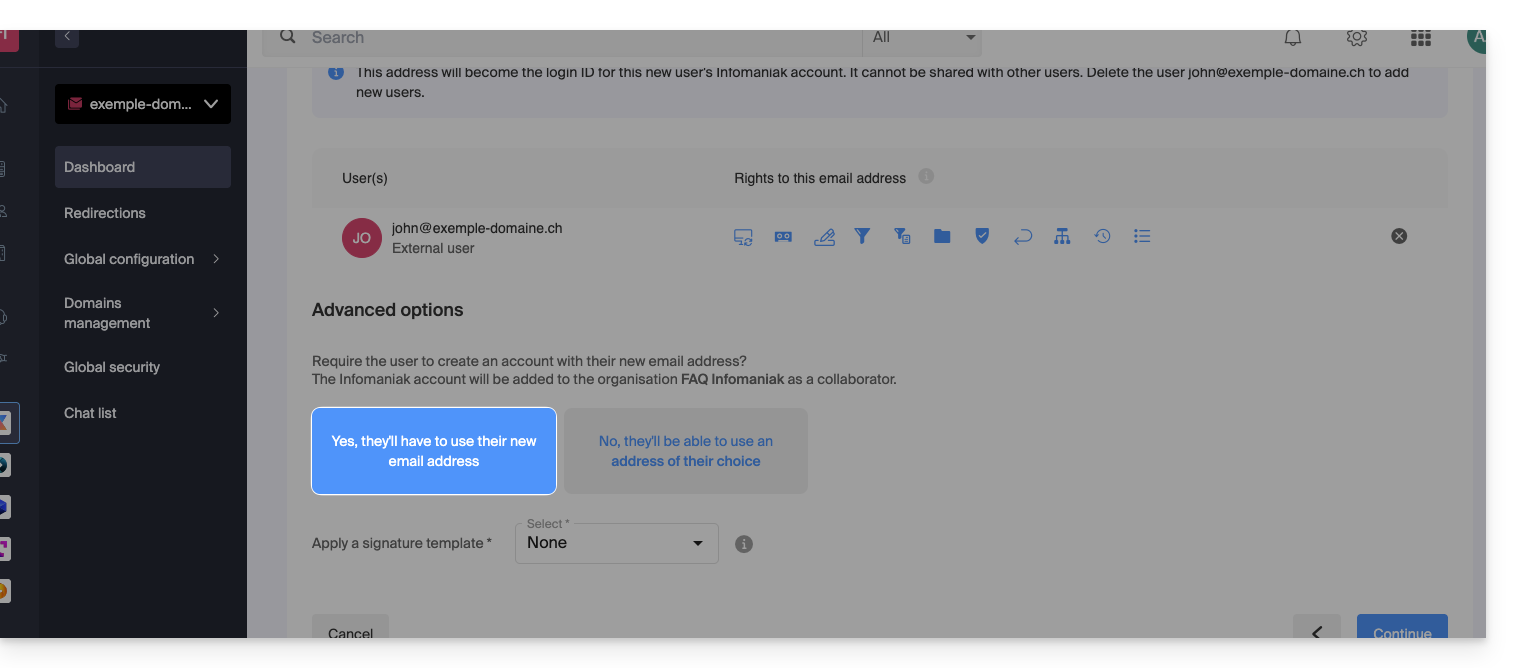
… some restrictions may then exist:
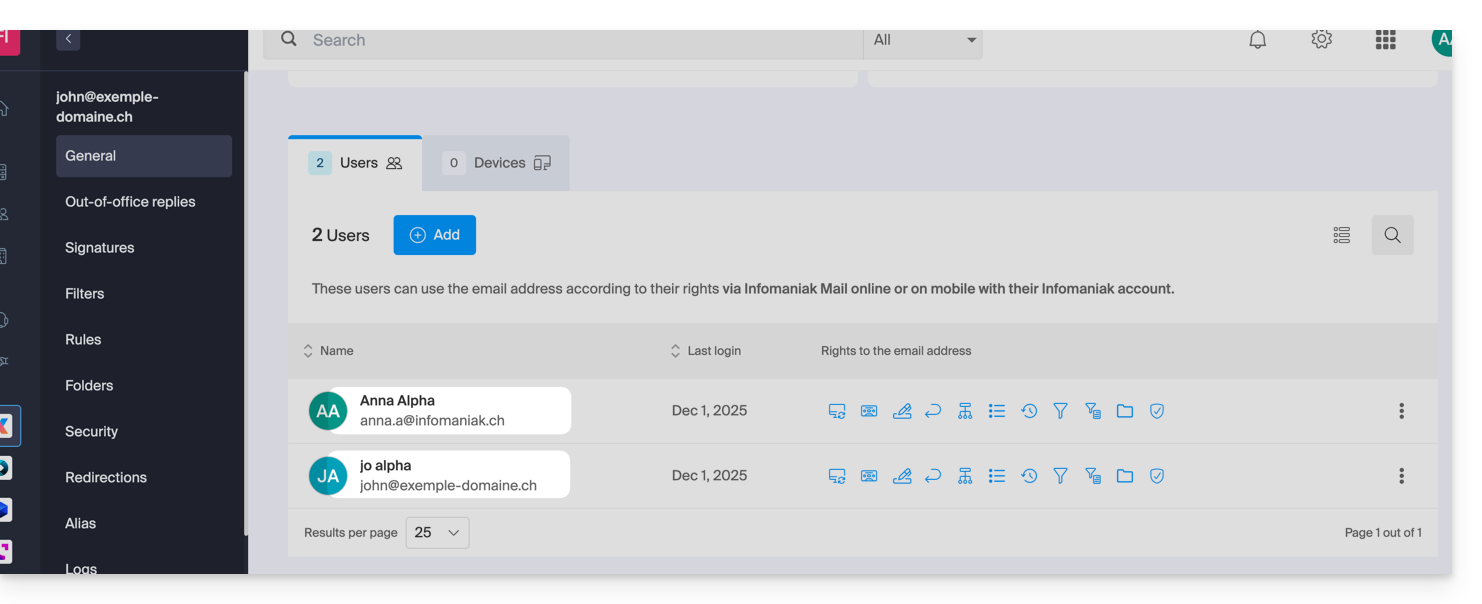
- This email address can no longer be shared with other users:
- It exists and works for the user who logs in with it, but it can no longer be shared:
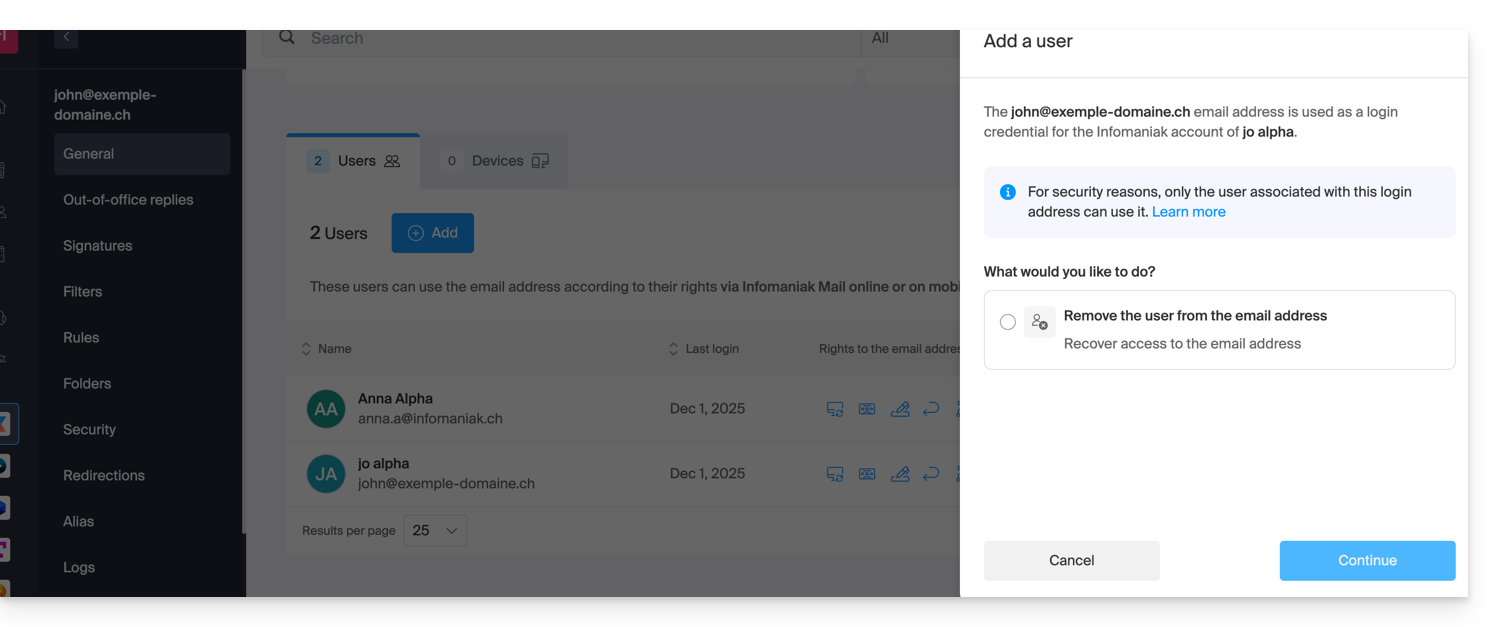
To be able to share it again, you must detach the Infomaniak account from its identifier from the Mail Service (refer to this other guide on this subject).
- It exists and works for the user who logs in with it, but it can no longer be shared:
- Additional passwords (for configuring a device, for example) will have to be managed by the user…
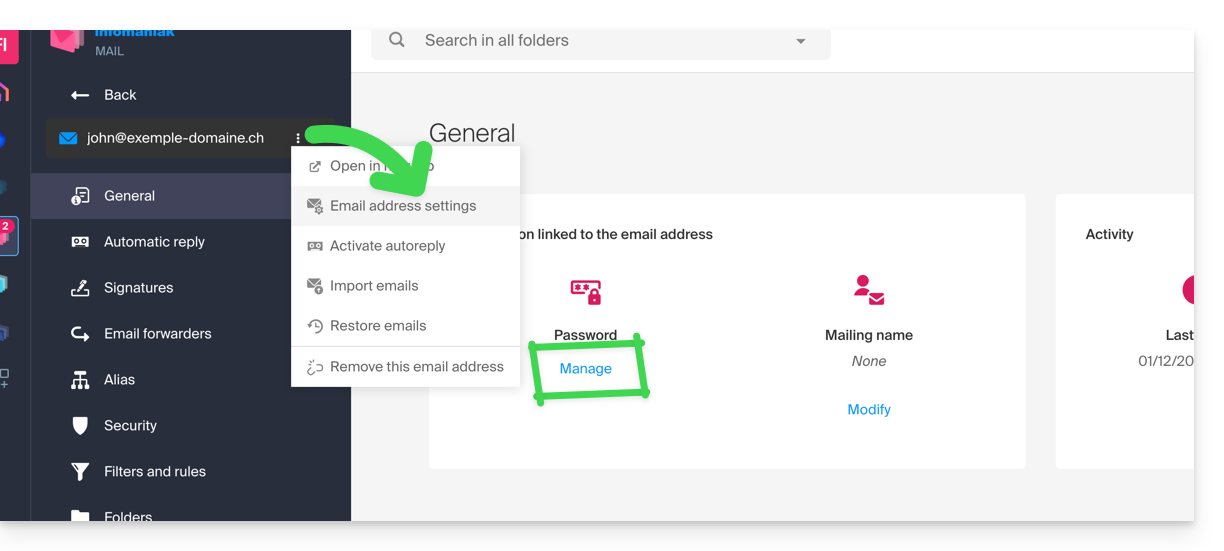
… and no longer from the corresponding Mail Service, which however allows you to contact the user to ask them to do it themselves: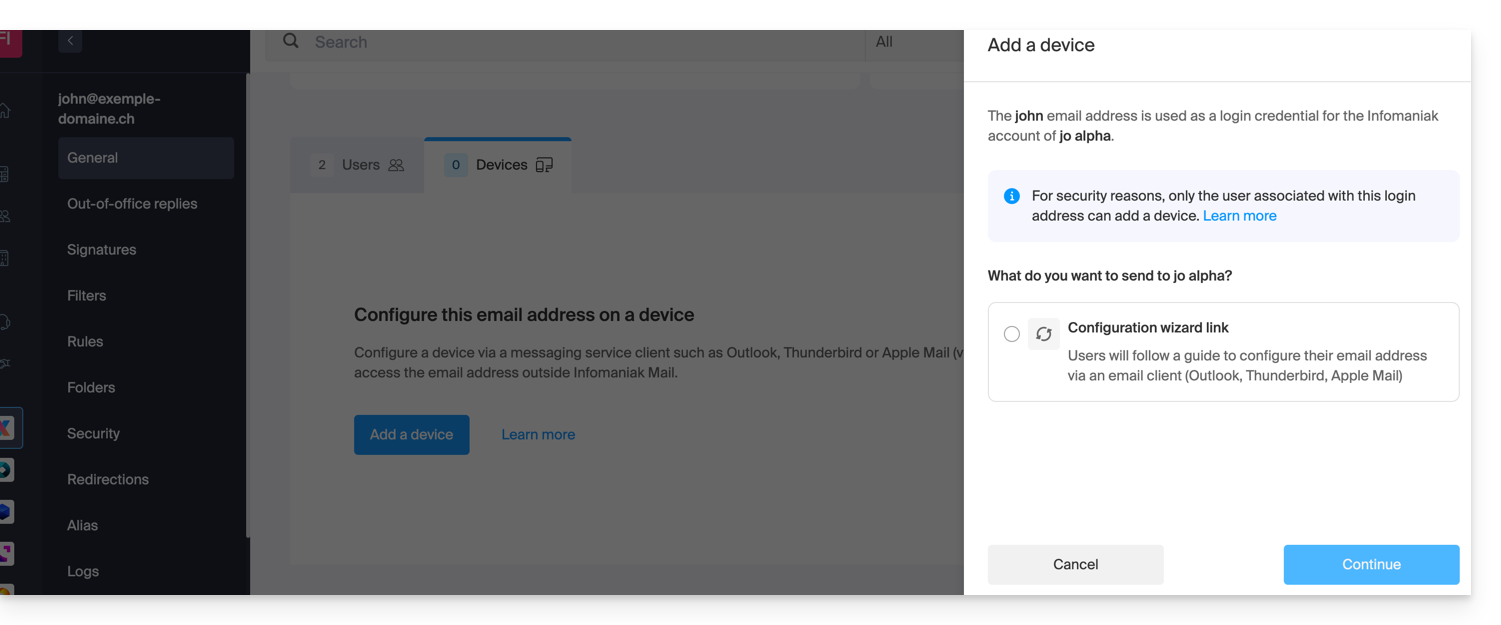
- A possible previous sharing will continue to work, but this will not be able to trigger new sharings from Mail: