

Knowledge base
1000 FAQs, 500 tutorials and explanatory videos. Here, there are only solutions!
Unblock IP addresses by whitelisting xmlrpc.php
This guide explains how to add IP addresses to the whitelist of an Infomaniak website.
Preamble
- Allowing IP addresses on
xmlrpc.phpprovides access to URLs that are blocked by default, as they are considered risky. - This type of blocking is effective on all recent servers.
- Regarding WordPress, its XML-RPC feature is only available by default via Infomaniak services and JetPack for security reasons.
Add IP addresses to the xmlrpc.php whitelist
To access website management:
- Click here to access the management of your product on the Infomaniak Manager (need help?).
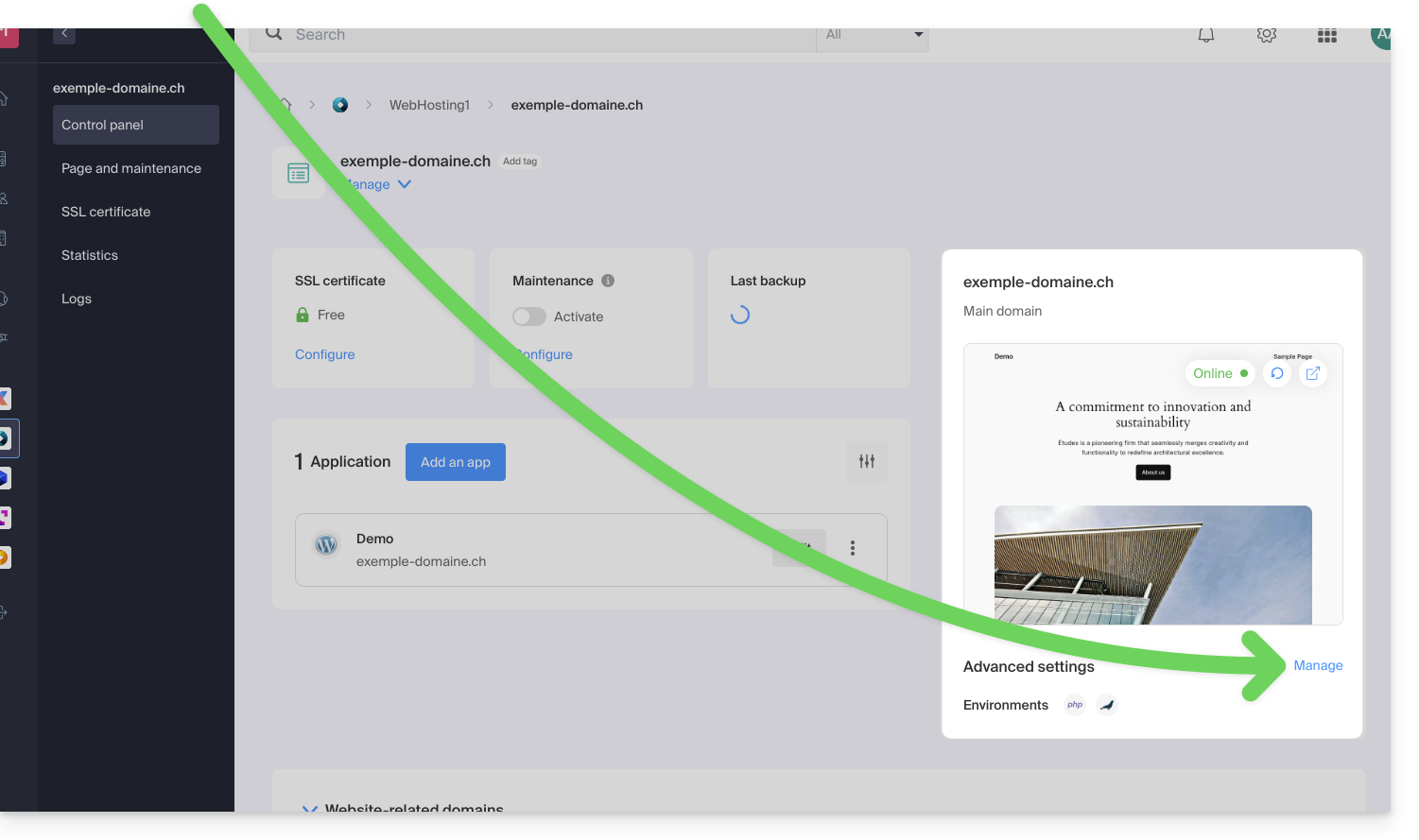
- Click directly on the name assigned to the product concerned:
- Click on Manage under Advanced settings:
- Click on the PHP / Apache tab.
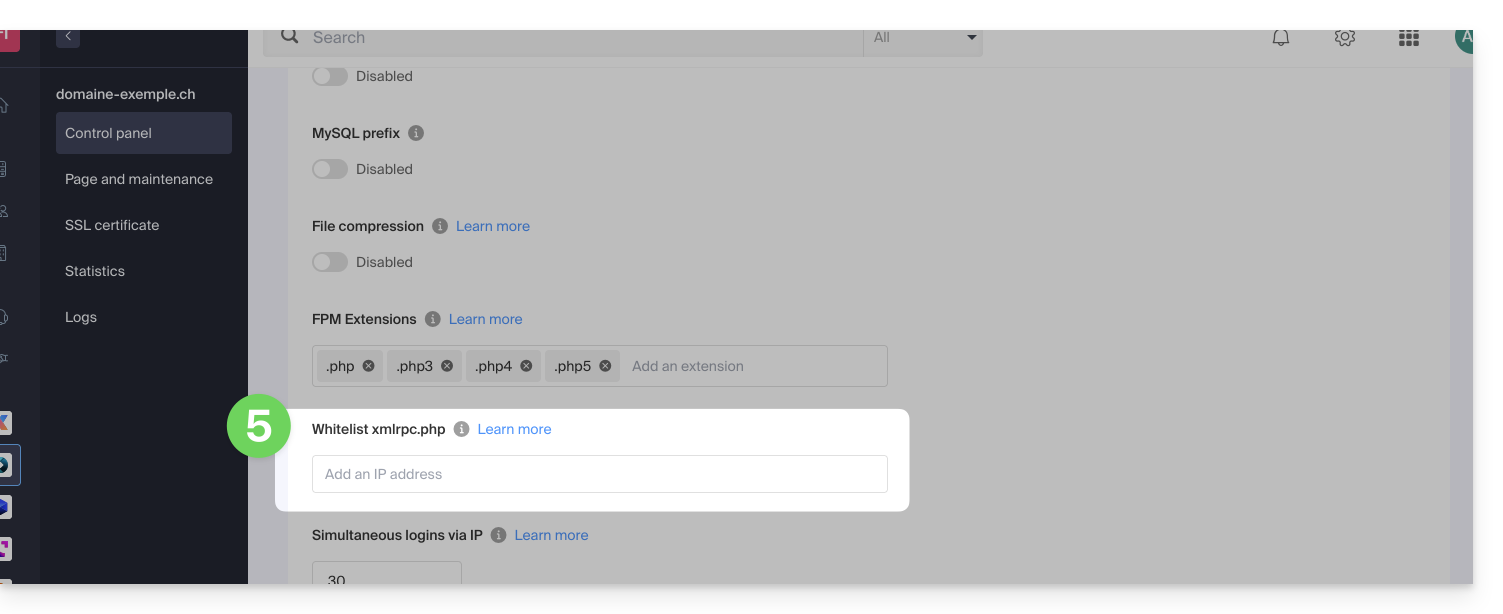
- Complete the relevant line:
- Click the button at the bottom of the page to save.
Link to this FAQ: