Knowledge base
1000 FAQs, 500 tutorials and instructional videos. Here, there are only solutions!
Secure web access with a password
This guide explains how to protect a part of a website on a Web Hosting by making the entry of a password mandatory before consulting a directory (including subdirectories) from a browser. 
Note, this does not prevent a user from consulting the folder via FTP.
Simple method
Password protect (authentication Digest) a directory using the "Folder Protection" tool:
- Click here to access the management of your product on the Infomaniak Manager (need help?).
- Click directly on the name assigned to the product concerned.
- Click on Security in the left sidebar:
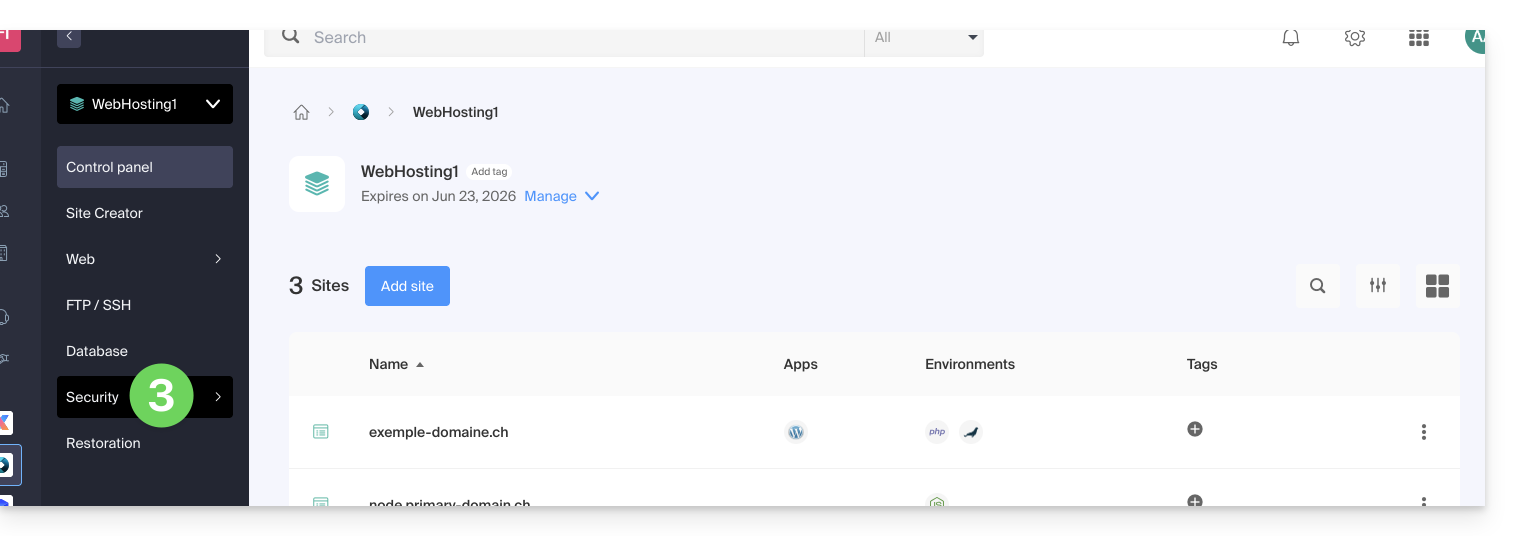
- Click on Folder Protection in the left sidebar.
- Click on the directory to protect.
- Activate the protection with the toggle switch and then create one or more users*:
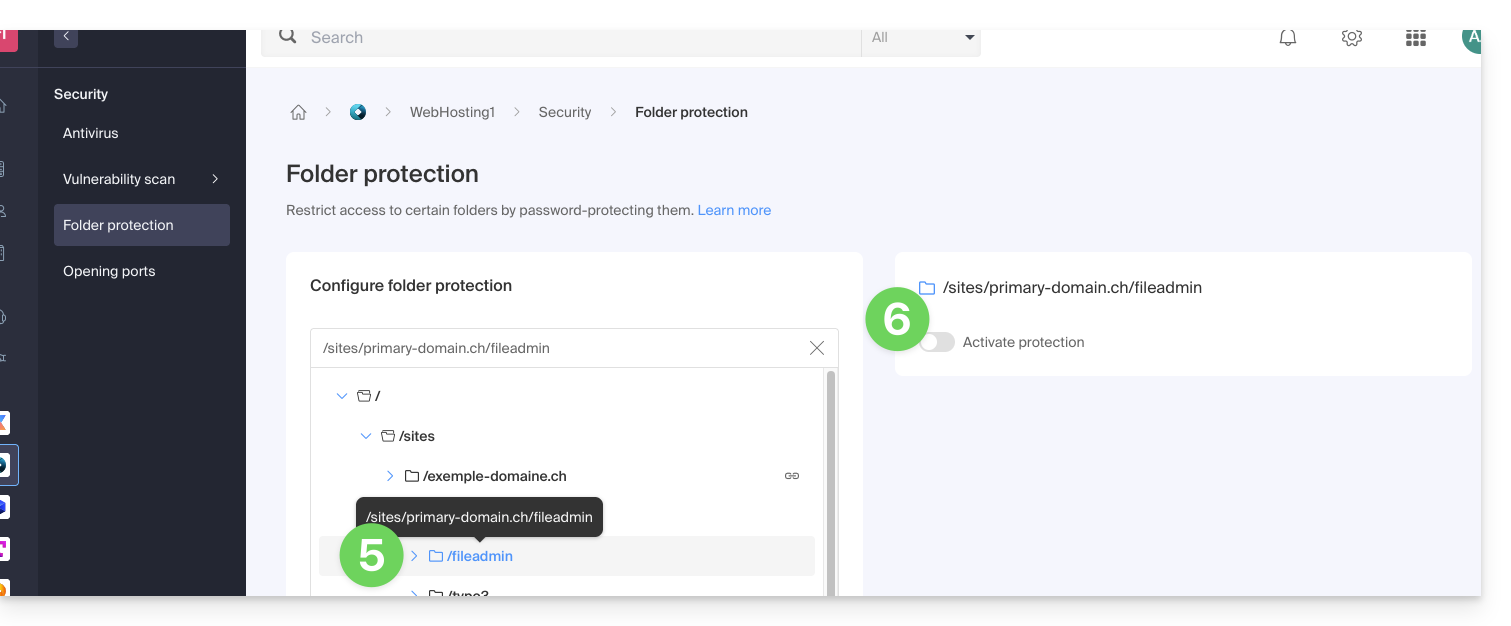
- * Users are defined per directory; the tool does not allow managing user groups:
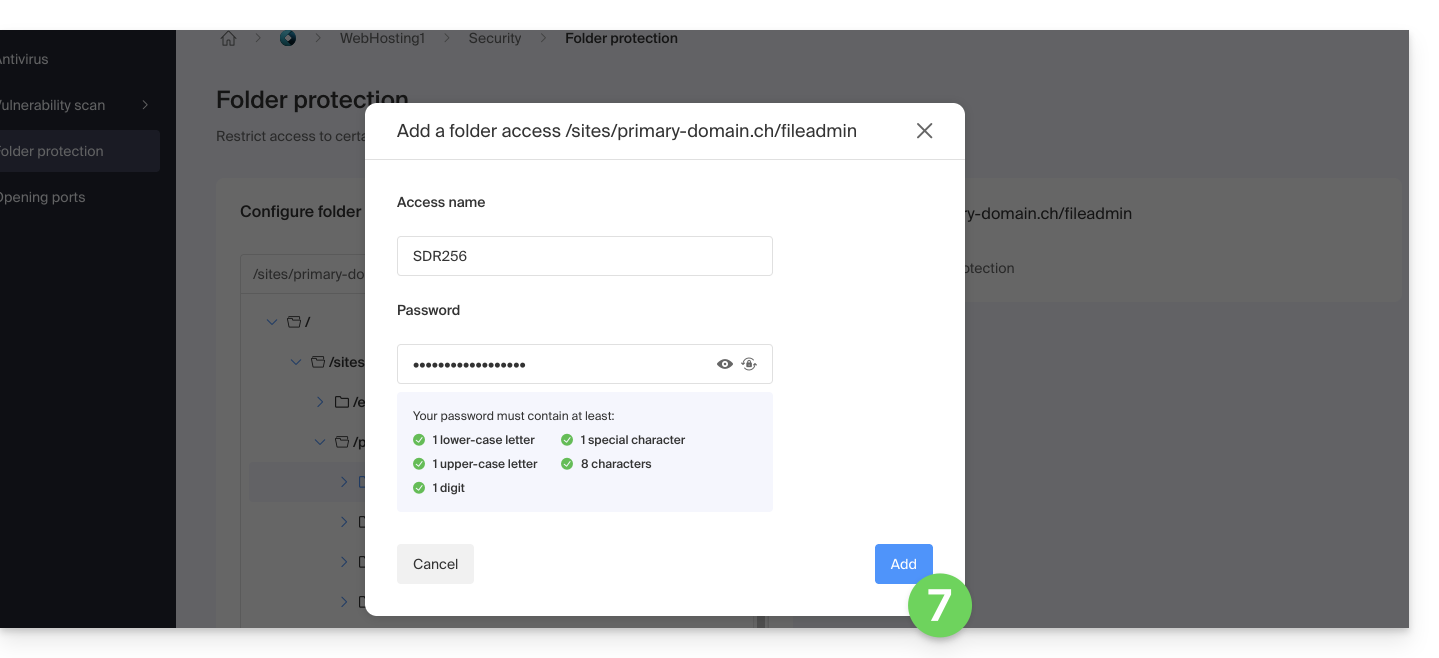
- * Users are defined per directory; the tool does not allow managing user groups:
- Click on the Add button.
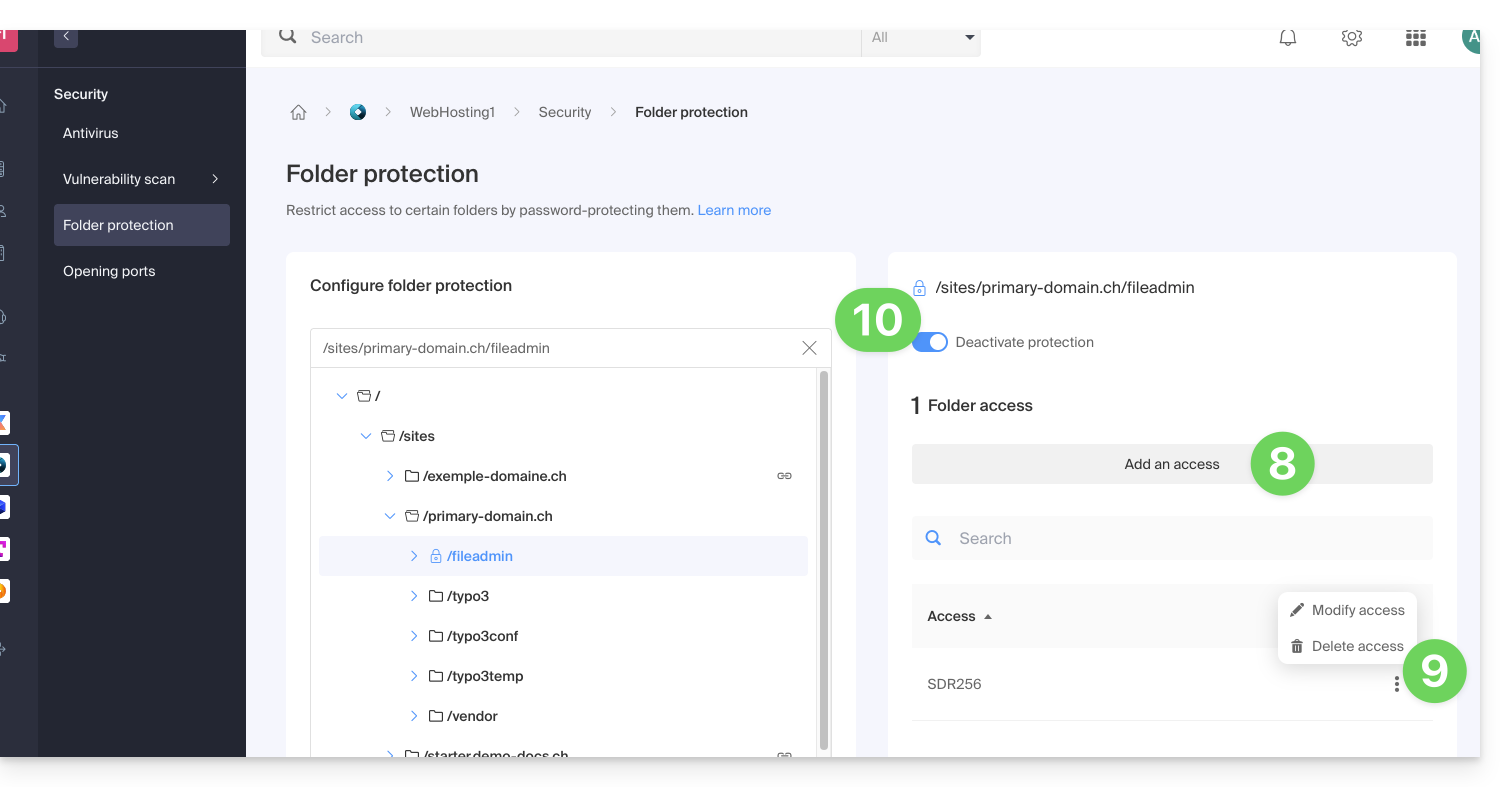
- Click on the button to add access for an additional user if necessary.
- Click on the action menu ⋮ located to the right of the user concerned to modify or remove them.
- Click again on the toggle switch to completely deactivate the directory protection:
Manual method via .htaccess
To password protect a folder using the .htaccess file of your site:
- Connect to your hosting via an FTP software/client or Web FTP.
In the folder to protect, create a file called
password.phpand adapt the following content inside by replacing12345with the desired password:<?php $password = "12345"; echo password_hash($password, PASSWORD_DEFAULT); // Displays the hashed password ?>- Open a web browser and display the
password.phpfile (example: domain.xyz/folder-to-protect/password.php). - The web browser displays your encrypted password; copy the encrypted password, it will be needed later...
In the folder to protect, create a file named .htaccess and adapt the following content inside:
AuthName "Protected Administration Page"
AuthType Basic
AuthUserFile "/example/.htpasswd"
Require valid-user
Replace /example/ with the absolute path of the folder to protect. Example:
AuthUserFile "/home/clients/0f83c7afb710e5ae2645a1b704d8772f/web/protected_folder/.htpasswd"In the folder to protect, create a file named htpasswd.txt and adapt the following content inside:
username:hashed_password- Replace
usernamewith the desired login. - Replace
hashed_passwordwith the encrypted password copied in step 1 of this guide.
Once the file htpasswd.txt is saved, rename it as follows: .htpasswd.
Open a web browser and try to display one of the pages contained in the protected folder. If the guide has been followed correctly, the login and password (not encrypted) chosen allow access to the protected folder.
Other restrictions can also be added by .htaccess.
Link to this FAQ:
Has this FAQ been helpful?