Knowledge base
1000 FAQs, 500 tutorials and instructional videos. Here, there are only solutions!
Show web access and error logs
This guide explains how to view and download Apache logs for Web Hosting, which are useful for analyzing PHP errors or diagnosing certain application behaviors.
Introduction
- Access and error logs are kept for at least 7 days.
- Once the retention period has elapsed, older entries cannot be restored, even upon request.
- You can also find these files directly on the server via SSH/FTP in the
ik-logsfolder at the root of your hosting.
Accessing access and error logs
To view these logs:
- Click here to access your website management in the Infomaniak Manager (need help?).
- Click directly on the name assigned to the site in question:
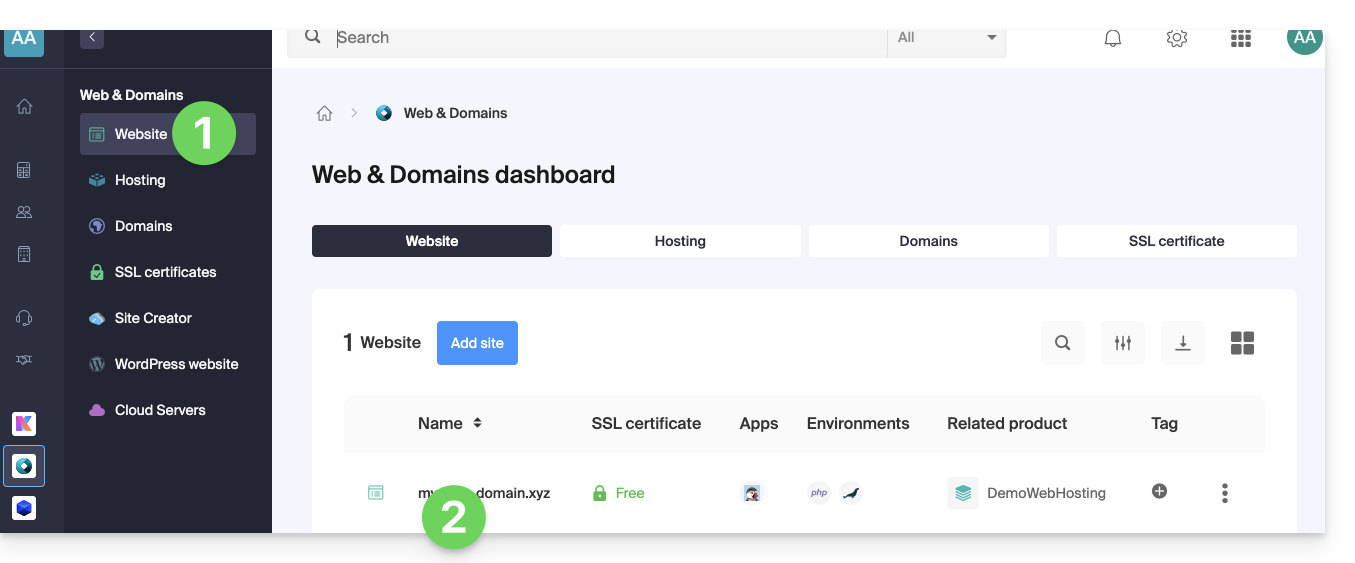
- Click on Advanced in the left-hand sidebar.
- Click on Logs in the left sidebar.
- Click on Errors or Access to view the error log or access log.
- Select a period if necessary.
- Click on the icon to view the details.
- Click on Send by email to immediately receive all entries by email at your user address.
- Click to export the data in
.logformat: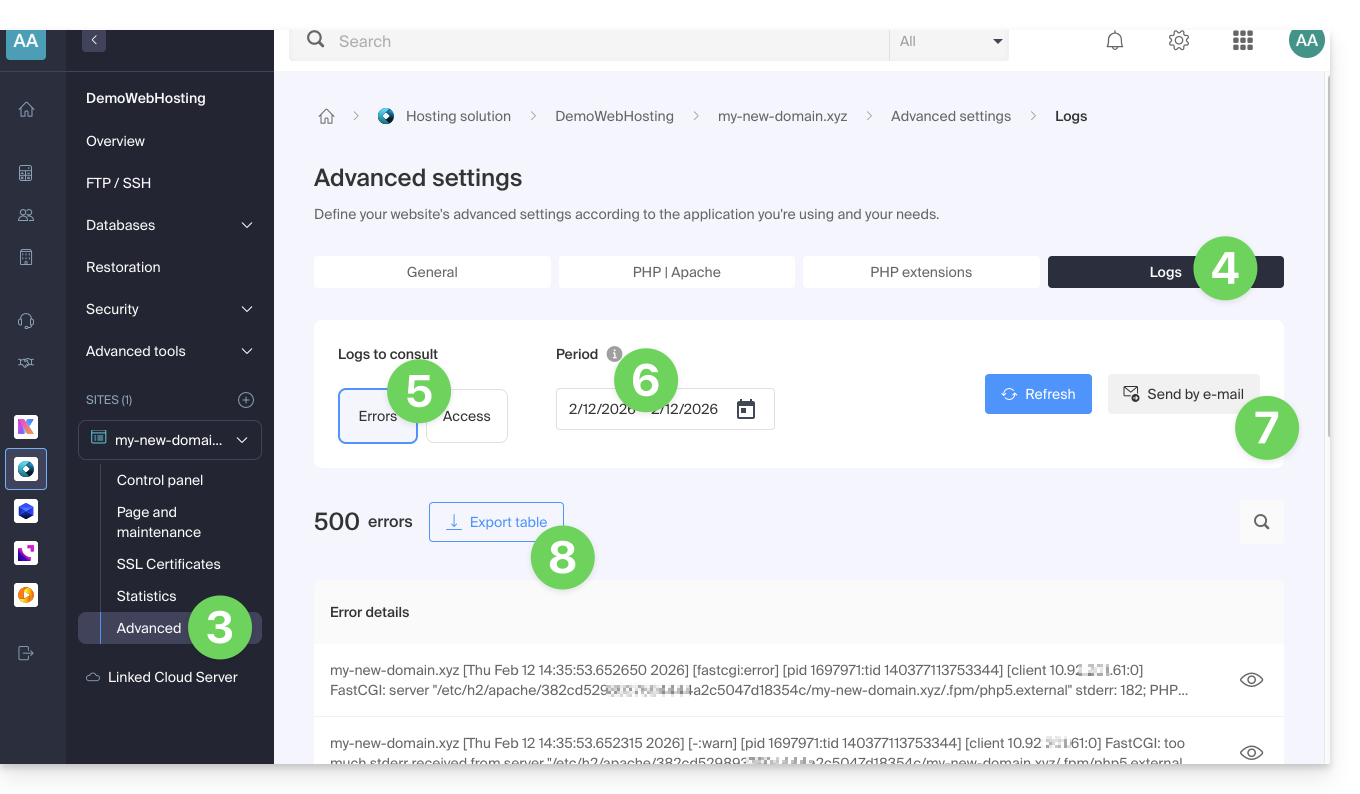
Identify the most active IP addresses in the access logs
To do this, connect to the server via SSH (need help?).
The command to execute via SSH is as follows:
cat ik-logs/access.log | awk '{ print $2}' | sort -n | uniq -c | sort -n | tail -n 20Link to this FAQ: https://faq.infomaniak.com/1926
Has this FAQ been helpful?