Knowledge base
1000 FAQs, 500 tutorials and instructional videos. Here, there are only solutions!
This guide details how to create illustrations within Infomaniak's AI Services.
Introduction
- The homepage displays example images that you can use for inspiration.
- Generated images are available for 30 days in the history.
- The public API of AI Services is used with the
fluxmodel.
Generate an image with AI Services
To access the artificial image generation tool:
- Click here to access image management in AI Tools (need help?).
- Manage the desired parameters: model according to availability, format (square, portrait, landscape), rendering (more or less detail), number of images generated from 1 to 4.
- Write the prompt needed to model your idea, then click on the icon:
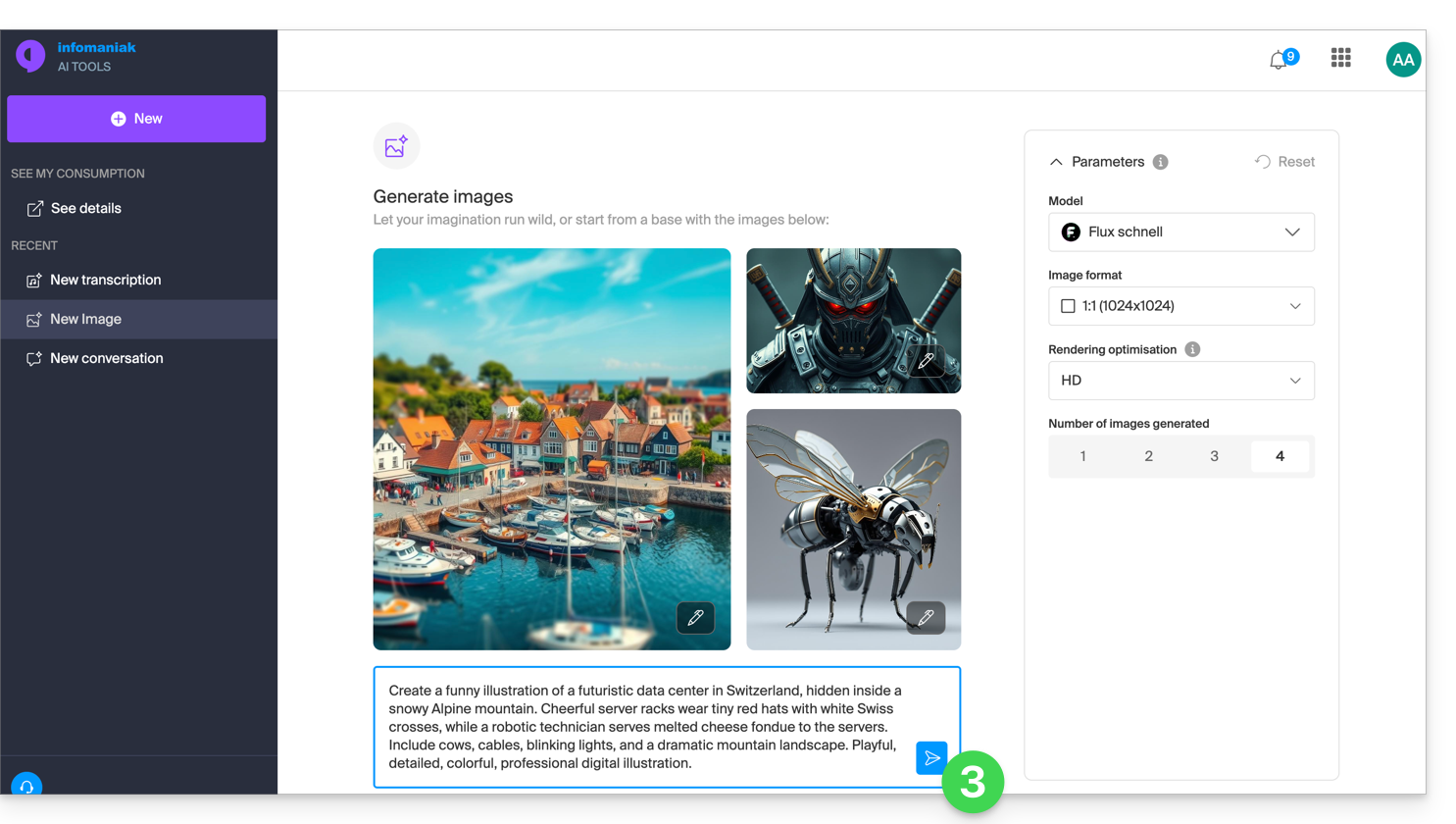
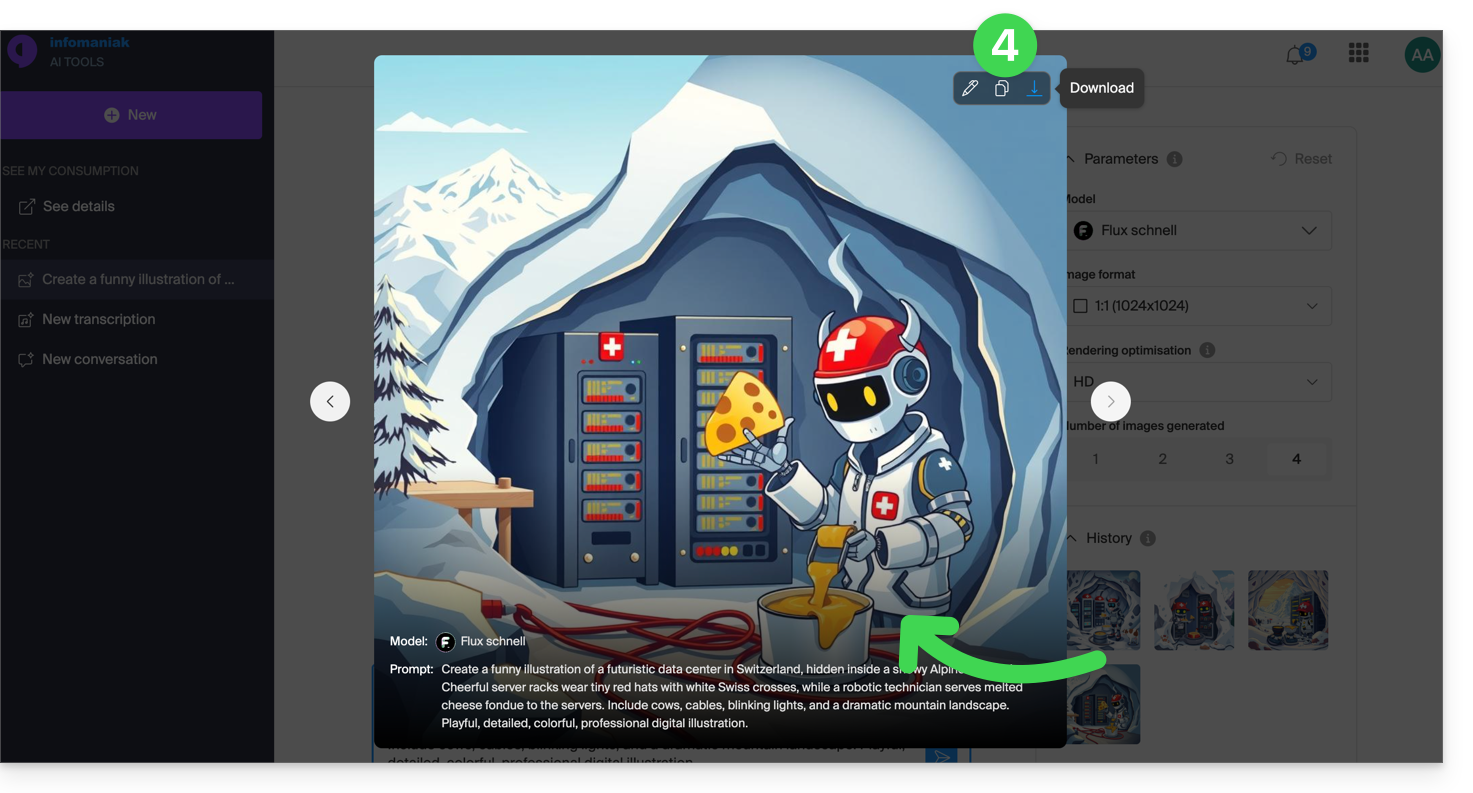
- The results and history can be enlarged, used to reconfigure the parameters identically, copied to the clipboard, or downloaded to your device:
Link to this FAQ: https://faq.infomaniak.com/1632
Has this FAQ been helpful?
This guide explains how to customize the type of language used within discussions and exchanges with the Infomaniak AI Services conversational agent.
Preamble
- By default, the responses and elements provided within a conversation with a bot in AI Services will be of the “usual” type, the assistant is named “Infomaniak Assistant” and its description is clear:

- It is entirely possible to invent and customize to the extreme a way that must be followed to the letter by the bot during exchanges.
- Once the method is saved, you can reuse it and switch from one to the other as needed.
Customize the AI Services language model
To create a new “system prompt” and use it:
- Click here to access the management of your product on the Infomaniak Manager (need help?):

- Click on a language model to start configuring a conversation:

- Click on Modify the current conversational assistant.
- Click on New below the choice of the conversational assistant:

- Give a title to the oriented conversation you are configuring.
- Write the prompt necessary for configuring your bot, detailing whether it should behave like a terminal, a specialized translator, etc. (examples of prompt)
- Save the changes:

You can now start a conversation and get different responses or elements depending on the behavior inherent in the chosen system prompt:
It is also possible to choose a model for each conversation (refer to this other guide if you are looking for information on models and responsibilities).
All these new parameters are available in a side panel accessible on the right side of the screen from all conversations.
Link to this FAQ: https://faq.infomaniak.com/2177
Has this FAQ been helpful?
This guide explains how to create and manage your authentication tokens to interact with the Infomaniak API (❓: help) securely.
Introduction
- Token features:
- Number: no limit to the number of tokens that can be created
- Validity: unlimited by default (customizable upon creation)
- Inactivity: a token is automatically deactivated if it is not used for one year
- Example of use:
- Token for the Newsletter API (❓: help)
Manage API tokens
When creating a token, you must define the application and the scope of access:
- Click here to access the token management section in the Manager (❓: help).
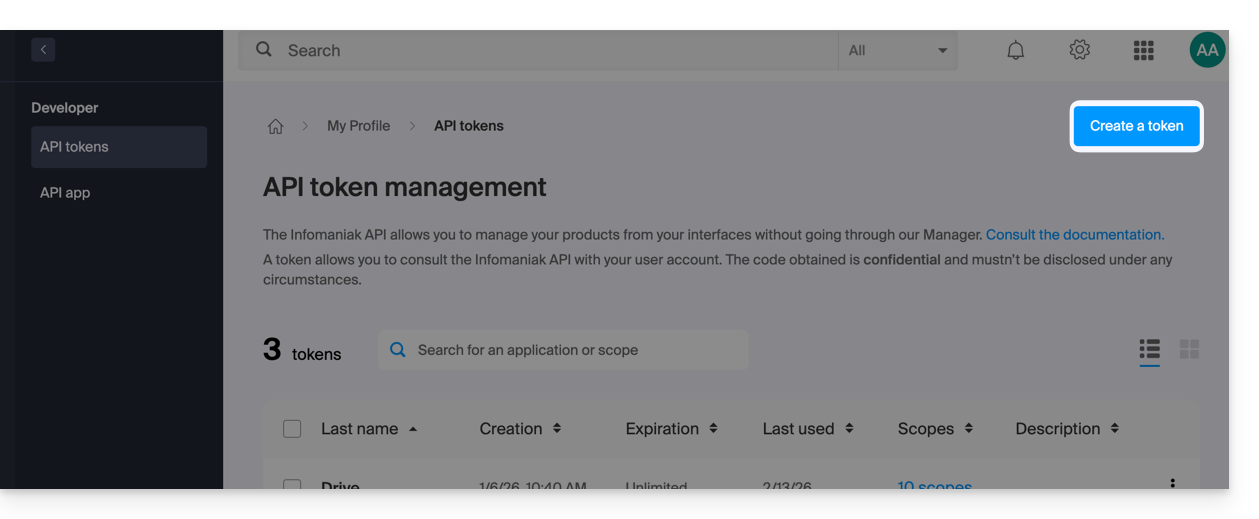
- Click on Create a token:
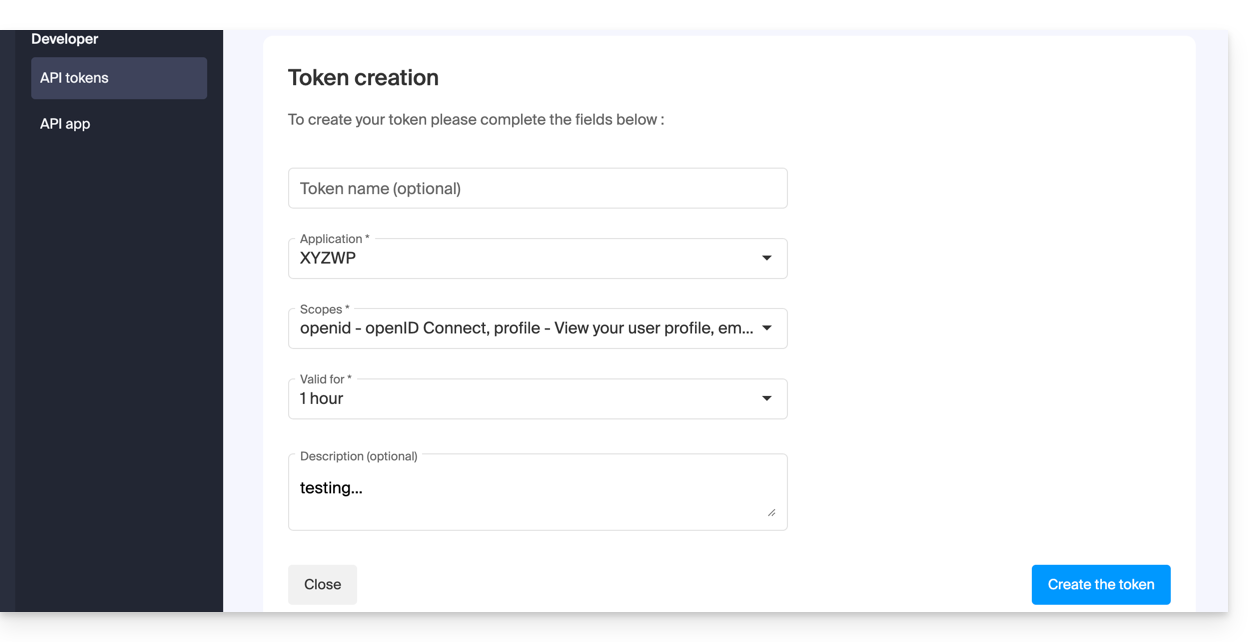
- Select the product/application and the validity period:
- Confirm the operation with your account password.
- Important: Copy the token and keep it in a safe place; it will no longer be displayed afterward.
To delete them, select them and click on the revocation button that appears: 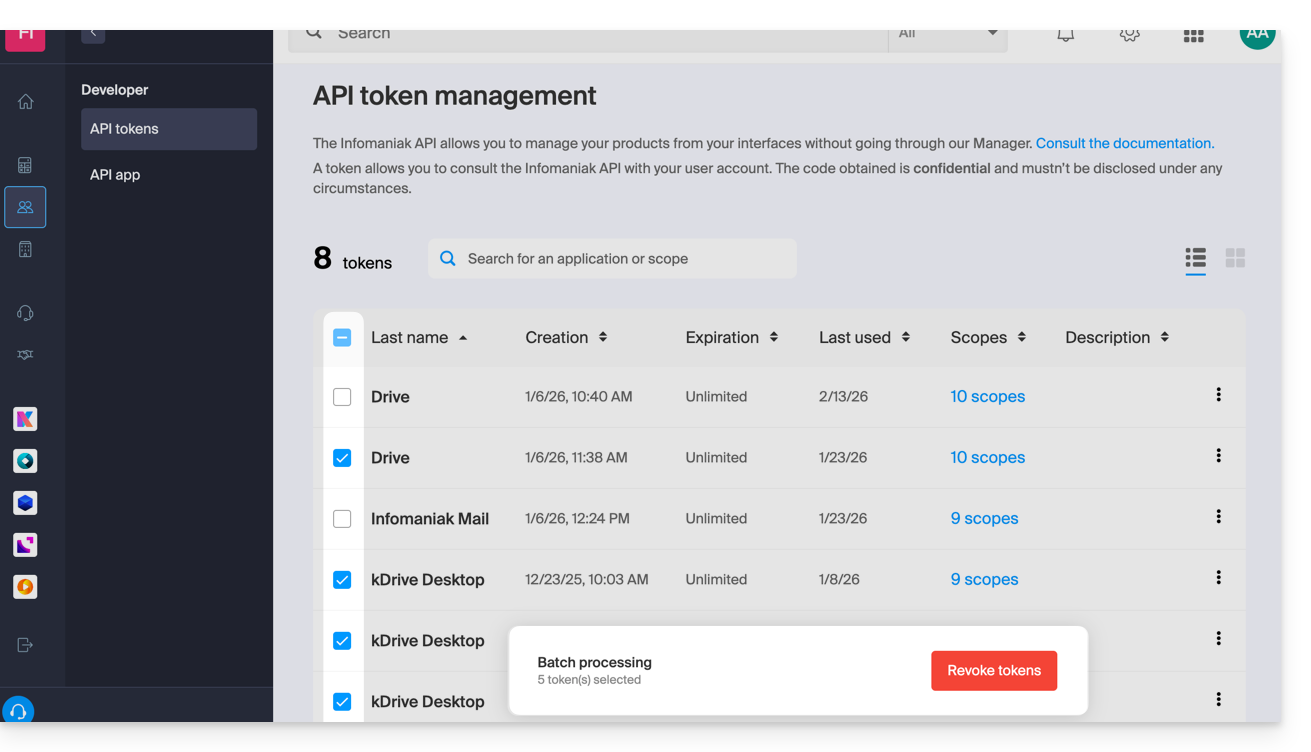
Link to this FAQ: https://faq.infomaniak.com/2582
Has this FAQ been helpful?
This guide concerns AI Services, Infomaniak's independent AI platform that allows you to harness the power of the best open-source AIs on the market without compromising security and data privacy.
Introduction
- Designed for developers and the general public, Infomaniak's cloud provider AI services guarantee data protection through end-to-end processing in Switzerland.
- This platform continuously offers the most powerful open-source AI models on the market (LLM, speech transcription, image generation, etc.).
- See this other guide to learn more about the lifecycle and migration of models.
- Billed based on usage, this service offers highly competitive rates.
- One million free credits allow you to test the service without commitment for one month.
Get AI Services
On-demand AI services can be used in three ways:
- Via the web app: the operation is similar to the Chat.com, Claude.ai, etc. interface. Simply open AI Services and choose the AI of your choice to submit your requests. Infomaniak's chatbot allows you to create custom conversational agents, transcribe audio files, and generate very high-quality images in the format of your choice (landscape, portrait, square).
- Via the API: developers and companies can integrate the AI models of their choice into their applications and work environments.
- It is necessary to create an API token.
- Only one product can exist per Organization, but API tokens can be multiple.
- The API documentation can be found at https://developer.infomaniak.com/docs/api and contains information on the available methods, parameters, and examples.
- Infomaniak's AI is also integrated into its tools, including Site Creator and kSuite, its collaborative suite that brings together all its online productivity tools:
- The instant messaging service kChat includes a sovereign alternative to ChatGPT for handling daily tasks.
- kDrive integrates AI, in particular for data categorization.
- kMeet subtitles and summarizes your virtual meetings.
- The Web app Mail allows you to write, reply to, and improve your emails with a single click, while guaranteeing complete data confidentiality.
AI Services can be used by the following users:
- Legal representative of the Organization
- Administrators of the Organization
- Organization collaborators with technical rights
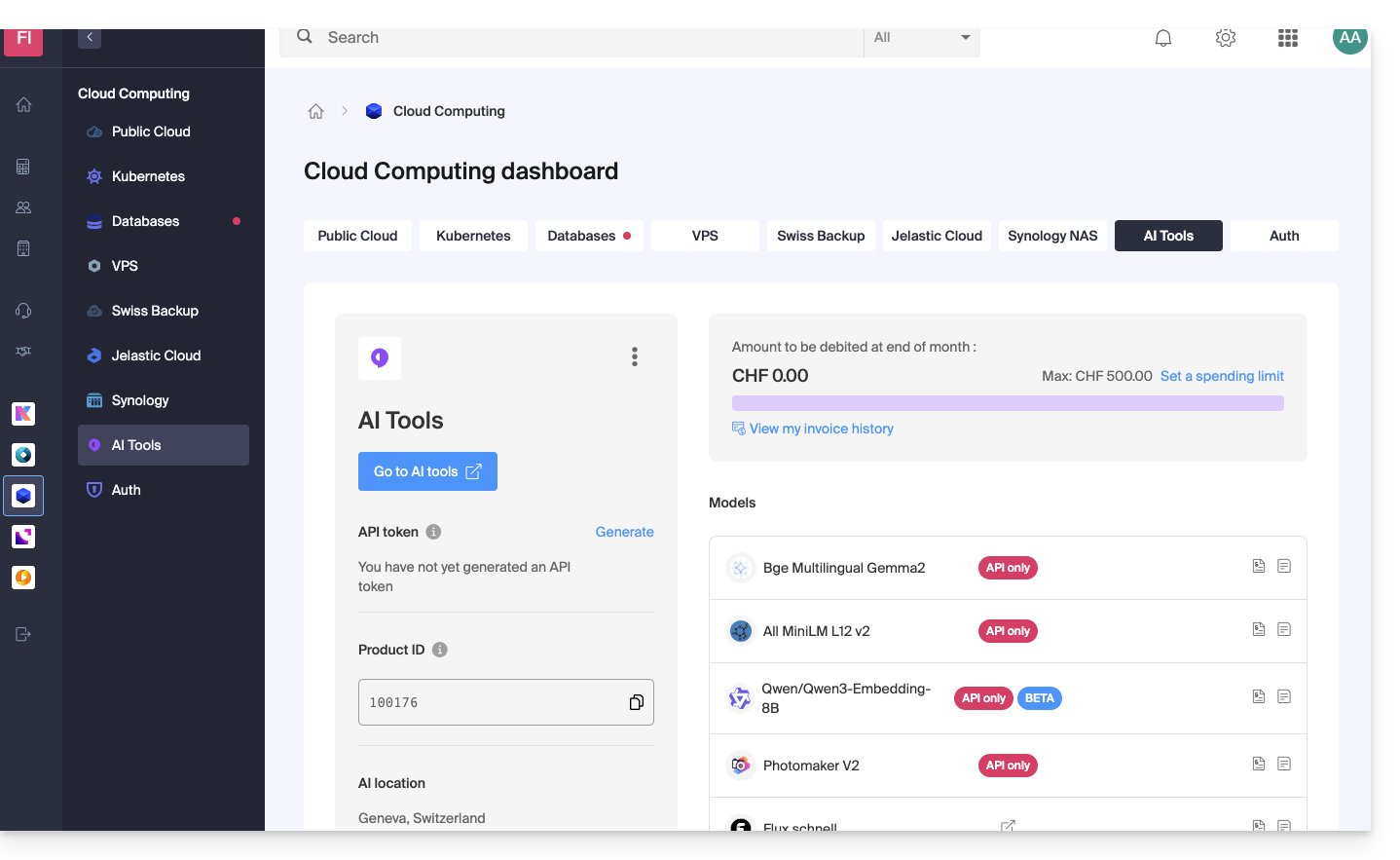
To access AI Services and, for example, view its daily usage:
- Click here to access your product management interface on the Infomaniak Manager (need help?):
Billing
- The API is billed on a credit basis.
- Each request consumes one credit or LLM token.
- Billing is accessible to legal representatives and administrators.
- Collaborators with technical rights have access to the documentation, but not to the invoices.
- A credit card is required to start using the API.
- An unpaid invoice will result in service suspension.
- A spending limit can be set by a user with billing rights within the organization and for the product, in order to limit unexpected costs.
- Pricing is shown on the sales page.
* LLM tokens (not to be confused with API tokens) are the basic units used by language models to process and generate text. Each token generally represents a word, a part of a word, or an entity in a text corpus and is used for natural language learning and generation.
Link to this FAQ: https://faq.infomaniak.com/2845
Has this FAQ been helpful?