Knowledge base
1000 FAQs, 500 tutorials and instructional videos. Here, there are only solutions!
Add and manage Infomaniak API tokens
Update 10/01/2026
This guide explains how to create and manage your authentication tokens to interact with the Infomaniak API (❓: help) securely.
Introduction
- Token features:
- Number: no limit to the number of tokens that can be created
- Validity: unlimited by default (customizable upon creation)
- Inactivity: a token is automatically deactivated if it is not used for one year
- Example of use:
- Token for the Newsletter API (❓: help)
Manage API tokens
When creating a token, you must define the application and the scope of access:
- Click here to access the token management section in the Manager (❓: help).
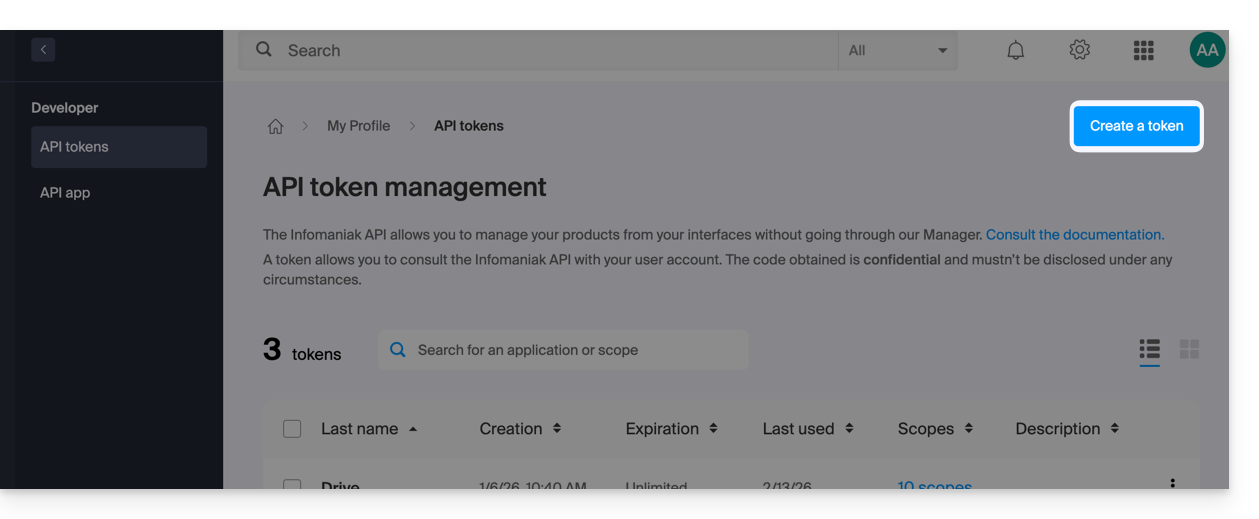
- Click on Create a token:
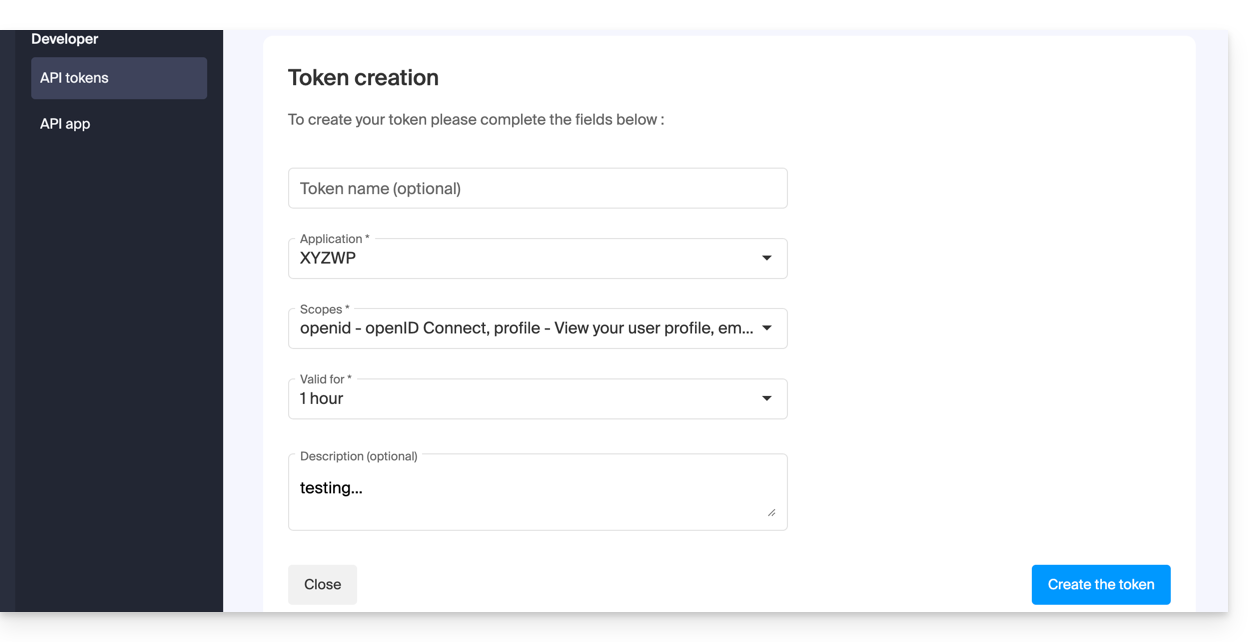
- Select the product/application and the validity period:
- Confirm the operation with your account password.
- Important: Copy the token and keep it in a safe place; it will no longer be displayed afterward.
To delete them, select them and click on the revocation button that appears: 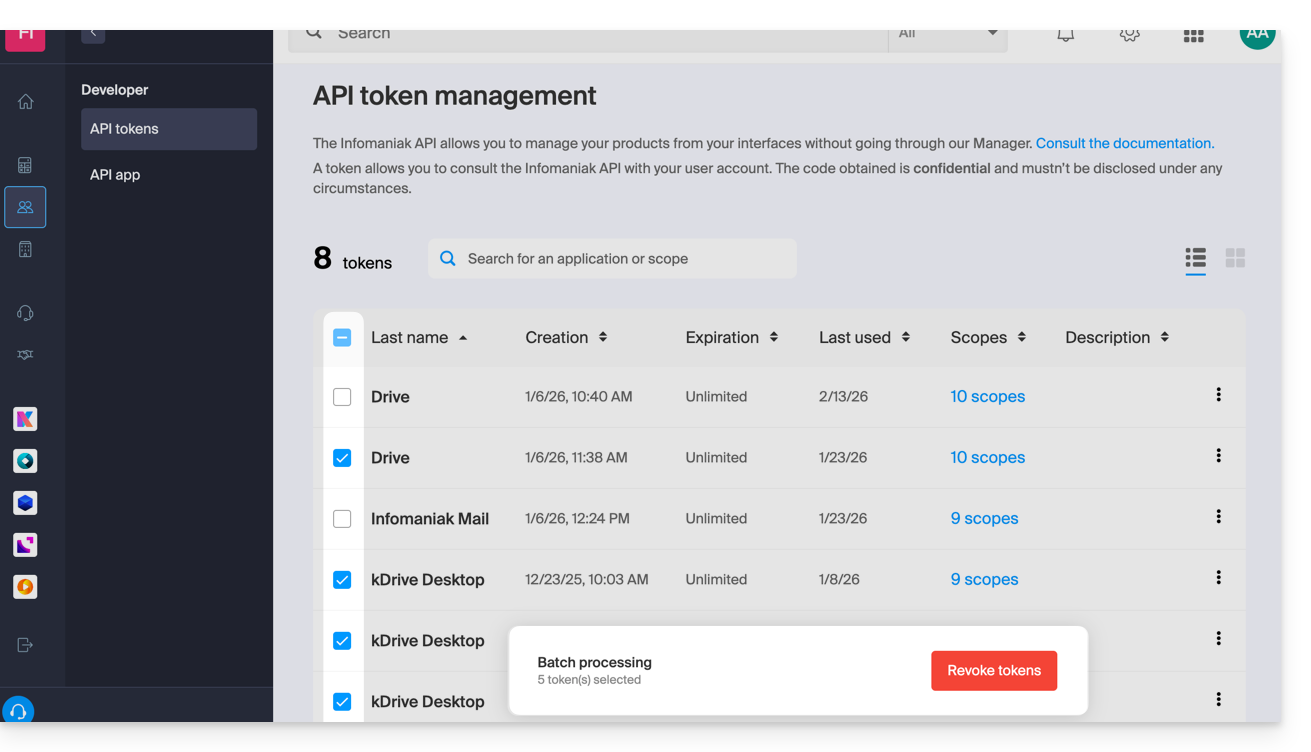
Link to this FAQ: https://faq.infomaniak.com/2582
Has this FAQ been helpful?