Knowledge base
1000 FAQs, 500 tutorials and instructional videos. Here, there are only solutions!
Getting Started Guide: AI Services (sovereign AI services)
This guide concerns AI Services, Infomaniak's independent AI platform that allows you to harness the power of the best open-source AIs on the market without compromising security and data privacy.
Introduction
- Designed for developers and the general public, Infomaniak's cloud provider AI services guarantee data protection through end-to-end processing in Switzerland.
- This platform continuously offers the most powerful open-source AI models on the market (LLM, speech transcription, image generation, etc.).
- See this other guide to learn more about the lifecycle and migration of models.
- Billed based on usage, this service offers highly competitive rates.
- One million free credits allow you to test the service without commitment for one month.
Get AI Services
On-demand AI services can be used in three ways:
- Via the web app: the operation is similar to the Chat.com, Claude.ai, etc. interface. Simply open AI Services and choose the AI of your choice to submit your requests. Infomaniak's chatbot allows you to create custom conversational agents, transcribe audio files, and generate very high-quality images in the format of your choice (landscape, portrait, square).
- Via the API: developers and companies can integrate the AI models of their choice into their applications and work environments.
- It is necessary to create an API token.
- Only one product can exist per Organization, but API tokens can be multiple.
- The API documentation can be found at https://developer.infomaniak.com/docs/api and contains information on the available methods, parameters, and examples.
- Infomaniak's AI is also integrated into its tools, including Site Creator and kSuite, its collaborative suite that brings together all its online productivity tools:
- The instant messaging service kChat includes a sovereign alternative to ChatGPT for handling daily tasks.
- kDrive integrates AI, in particular for data categorization.
- kMeet subtitles and summarizes your virtual meetings.
- The Web app Mail allows you to write, reply to, and improve your emails with a single click, while guaranteeing complete data confidentiality.
AI Services can be used by the following users:
- Legal representative of the Organization
- Administrators of the Organization
- Organization collaborators with technical rights
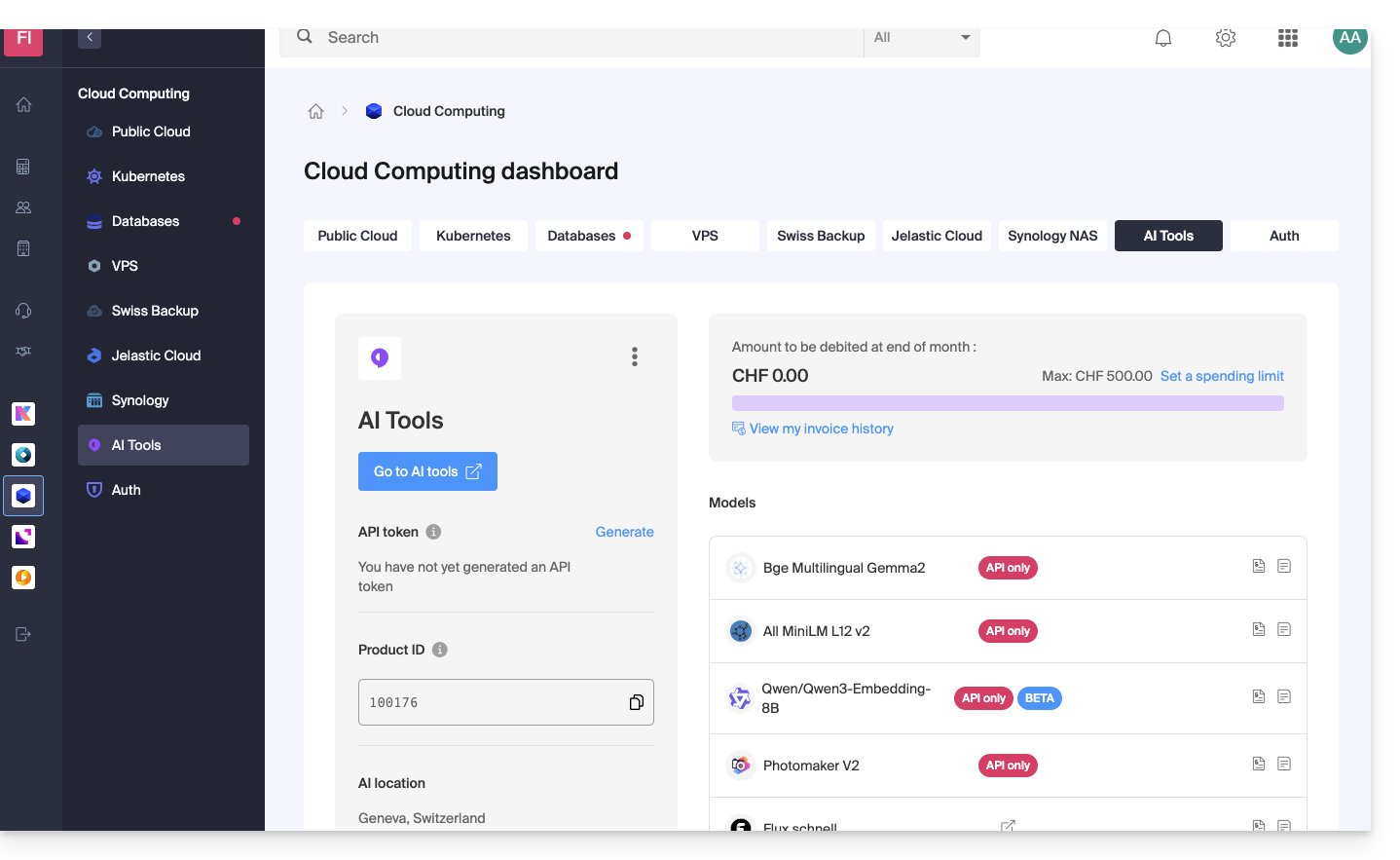
To access AI Services and, for example, view its daily usage:
- Click here to access your product management interface on the Infomaniak Manager (need help?):
Billing
- The API is billed on a credit basis.
- Each request consumes one credit or LLM token.
- Billing is accessible to legal representatives and administrators.
- Collaborators with technical rights have access to the documentation, but not to the invoices.
- A credit card is required to start using the API.
- An unpaid invoice will result in service suspension.
- A spending limit can be set by a user with billing rights within the organization and for the product, in order to limit unexpected costs.
- Pricing is shown on the sales page.
* LLM tokens (not to be confused with API tokens) are the basic units used by language models to process and generate text. Each token generally represents a word, a part of a word, or an entity in a text corpus and is used for natural language learning and generation.
Link to this FAQ: https://faq.infomaniak.com/2845
Has this FAQ been helpful?