Knowledge base
1000 FAQs, 500 tutorials and instructional videos. Here, there are only solutions!
Create a web redirection from the Manager
Update 10/05/2026
This guide explains how to easily set up a redirection for your domain name managed with Infomaniak.
Introduction
- A web redirection allows you to redirect a domain name or subdomain to the internet address of your choice.
- This procedure is only valid if the domain's DNS records are managed by Infomaniak (❓: help) and if Custom Brand is not activated.
- Any DNS addition/modification may take up to 48 hours to propagate (❓: help).
- If necessary, create a redirection for your domain with and without the www (
domain.xyzandwww.domain.xyz).
Redirect a domain to the URL of your choice
To do this:
- Click here to access the domain management section in your Infomaniak Manager (❓: help).
- Click on the name of the domain in question.
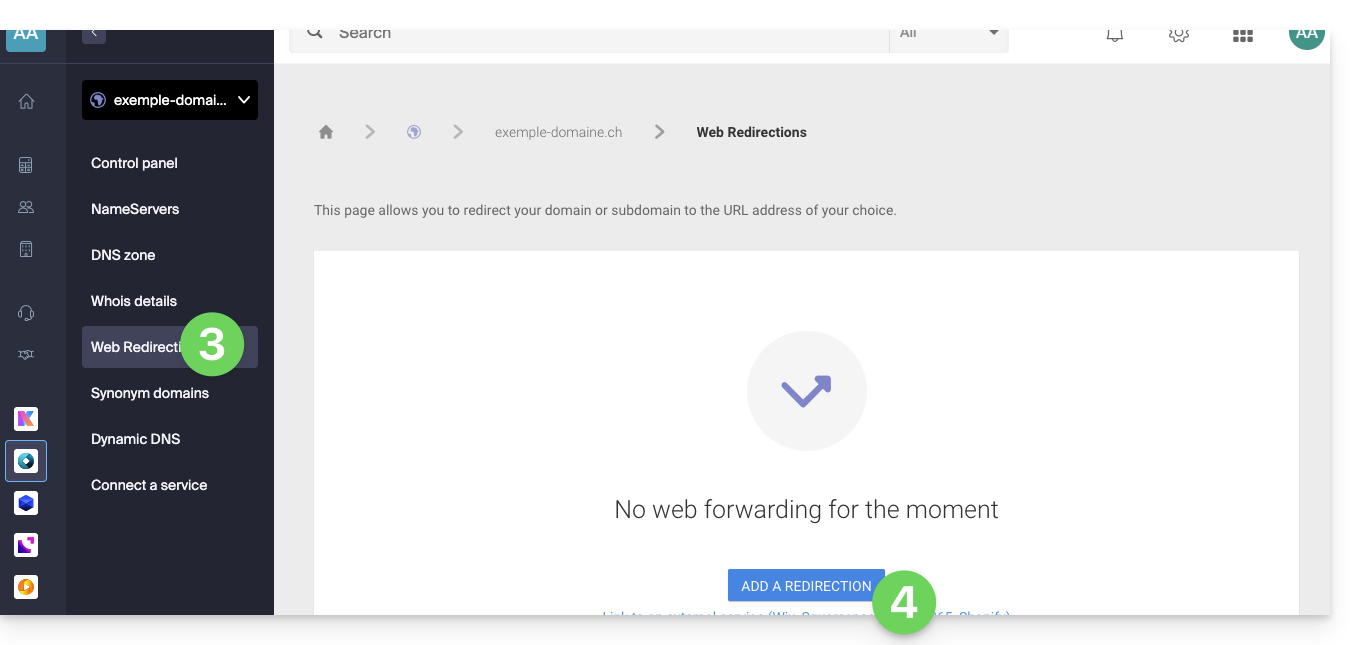
- Click on Web Redirections in the left-hand menu.
- Click on the Add a redirection button:
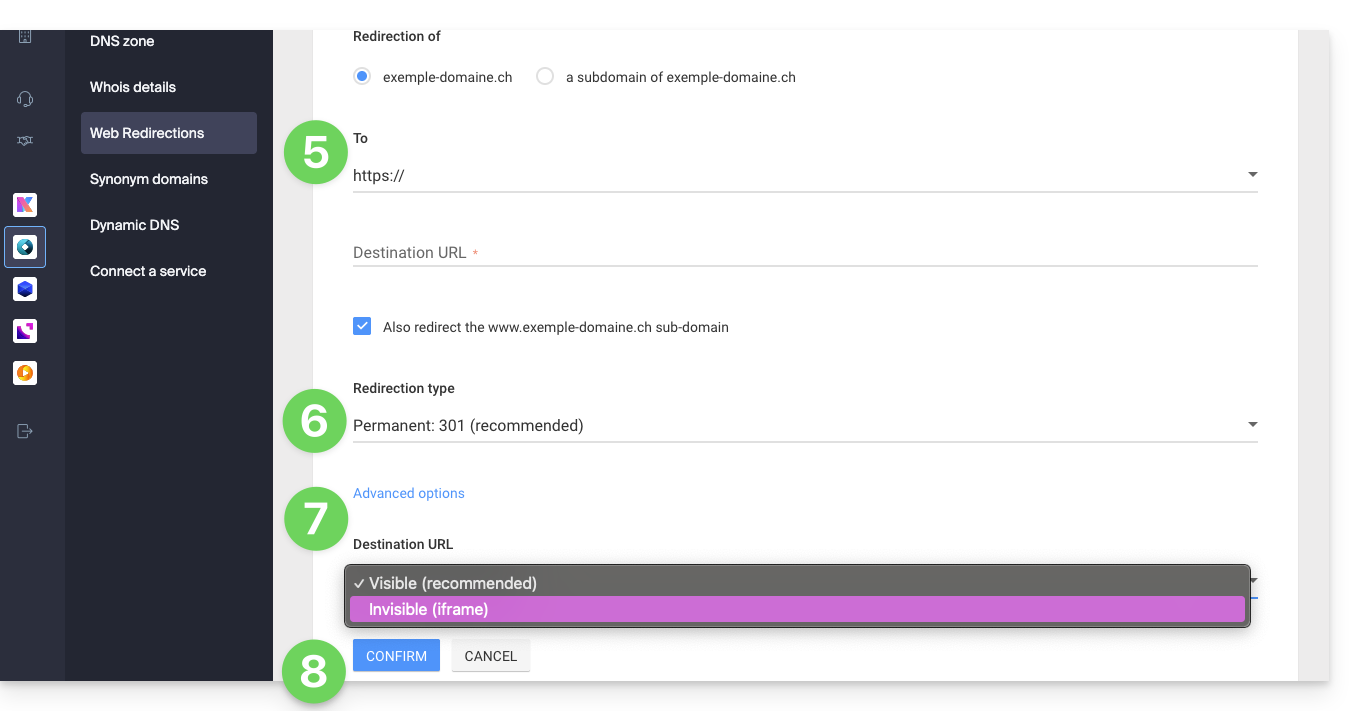
- Enter the destination address (under To).
- Choose between a 301 or 302 redirect.
- The advanced options allow you to specify a redirect in the form of an iframe (invisible, but not recommended).
- Click the button to Confirm:
Link to this FAQ: https://faq.infomaniak.com/2092
Has this FAQ been helpful?