Knowledge base
1000 FAQs, 500 tutorials and instructional videos. Here, there are only solutions!
Broadcast a VOD playlist live on Video Streaming
This guide explains how to live stream a list of videos from the VOD service using the Video Streaming product.
Introduction
- This feature allows you to use the VOD service to create a video playlist and then use the video streaming service to broadcast it live, for example as part of a music video channel, video-on-demand service, documentaries, etc.
- It is possible to insert advertisements between each video, either manually or by using VAST tags.
- The playlist will be played on repeat indefinitely until the user stops it.
Broadcast a VOD playlist in live streaming
Prerequisites
- You must have a VOD service (at least the free VOD space with the Video Streaming service).
- Have a video streaming service within the same organization and managed by the same account.
To create the playlist, import some videos:
- Click here to access the management interface for your product in the Infomaniak Manager (need help?).
- Click directly on the name assigned to the product in question:
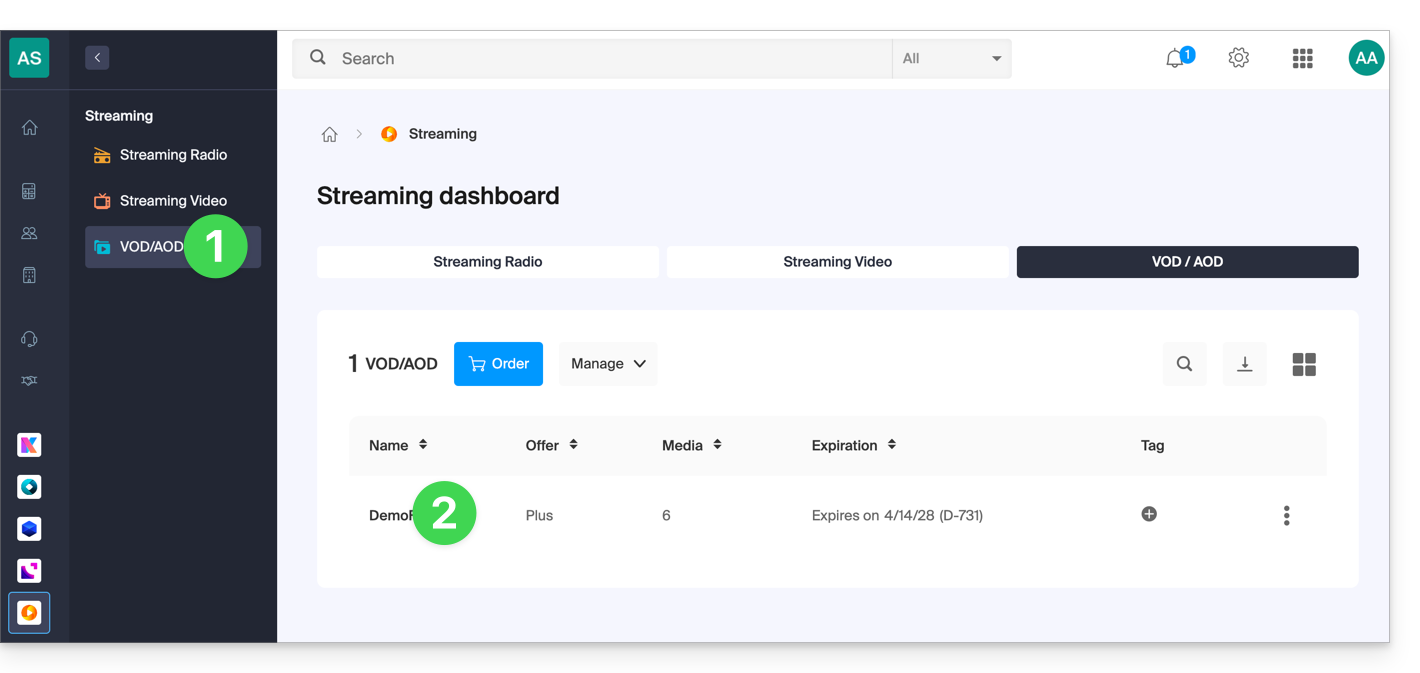
- Select the media to import in the Quick Import section or from the Media Manager:
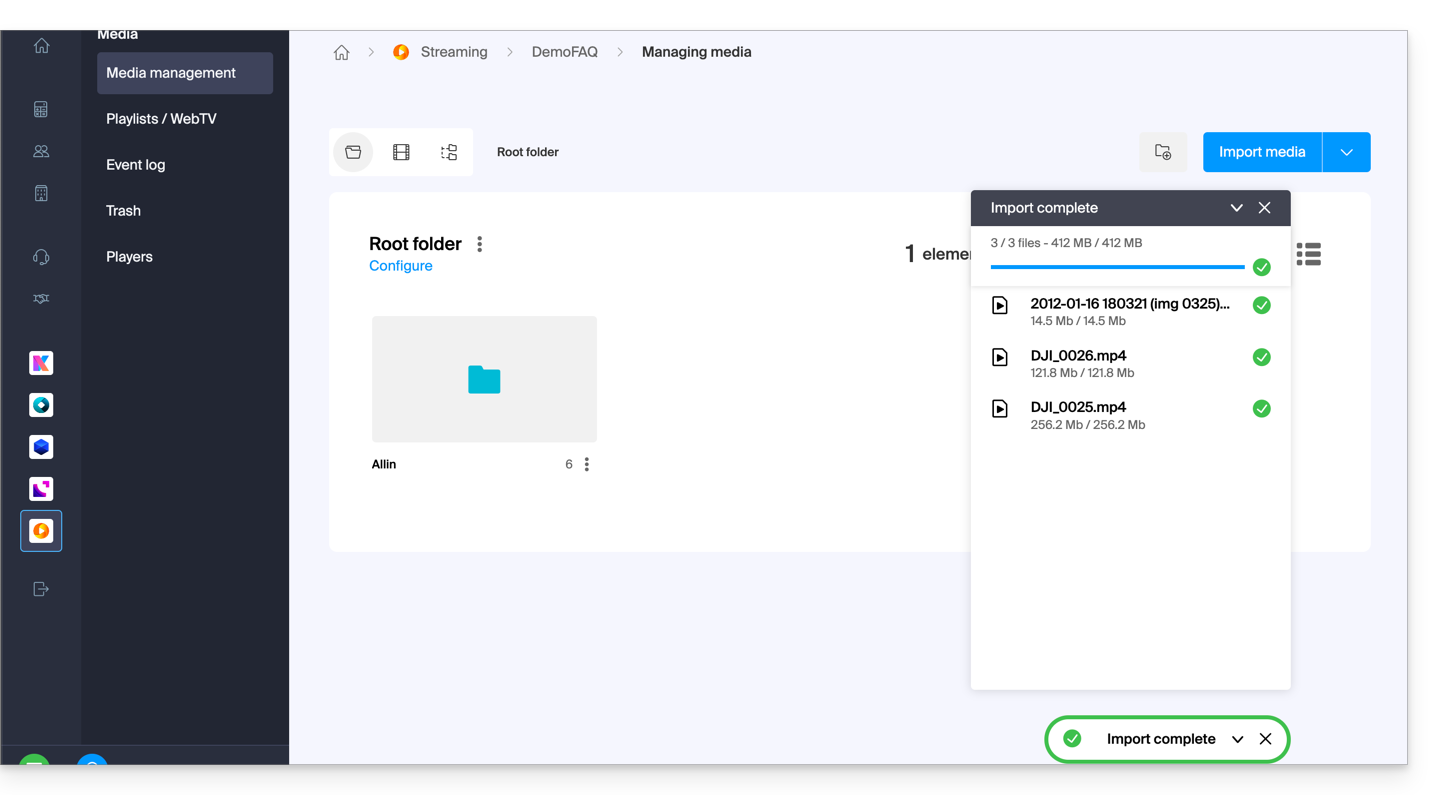
Once the videos have been imported:
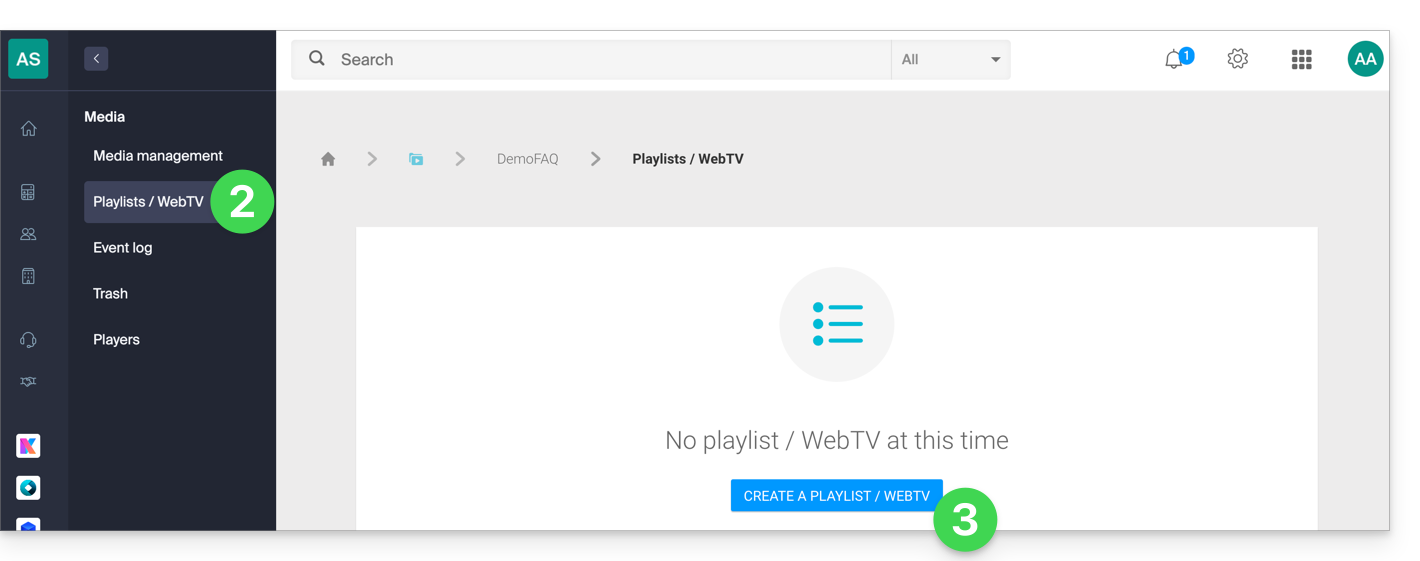
- Click on Media in the left-hand menu.
- Click on Playlists / WebTV in the left-hand menu.
- Click the button to add a new playlist:
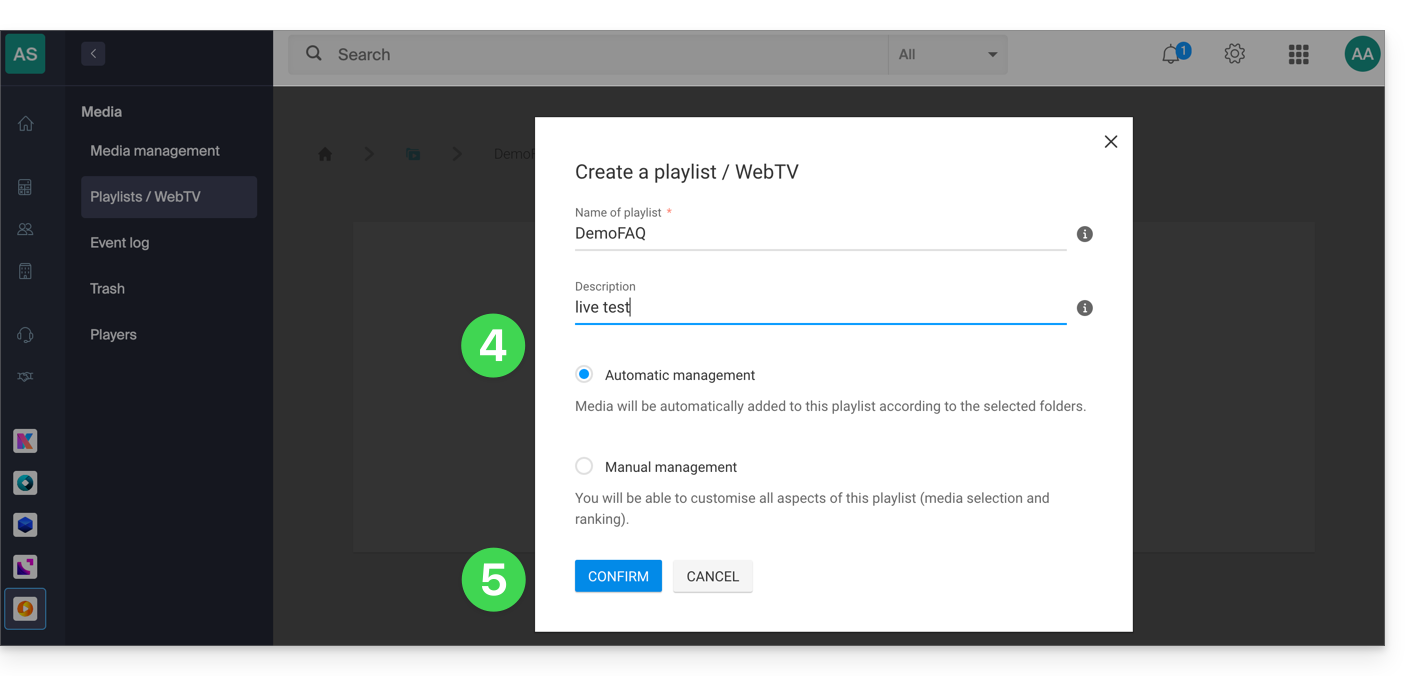
- Name the playlist and specify whether it should be automatic (linked to a folder) or manual.
- Confirm:
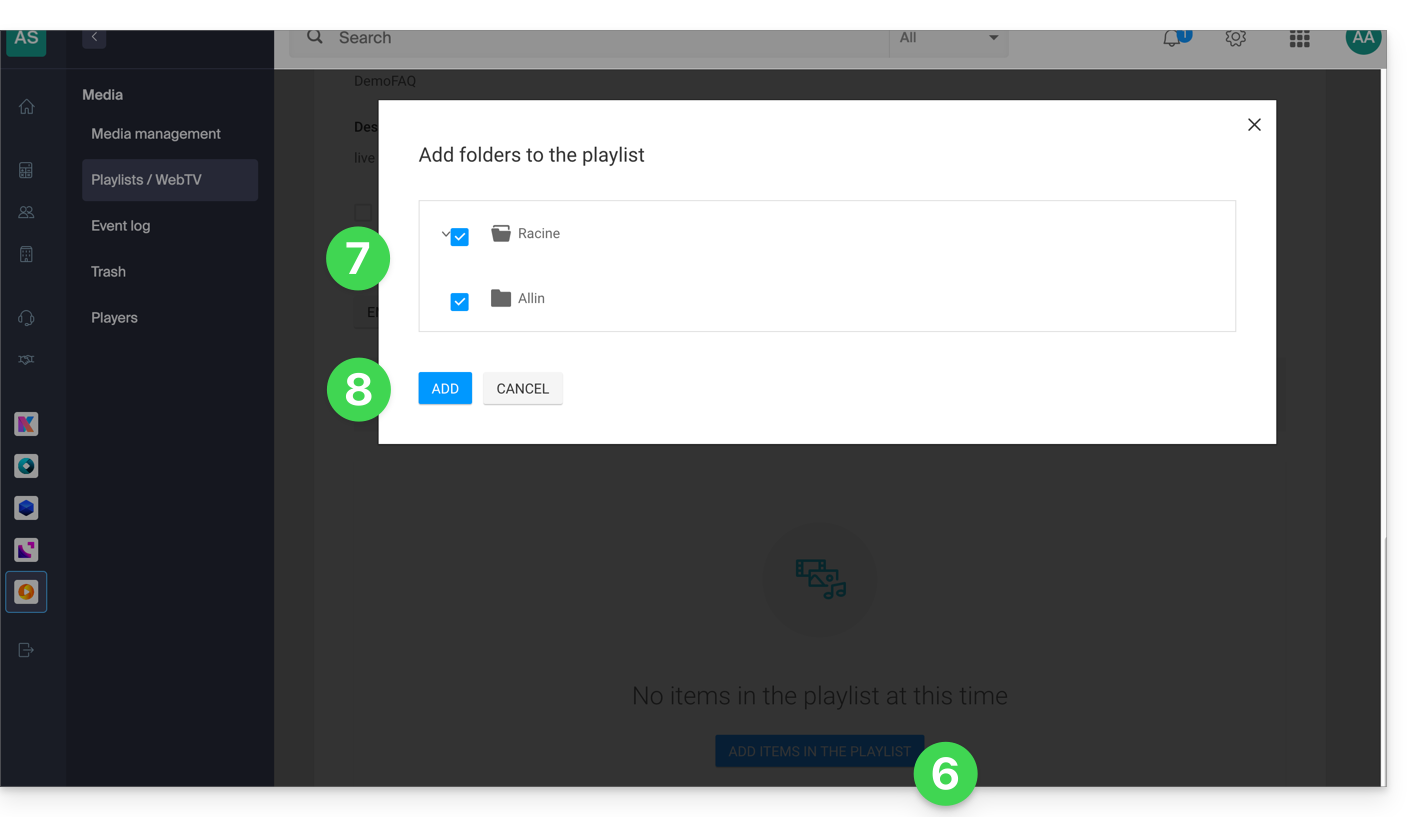
- Click to add media.
- Choose the folder or specific videos to use to create the playlist.
- Add the media:
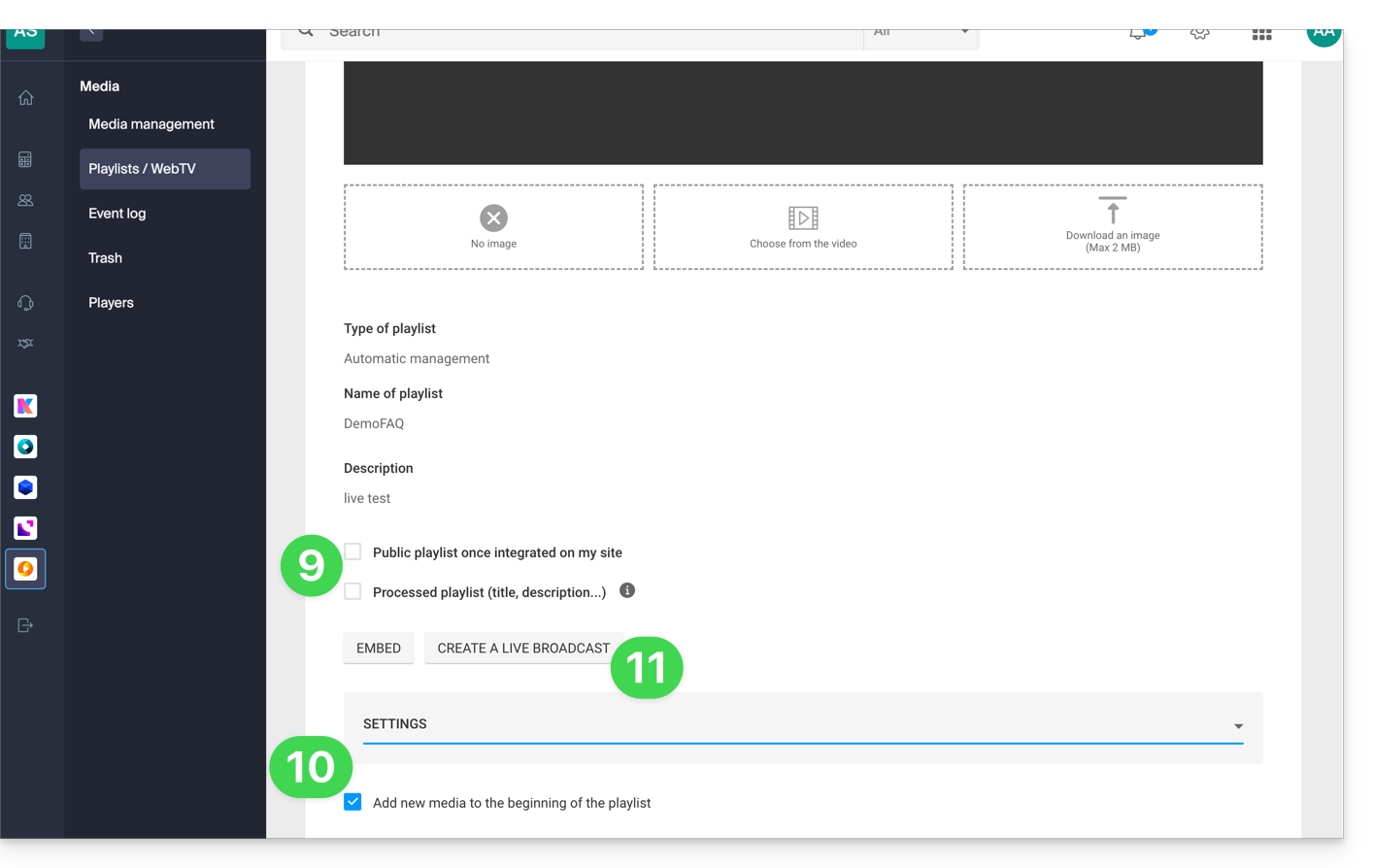
- Choose whether the playlist should be public and, as with your media, whether it should be “marked” as “processed” (status visible only to you).
- In the additional settings, you can choose to add media to the beginning of the playlist instead of the end.
- Click on the Create a live stream button:
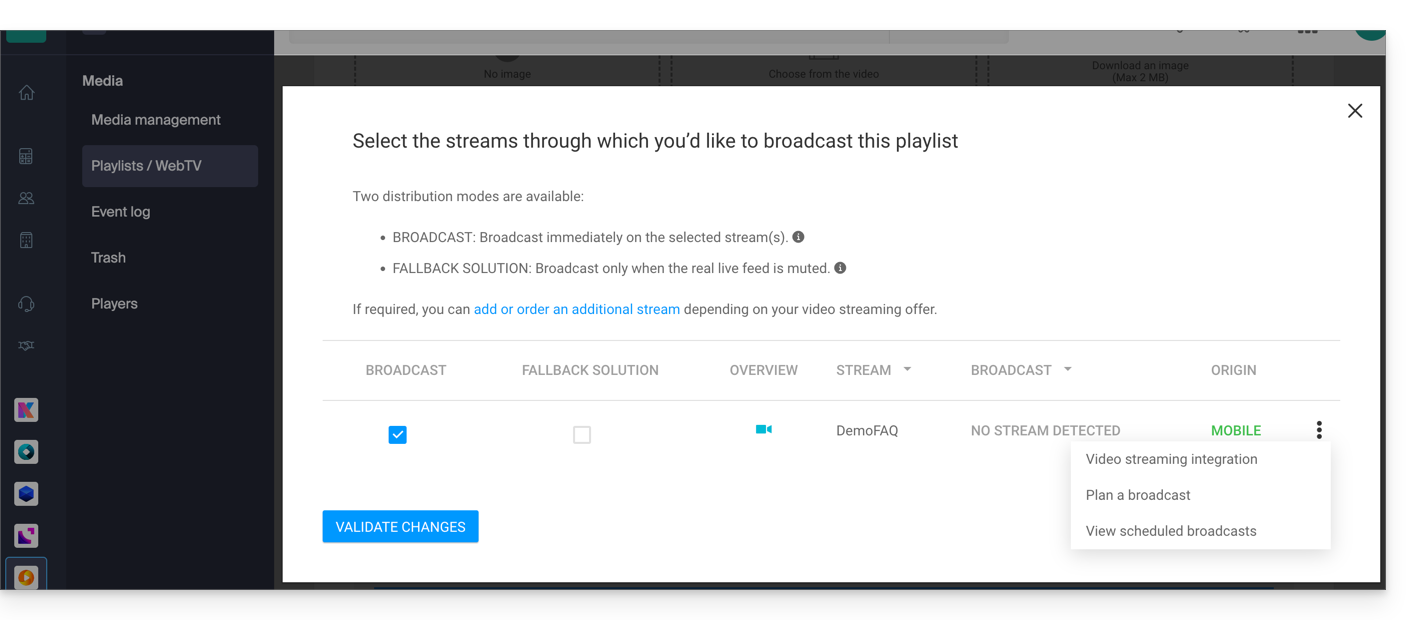
- Choose the stream for the Video Streaming service that will broadcast the playlist and set your preferences:
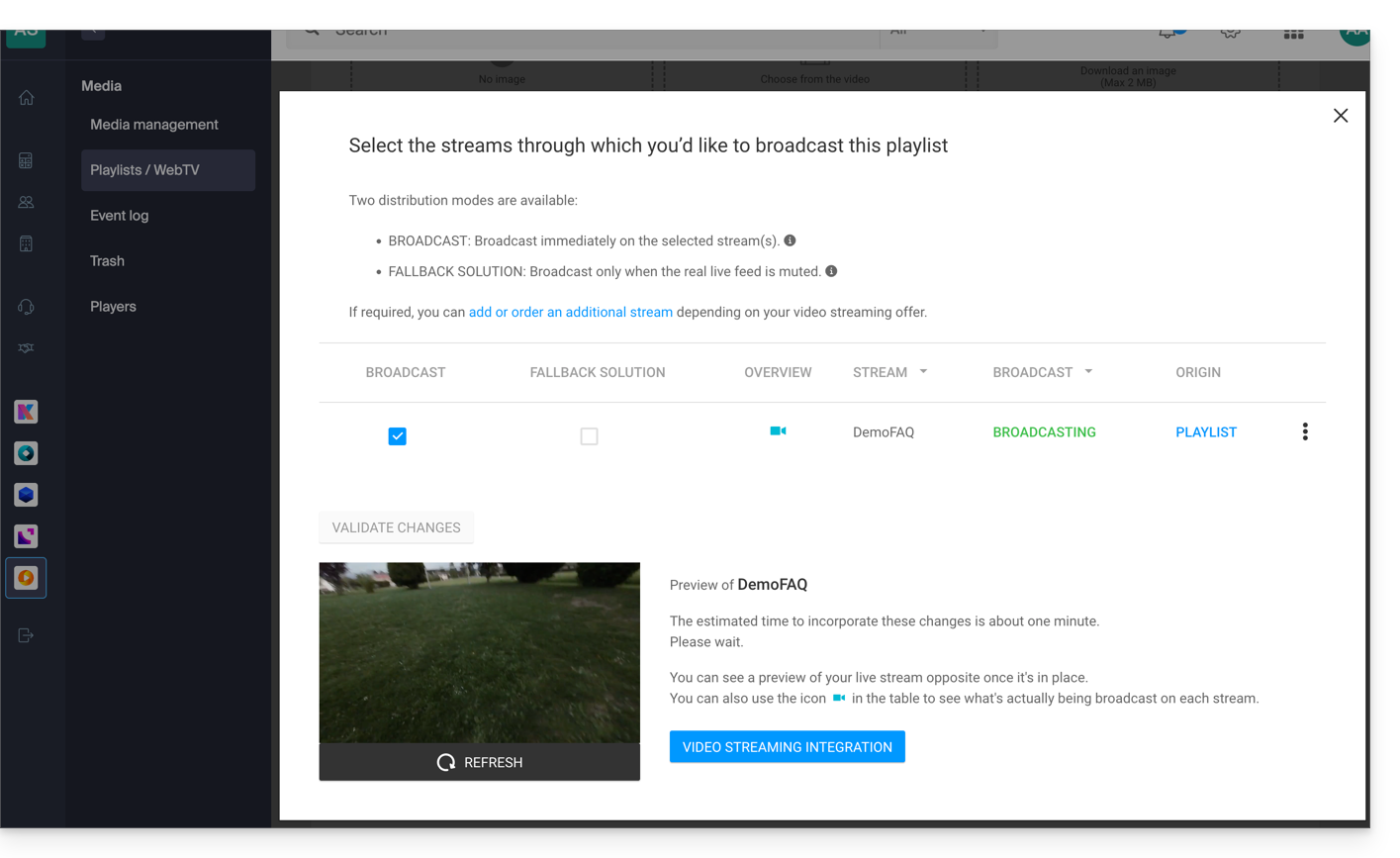
- Confirm when you are ready to publish; the preview will be displayed below:
- Each playlist can be duplicated, renamed, shared, deleted, etc., directly from the playlist page:
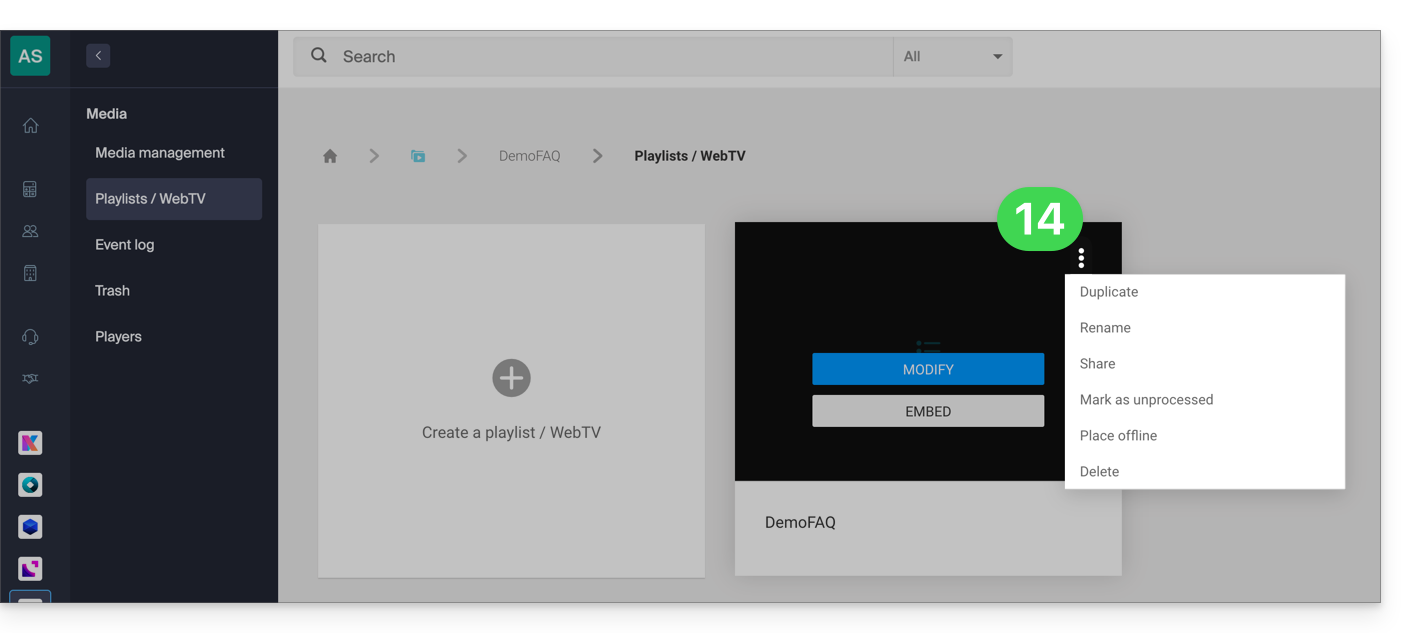
Some examples of use
Broadcasting a playlist can serve as a fallback solution as soon as a live stream is interrupted (intentionally or unintentionally) and can then take over the broadcast. As soon as the live encoder pushes a stream, it resumes control of the playlist. This allows you to broadcast alternative content if there is a problem with the live stream, or if the user only broadcasts a real live stream in the evening, for example, they can automate the broadcasting of content from a playlist for the rest of the day.
It is also possible to schedule the broadcast of a playlist using the video streaming scheduling tool. This allows you to choose specific time slots for broadcasting a single playlist or different playlists in advance, or on a recurring basis. The encoder broadcasting live will be automatically disconnected for the entire duration of the playlist broadcast; once the time slot is finished, the encoder will reconnect and its content will be broadcast.
A VOD playlist can be created and edited manually (by selecting the video to be added to the list) or be dynamic if it is automatically created from a set of videos located in a specific folder and updated as new videos are added. In both cases,stop and restart the live stream to include any new videos added to the playlist - please note that this will no longer be necessary in a future update of the tool.
Link to this FAQ: https://faq.infomaniak.com/1448
Has this FAQ been helpful?