Knowledge base
1000 FAQs, 500 tutorials and instructional videos. Here, there are only solutions!
Install a PHP app/extension on a Cloud Server
This guide explains how to quickly install applications, PHP extensions, and technologies (non-exhaustive list below) in just a few clicks on Cloud Server only.
Refer to this other guide if you are looking for information about additional Web Applications that can be installed on any type of hosting, including standard/shared hosting.
Install (or uninstall) PHP apps/extensions…
To find the list of technologies and proceed with their installation:
- Click here to access the management of your Cloud Server in the Infomaniak Manager (need help?).
- Click directly on the name assigned to the Cloud Server in question:
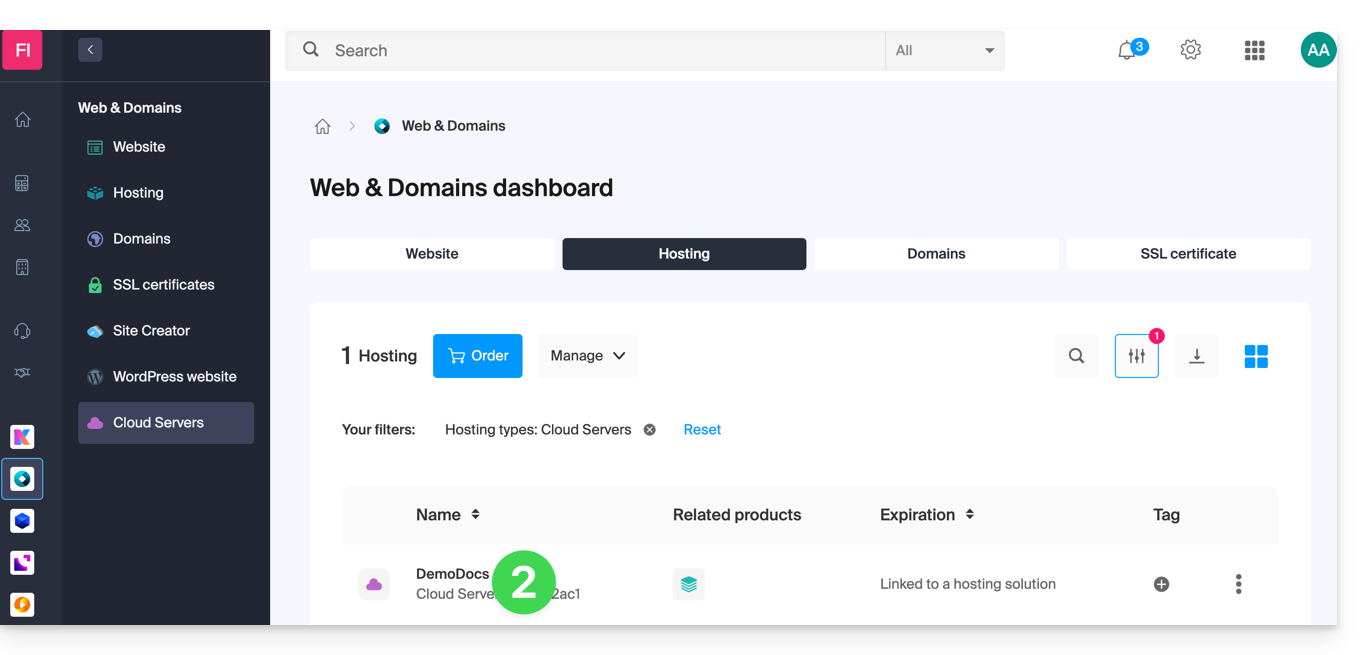
- Click in the left-hand menu:
- PHP Extensions
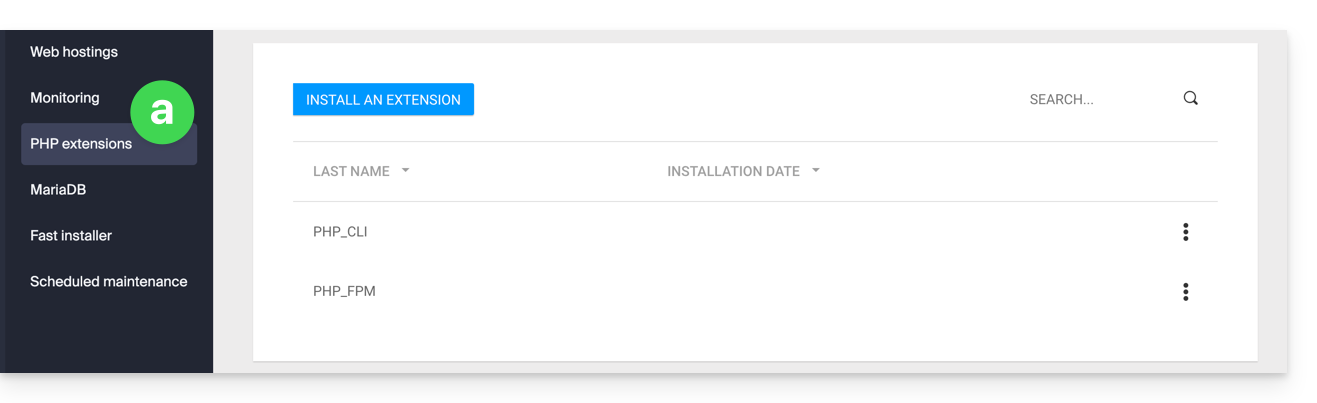
- Fast Installer
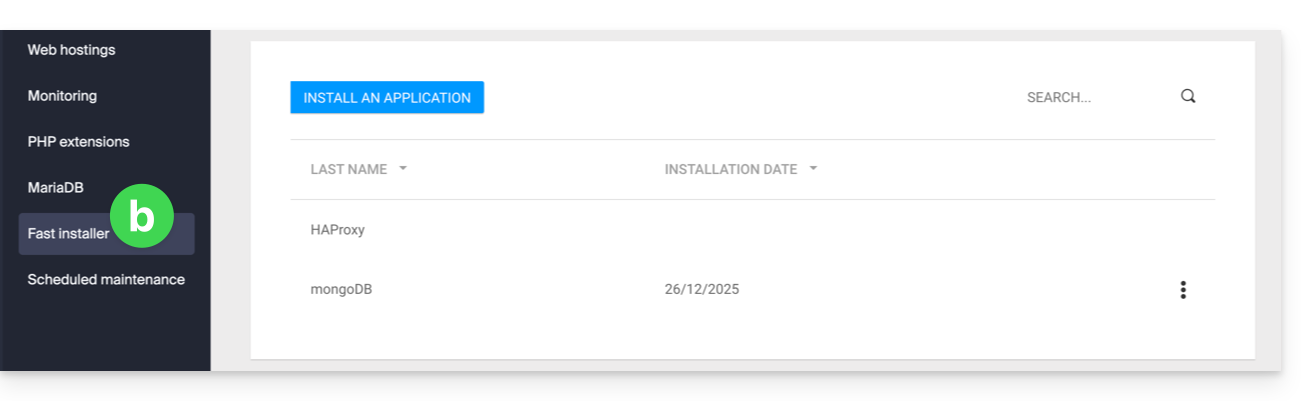
- PHP Extensions
- Click on the action menu ⋮ to the right of the extension you wish to uninstall in the table that appears.
- Click on Uninstall.
- Otherwise, click on the blue button.Install an extension / Install an application:
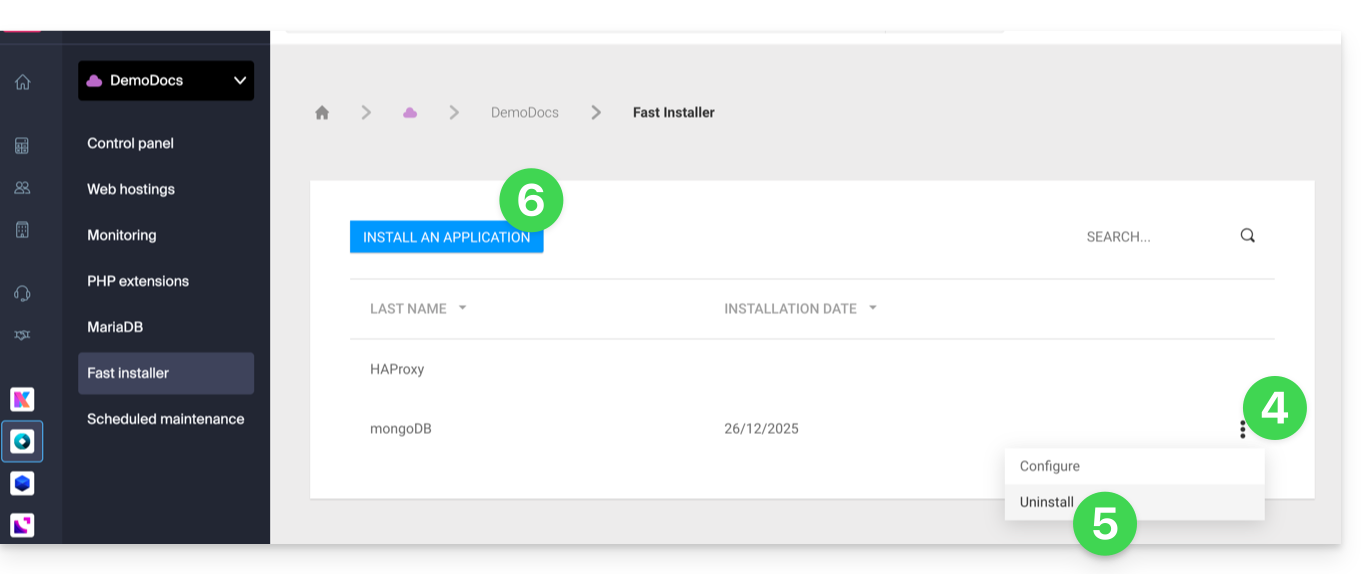
- Then, select the new installation you want:
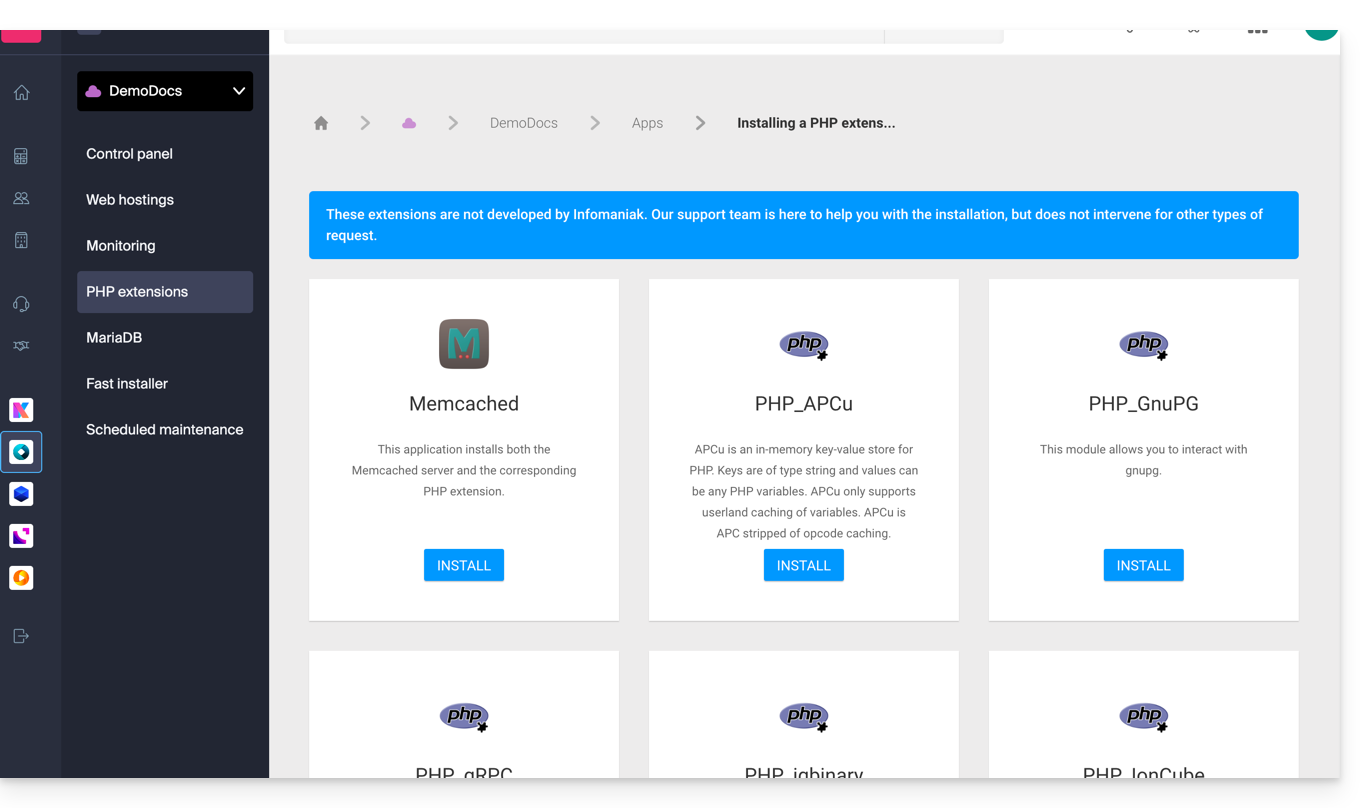
Non-exhaustive list of available apps & extensions
AdvanceCOMPBuildEssentialelectron_devExifToolFFmpeg↗ guideGhostscriptGifsicleGraphicsMagickHAProxyImagemagick↗ guideJpegoptimlibjpeg_turbolibqrencodelibX11_xcb1MidnightCommanderMemcached↗ guidemongoDB↗ guideNVM Node Version ManagerOptiPNGp7zipPDFtkPHP_APCuPHP_CLI↗ guidePHP_FPMPHP_GnuPG(deprecated extension) ↗ guide for the pure PHP alternativePHP_gRPCPHP_igbinaryPHP_IonCube↗ guidePHP_OPcachePHP_PDFPHP_PDO_ODBC↗ guidePHP_SwoolepipPngcrushPngquantRedis↗ guideRRDTool The Round Robin Database ToolRubyCompasssystemd↗ guidetesseract_ocrvarnish↗ guidevirtualenvWebPxauthxpdfxvfbZSH
Link to this FAQ: https://faq.infomaniak.com/877
Has this FAQ been helpful?