Knowledge base
1000 FAQs, 500 tutorials and instructional videos. Here, there are only solutions!
Transfer your domain name to Infomaniak
This guide explains how to transfer a domain name you own from another company to Infomaniak.
Introduction
- In general, during a transfer, no already paid period is lost; the domain's expiration date will be extended by one year.
- A bulk transfer is also possible.
- The terms "
EPP", "AuthCode", "AuthInfo", "transfer code", and "authorization code" all refer to alphanumeric sequences specific to the domain, the main purpose of which is to verify the owner's authorization before a transfer between Registrars.
1. Obtain the authorization code
Obtain it from your customer account with your current provider (refer to these other specific guides), or request it from them!
It may be necessary to unlock any transfer protection.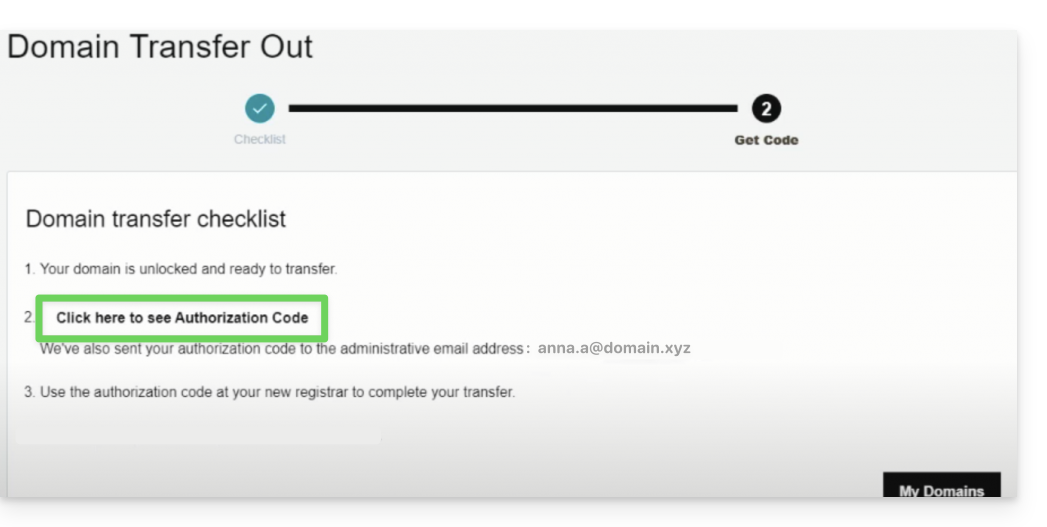
2. Transfer the domain name
Search for the domain name in question on this Infomaniak page.
Click the button to start the transfer!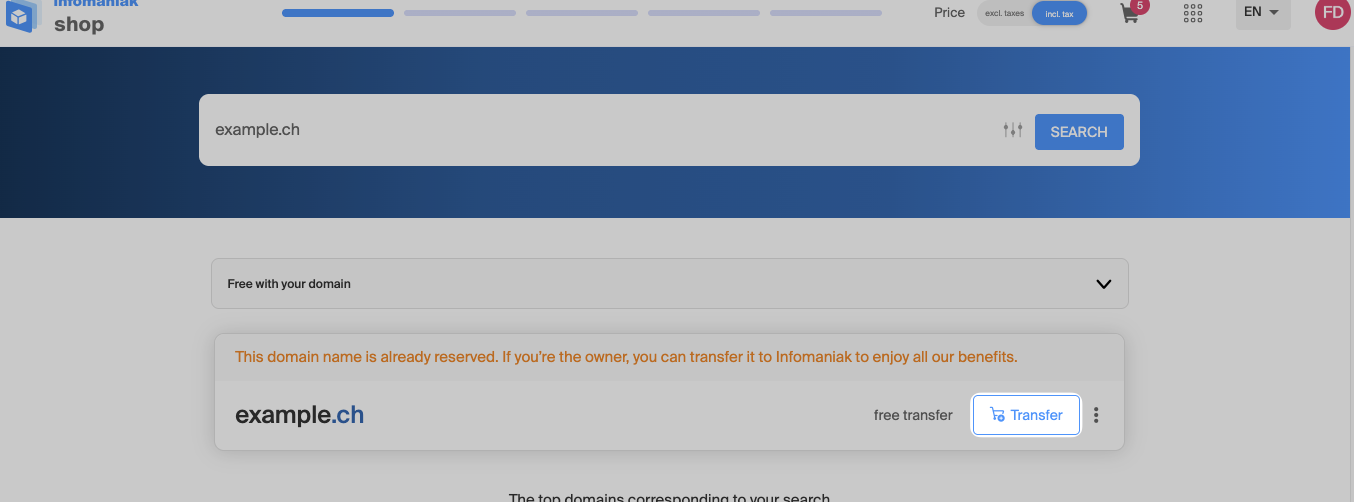
3. Configure the options
Follow the wizard by adding or removing the desired options.
After entering the domain name holder's contact information, this step is the most important: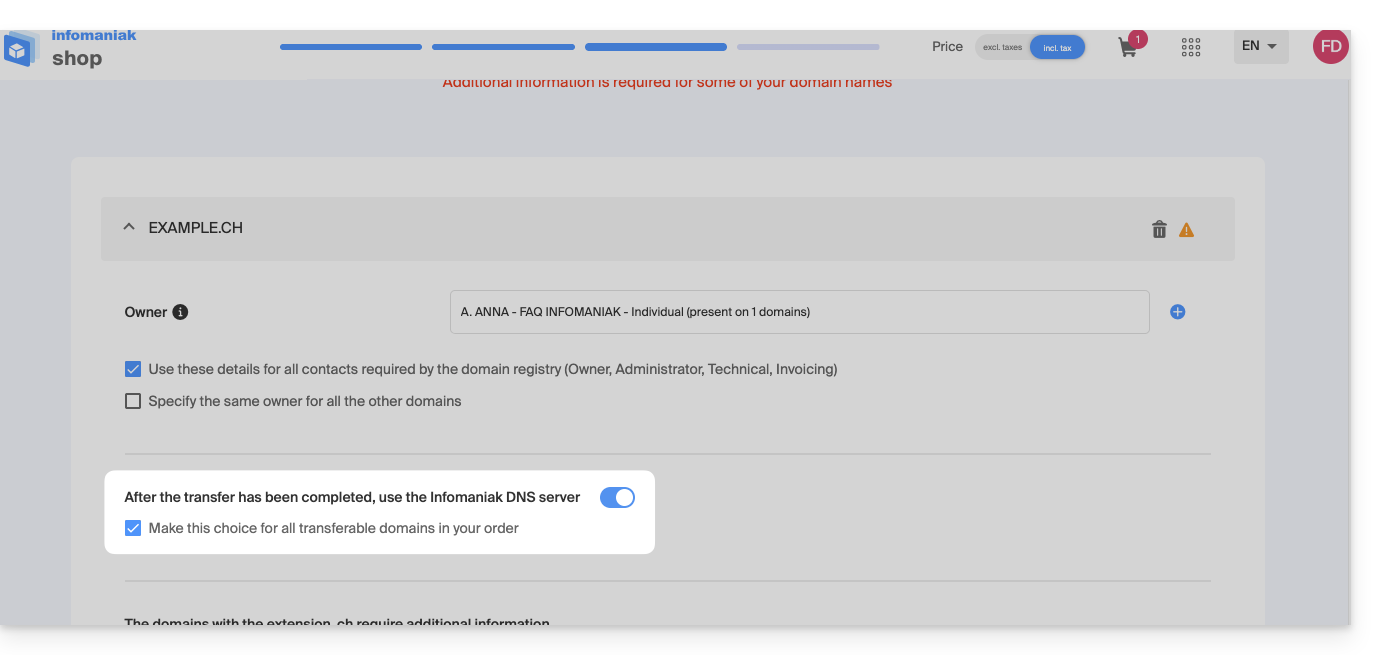
Leave the toggle switch activated as shown above if…
- … all products or services related to this domain name are already with Infomaniak.
- … no products or services are linked to your domain name.
or deactivate the toggle switch if…
- … some products or services related to this domain name are located elsewhere than with Infomaniak.
4. Enter the authorization code
Below, paste the authorization code copied in step 1, then validate the transfer by clicking the button: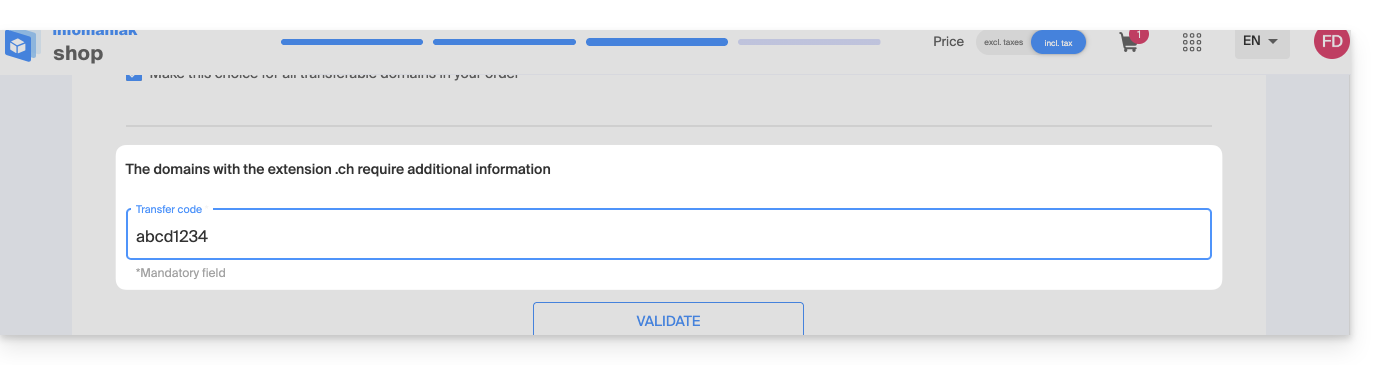
Then click the Next button in the bottom right corner to proceed to the last step.
5. The last step
The last step allows you to pay any applicable fees (depending on the domain extension being transferred) and set the renewal method.
Read and accept the terms and conditions, then click Next to complete the order: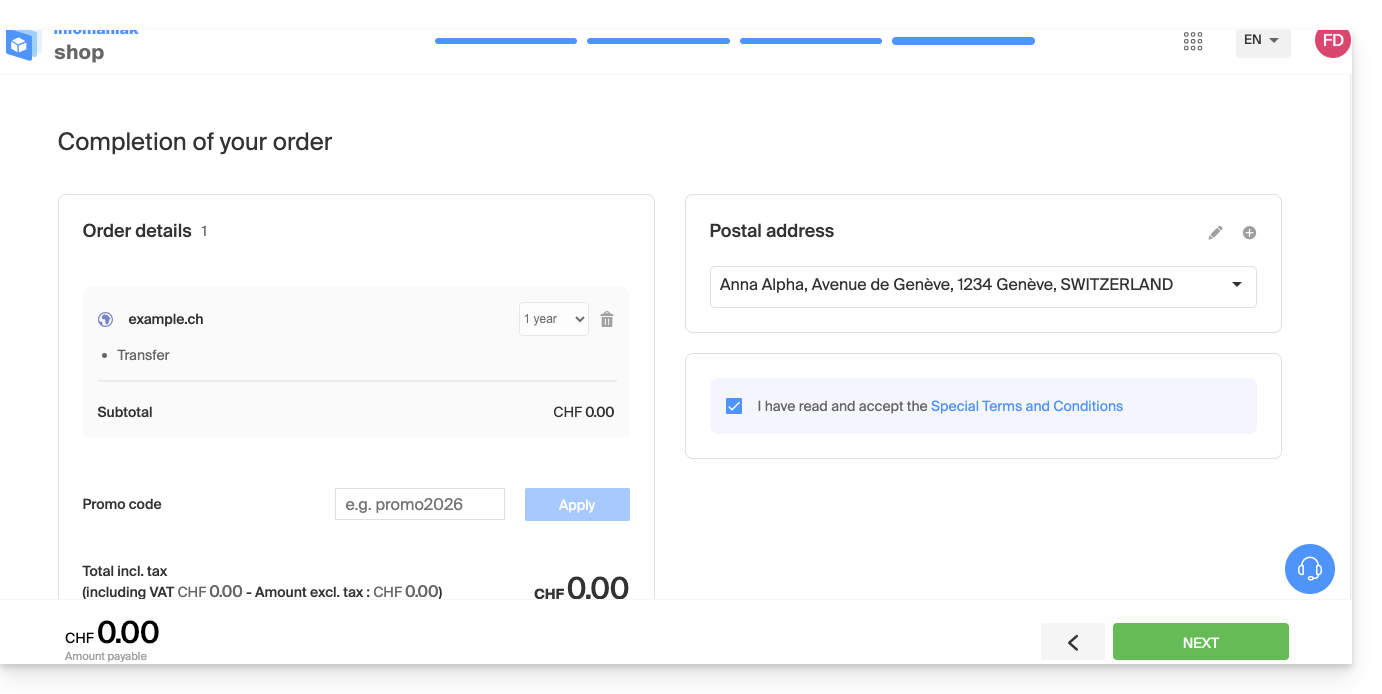
6. Manage your domain names
Find your domain names in the Infomaniak Manager and monitor their transfer, configuration, expiration, etc.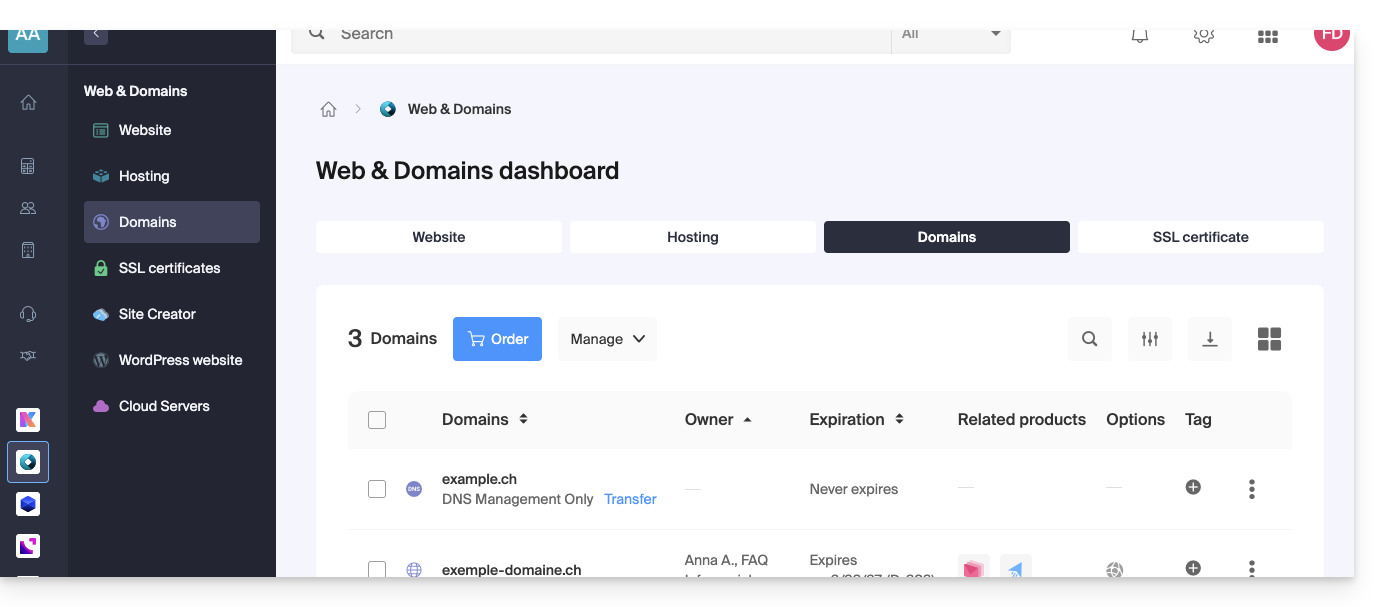
If a problem occurs with the transfer, an email will be sent to you containing the reason for the failure and the procedure for resuming the transfer.
Also, do you want to transfer your services such as websites or email addresses? See this other guide. Discover also the Infomaniak migration service.
Link to this FAQ: https://faq.infomaniak.com/447
Has this FAQ been helpful?