Knowledge base
1000 FAQs, 500 tutorials and instructional videos. Here, there are only solutions!
Use the new Newsletter templates
Update 11/12/2026
This guide explains how to convert your old templates from the Infomaniak Newsletter editor so that you can then use the features of the new editor.
Introduction
- After November 23, 2026, only the old newsletter editor will be deactivated:
- You will still be able to convert your old templates, and your history of past campaigns will remain available.
- In addition to the method described in this guide, you can simply duplicate a campaign created with the old editor:
- Conversion to the new Mail Builder is triggered automatically – no need to go through the template library.
- Conversion performed by AI; the result may differ from your original campaign:
- Check the text, images, and links before sending.
Using an old template in the new editor
To convert your previous templates developed with the old Infomaniak Newsletter editor, and to be able to reuse them with the new editor:
- Click here to access the Newsletter management section in your Infomaniak Manager.
- If nothing is displayed, you may not be in the Organization to which your Newsletter is linked (❓: help).
- Click on the domain name associated with your mailings:
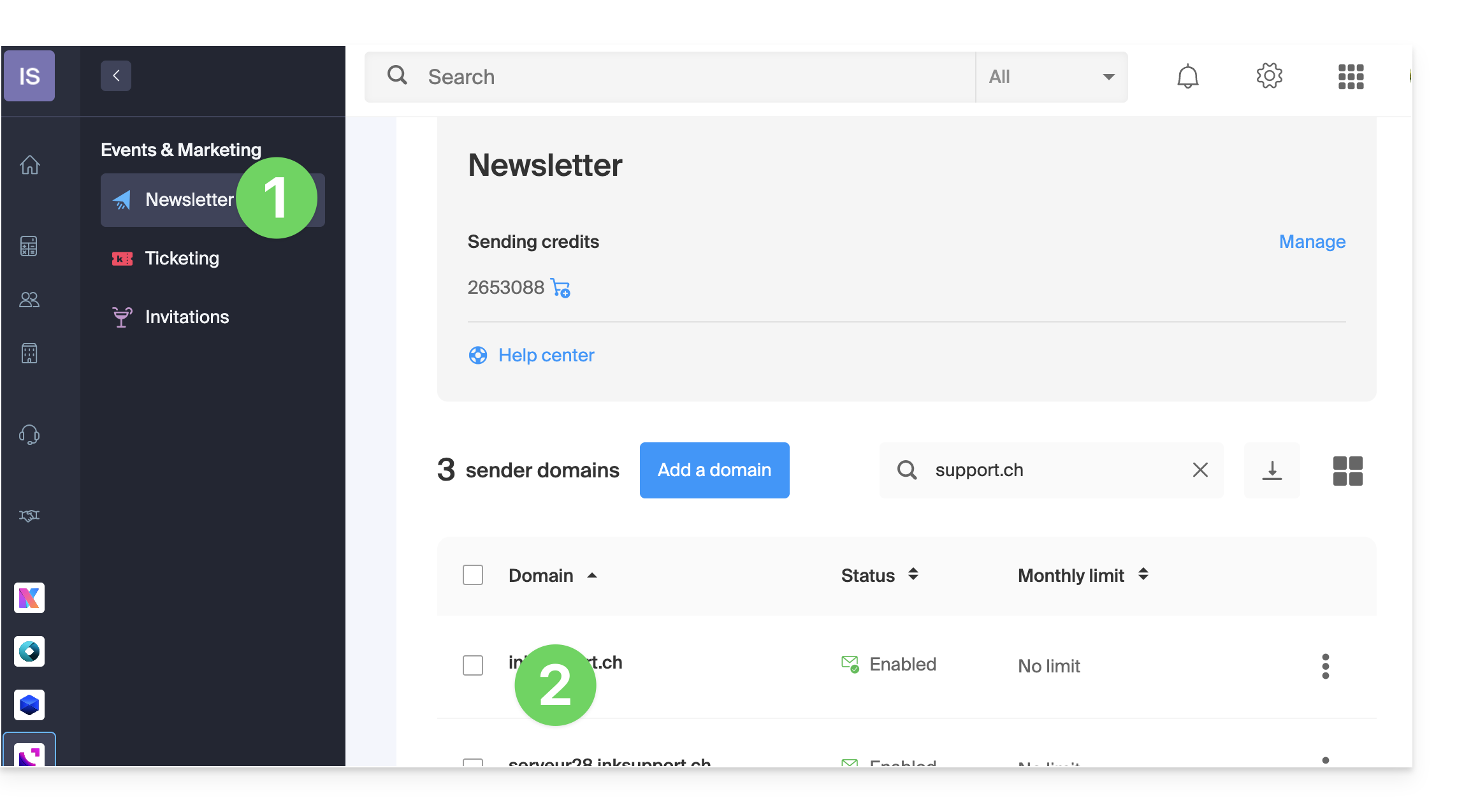
- Click on Campaigns in the left-hand menu.
- Click on Create a campaign:
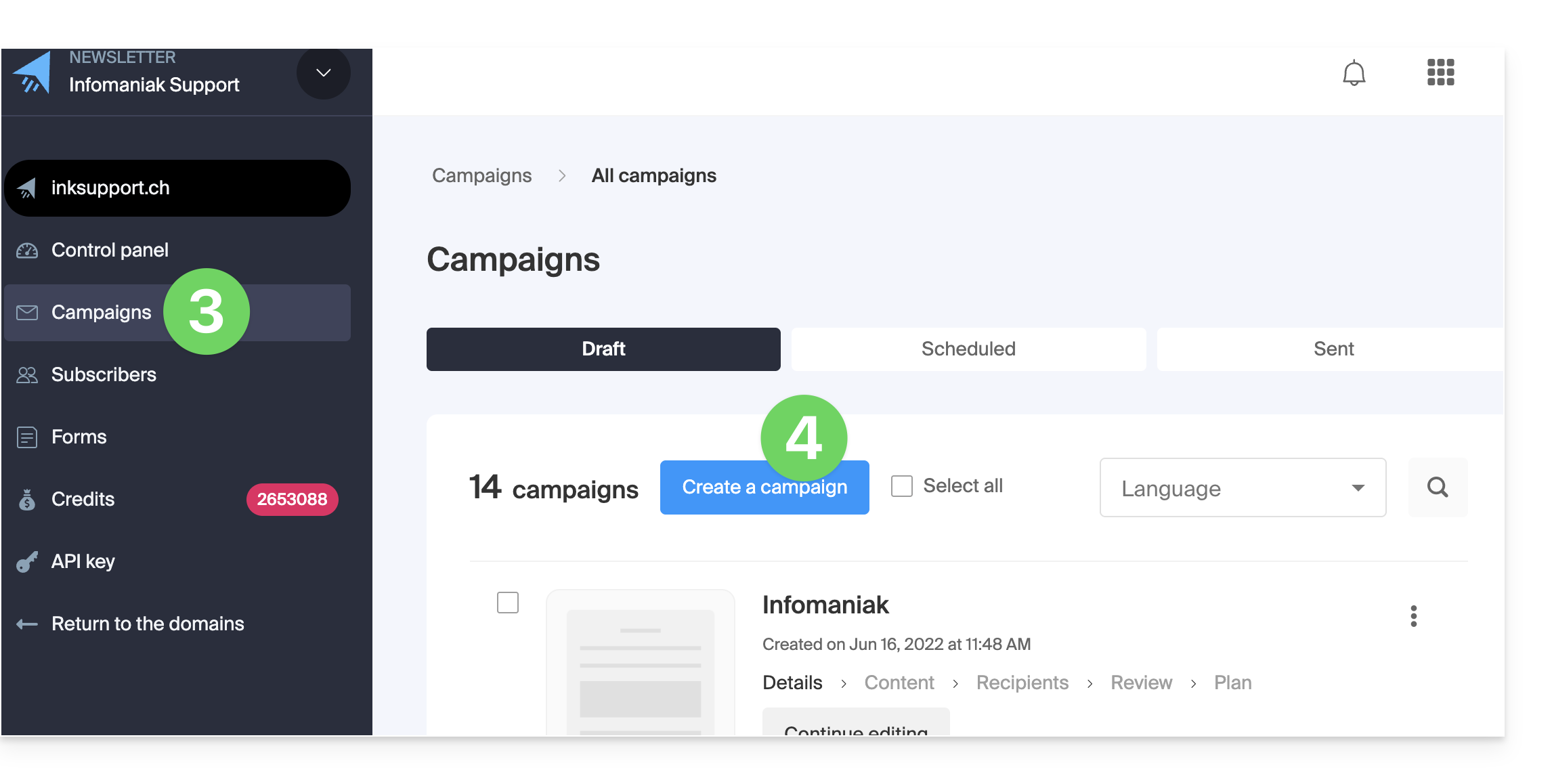
- Fill in the information for the first step and continue:
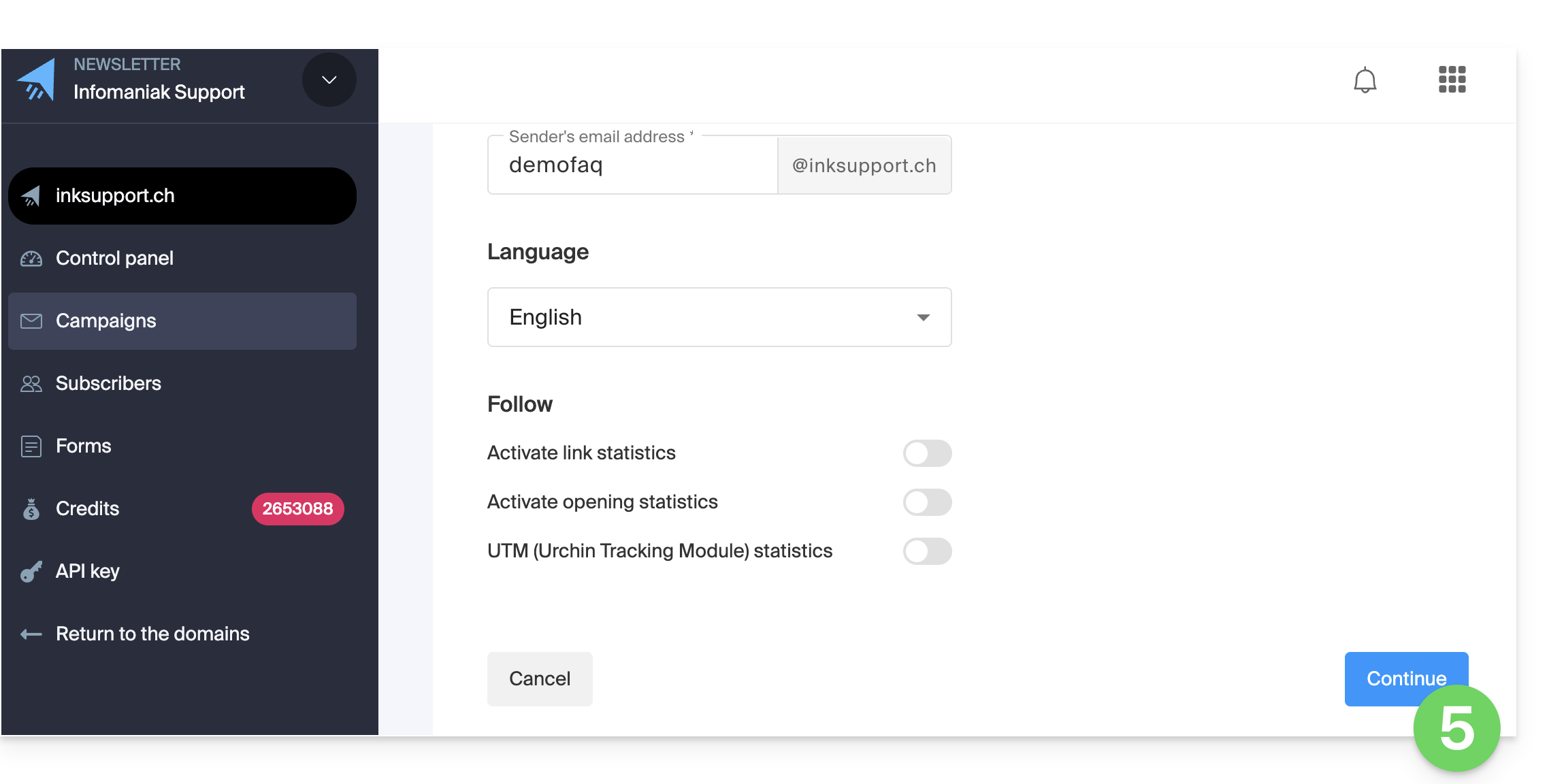
- In the second step, click on My templates.
- Hover over the template you want to update and click on Convert:
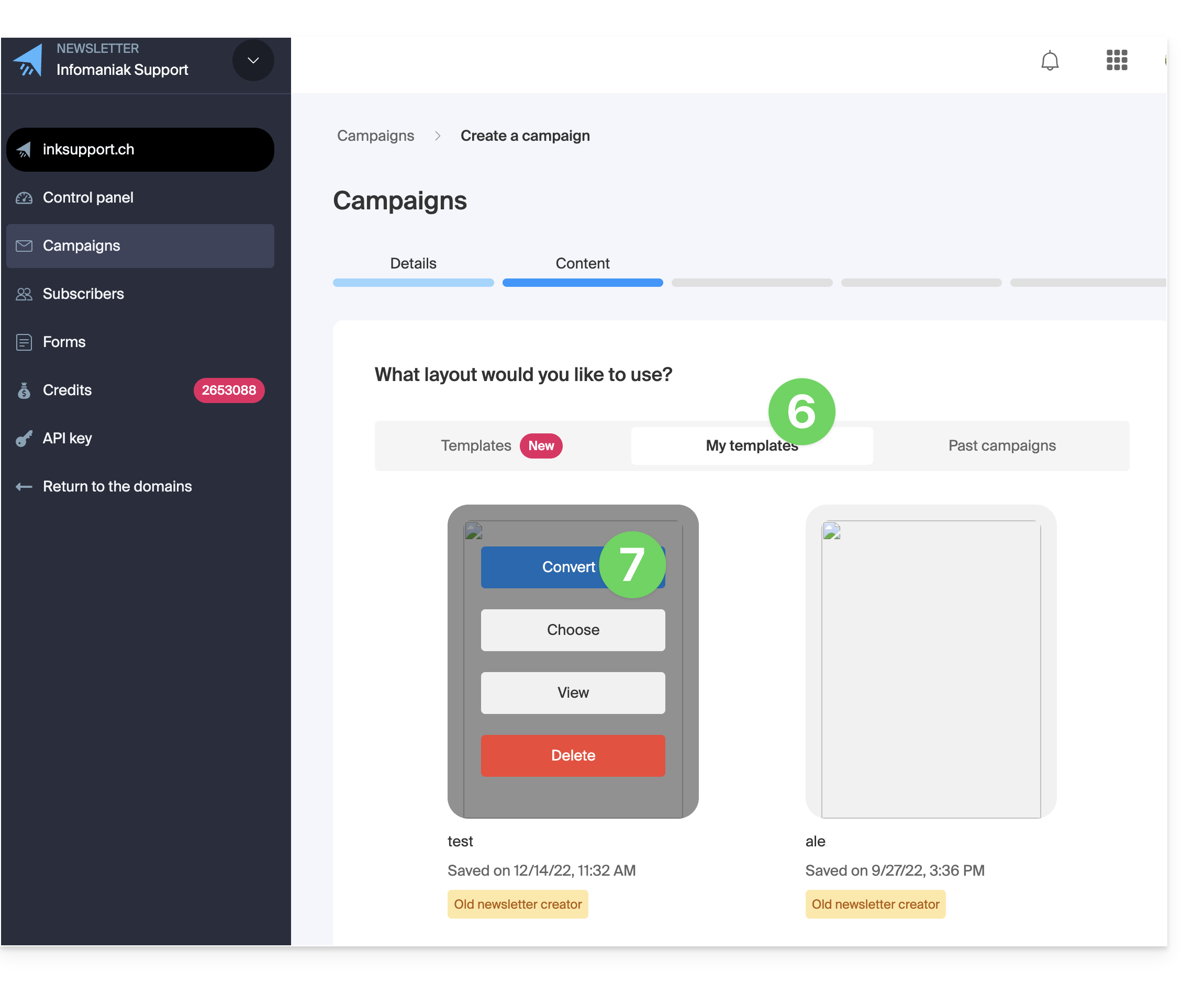
- The conversion will start and may take several minutes; you can close the window and return to edit your campaign later.
Link to this FAQ: https://faq.infomaniak.com/2937
Has this FAQ been helpful?