Knowledge base
1000 FAQs, 500 tutorials and instructional videos. Here, there are only solutions!
Manage the Cloud VPS / VPS Lite firewall
This guide explains how to authorize certain incoming and/or outgoing ports in the firewall of a VPS Cloud / VPS Lite server.
Accessing the management tool
To manage the Cloud VPS / VPS Lite firewall:
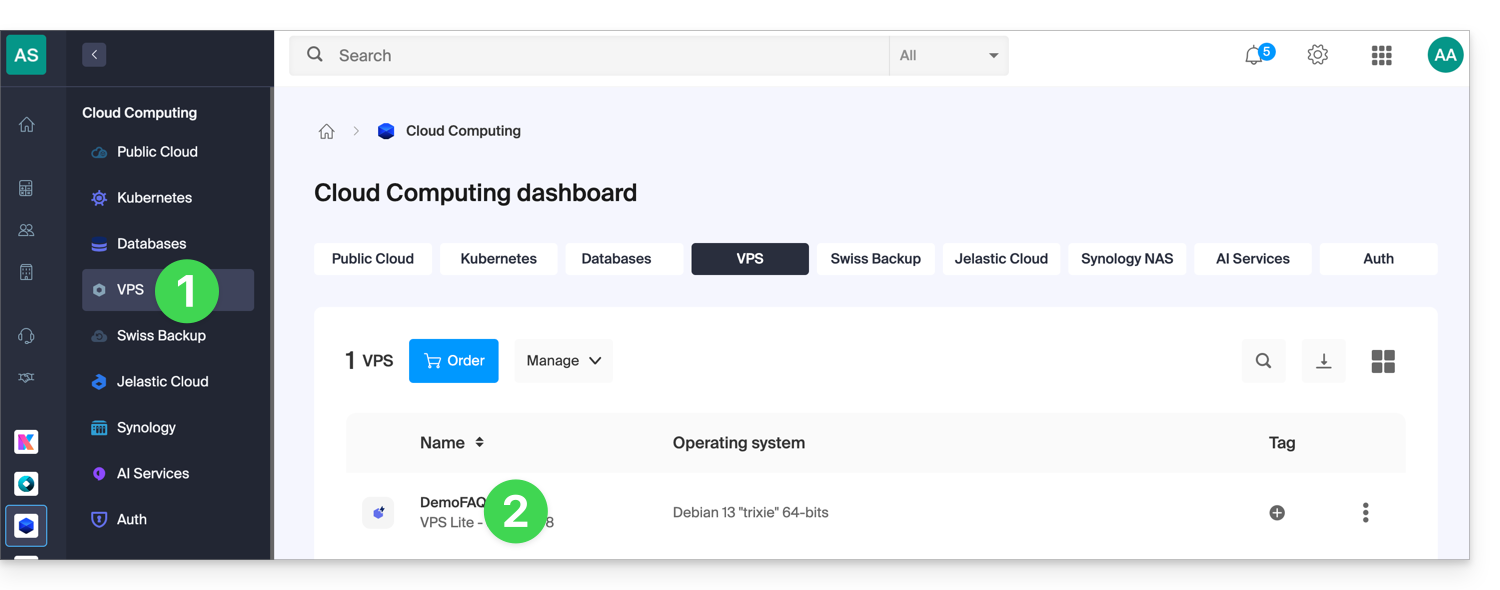
- Click here to access your VPS management interface on the Infomaniak Manager (need help?).
- Click directly on the name assigned to the VPS in question:
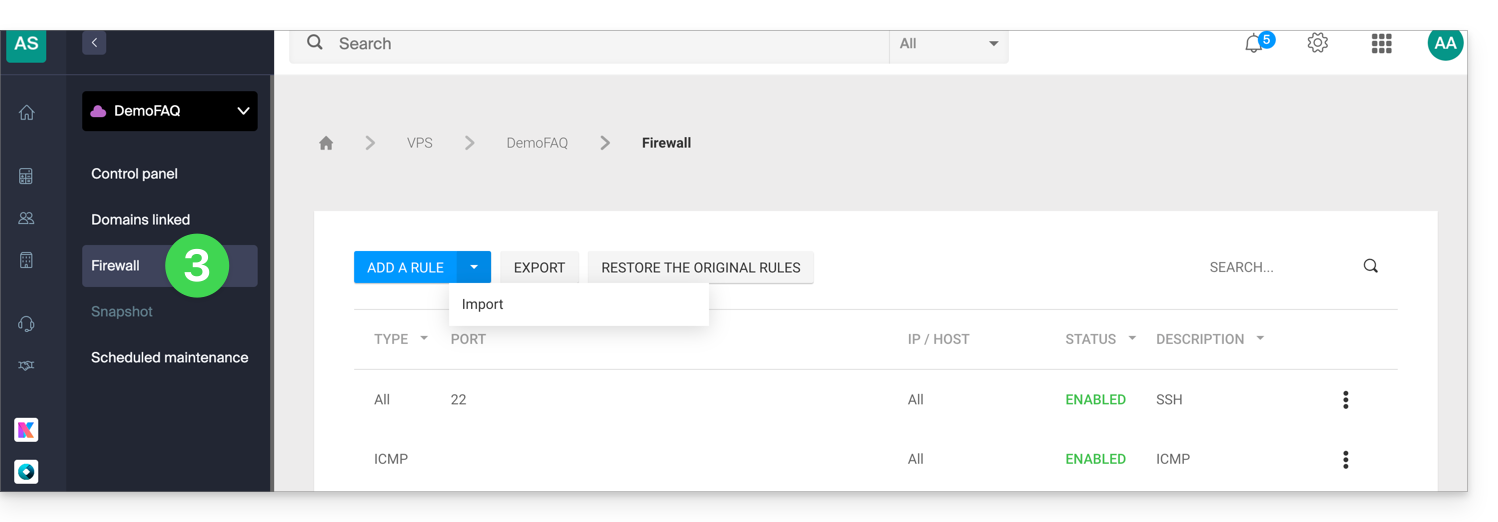
- Click on Firewall in the left-hand menu:
Rule for allowing ping on Cloud VPS / VPS Lite
To add a rule to the firewall:
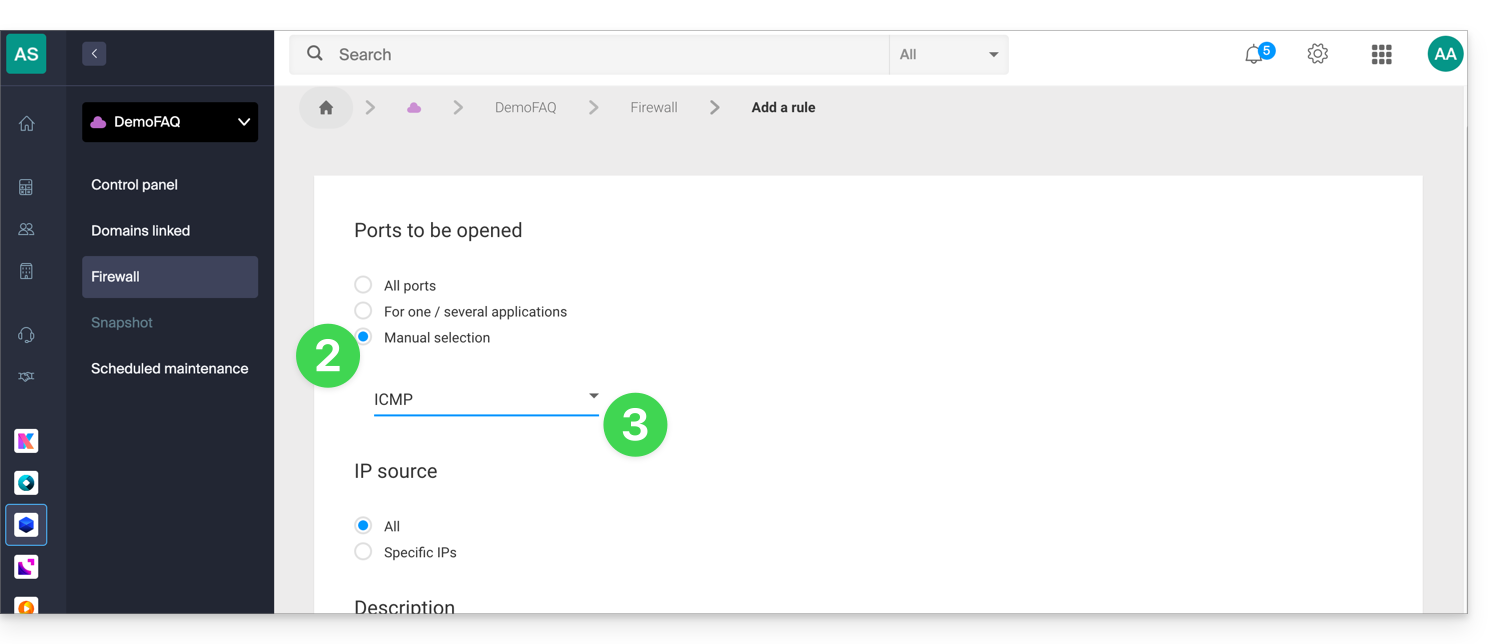
- Click the blue button to Add a rule.
- Click Manual selection.
- Select ICMP:
- Confirm at the bottom of the page.
Globally open outgoing port 25
It is recommended to use an authenticated email sending solution.
The outgoing port 25 (Mail SMTP port) is blocked by default. To open this port:
- On Cloud VPS, you can submit a request to open it: contact Infomaniak support and justify your request.
- On VPS Lite, it is not possible to open this port.
Link to this FAQ: https://faq.infomaniak.com/2822
Has this FAQ been helpful?