Knowledge base
1000 FAQs, 500 tutorials and instructional videos. Here, there are only solutions!
Change the storage size of your Cloud VPS / VPS Lite
This guide explains how to modify the storage configuration of an Infomaniak Cloud VPS / VPS Lite.
Introduction
- It is necessary toincrease the volume after increasing the storage capacity.
- Configuration changes (CPU/RAM) or storage modifications will make the service unavailable for approximately 20 minutes.
Modify the storage size on Cloud VPS / VPS Lite
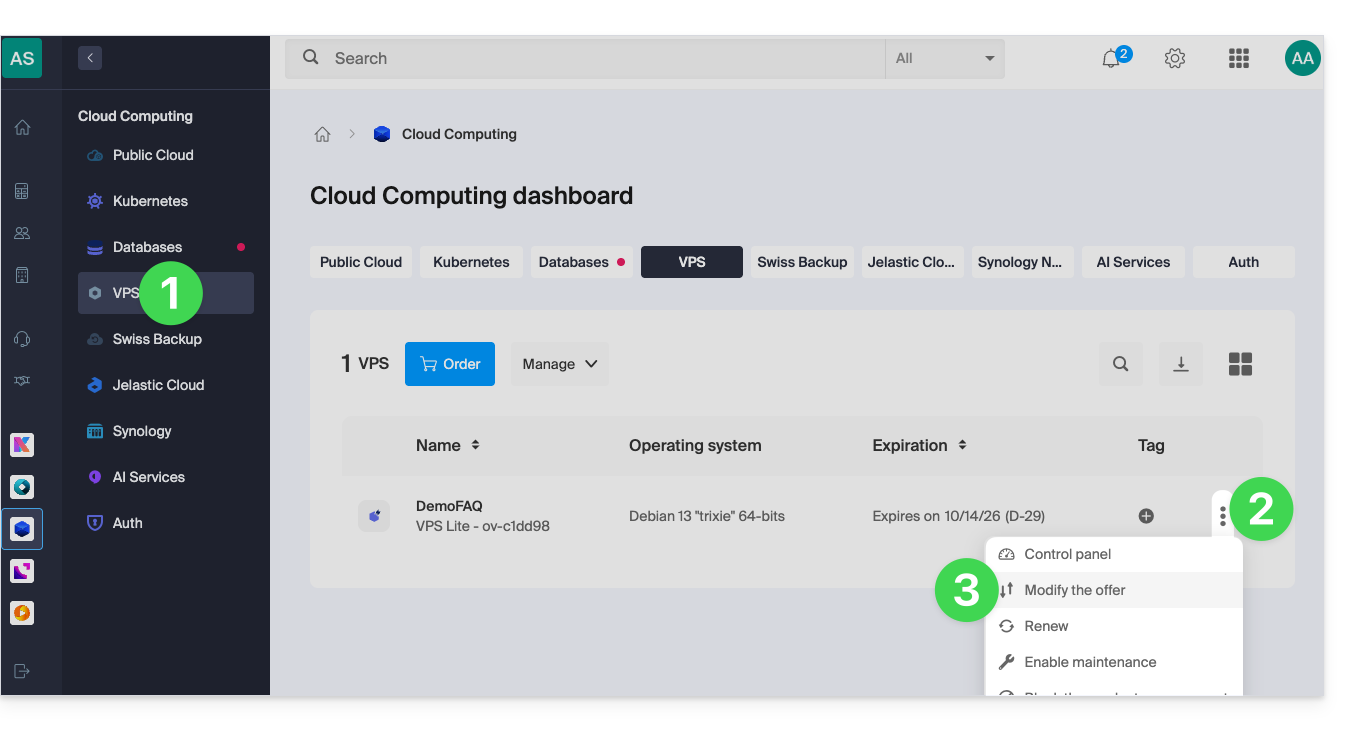
To access the Cloud VPS / VPS Lite:
- Click here to access your product management interface in the Infomaniak Manager (need help?).
- Click on the action menu ⋮ to the right of the item in question in the table that appears.
- Click on Modify offer:
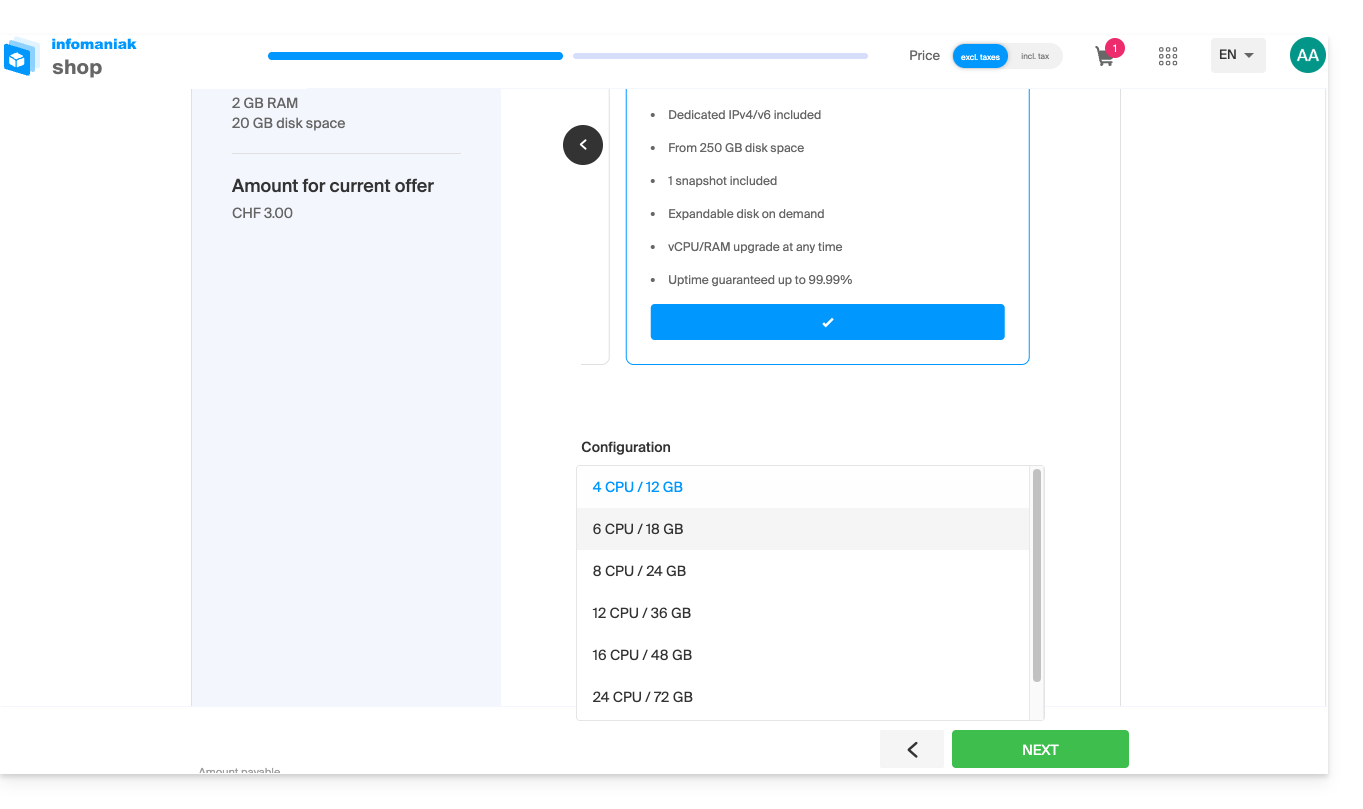
- Make the desired adjustments from the options available in the shop and complete the process at the bottom:
Link to this FAQ: https://faq.infomaniak.com/2815
Has this FAQ been helpful?