Knowledge base
1000 FAQs, 500 tutorials and instructional videos. Here, there are only solutions!
Change the domain name of a kSuite
Update 09/01/2026
This guide explains how to replace the primary domain name associated with a kSuite.
Introduction
- Changing the domain linked to kSuite is useful if your business name changes.
- This affects:
- Custom Brand (and therefore the custom URLs leading to your tools such as kDrive or Euria)
- Mail Service (and therefore your email addresses)
Modify the kSuite domain name
Prerequisites
- Own the new domain name (if necessary, create it beforehand).
- Consult the instructions in this other guide and apply the instructions that correspond to your situation (to ensure that the domain name works when it is linked to your kSuite).
- Add the domain name to kSuite.
Once the new domain name is ready to be used instead of the old one:
- Click here to access your kSuite management interface (need help?).
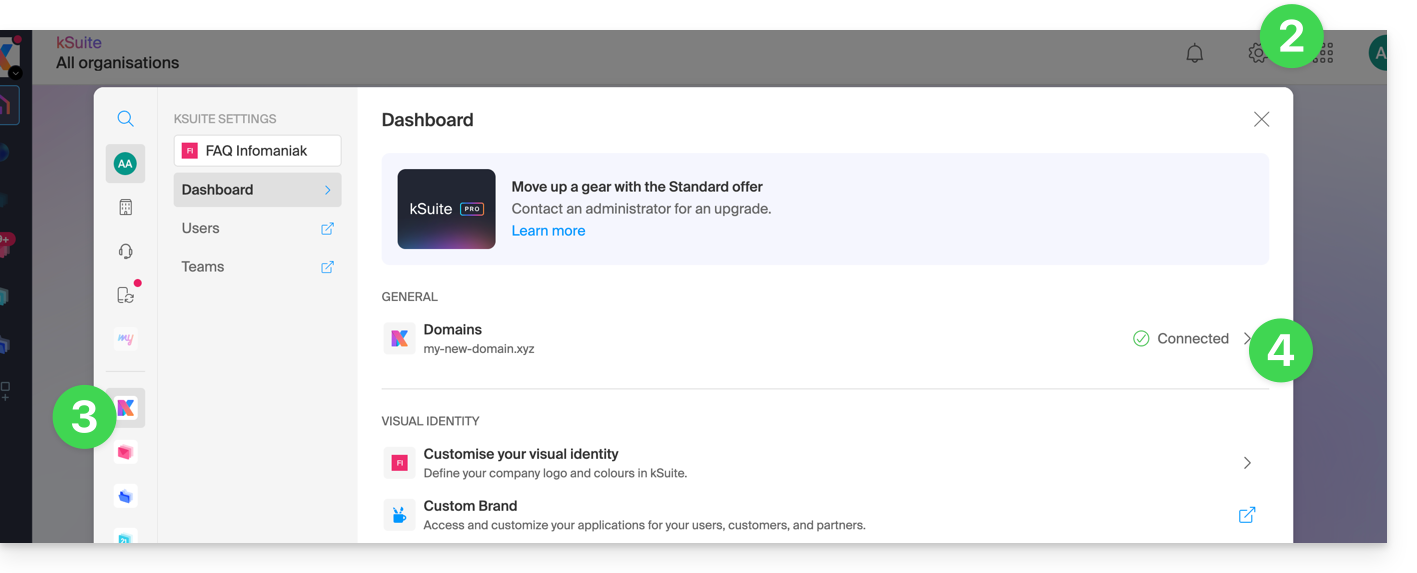
- Click on the Settings icon in the top right corner.
- Click on kSuite in the left-hand menu.
- Click on Domains:
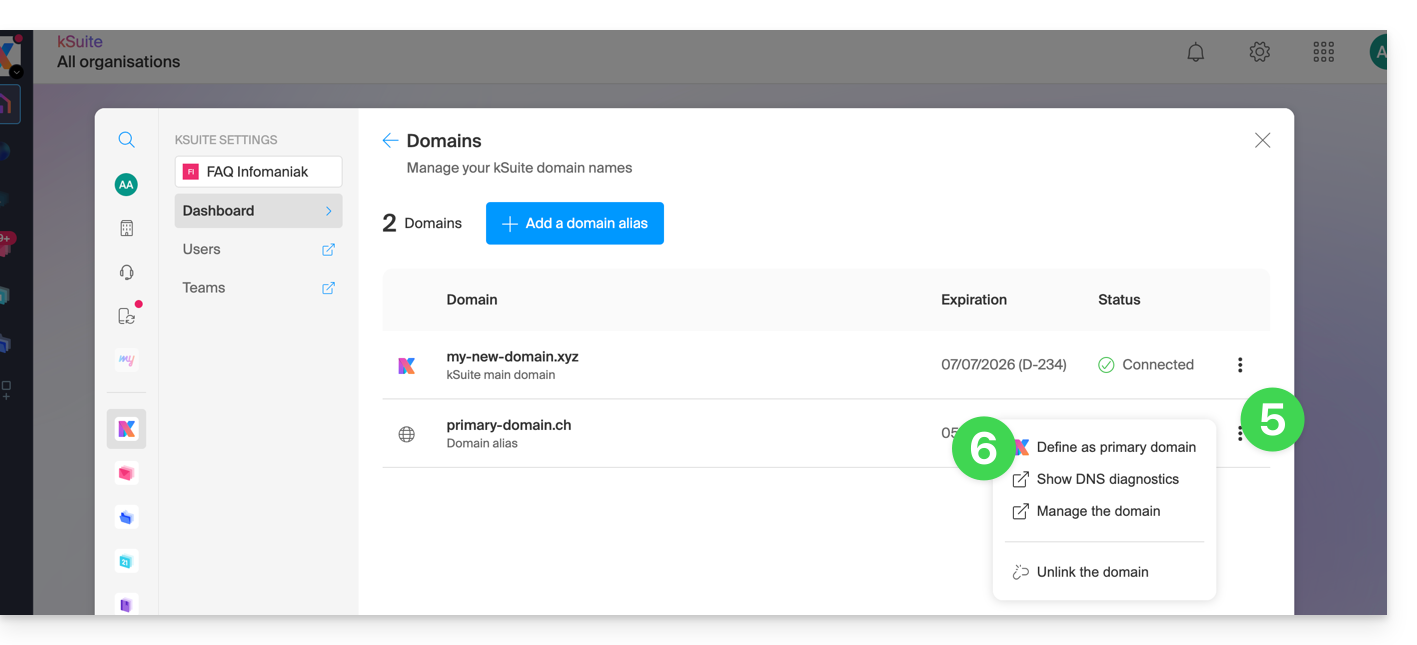
- Click on the action menu ⋮ located to the right of the domain you want to use as the new primary domain.
- Click on Set as primary domain:
- Information is displayed, click the Continue button.
- Read the information on the screen and then confirm that you have read it.
- Click on the Continue button:

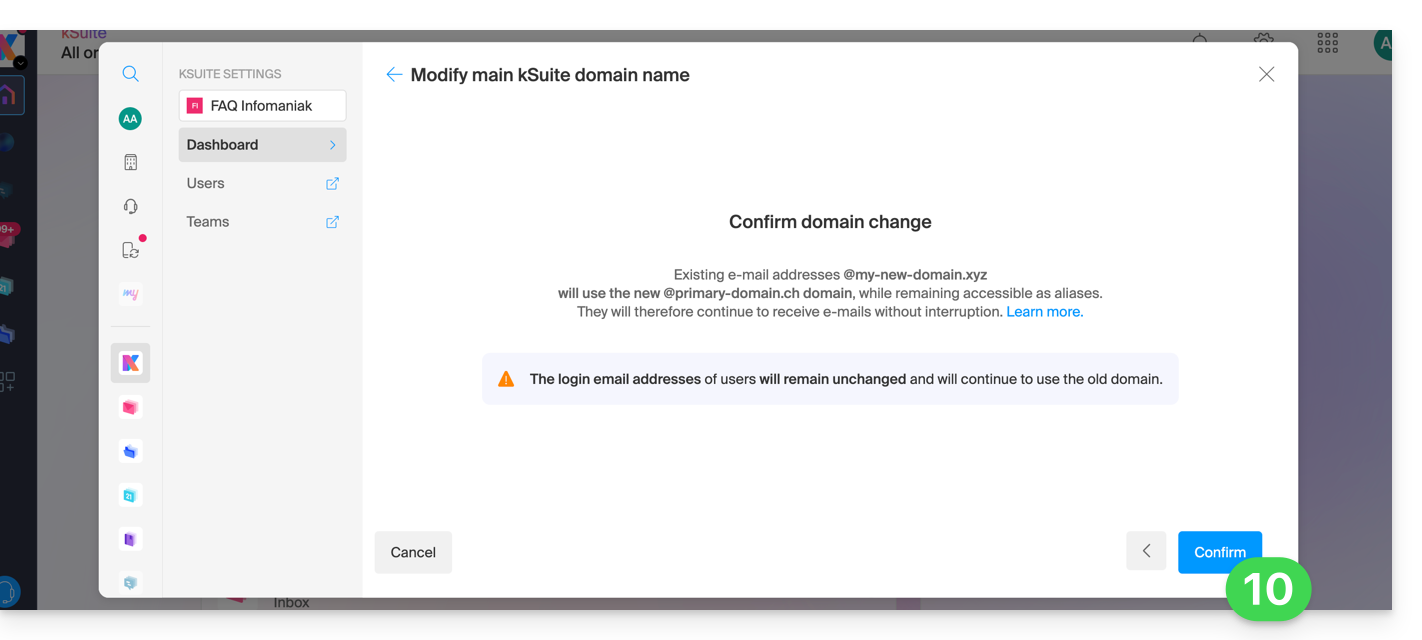
- Click on the Confirm button:
Impact on the Mail Service
By reversing the domain name of the kSuite as shown above, the Mail Service within kSuite is automatically updated. You will switch from: 
… to this:
Link to this FAQ: https://faq.infomaniak.com/2701
Has this FAQ been helpful?