Knowledge base
1000 FAQs, 500 tutorials and instructional videos. Here, there are only solutions!
Manage actions on an existing Public Cloud project
This guide explains the different actions that can be performed from the Manager with Public Cloud.
Accessing additional options for a project
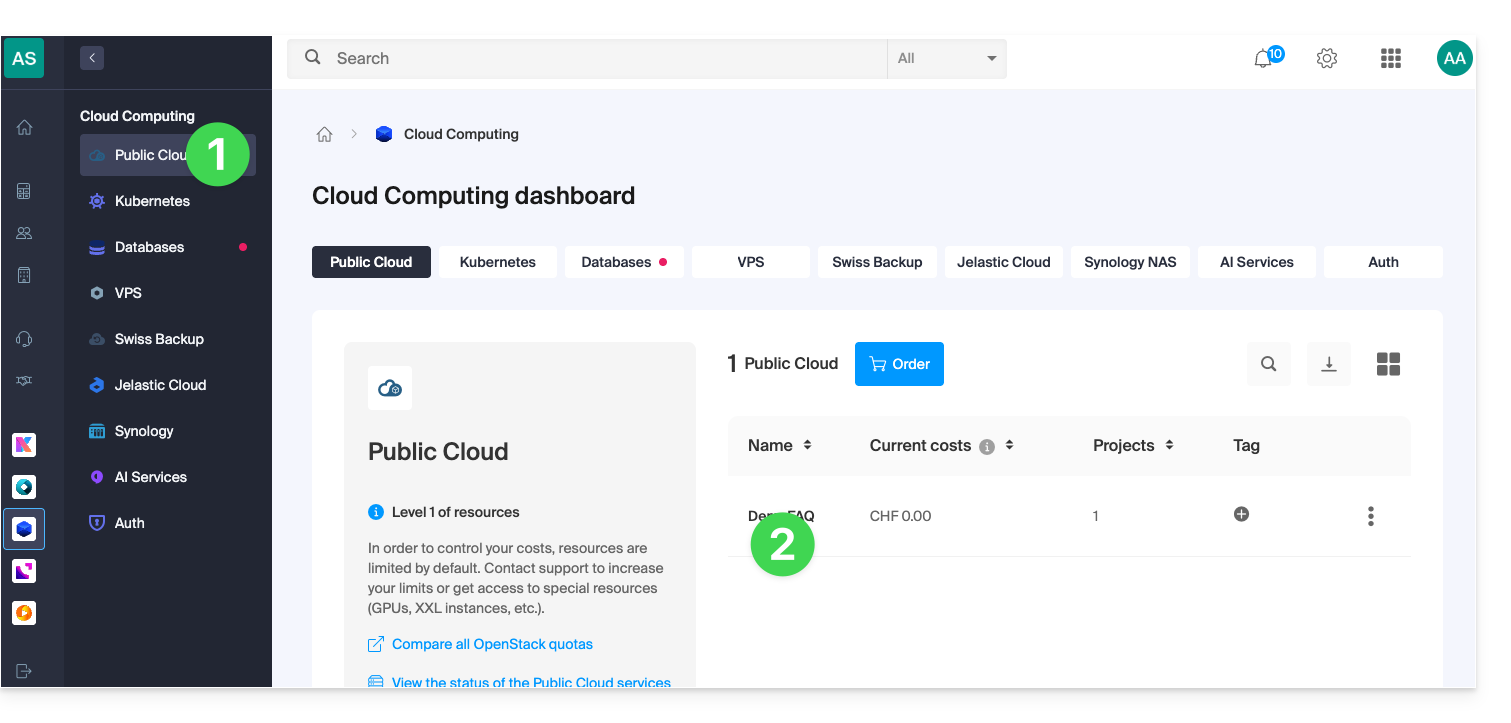
To access the Public Cloud:
- Click here to access your product management interface on the Infomaniak Manager (need help?).
- Click directly on the name assigned to the product in question:
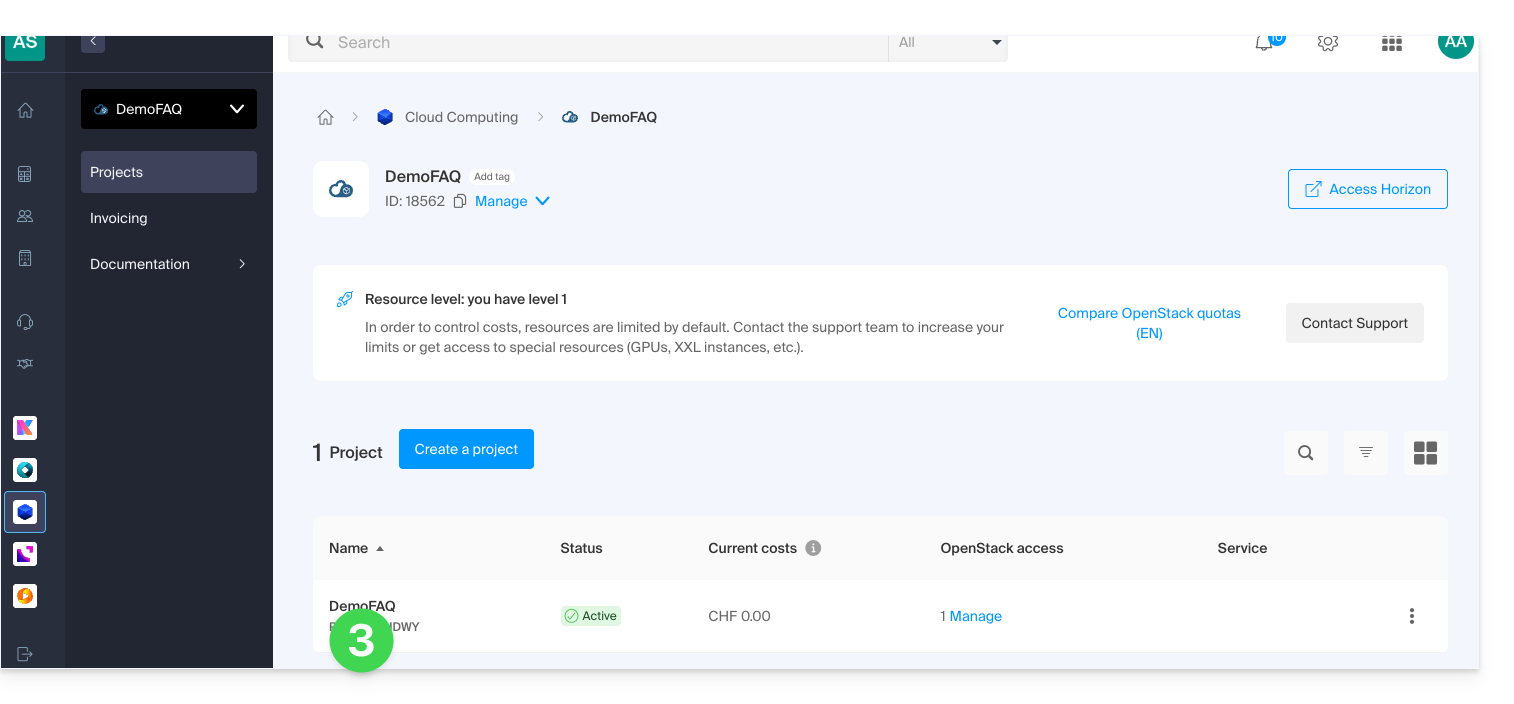
- Click directly on the name of the project in question to access additional actions:
- You can:
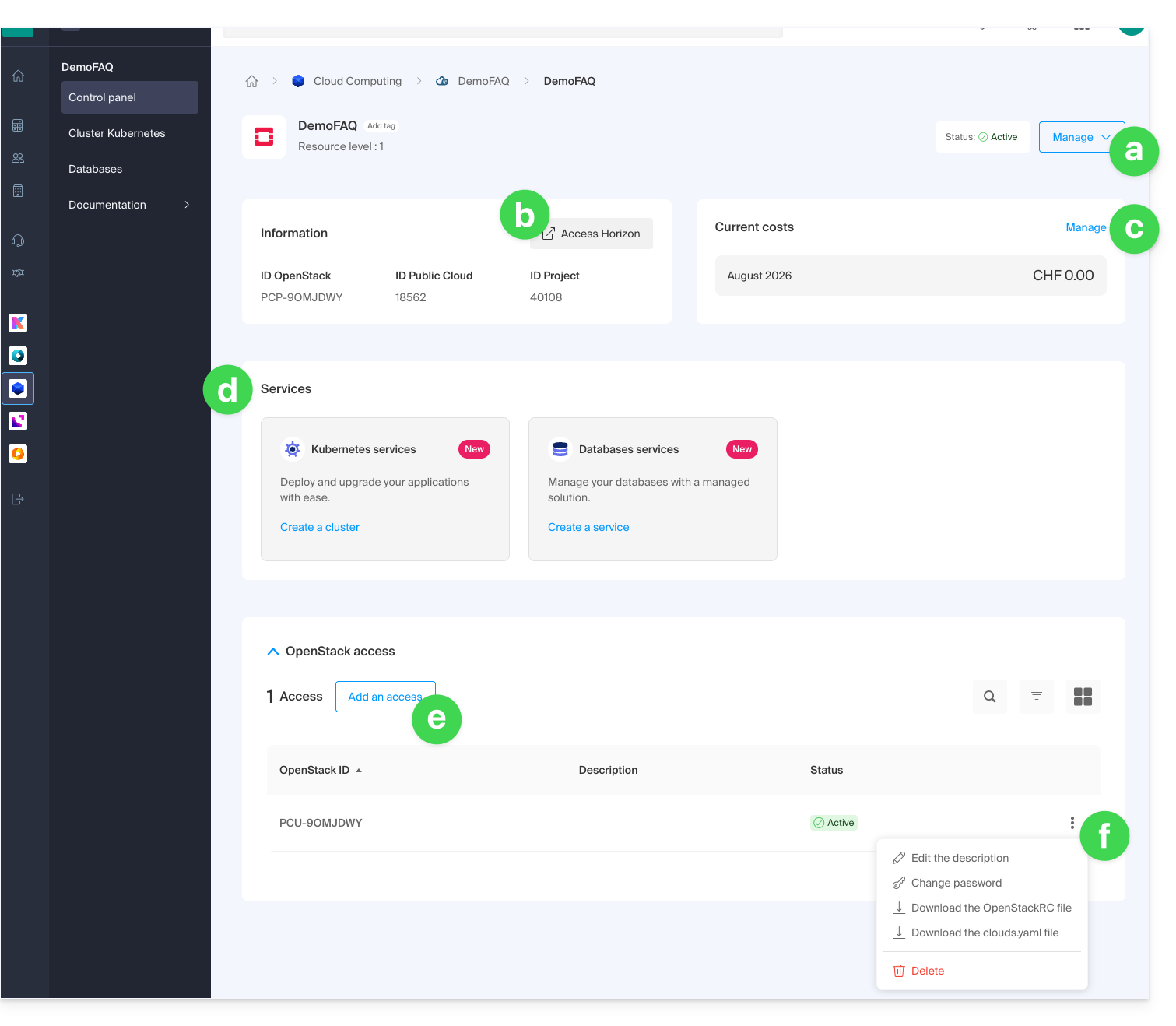
- rename or delete the project
- access the OpenStack Horizon dashboard
- manage the billing
- access services such as Kubernetes or dbaas
- add a new user access
- manage the access information for the user in question:
- add or modify the user description
- modify the password for project access for the user
- download configuration files (1 OpenStackRC file or 1 clouds.yaml file) to access your project from the CLI
- delete the user from the project
Link to this FAQ: https://faq.infomaniak.com/2604
Has this FAQ been helpful?