Knowledge base
1000 FAQs, 500 tutorials and instructional videos. Here, there are only solutions!
Share VOD / AOD media
This guide explains how to share video/audio files imported on an Infomaniak VOD/AOD service.
Preamble
- When sharing a media hosted with Infomaniak, you have the possibility to specify, among other things:
- the exact moment of the video (timestamp hour/minute/second) at which the viewer using the link in question will access
- an expiration date for the share link
- which of your Players should be used to play the media
- the automatic start of the media once the share link is executed
- the looped playback of the shared media
- A share button (Whatsapp, X, etc.) can also be configured within the Player itself.
Share a VOD/AOD media from the Manager
To do this:
- Click here to access the management of your product on the Infomaniak Manager (need help?).
- Click directly on the name assigned to the product in question:
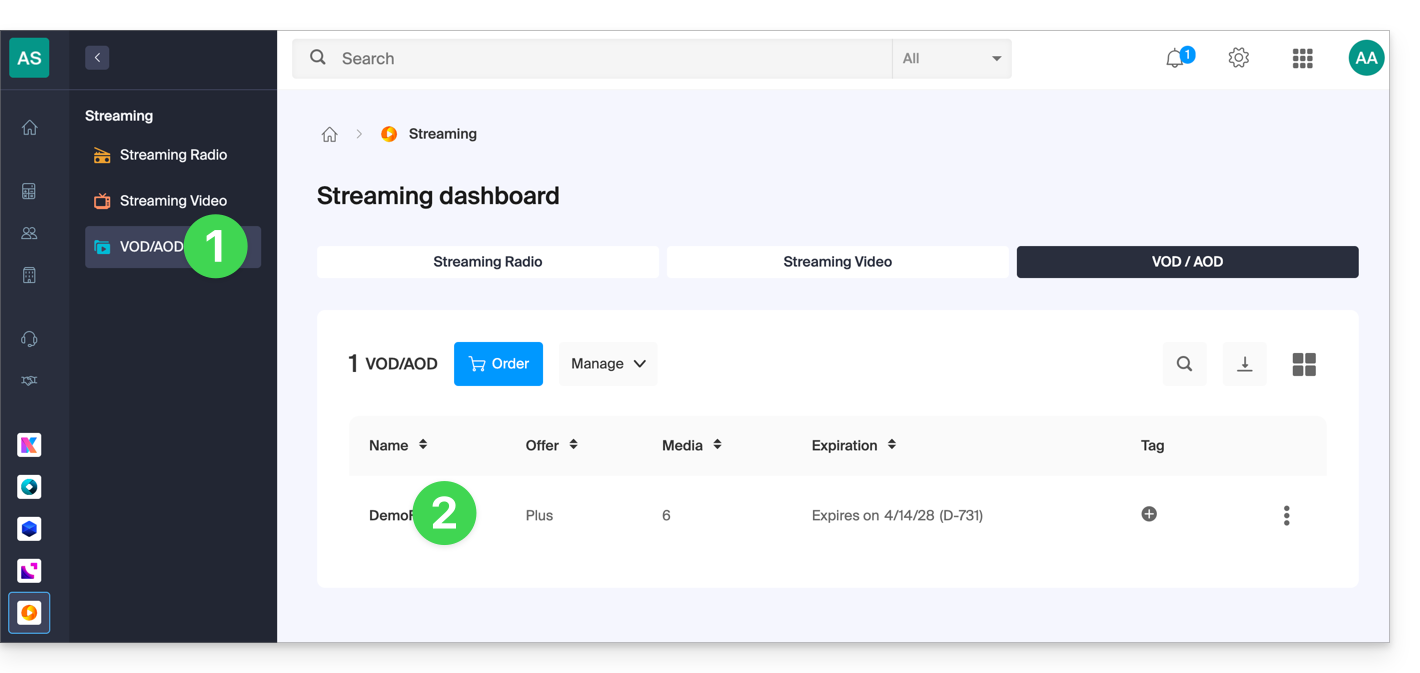
- Click on Media in the left sidebar menu.
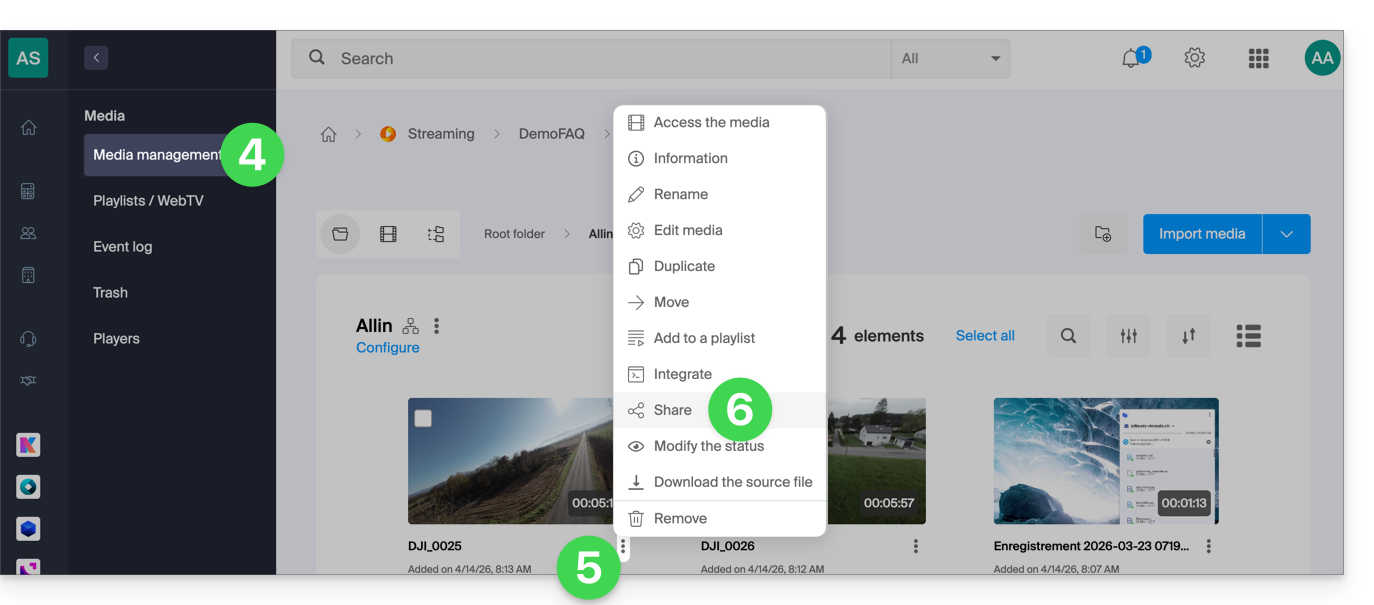
- Click on Media Management in the left sidebar menu.
- Click on the action menu ⋮ of the media in question in the table that appears.
- Click on Share:
You can also click on the media in question to have a more complete sharing solution:
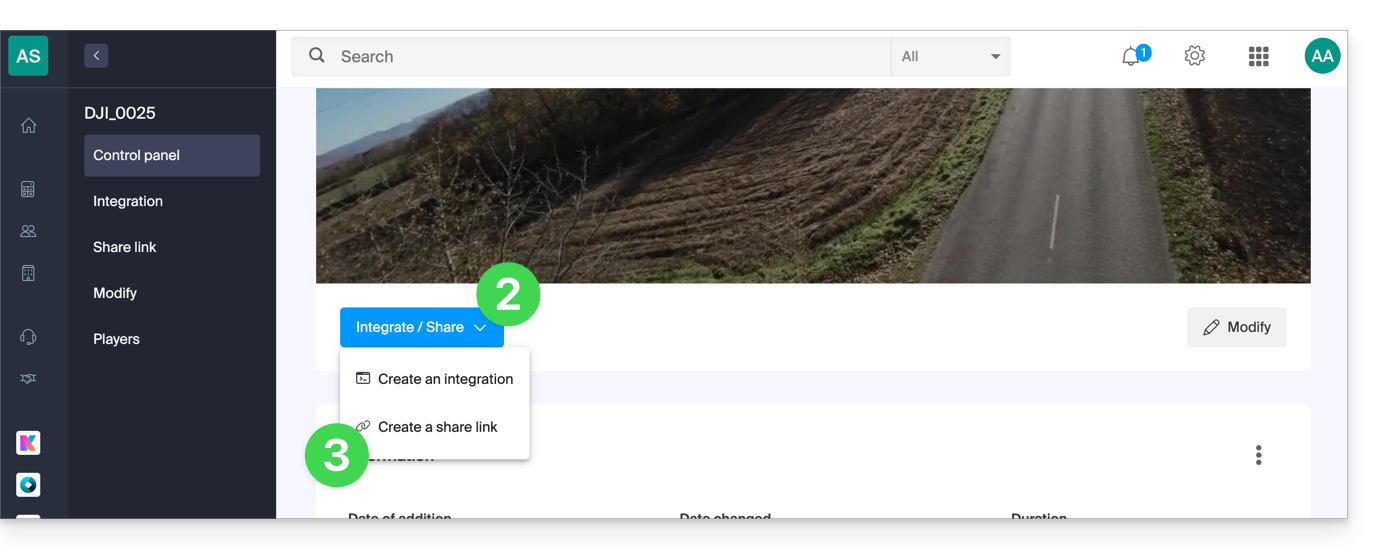
- In point 5 above, click directly on the thumbnail of the media in question.
- Click on the blue Share button.
- Choose to create a share link:
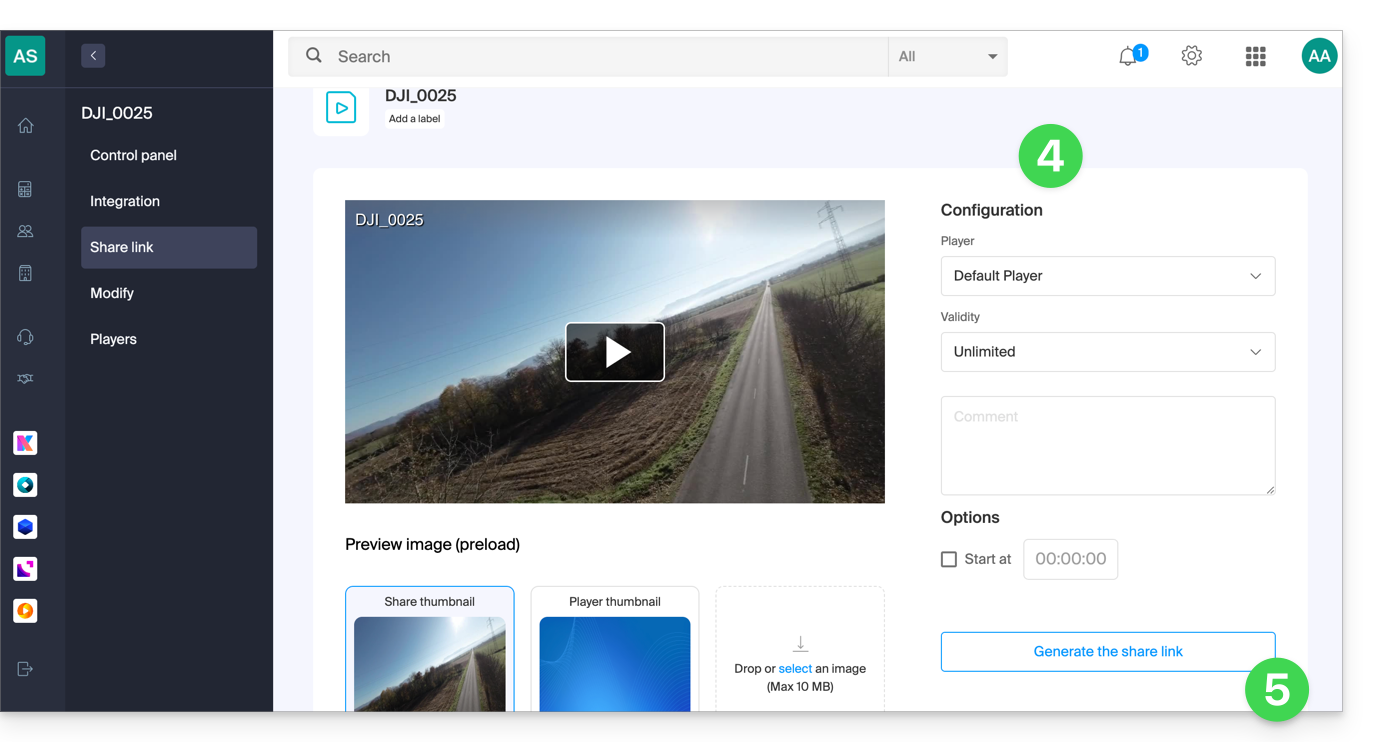
- Set the desired options including the thumbnail of the shared video if necessary.
- Click the button to generate a share link:
Use the share link
Every time you click the button to generate or update the share link, you get a box proposing easy sharing to different platforms like Linkedin or Whatsapp: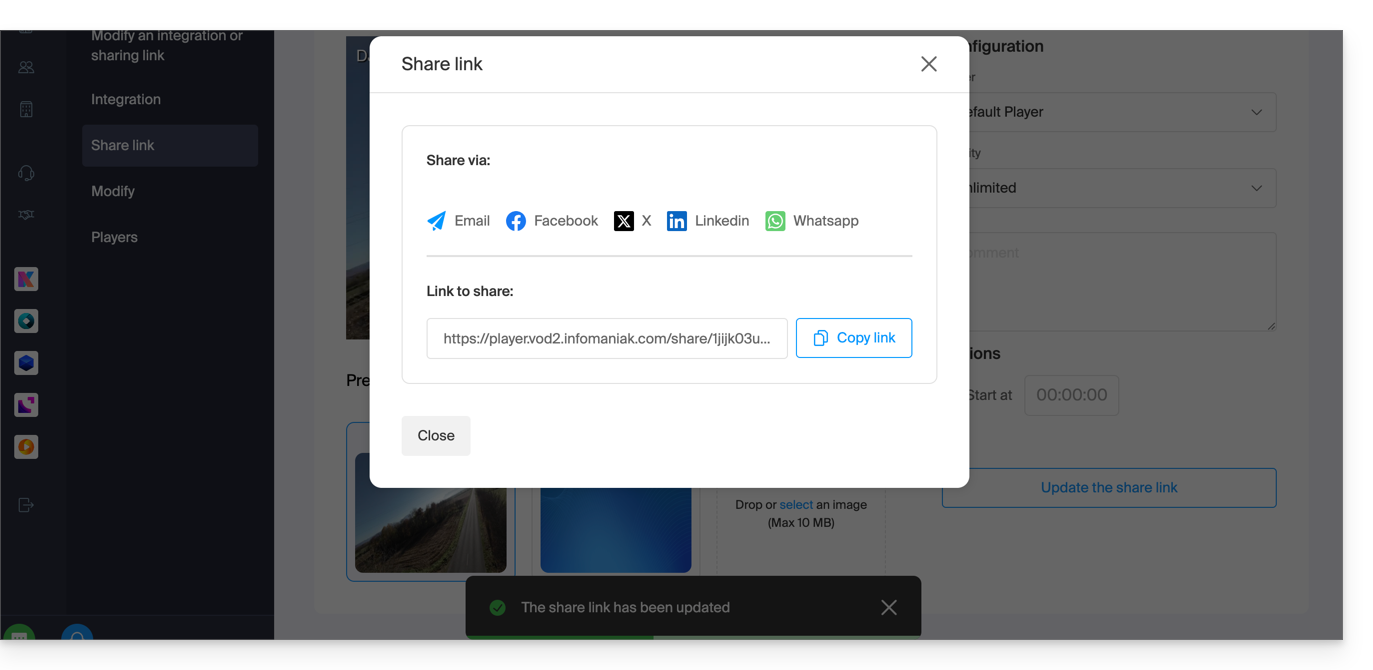
To simply obtain a link leading directly to the media in question, click the link copy button.
Executing this link will display a simplified page broadcasting your media and the comment associated if you had indicated one:
A share button on this broadcast page allows you to reshare the video to other people or integrate it (including via an iframe code) directly on compatible platforms:
Modify or delete a share link
To do this:
- Click here to access the management of your product on the Infomaniak Manager (need help?).
- Click directly on the name assigned to the product concerned.
- Click on Media in the left sidebar menu.
- Click on Media Management in the left sidebar menu.
- Click directly on the thumbnail of the media concerned.
- Click on the blue Share button.
- Choose to modify a share link:
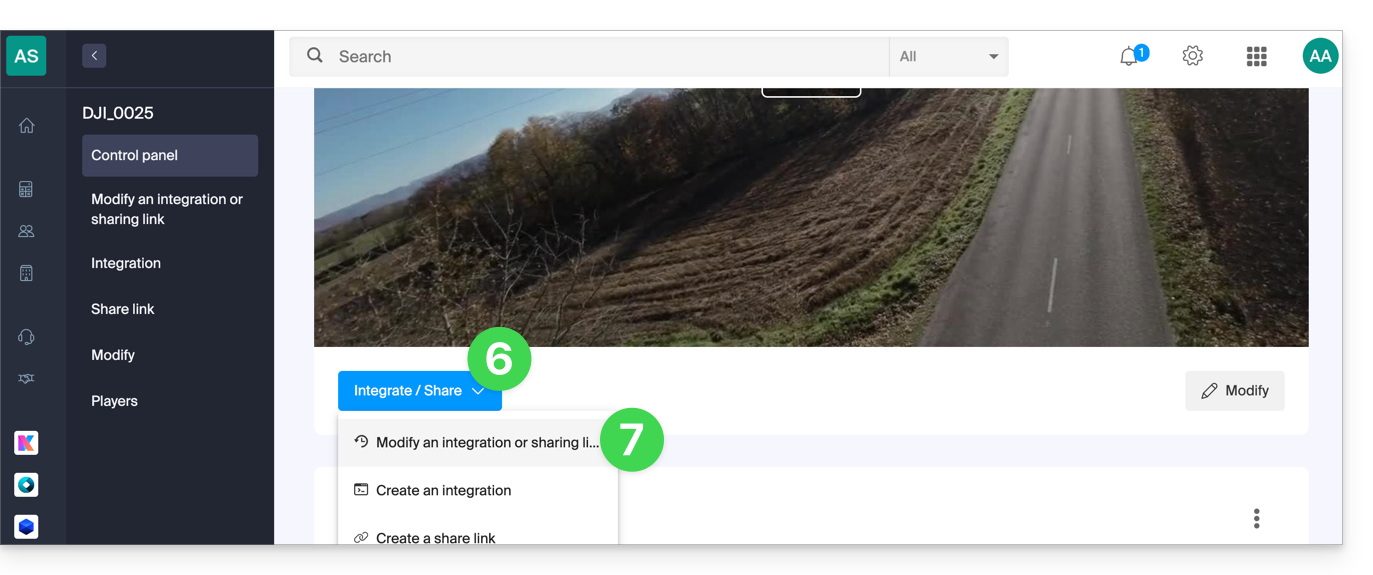
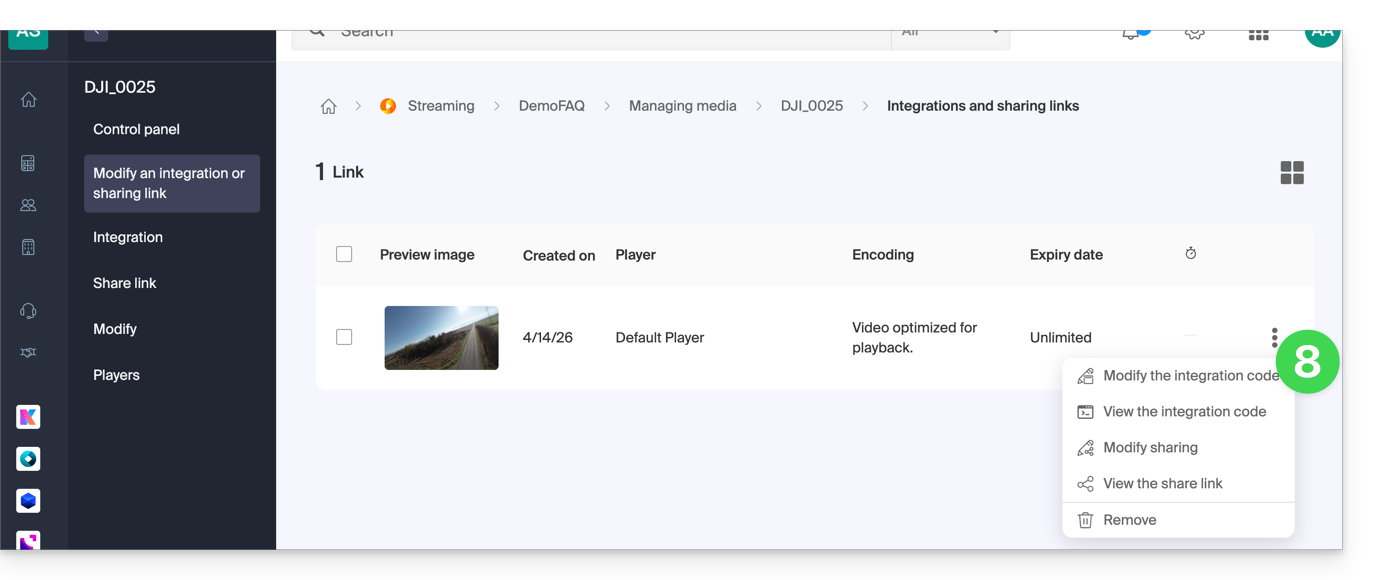
- From the page that appears, click on the action menu ⋮ to the right of the link to modify or delete:
Link to this FAQ: https://faq.infomaniak.com/2528
Has this FAQ been helpful?