Knowledge base
1000 FAQs, 500 tutorials and instructional videos. Here, there are only solutions!
Share VOD / AOD media
This guide explains how to share video/audio files uploaded to an Infomaniak VOD/AOD service.
Introduction
- When sharing media hosted with Infomaniak, you can specify, among other things:
- the precise time (hour/minute/second) in the video to which the viewer will be directed when using the link
- an expiration date for the sharing link
- which of your Players should be used to play the media
- whether the media should start playing automatically when the sharing link is accessed
- whether the shared media should play in a loop
- A sharing button (Whatsapp, X, etc.) can also be configured within the Player itself.
Share a VOD/AOD media file from the Manager
To do this:
- Click here to access the management interface for your product in the Infomaniak Manager (need help?).
- Click directly on the name assigned to the product in question:
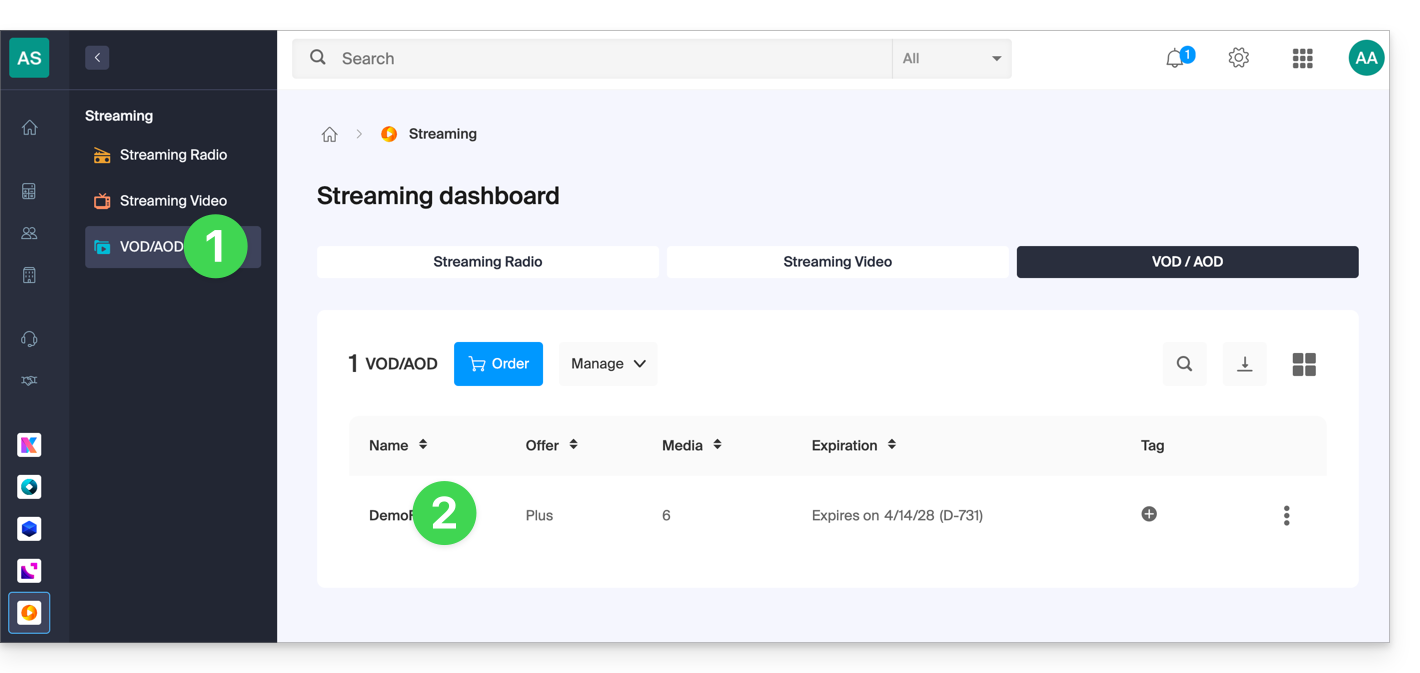
- Click on Media in the left-hand menu.
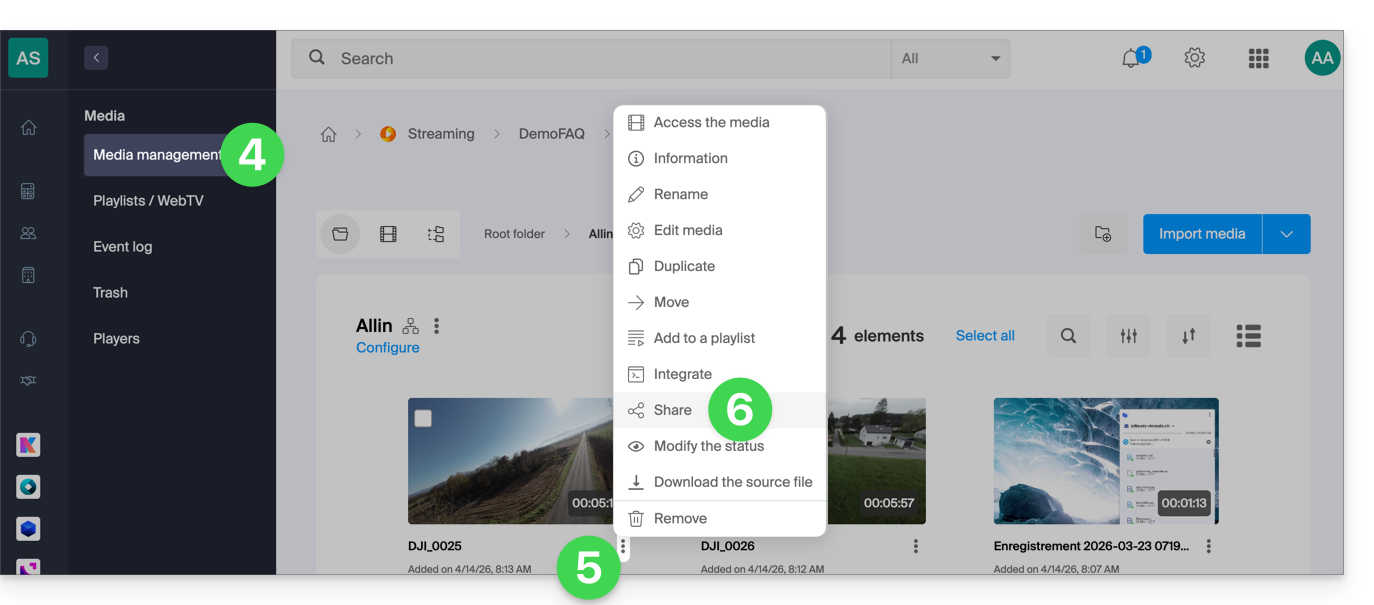
- Click on Media Management in the left-hand menu.
- Click on the action menu ⋮ for the relevant media in the table that appears.
- Click on Share:
You can also click on the media in question to access a more comprehensive sharing option:
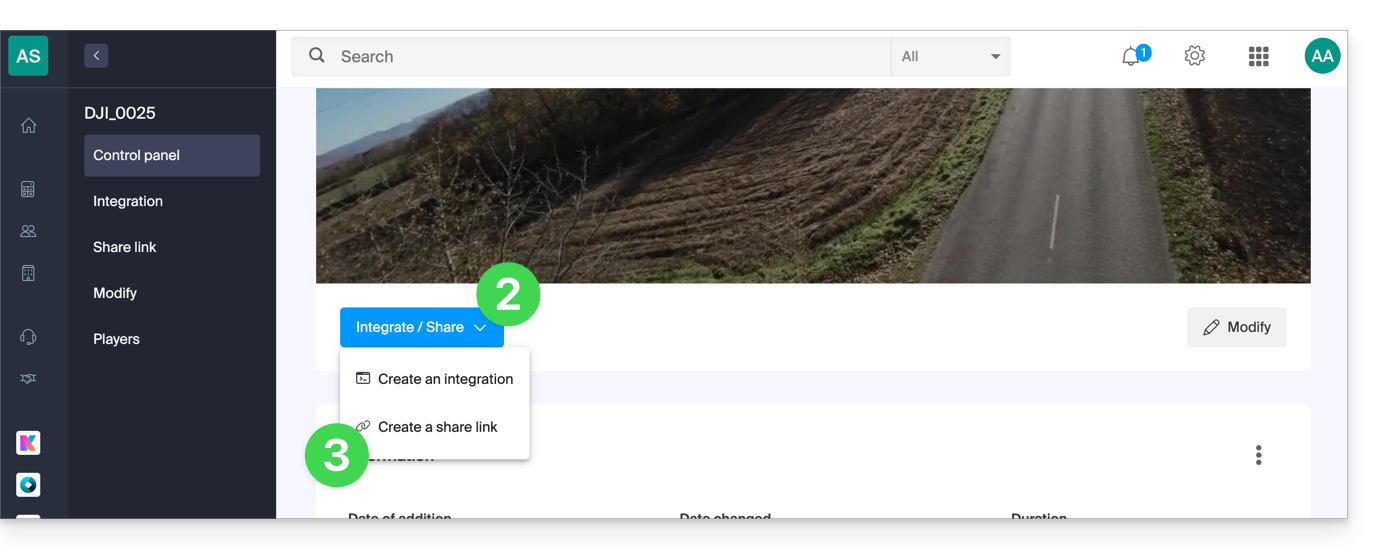
- In step 5 above, click directly on the thumbnail of the media in question.
- Click the blue Share button.
- Choose to create a share link:
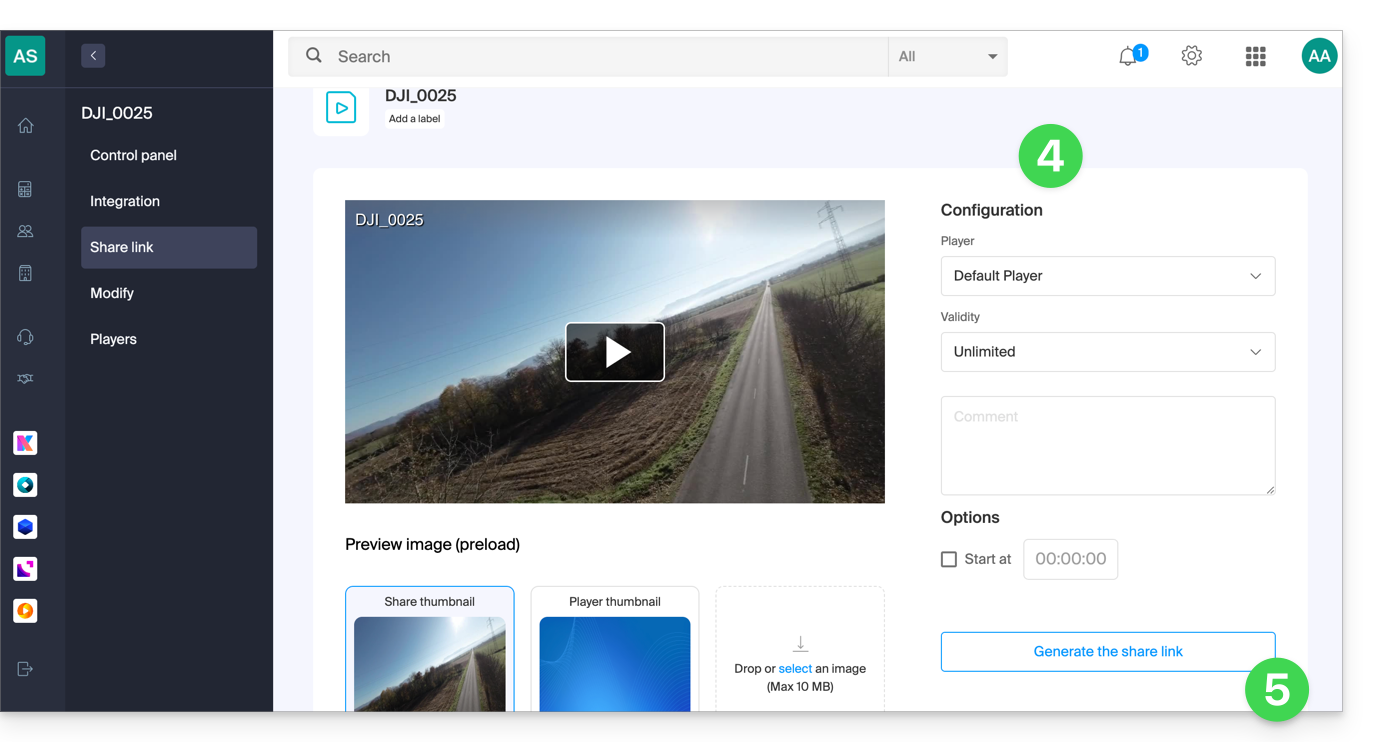
- Adjust the desired settings, including the video thumbnail if necessary.
- Click the button to generate a sharing link:
Using the share link
Each time you click the button to generate or update the share link, you will get a box offering easy sharing to different platforms such as Linkedin or Whatsapp: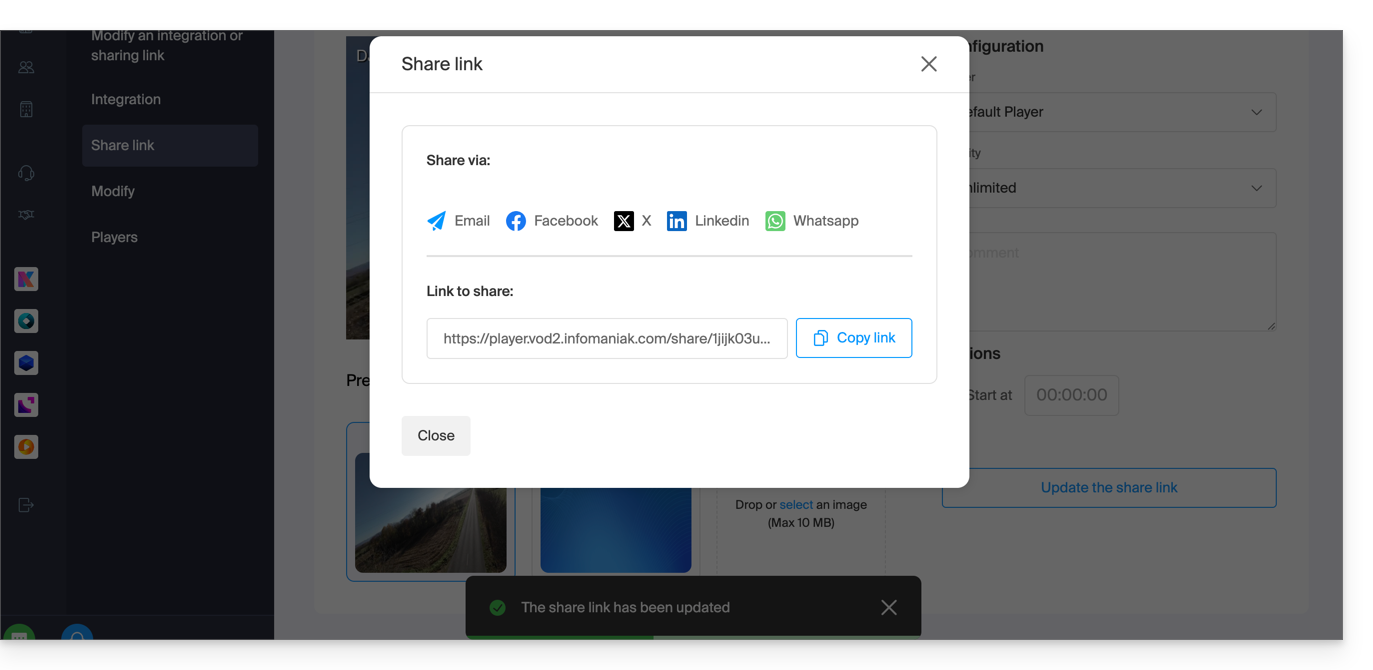
To simply obtain a link that leads directly to the media in question, click the button to copy the link.
Executing this link will display a simplified page displaying your media and the associated comment if you provided one:
A sharing button on this broadcast page allows you to reshare the video with others or embed it (including using an iframe code) directly on compatible platforms:
Modify or delete a sharing link
To do this:
- Click here to access the management interface for your product in the Infomaniak Manager (need help?).
- Click directly on the name assigned to the product in question.
- Click on Media in the left-hand menu.
- Click on Media Management in the left-hand menu.
- Click directly on the thumbnail of the media in question.
- Click the blue Share button.
- Choose to edit a share link:
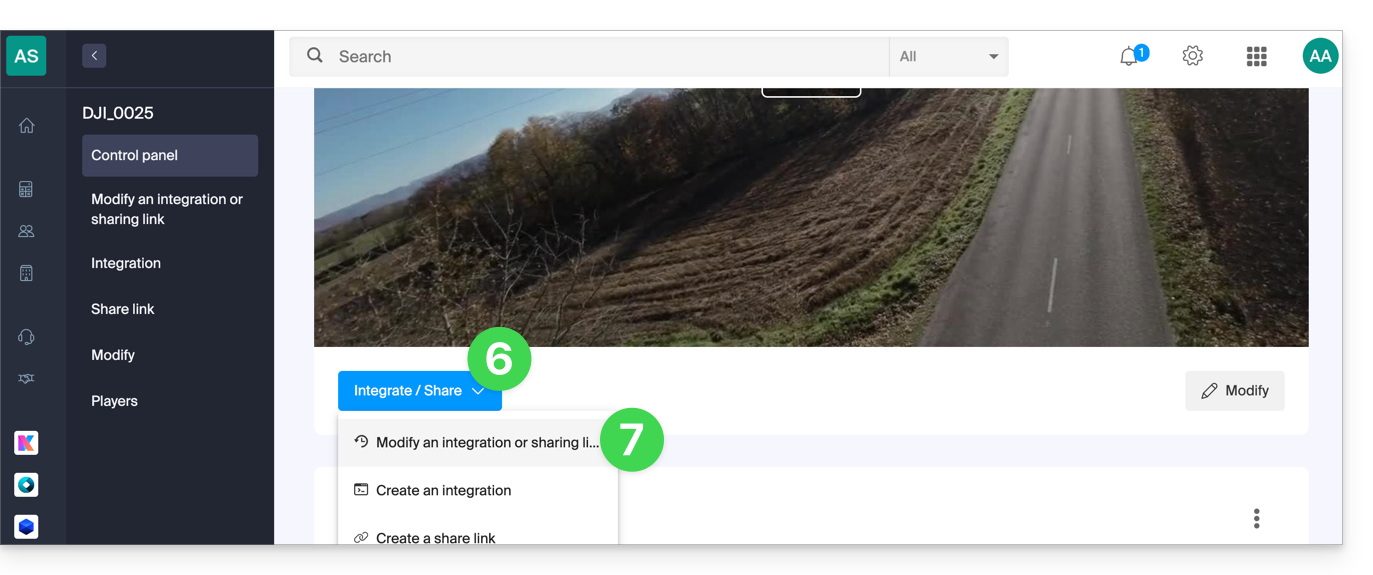
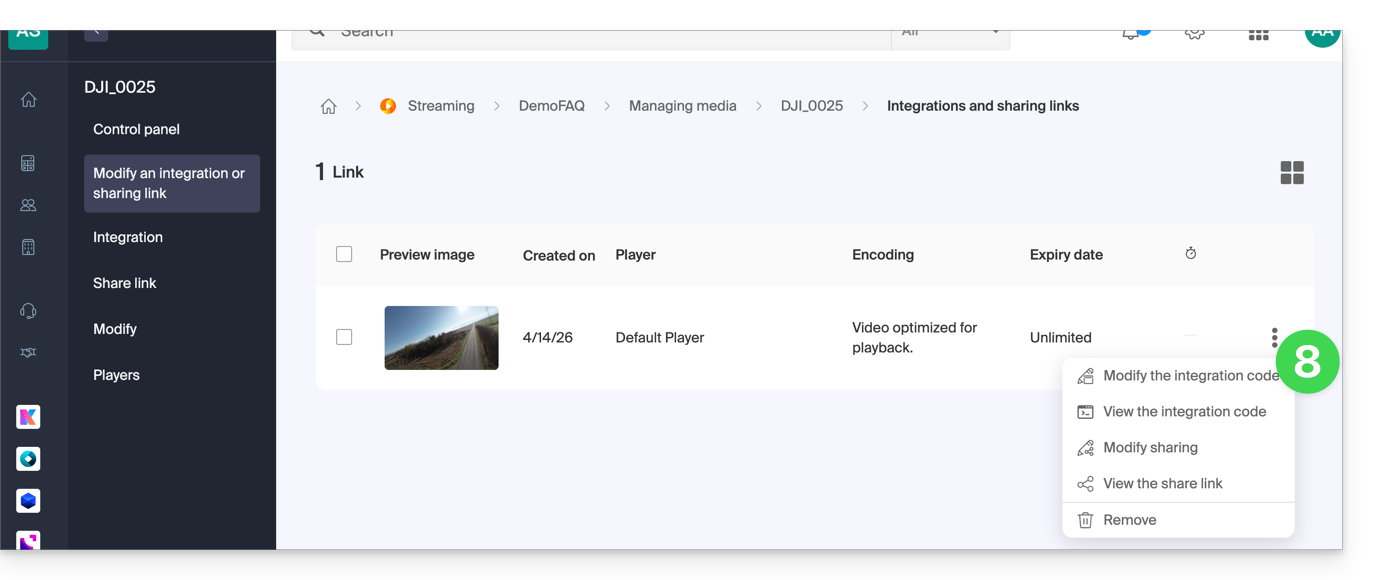
- From the page that appears, click on the action menu ⋮ to the right of the link you want to edit or delete:
Link to this FAQ: https://faq.infomaniak.com/2528
Has this FAQ been helpful?