Knowledge base
1000 FAQs, 500 tutorials and instructional videos. Here, there are only solutions!
Manage Public Cloud users
This guide explains how to manage users for your Public Cloud project.
Introduction
- To access the resources of a project, it is necessary to create OpenStack type users (read more below).
- These OpenStack users have no relation to Infomaniak Manager users.
- The name (username) of the user is generated automatically and is communicated after its creation.
- These OpenStack users are linked to a project, so they cannot access multiple projects.
- All operations on users (addition, modification, deletion, etc.) are asynchronous and may sometimes take several minutes to complete.
Create a user for your Public Cloud
To create an OpenStack user once your Public Cloud is ordered:
- Click here to access the management of your product on the Infomaniak Manager (need help?).
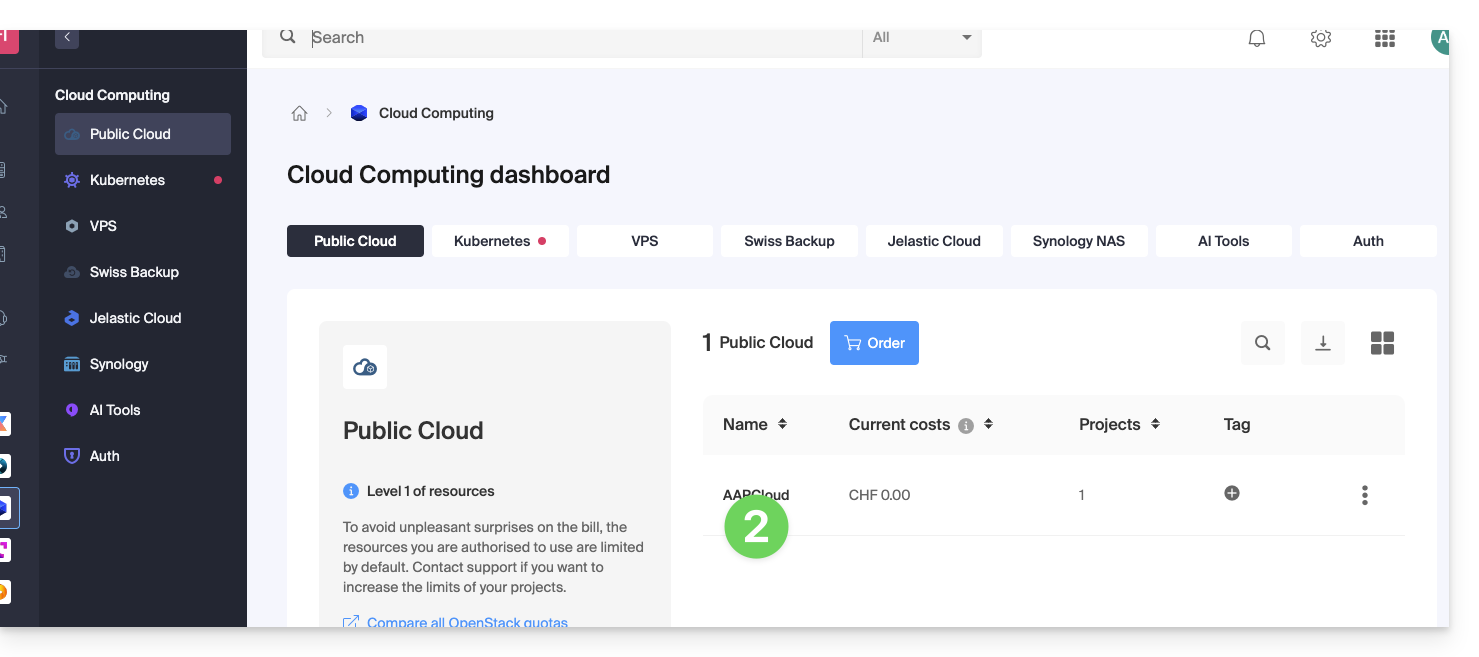
- Click directly on the name assigned to the product concerned:
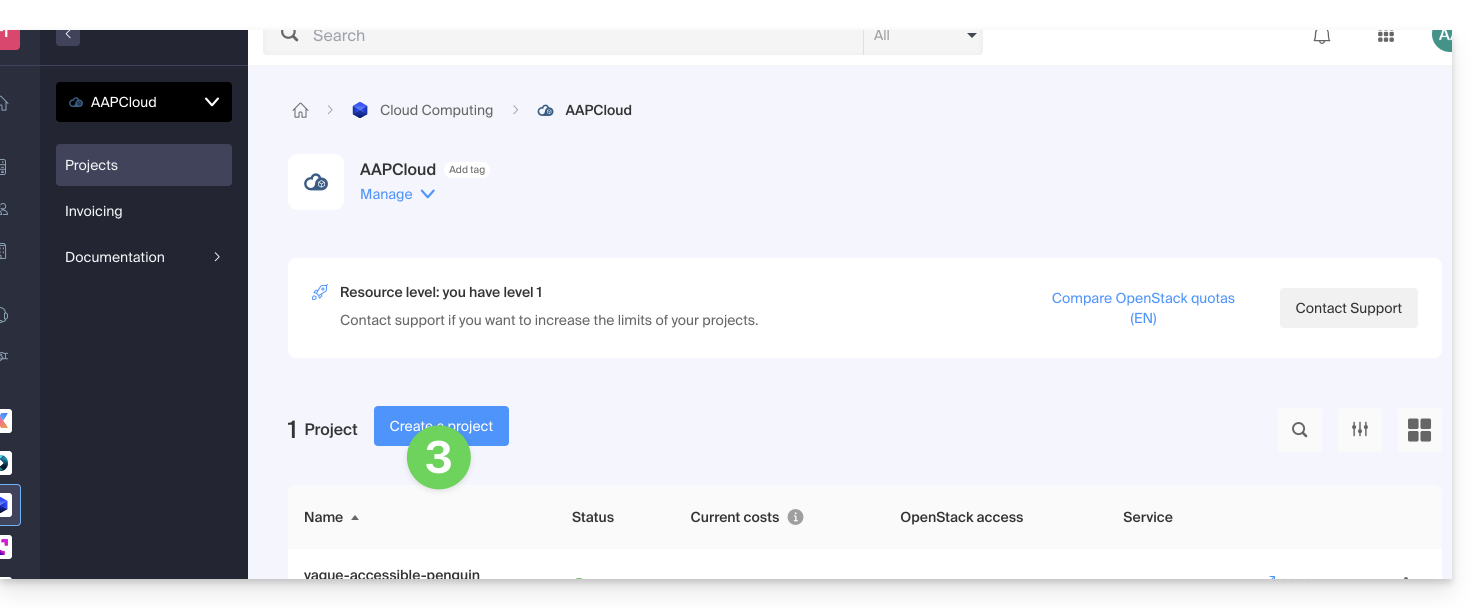
- Create a new Project:
- The user defined at the creation of your project will be in the form
PCU-XXXXand you can assign it a description for your convenience.
User Password Management
The password of the OpenStack user can be either defined immediately at creation or generated later using a link that is sent by email to the address of your choice.
To modify it later:
- Click here to access the management of your product on the Infomaniak Manager (need help?).
- Click directly on the name assigned to the product concerned.
- Click on Manage in the Users column of the project concerned:
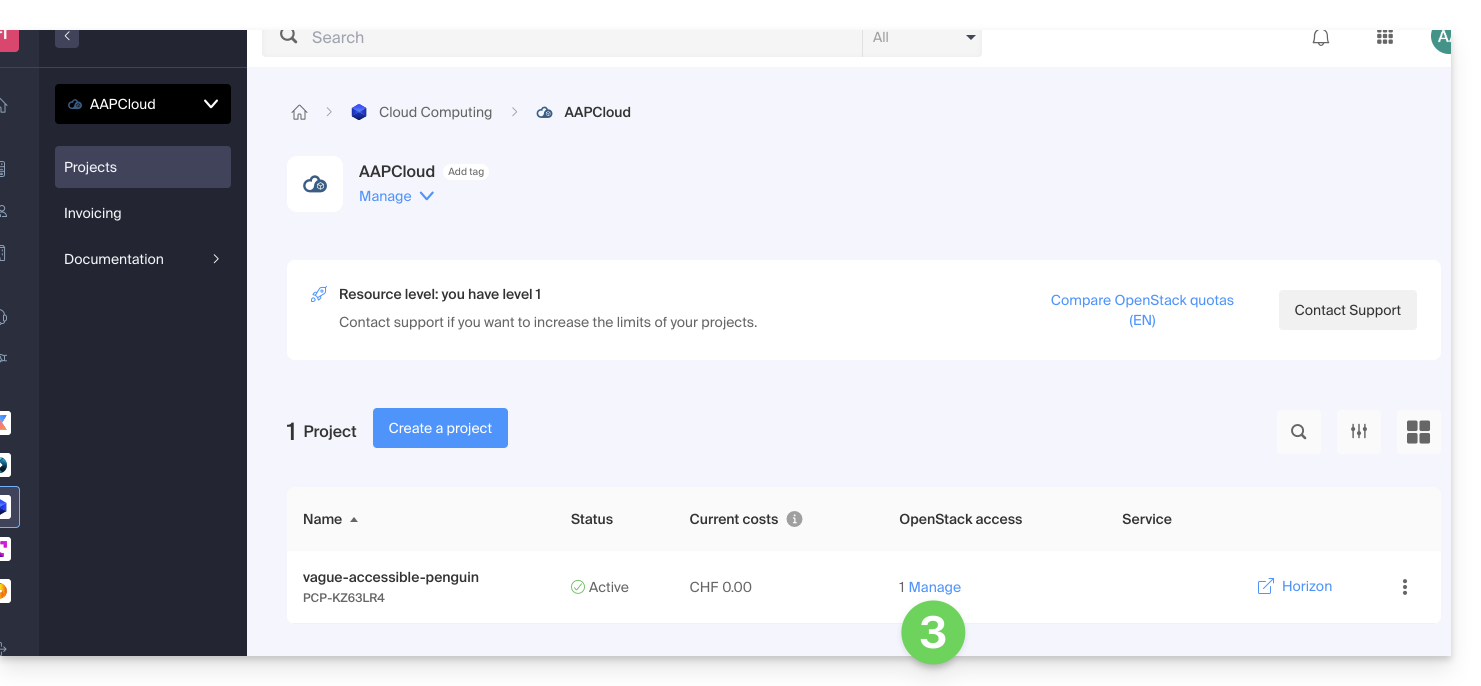
- Click on the menu to the right of the user concerned to access the password change.
Add a new user to a project
To add other users to your project:
- Click here to access the management of your product on the Infomaniak Manager (need help?).
- Click directly on the name assigned to the product concerned.
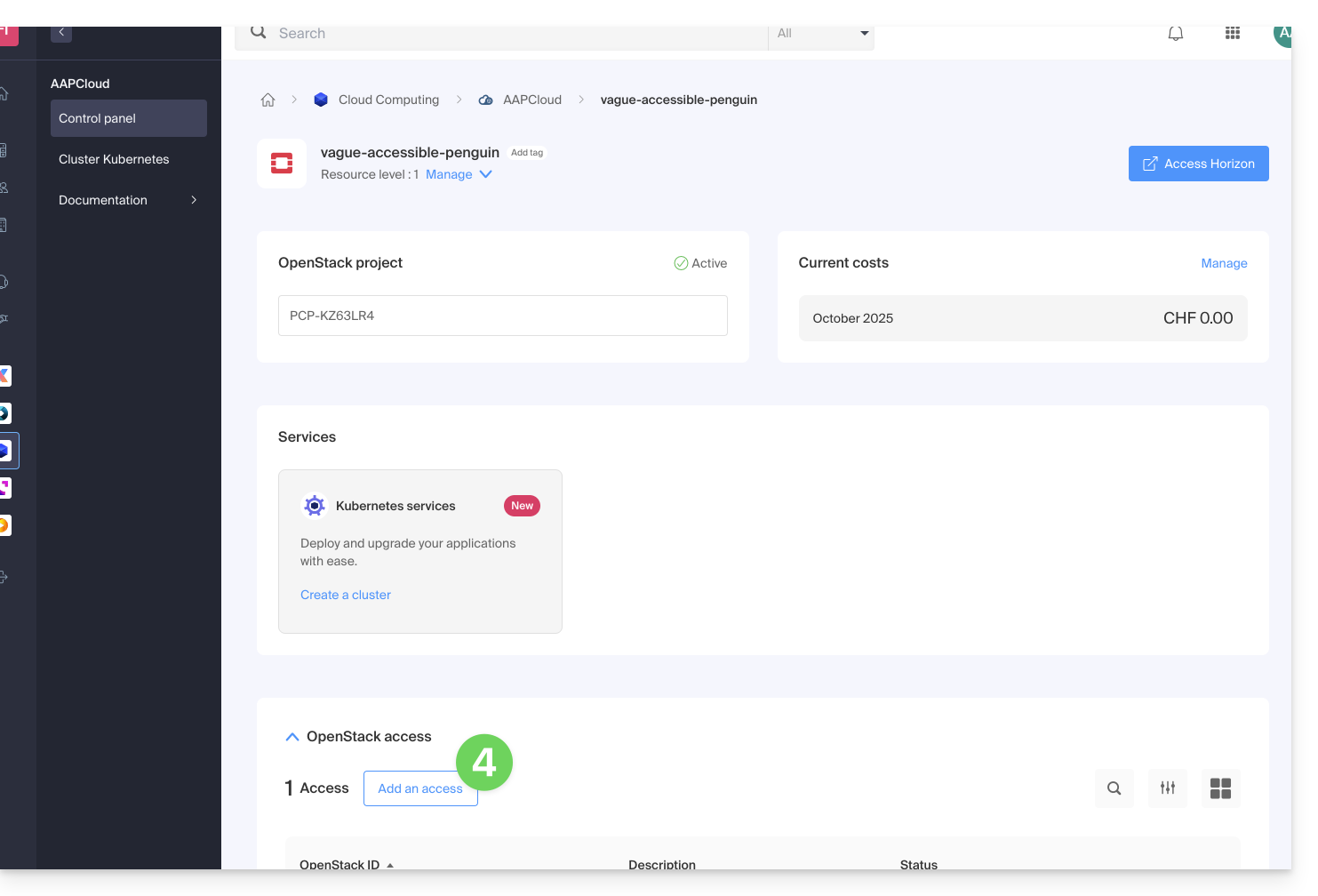
- Click on Manage in the Users column of the relevant project.
- Click on Add OpenStack access:
Delete a user
To delete an existing user:
- Click here to access the management of your product on the Infomaniak Manager (need help?).
- Click directly on the name assigned to the product concerned.
- Click on Manage in the Users column of the relevant project.
- Click on the menu to the right of the relevant user to delete them:
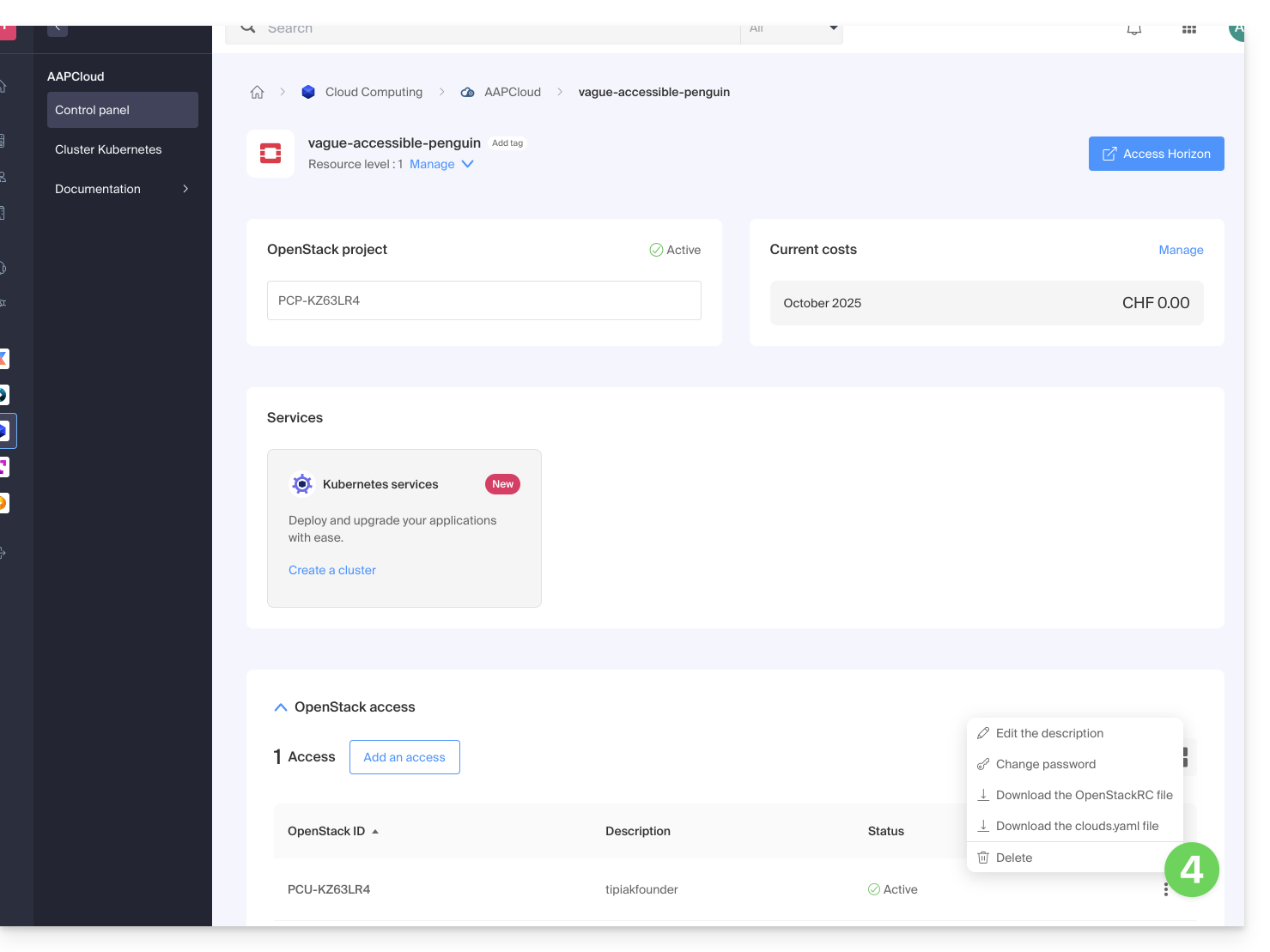
The deletion of the OpenStack user is immediate and definitive.
Find out more
- Getting started guide: Public Cloud
- Public Cloud: Action on an existing project
- Complete product documentation: https://docs.infomaniak.cloud
Link to this FAQ: https://faq.infomaniak.com/2492
Has this FAQ been helpful?