Knowledge base
1000 FAQs, 500 tutorials and instructional videos. Here, there are only solutions!
Manage multiple kDrives on the mobile app
This guide explains how to connect to and manage multiple kDrive accounts on the kDrive mobile app (application for iOS/Android smartphones or tablets). This feature allows you, for example, to access files from a personal kDrive and a professional kDrive.
Prerequisites
- Have a kDrive or kSuite plan.
- Install the kDrive mobile app (application for iOS/Android smartphones or tablets).
Accessing different kDrives from the mobile app
A user can access multiple kDrives if they are already working with multiple kDrives outside of the app, if they have been added to other kDrives, etc. They will all be accessible once the user is logged in.using the login ID corresponding to these kDrive accounts.
This is the case in the Web app…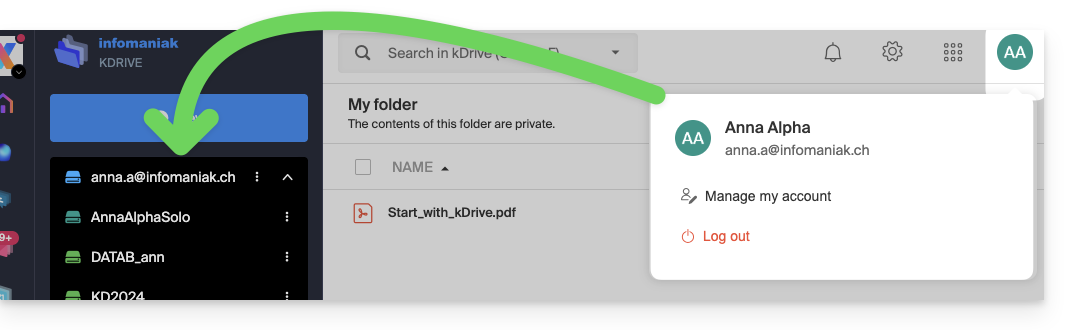 … as well as in the mobile app: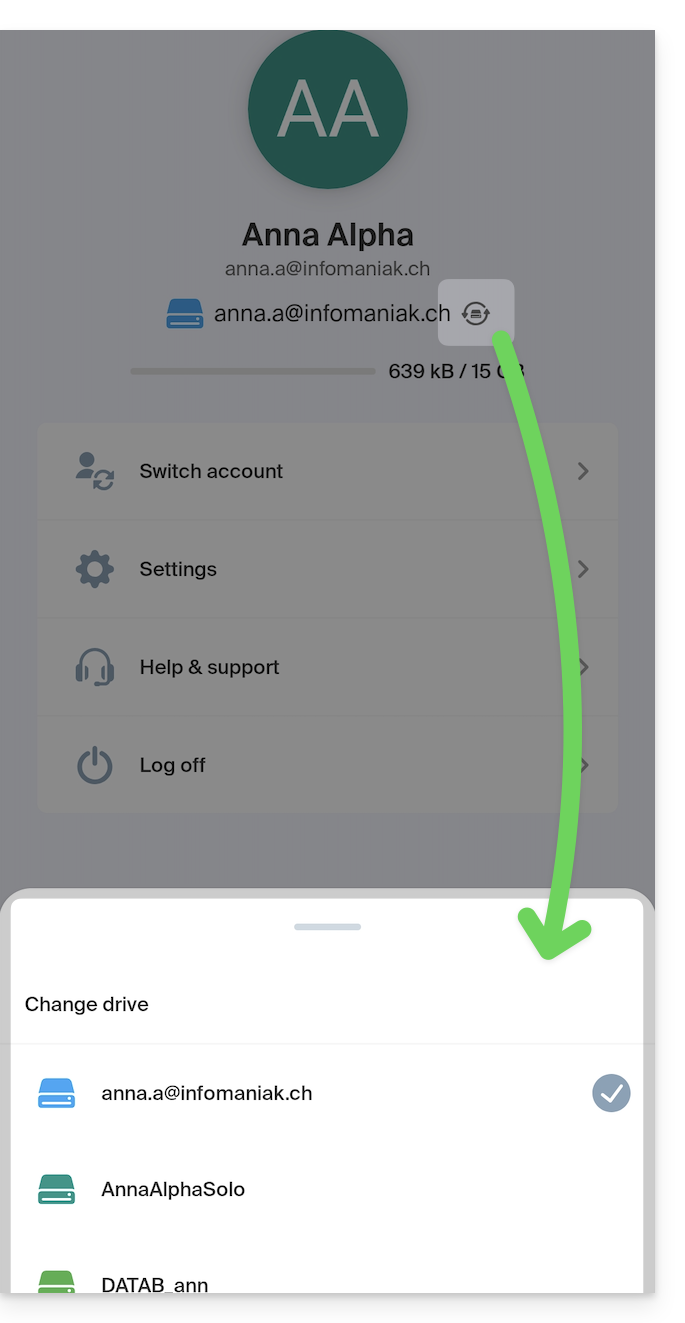
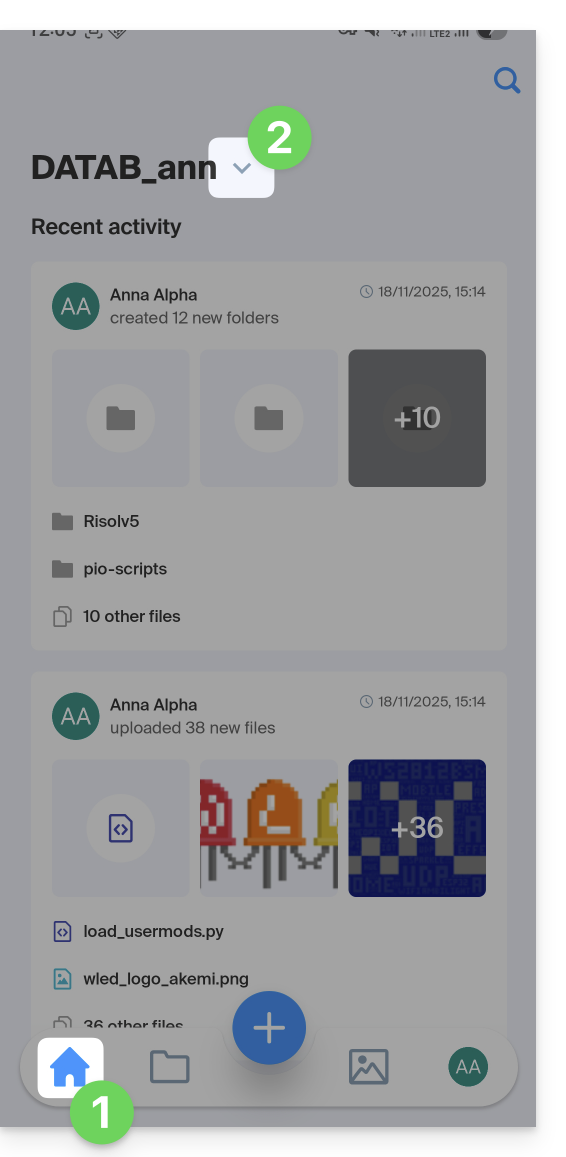
Once you are logged into your Infomaniak account on the kDrive mobile app, the easiest way to access the different kDrives for which your Infomaniak account has access is:
- Click on the home icon to go to the home page.
- Click on the chevron to the right of the current kDrive name:
- In the sliding panel that appears, click on the name of the desired kDrive:
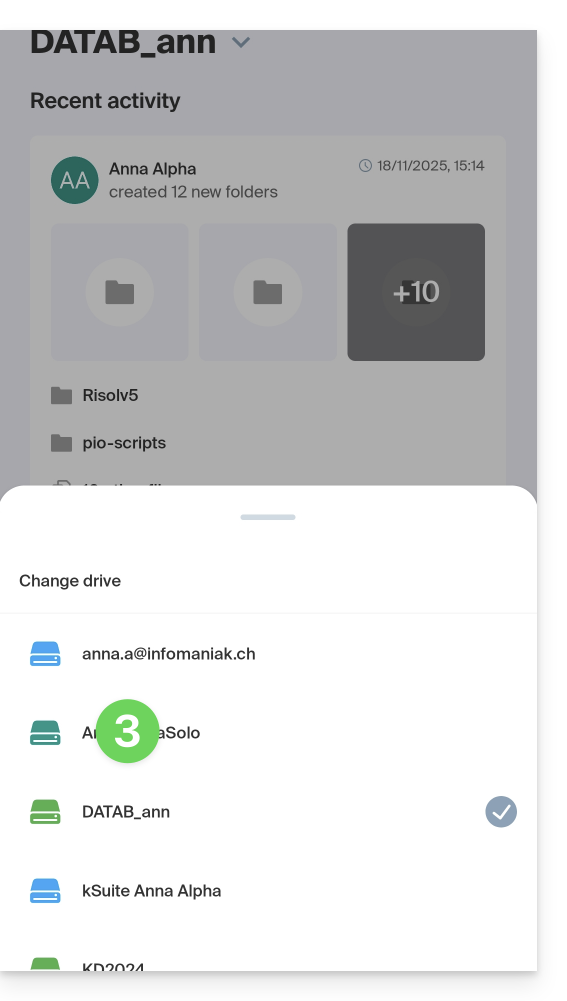
- You will be redirected to the data of the selected kDrive.
Accessing and managing other kDrive accounts
To log in with a different Infomaniak account and access other kDrive accounts:
- Open the kDrive mobile app.
- Tap the button with your initials or avatar in the bottom right corner.
- Tap the icon to the right of the kDrive name (simply to check the kDrives you already have access to).
- Tap Change user:
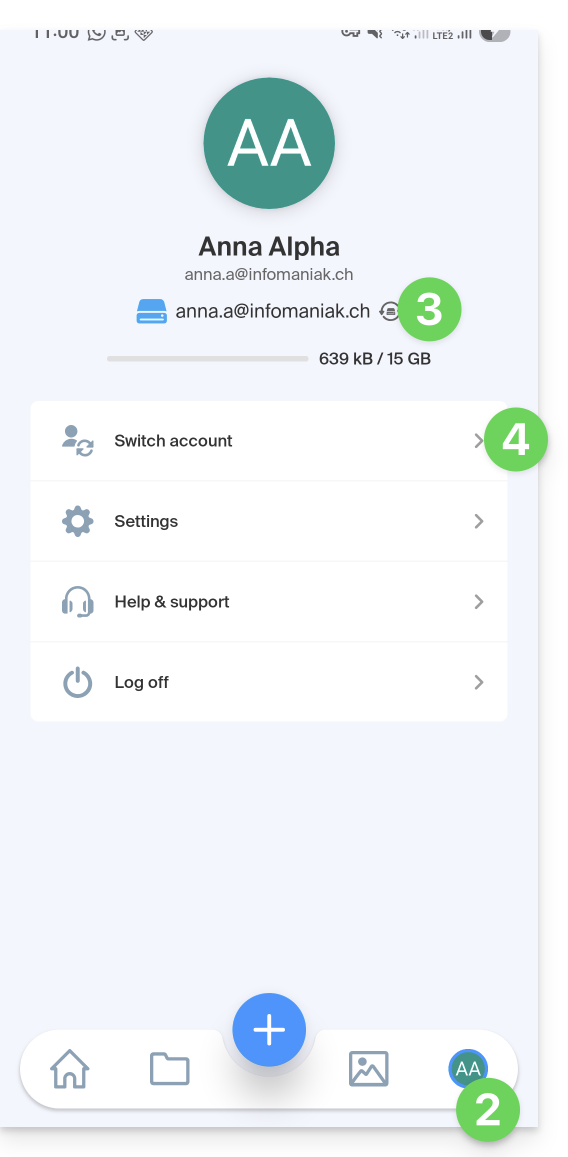
- Tap Add user:
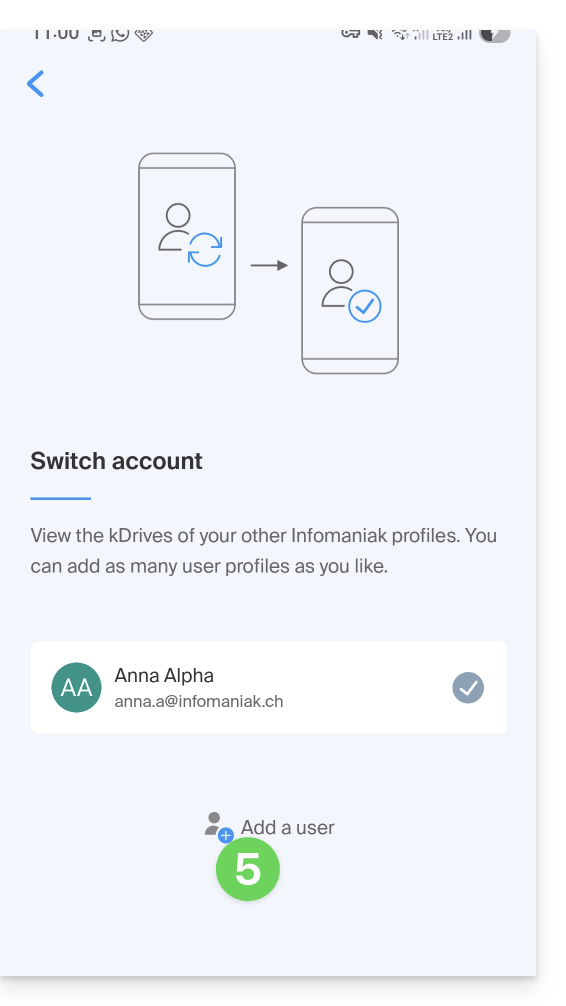
- Enter your Infomaniak account credentials – refer to this other guide if needed.
- Choose the kDrive to add.
- You can now switch between kDrive accounts from the User > Change user menu; the credentials for the different accounts are saved.
Link to this FAQ: https://faq.infomaniak.com/2396
Has this FAQ been helpful?