Knowledge base
1000 FAQs, 500 tutorials and instructional videos. Here, there are only solutions!
Upgrading a VPS Lite to a VPS Cloud
This guide explains how to migrate from a VPS Lite to a VPS Cloud while preserving all your data and without having to reconfigure your setup.
Introduction
- The server's IP address is retained, as are all data on the disk.
- It is not possible to undo this change or revert to the previous state.
- It is not possible to switch from a Cloud VPS to a Lite VPS.
Migrating from a Lite VPS to a Cloud VPS
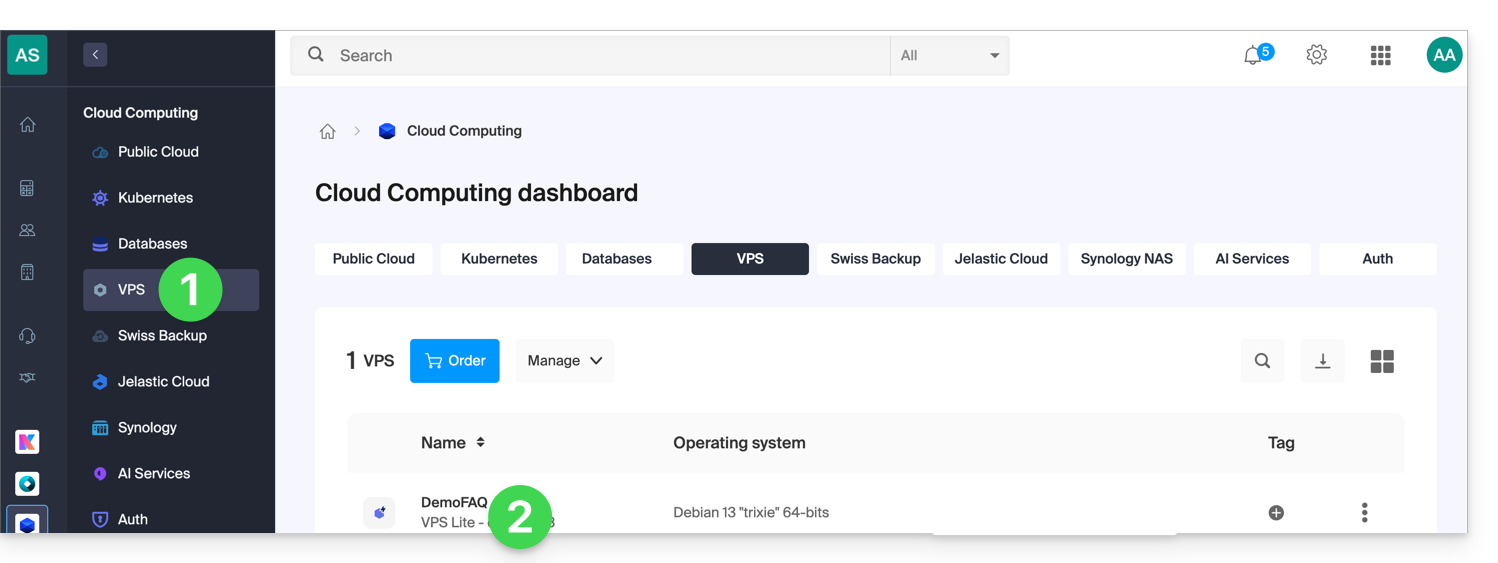
To start the process, access your VPS Lite:
- Click here to access the management interface for your VPS in the Infomaniak Manager (need help?).
- Click directly on the name assigned to the VPS in question:
- Click on Upgrade my plan:
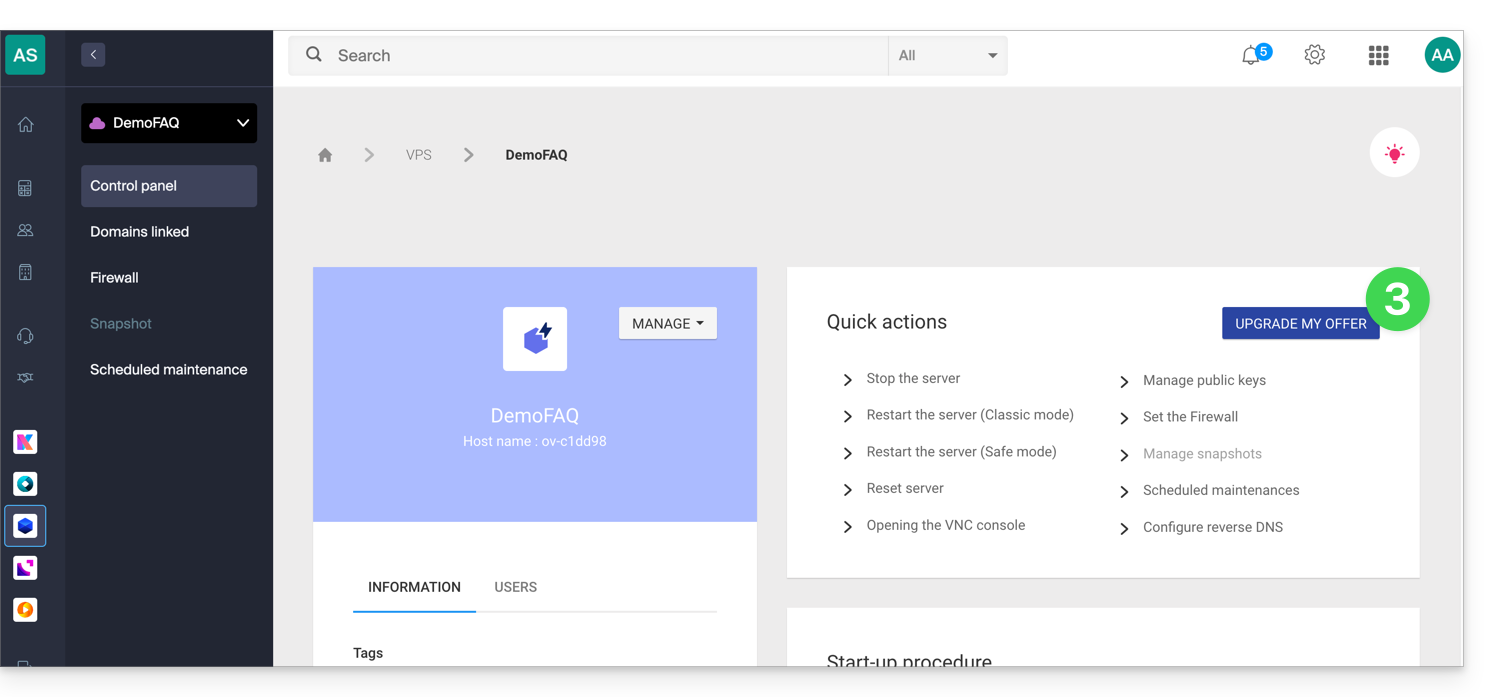
- Click on the Upgrade button in the pop-up window.
- Complete the order to upgrade your VPS Lite.
- Please wait during the migration; there will be a service interruption during the process.
Link to this FAQ: https://faq.infomaniak.com/2349
Has this FAQ been helpful?