Knowledge base
1000 FAQs, 500 tutorials and instructional videos. Here, there are only solutions!
Uninstall an SSL certificate
This guide explains how to uninstall an SSL Certificate, regardless of its type, that was initially installed from the Infomaniak Manager. If your certificate is a paid type and you would like to cancel the current offer instead, please refer to this other guide.
Removing an SSL certificate
To uninstall an Infomaniak certificate:
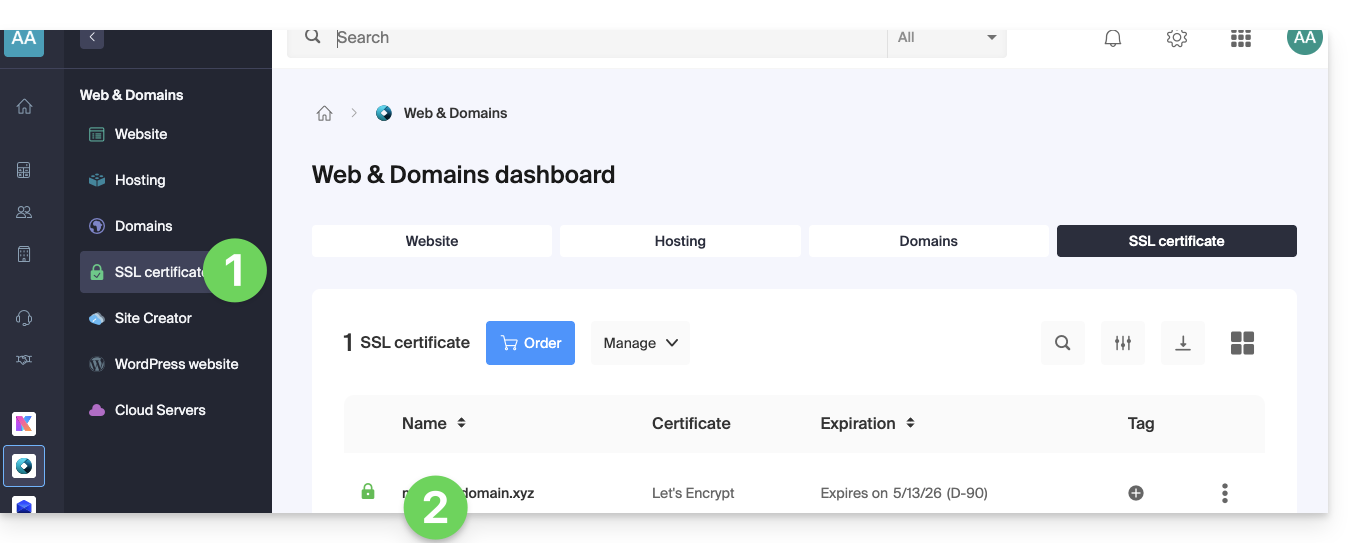
- Click here to access the management of your SSL certificate in the Infomaniak Manager (need help?).
- Click directly on the name assigned to the product in question:
- Click on the action menu ⋮ located to the right of the item in question.
- Click on Uninstall:
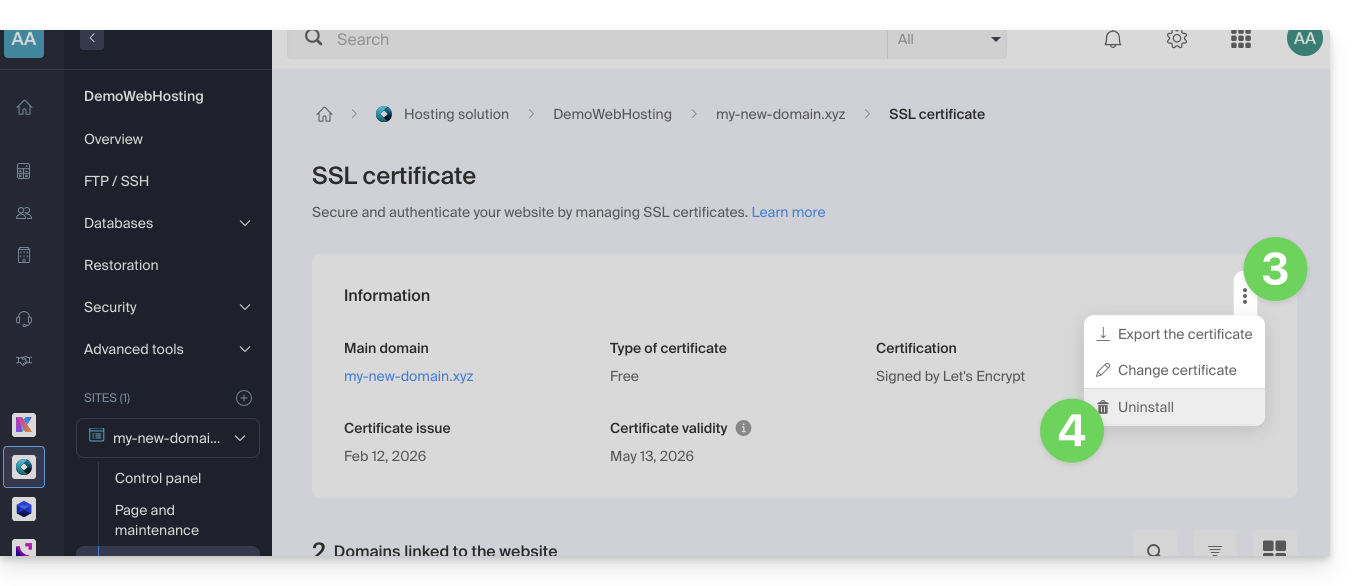
- Confirm the uninstallation of the certificate.
Link to this FAQ: https://faq.infomaniak.com/2250
Has this FAQ been helpful?