Knowledge base
1000 FAQs, 500 tutorials and instructional videos. Here, there are only solutions!
Manage Newsletter Notifications
This guide explains how to receive an email notification when a new subscriber joins your Newsletter via one of your contact forms.
Be Notified When a New Contact Subscribes
To access your Newsletter:
- Click here to access the Newsletter management in the Infomaniak Manager (need help?).
- If necessary, click on the domain name concerned in the table that appears:
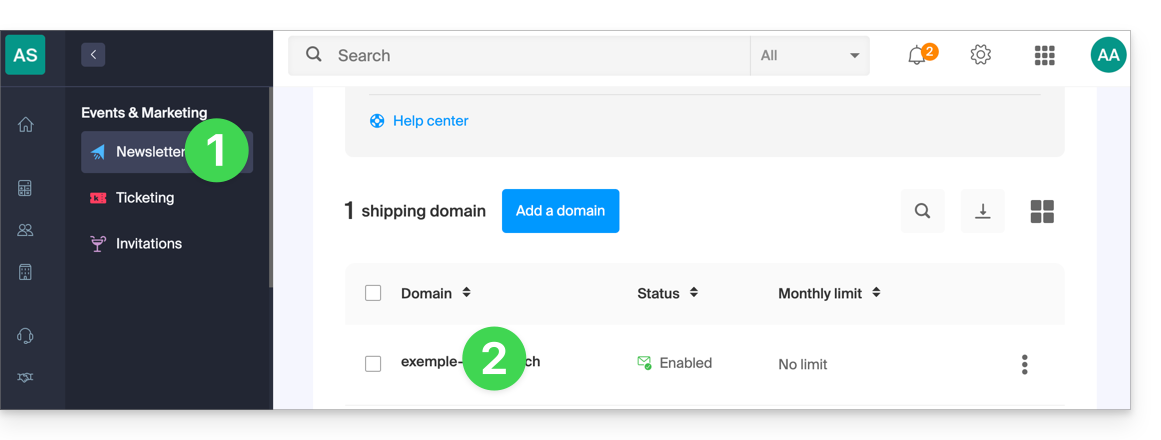
- The Newsletter interface appears.
Then, to access the Newsletter subscription form:
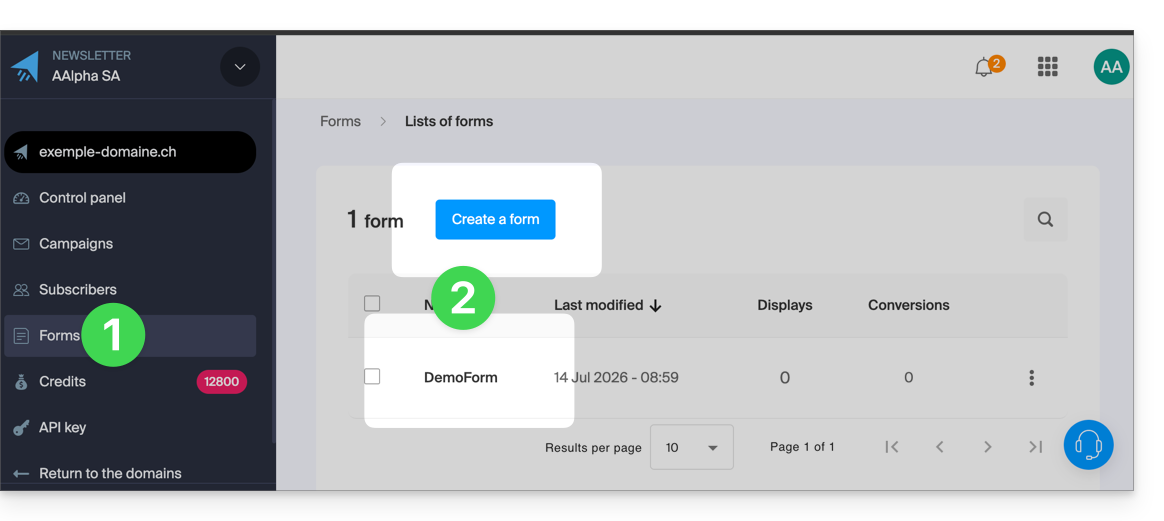
- Click on Forms in the left-hand menu.
- Create or edit the form for which you want to track subscriptions:
- At the very bottom of the page, check the box Receive an email when a new subscription is made.
- Click on the blue Save button to validate the changes:
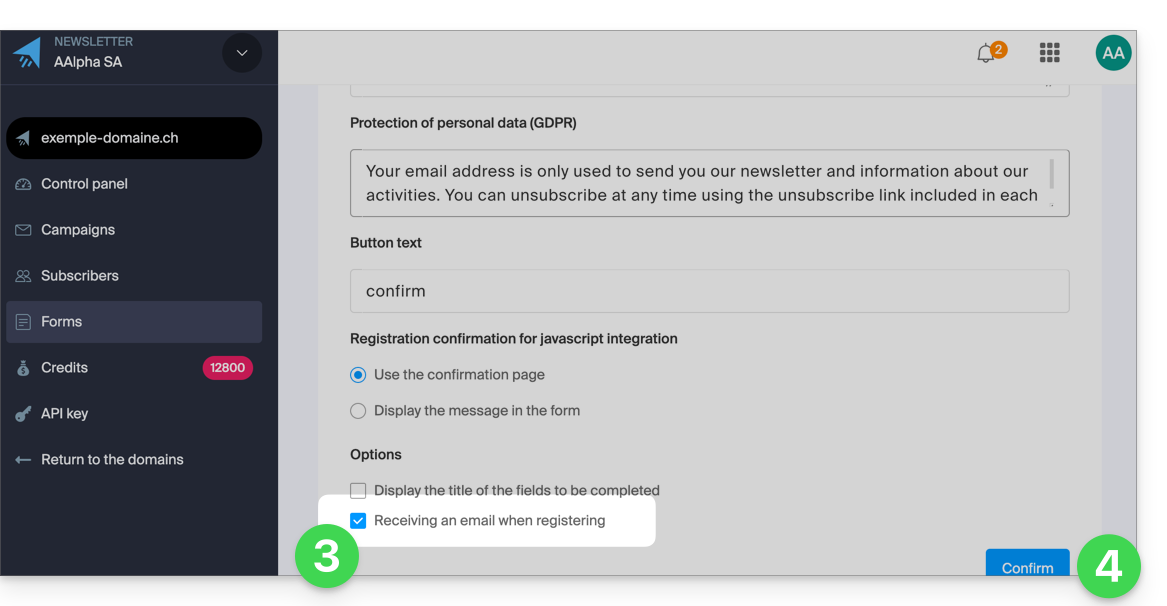
You will now receive an email as soon as a contact subscribes to your Newsletter via this subscription form.
Simply uncheck the box at any time to stop receiving email notifications.
Link to this FAQ: https://faq.infomaniak.com/2245
Has this FAQ been helpful?