Knowledge base
1000 FAQs, 500 tutorials and instructional videos. Here, there are only solutions!
Use the Newsletter API
This guide explains how to create a token, or API key (also known as a token) for the Infomaniak Newsletter tool.
Obtaining a token
To obtain a Newsletter API key:
- Click here to access the management interface for your product in the Infomaniak Manager (need help?).
- Click directly on the domain name assigned to the product in question.
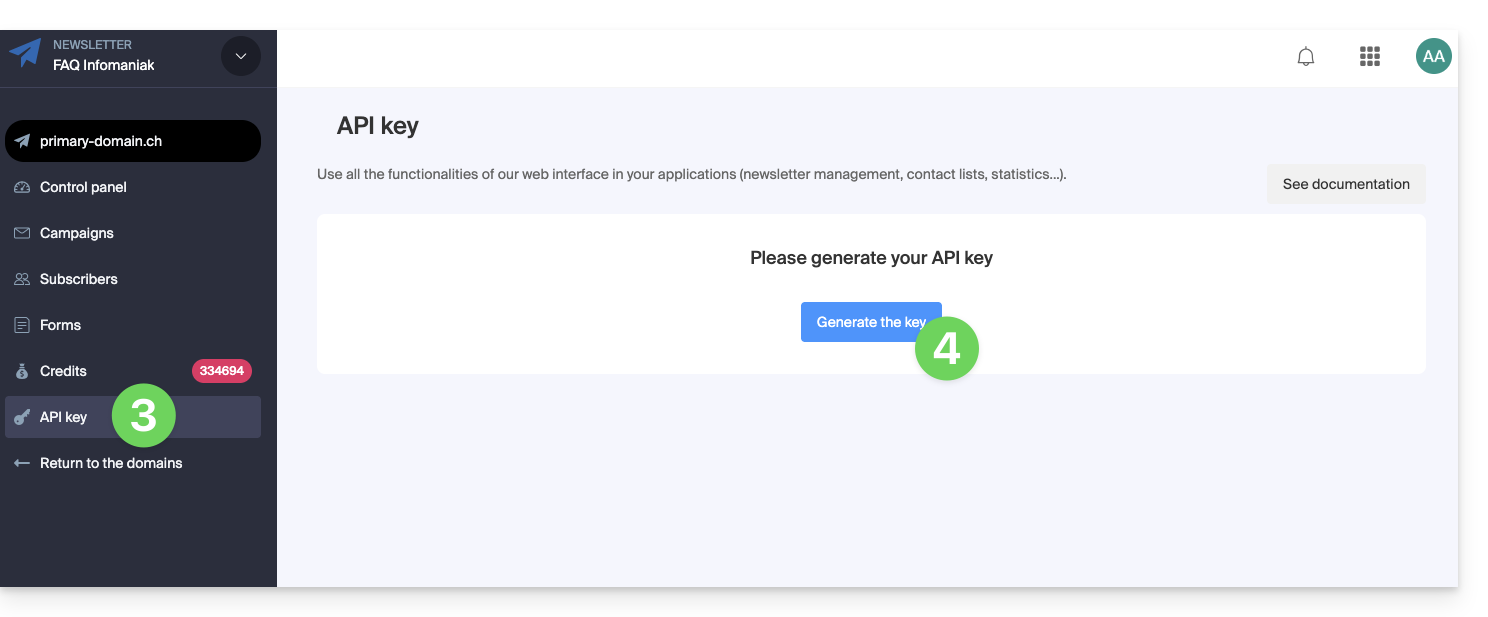
- Click on API Key in the left-hand menu.
- Click on the blue Generate a key button:
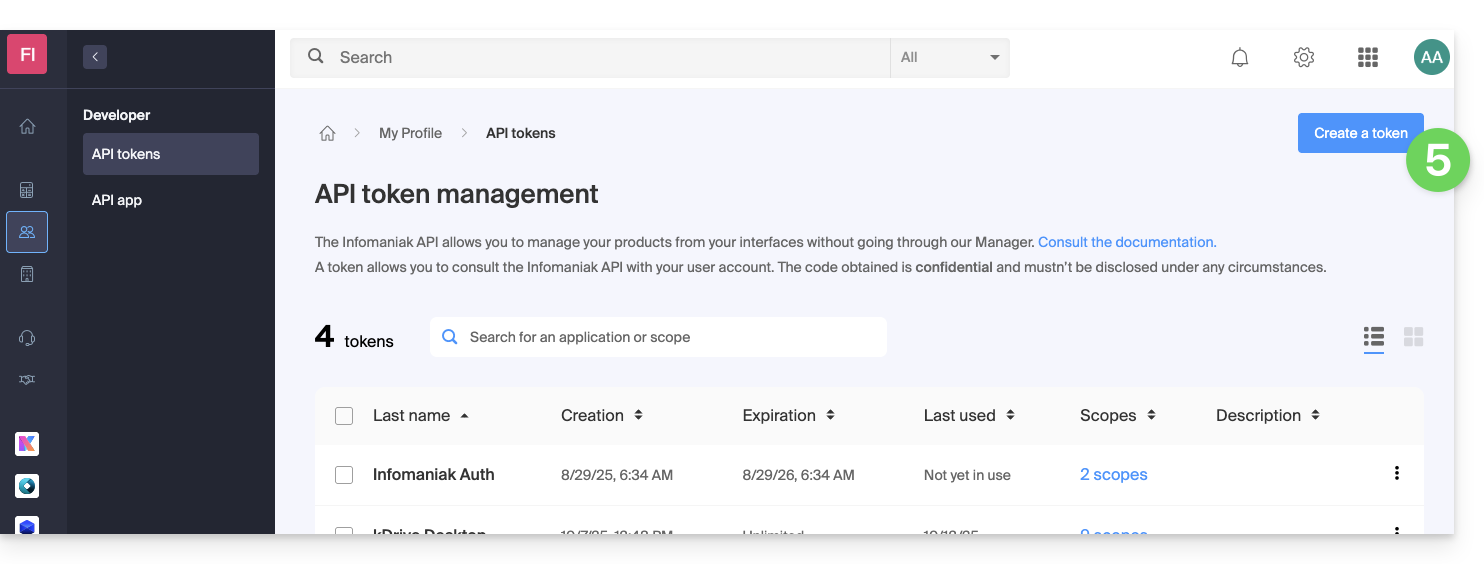
- Click on the blue Create a token button:
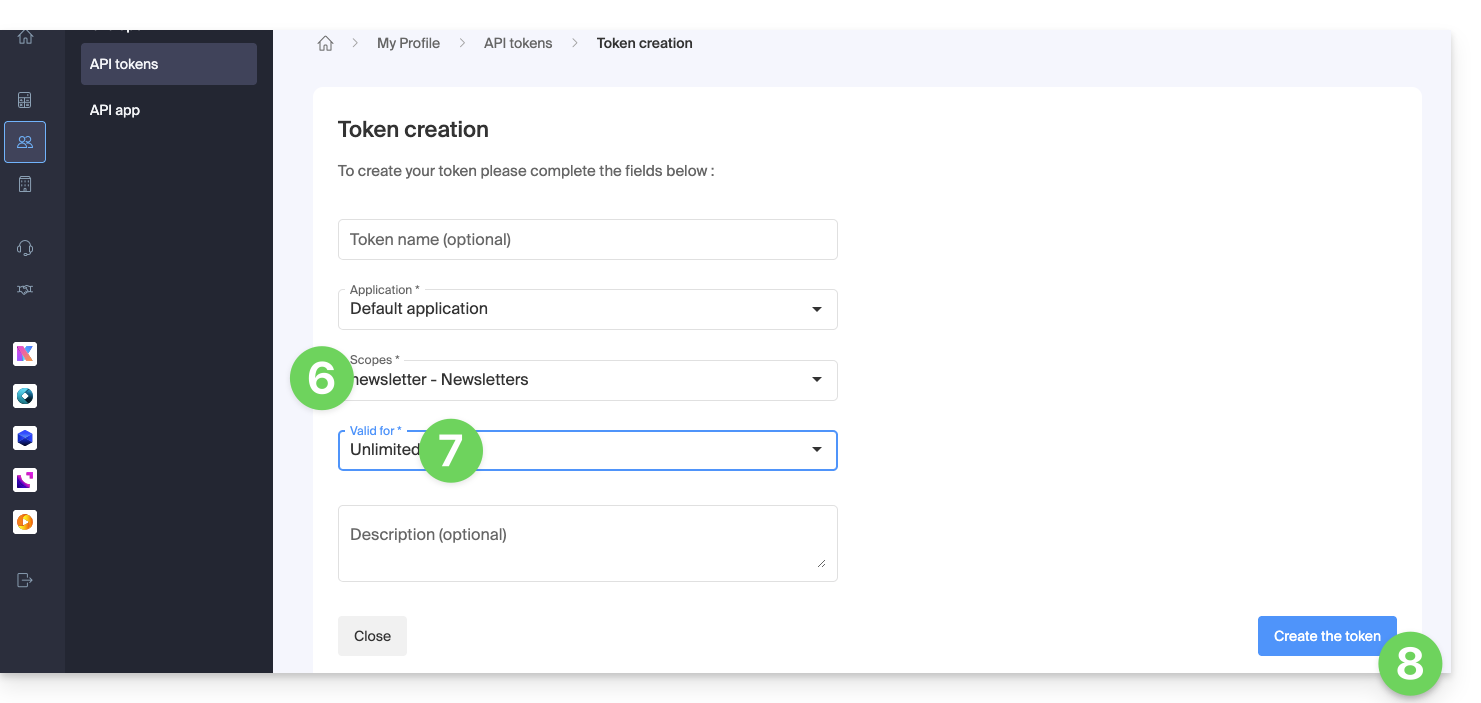
- Select the appropriate product from the drop-down menu.
- Choose a validity period.
- Click on the blue Create a token button:
- Enter the login password for the Manager as requested.
- Copy the token and store it in a safe place – it will no longer be accessible afterward.
Refer to the Newsletter API documentation.
Link to this FAQ: https://faq.infomaniak.com/2211
Has this FAQ been helpful?