Knowledge base
1000 FAQs, 500 tutorials and instructional videos. Here, there are only solutions!
Secure web traffic with DNSSEC
This guide explains what DNSSEC is and how this protection enhances the security of Domains at Infomaniak and the traffic they generate.
Introduction
- Each URL corresponds to an IP address, and when an internet user enters the URL of your site into a browser such as Brave, Chrome, Edge, Firefox, Opera, Safari, etc., they use a DNS server, which redirects them to the IP address corresponding to the domain entered (technically, this is called DNS resolution).
- When DNSSEC is not enabled on your domain name, a malicious person could detect a vulnerability in a DNS server and modify the correspondence between your domain name and the IP address of your site to their desired IP. In such a case, the internet user entering the URL of your site would be redirected to another site that does not correspond to the content of your site.
- DNSSEC secures the authenticity of the response provided by the DNS server, thus guaranteeing that internet users are accessing the website they actually intend to visit.If a hacker attempts to modify the IP address of your domain name in a DNS server protected by DNSSEC during resolution, the server will reject their requests because they will not be authenticated.
- DNSSEC is therefore an additional security measure for a website's SSL certificate, ensuring that the user is directed to the website corresponding to the entered URL, and the SSL certificate then encrypts the communication between the user's browser and the website's web server.
Enable or disable DNSSEC
To find out about the availability of DNSSEC for a specific domain, please refer to the specifications of the extensions that concern you on this page (under Frequently Asked Questions by clicking on the relevant extension first).
DNSSEC is available and already enabled upon purchase for the vast majority of domain name extensions.
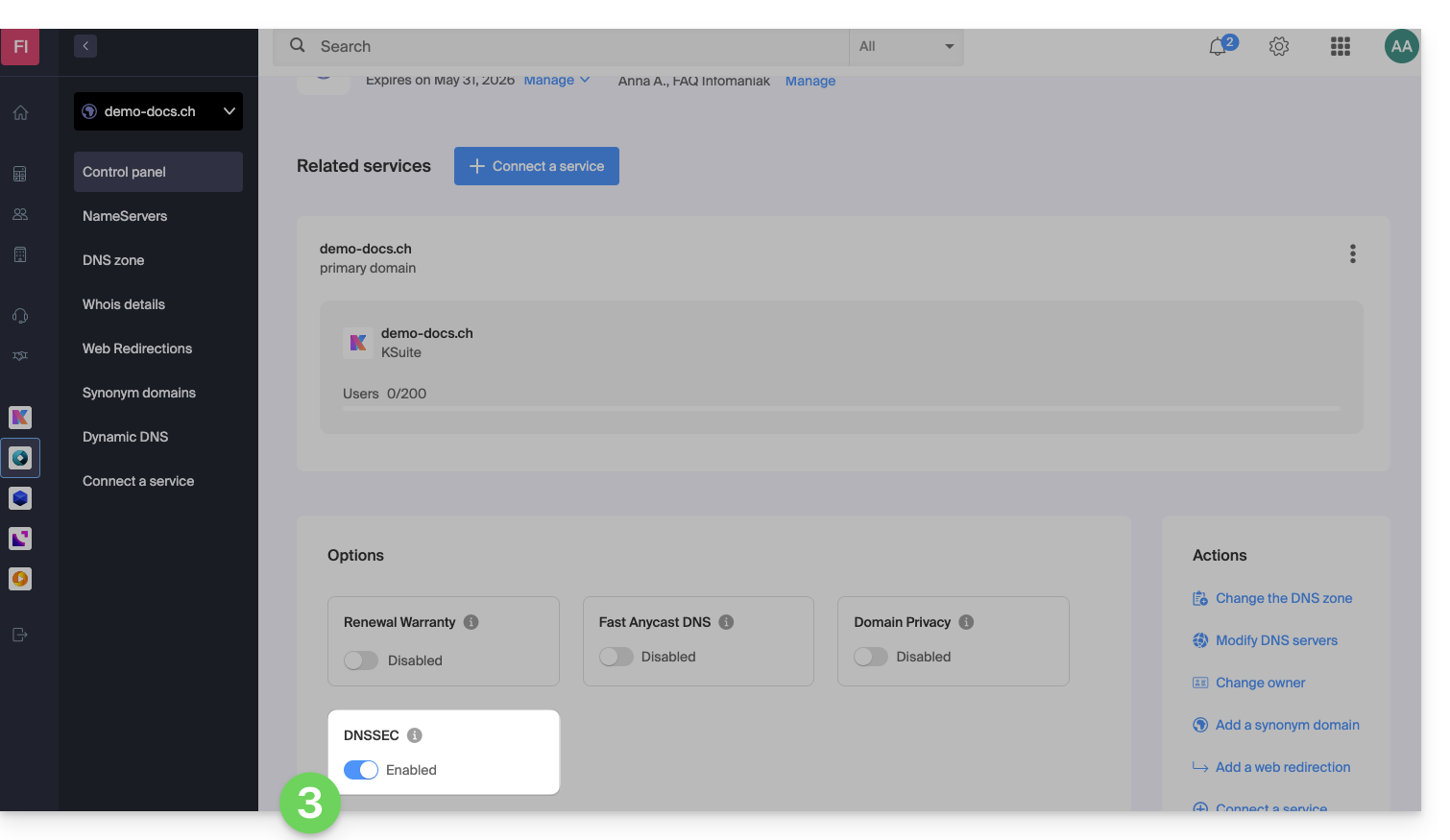
If needed, DNSSEC can be activated in a few clicks for fully managed domain names at Infomaniak:
- Click here to access the domain management section in your Infomaniak Manager (❓: help).
- Click on the name of the domain in question.
- Enable or disable DNSSEC from the domain's Dashboard:
If your domain's DNS zone is managed by another registrar, you will need to provide technical information provided by that registrar.If the information provided is incorrect, your domain name will no longer be accessible.. Therefore, it is recommended to transfer the complete management of your domain to Infomaniakbefore enabling DNSSEC if you are not familiar with these operations.
Check if DNSSEC is enabled
DNSSEC propagation to the registry may take several hours to complete.
Enter the domain name to check on this analysis site.
Specific guide
Link to this FAQ: https://faq.infomaniak.com/2208
Has this FAQ been helpful?