Knowledge base
1000 FAQs, 500 tutorials and instructional videos. Here, there are only solutions!
Modify an existing kSuite plan
Update 08/06/2026
This guide explains how to modify the kSuite plan.
Introduction
- kSuite is a bundled offer that can be upgraded to a higher tier at any time (increase the number of users and the storage space for data).
- It is not possible to switch to a lower-priced plan later, nor to transfer kSuite to another Organization.
- The products included in kSuite cannot be moved or cancelled independently of each other.
- To help you identify the kSuite offer that best suits your needs, please refer to this other guide.
Modify the kSuite plan
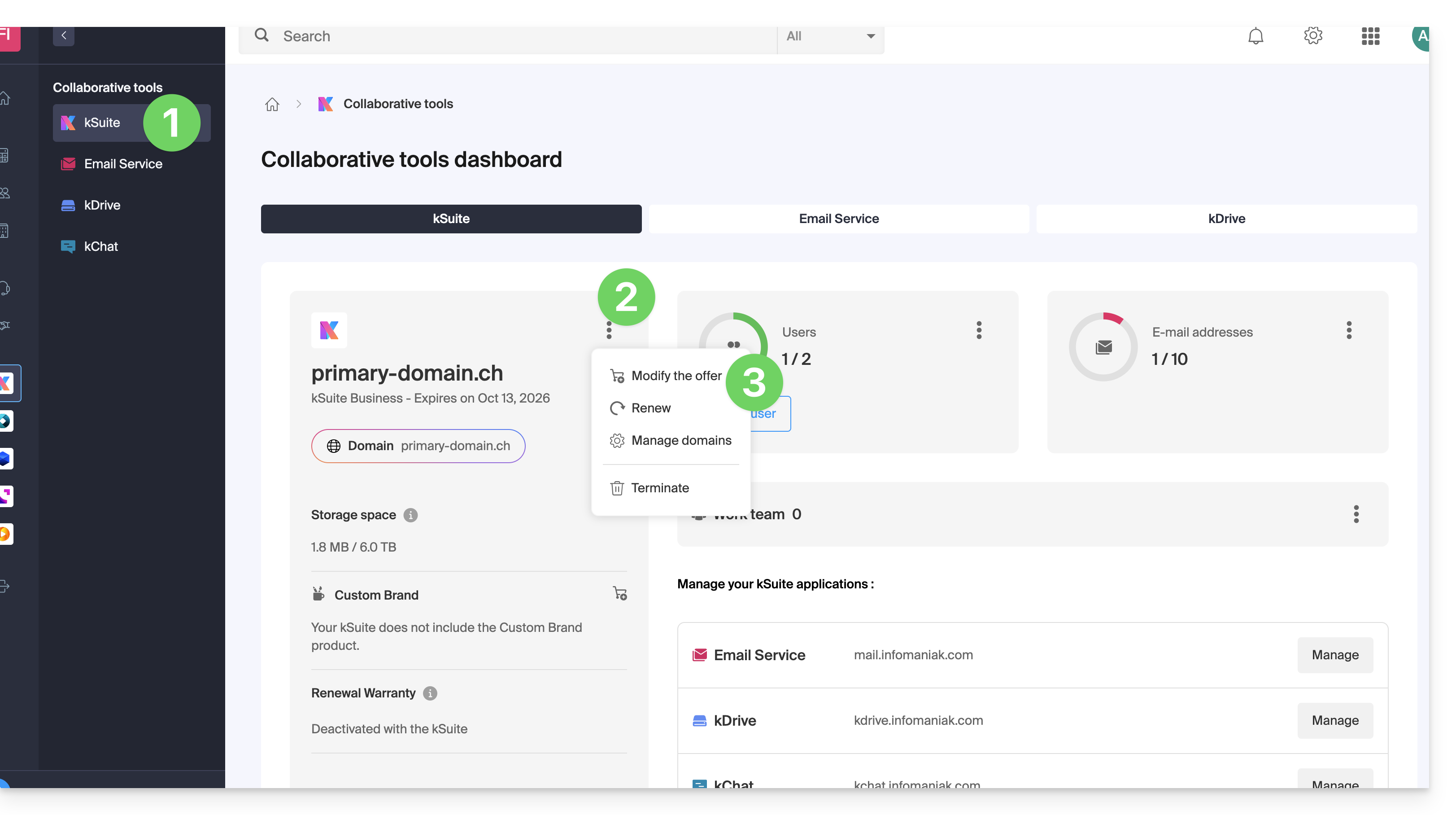
To access the kSuite plan modification:
- Click here to access your product management interface in the Infomaniak Manager (need help?).
- Click on the action menu ⋮ to the right of the kSuite name.
- Click on Edit plan:
Link to this FAQ: https://faq.infomaniak.com/2197
Has this FAQ been helpful?