Knowledge base
1000 FAQs, 500 tutorials and instructional videos. Here, there are only solutions!
Manage Newsletter Subscriptions
This guide concerns the Infomaniak Newsletter and provides some use cases related to user registrations.
Registration and re-registration, different data…
To access your Newsletter:
- Click here to access your product management interface on the Infomaniak Manager (need help?).
- Click on the domain name in the table that appears, if necessary.
- The Newsletter interface will appear.
It is possible to subscribe to the same newsletter multiple times in a row (including re-subscribing after unsubscribing):
- The subscription date displayed on the subscriber management page will always correspond to the first subscription (even if there are multiple subscriptions and even if the user did not unsubscribe in the meantime):
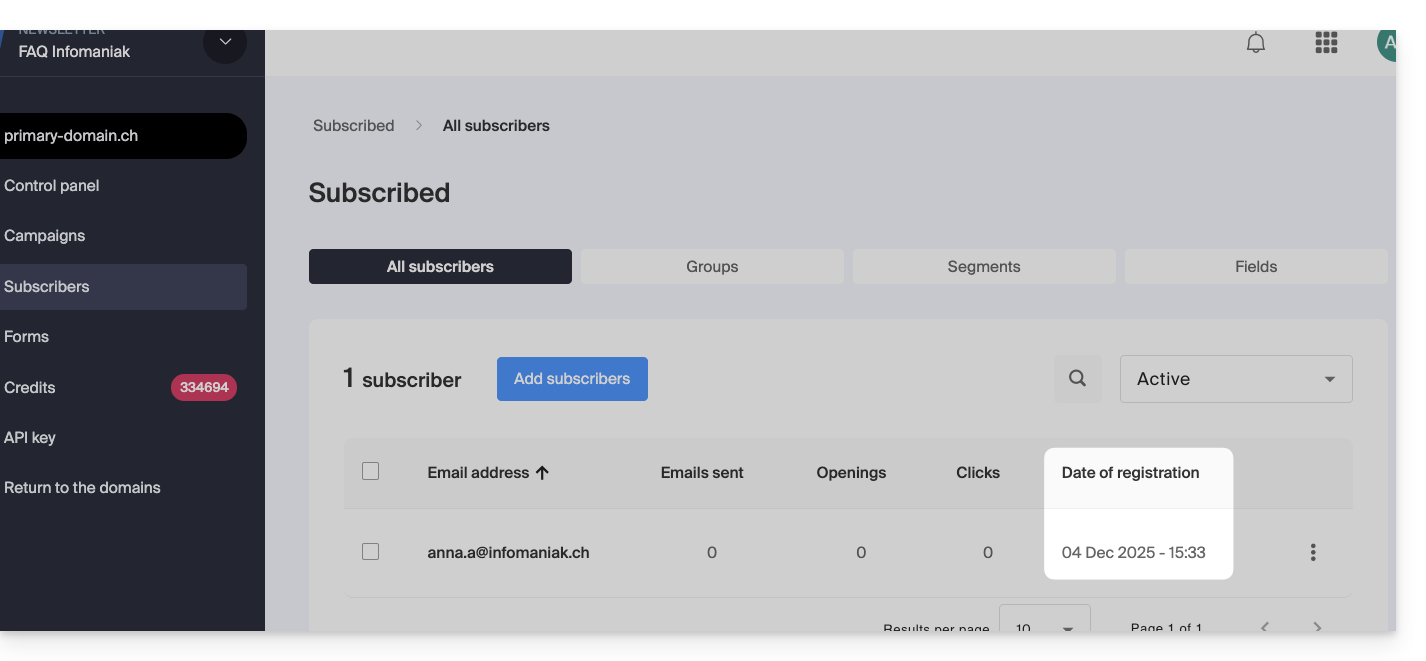
- If the user re-registers without being unsubscribed but provides different information during registration (e.g., a different name), this new information will be applied.
Unsubscription, deletion, and data erasure
The Newsletter manager can perform 3 actions on a subscriber's profile: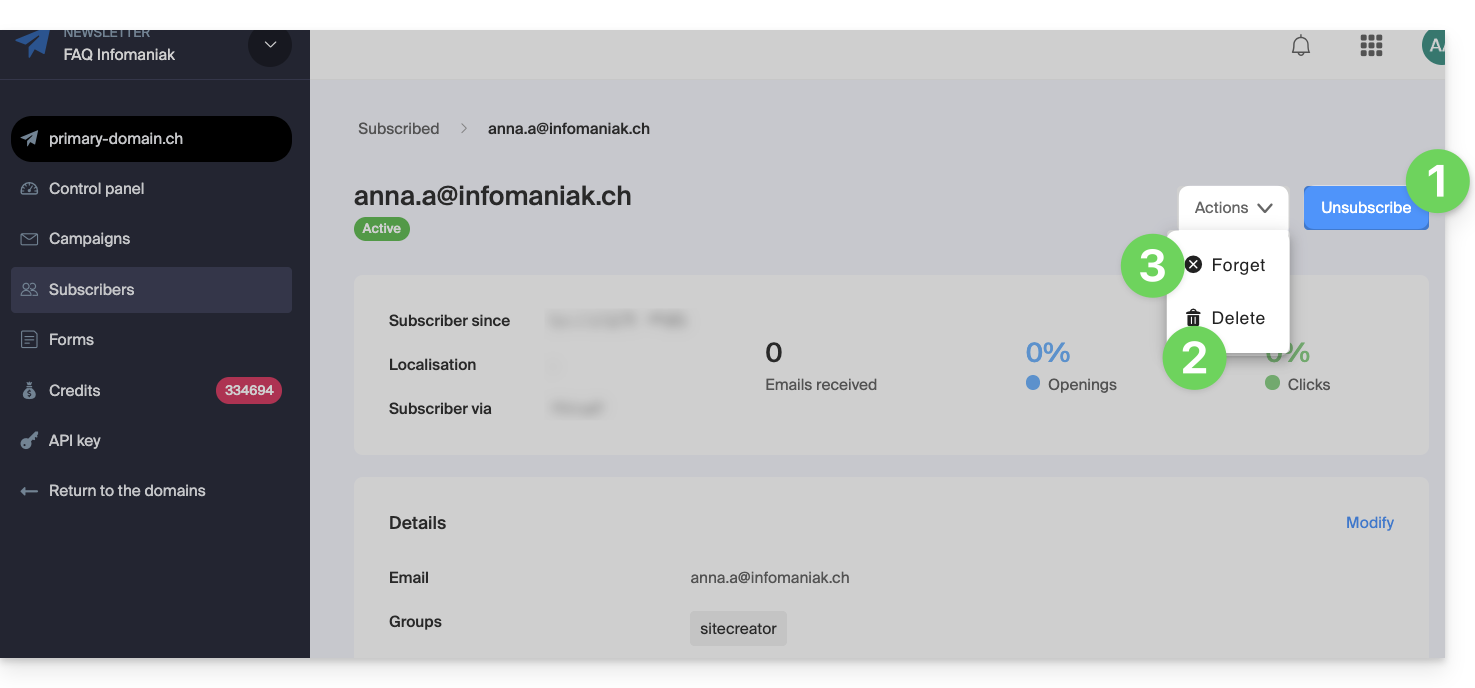
1. Manually unsubscribe the subscriber
In this case, the subscriber
- is unsubscribed.
- will no longer receive newsletters
- will remain visible in lists (by activating the Unsubscribed filter)
- can be modified via re-importation, either a single import or another, but its registered or unregistered status will remain the same
- and it is possible to manually re-register it from its subscriber profile:
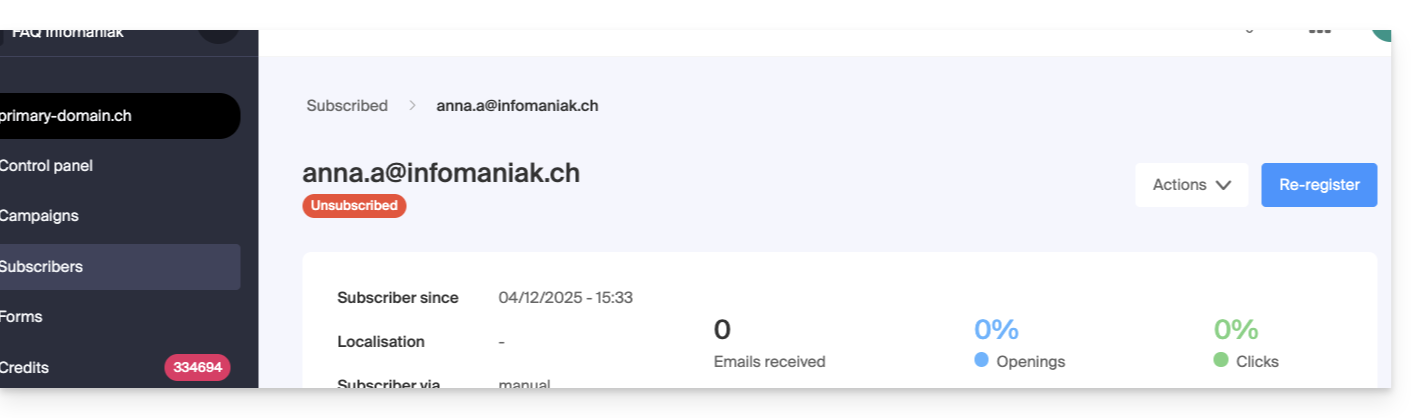
No email is sent to the user during these operations.
2. Delete the subscriber
In this case, the subscriber (whether subscribed or unsubscribed)
- is removed from the lists, and no search filter (or trash system) allows you to find a deleted user.
- can be modified by re-importing it, either individually or in bulk, but its registered or unregistered status will remain the same:
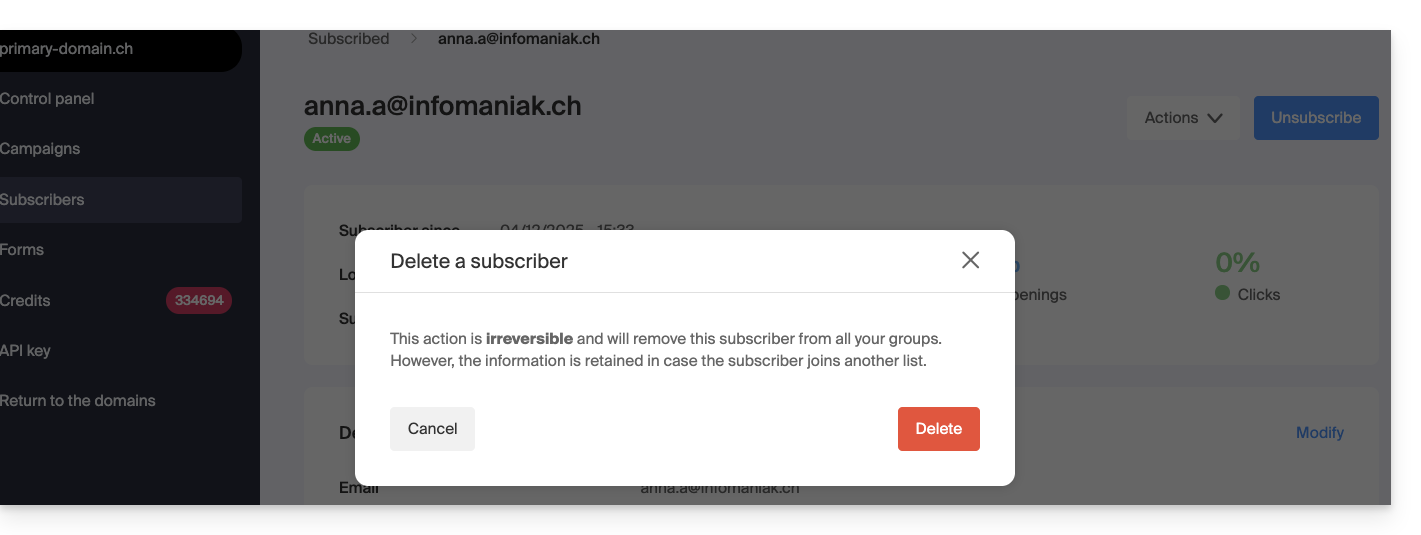
- all information relating to its activity since its initial registration is retrieved and displayed
No email is sent to the user during these operations.
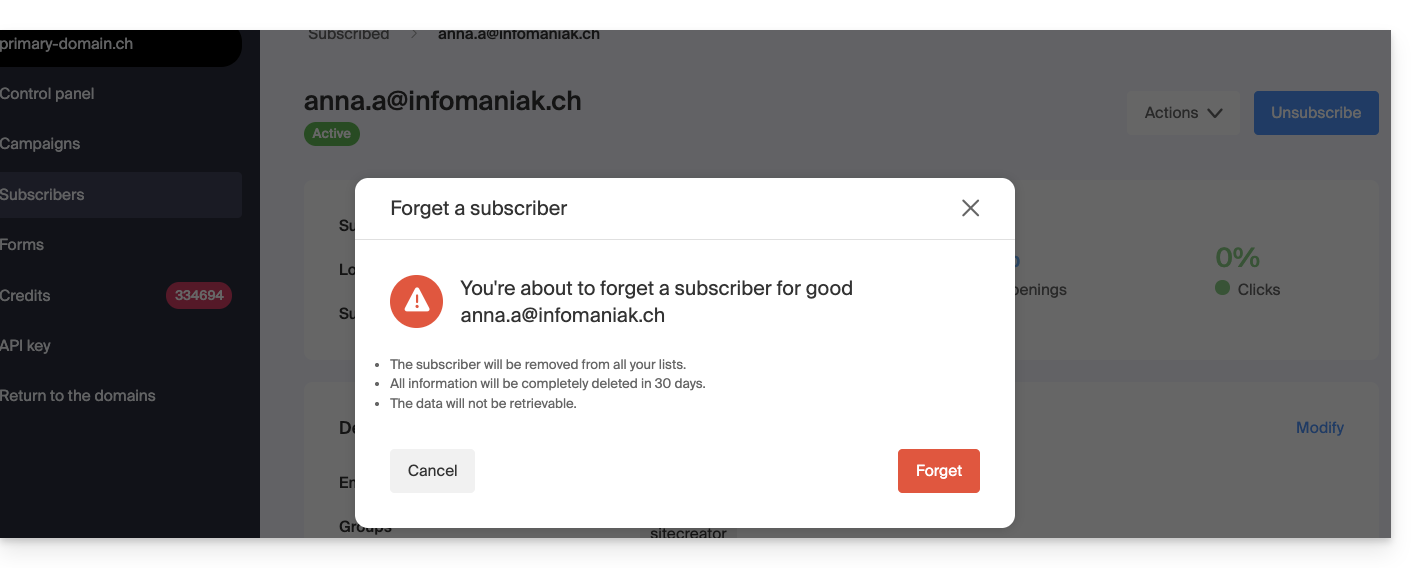
3. Forget the subscriber
In this case, the result and the possibilities are exactly the same as for deletion (point 2 above), except that:
- after 30 days, all information relating to its activity is irretrievable:
No email is sent to the user during these operations.
Link to this FAQ: https://faq.infomaniak.com/2190
Has this FAQ been helpful?