Knowledge base
1000 FAQs, 500 tutorials and instructional videos. Here, there are only solutions!
Configure DNSSEC with Cloudflare
Update 10/05/2026
This guide explains how to configure DNSSEC with Cloudflare for a domain registered with Infomaniak.
Prerequisites
- The domain's DNS zone must be managed by Cloudflare.
Configure DNSSEC in Cloudflare
To do this:
- Click here to access the Cloudflare console.
- Go to the DNS tab.
- Click on Enable DNSSEC.
- Keep the information you obtained handy:
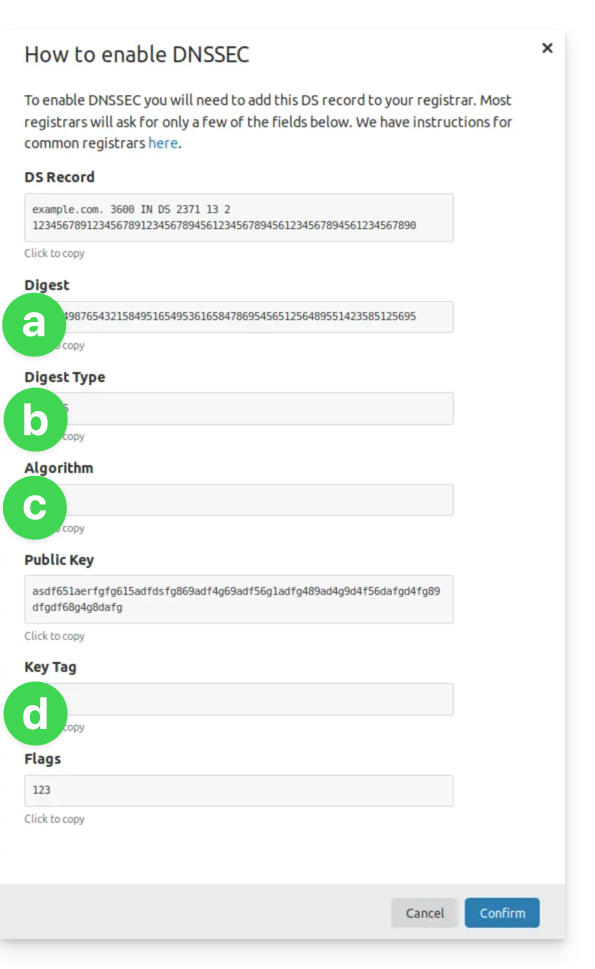
(see points 8 & 10 below)- The information under a will go under HASH
- The information under b will go under HASH TYPE
- The information under c will go under ALGORITHM
- The information under d will go under KEY
- Click here to access the domain management section in your Infomaniak Manager (❓: help).
- Click on the name of the domain in question.
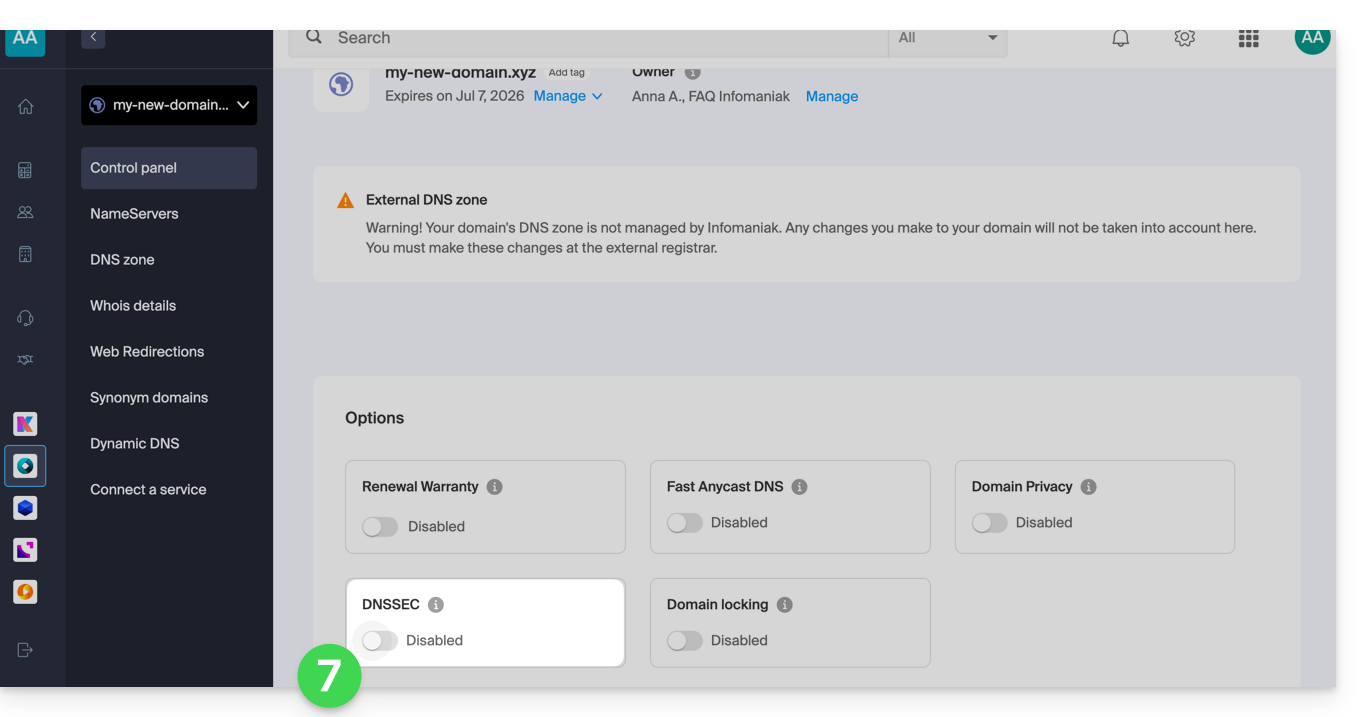
- Enable DNSSEC from the Dashboard:
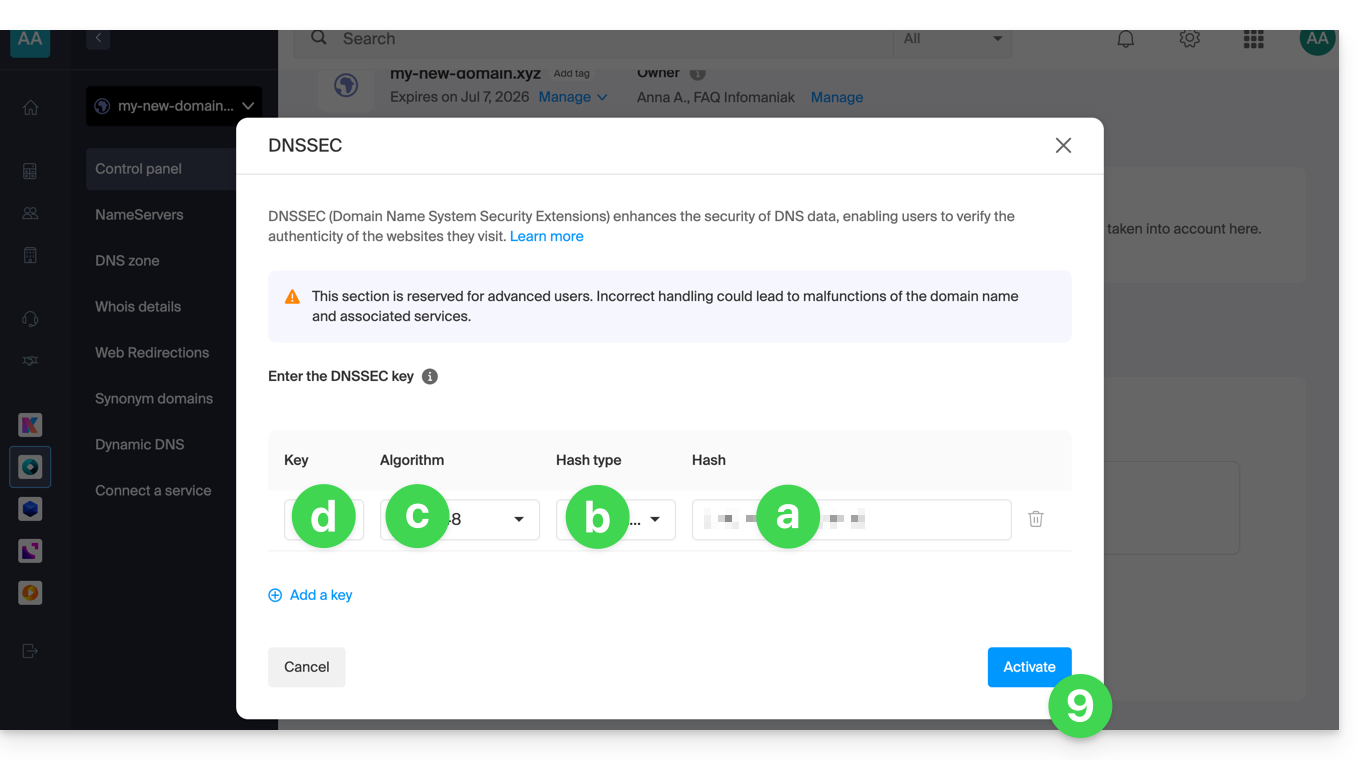
- In the window that appears, enter the requested information using the data provided by Cloudflare (see point 4 above):
- Hash = Digest
- Hash Type = Digest Type
- Algorithm = Algorithm
- Key = Key Tag
- Click on Activate:
- In the case of a domain with an extension
.eu, the necessary information may be significantly different (see point 4 above):- The information under FLAGS should be entered under FLAGS
- The information under PUBLIC KEY should be entered under PUBLIC KEY
Link to this FAQ: https://faq.infomaniak.com/2187
Has this FAQ been helpful?