Knowledge base
1000 FAQs, 500 tutorials and instructional videos. Here, there are only solutions!
Fix invalid links in Newsletter
This guide concerns the links present in the Newsletter that you have written.
Invalid links?
If you perform a test send of your Newsletter…
- Click here to access the management of your product on the Infomaniak Manager (need help?).
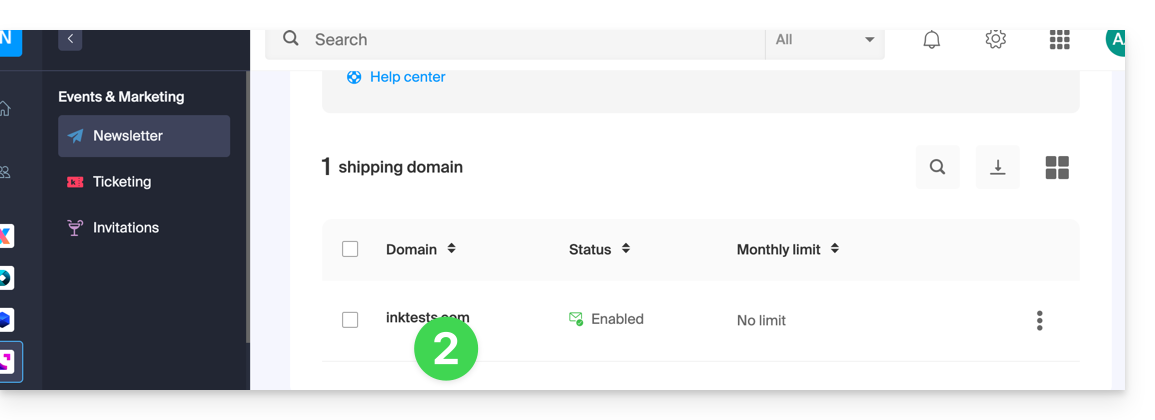
- Click on the domain name concerned in the table that appears:
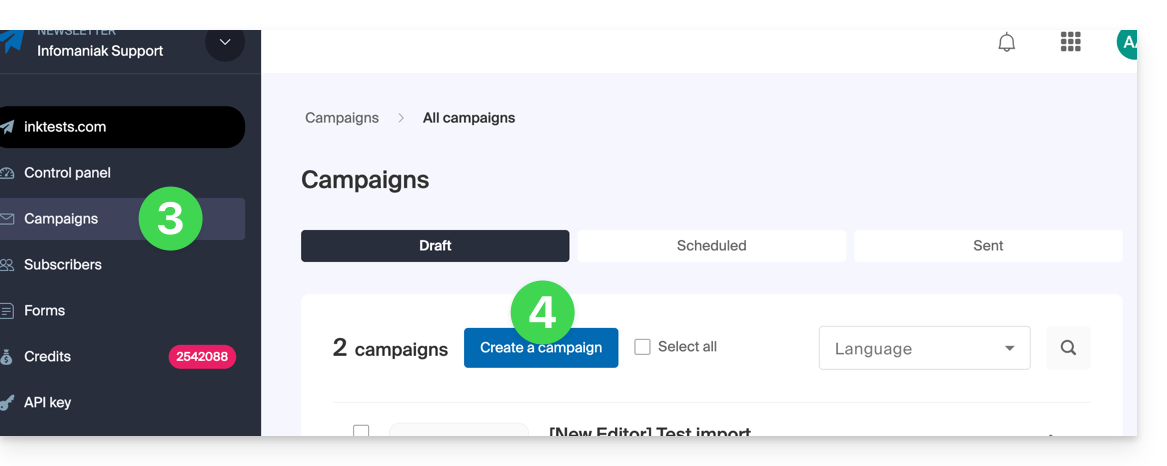
- Click on Campaigns in the left sidebar menu.
- Click on Create a campaign:
- At the content drafting stage, if you send a test (dedicated button for this purpose in the top bar) to the address of your choice…
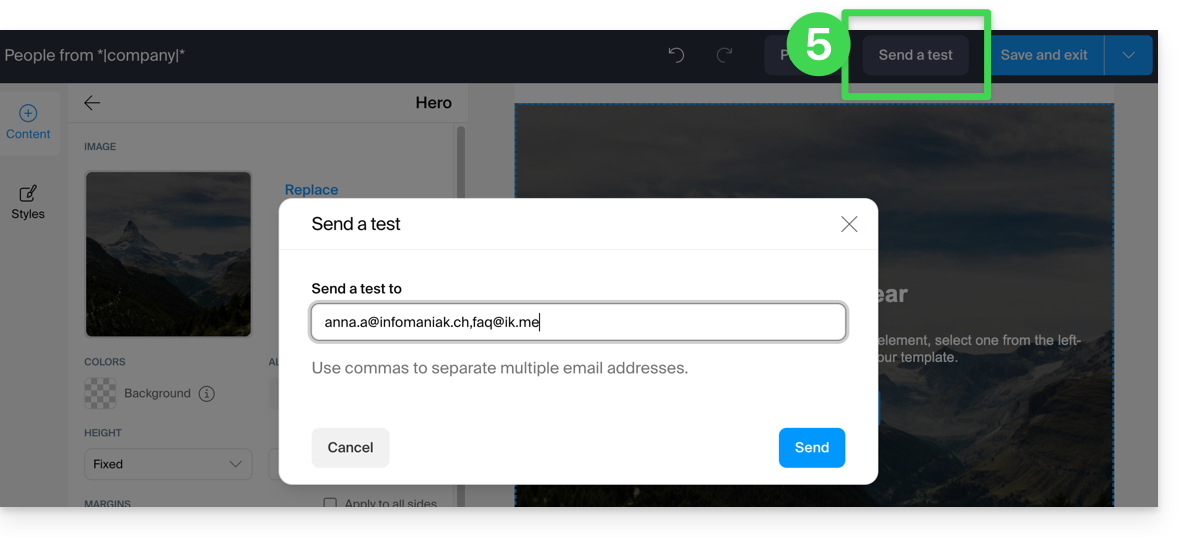
… then it is normal that the links present in your message sent during the test (upper part: "VIEW THIS EMAIL IN MY BROWSER" = link to view the message in a browser and lower part: "UNSUBSCRIBE" = link to allow the user to unsubscribe) do not work.
They will obviously be functional during your final send.
Link to this FAQ: https://faq.infomaniak.com/2170
Has this FAQ been helpful?