Knowledge base
1000 FAQs, 500 tutorials and instructional videos. Here, there are only solutions!
Fix broken links in Newsletters
This guide concerns the links in the Newsletter that you created.
Invalid links?
If you are running a test send for your Newsletter…
- Click here to access your product management interface on the Infomaniak Manager (need help?).
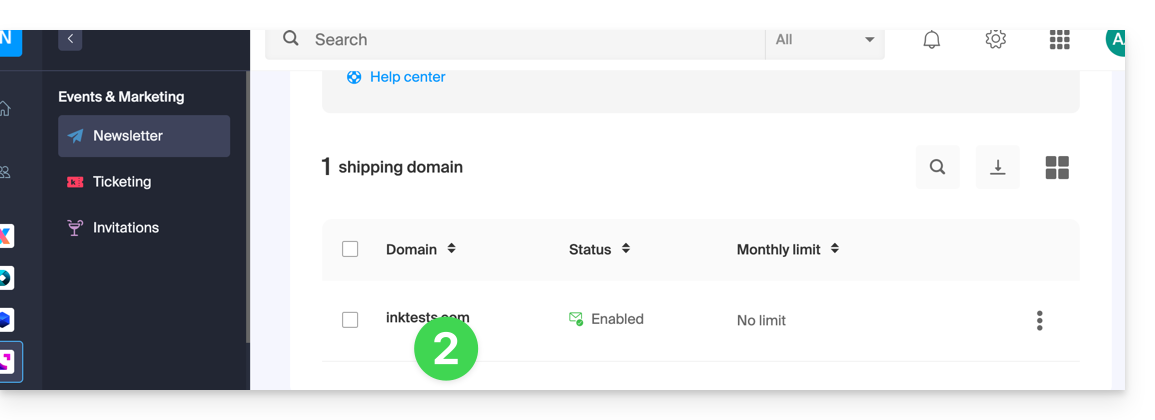
- Click on the domain name in question in the table that appears:
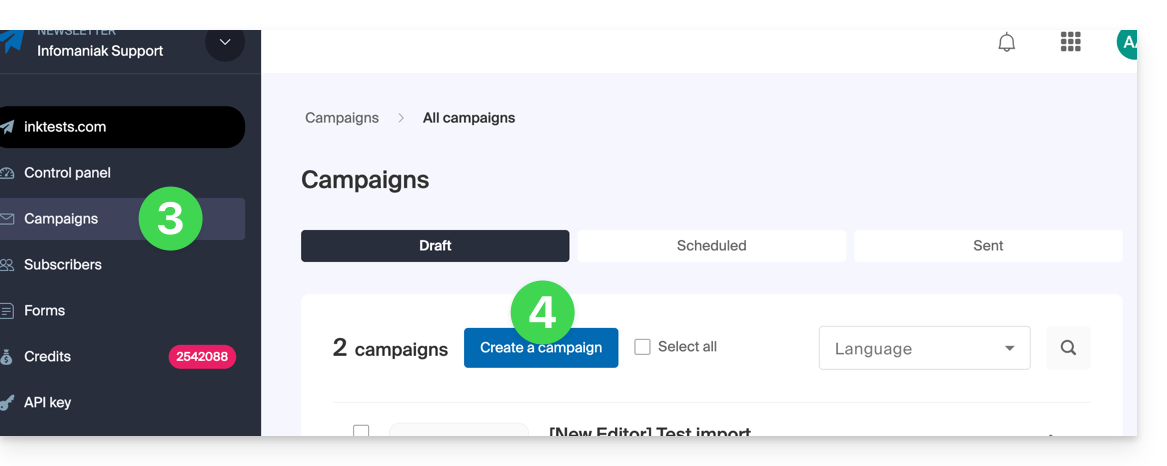
- Click on Campaigns in the left-hand menu.
- Click on Create a campaign:
- At the content creation stage, if you send a test (dedicated button for this purpose in the top bar) to the address of your choice…
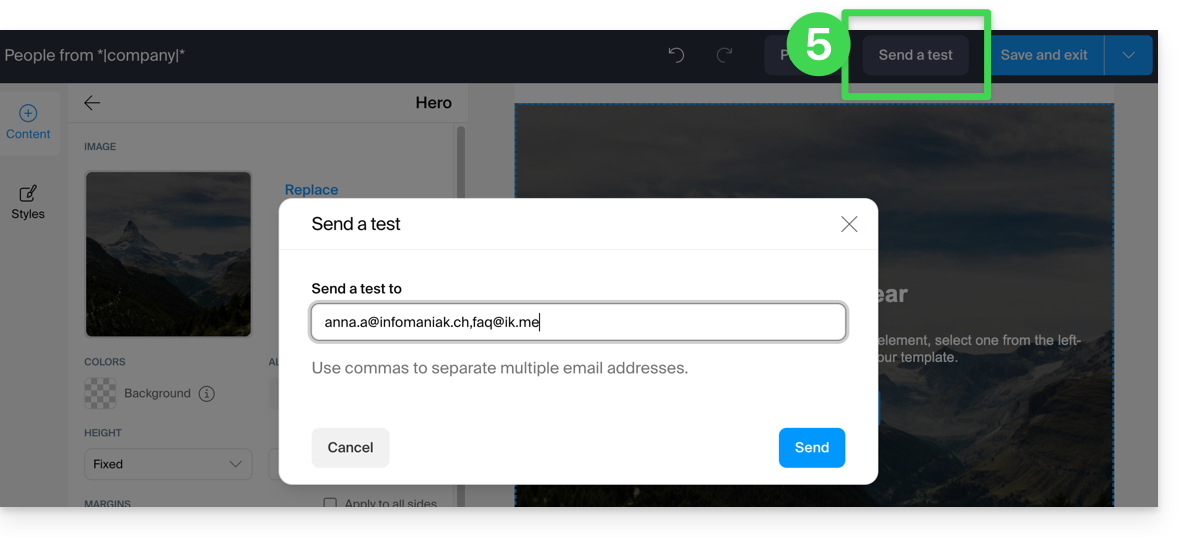
… so it is normal that the links in your test message (top part: "READ THIS EMAIL IN MY BROWSER" = link to view the message in a browser, and bottom part: "UNSUBSCRIBE" = link to allow the user to unsubscribe) do not work.
They will obviously work when you send the final version.
Link to this FAQ: https://faq.infomaniak.com/2170
Has this FAQ been helpful?