Knowledge base
1000 FAQs, 500 tutorials and instructional videos. Here, there are only solutions!
Fix broken links in Newsletters
Update 11/02/2026
This guide concerns the links in the Newsletter that you created.
Invalid links?
If you are running a test send for your Newsletter…
- Click here to access the Newsletter management section in your Infomaniak Manager.
- If nothing is displayed, you may not be in the Organization to which your Newsletter is linked (❓: help).
- Click on the domain name associated with your mailings:
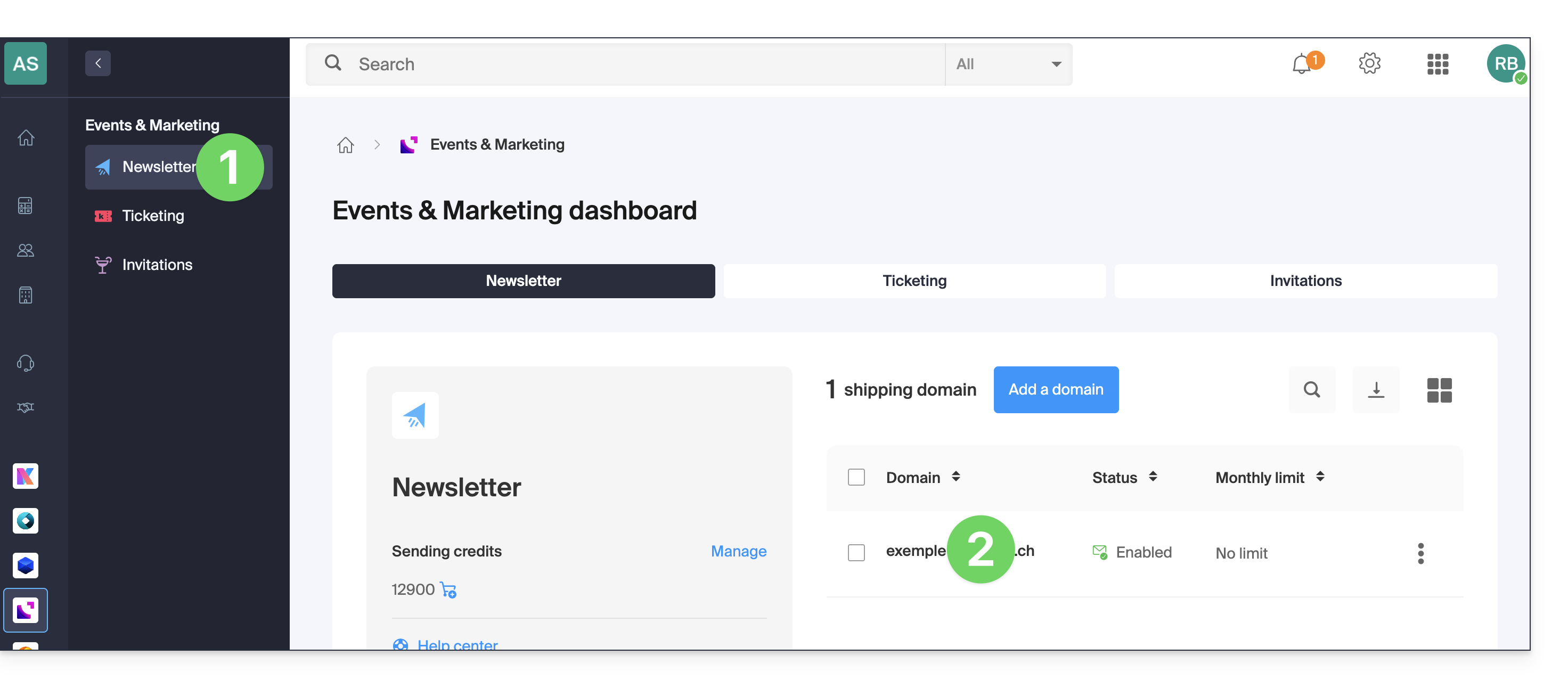
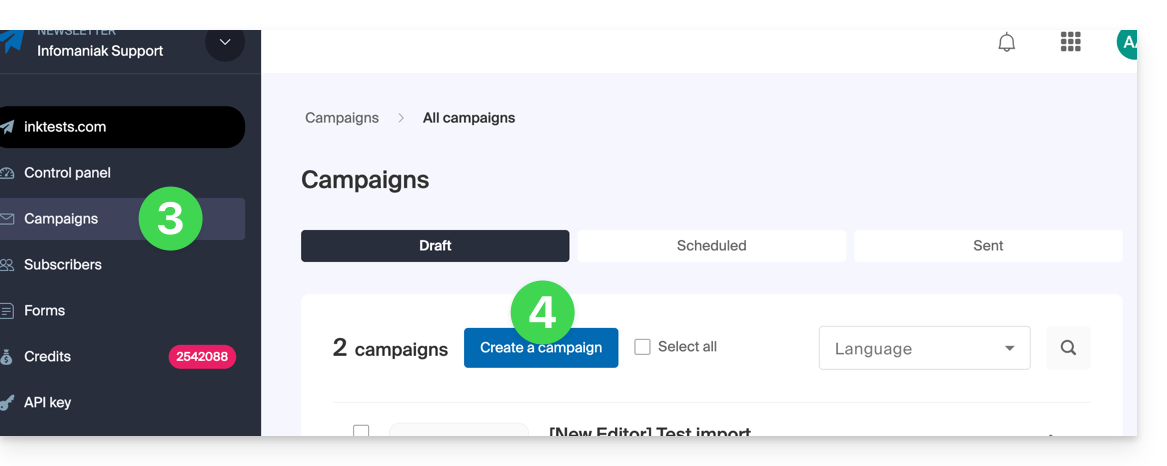
- Click on Campaigns in the left-hand menu.
- Click on Create a campaign:
- At the content creation stage, if you send a test (dedicated button for this purpose in the top bar) to the address of your choice…
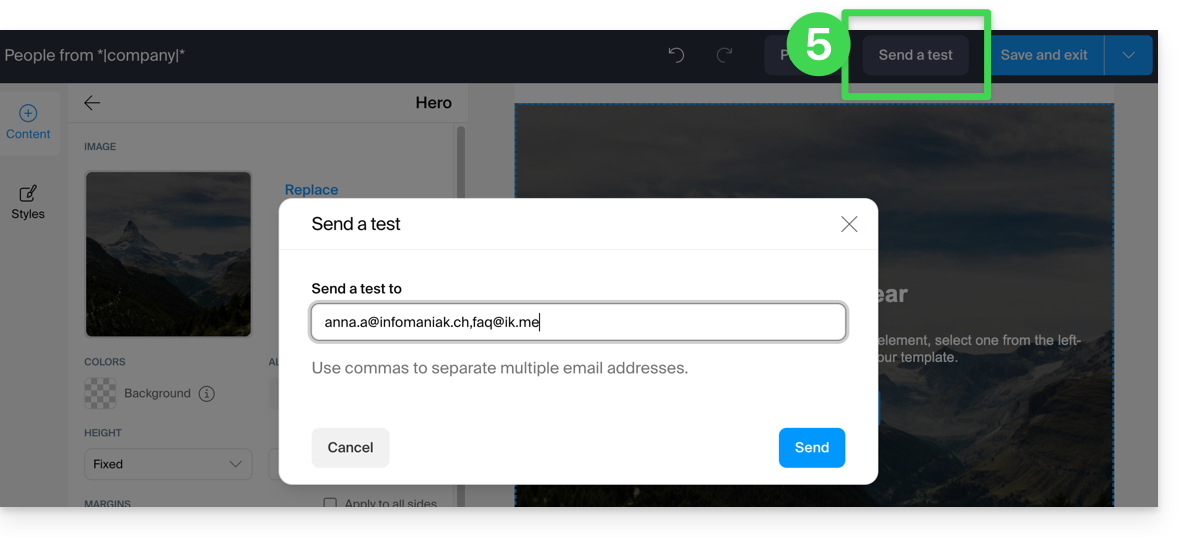
… so it is normal that the links in your test message (top part: "READ THIS EMAIL IN MY BROWSER" = link to view the message in a browser, and bottom part: "UNSUBSCRIBE" = link to allow the user to unsubscribe) do not work.
They will obviously work when you send the final version.
Link to this FAQ: https://faq.infomaniak.com/2170
Has this FAQ been helpful?