Knowledge base
1000 FAQs, 500 tutorials and instructional videos. Here, there are only solutions!
Change PHP/Apache limits for Websites from the Infomaniak Manager
This guide explains how to customize the limits of a site hosted on a Web Hosting mutualized or a Cloud Server.
Unlock or adjust the limits of a site
To access the website management:
- Click here to access the management of your site on the Infomaniak Manager (need help?).
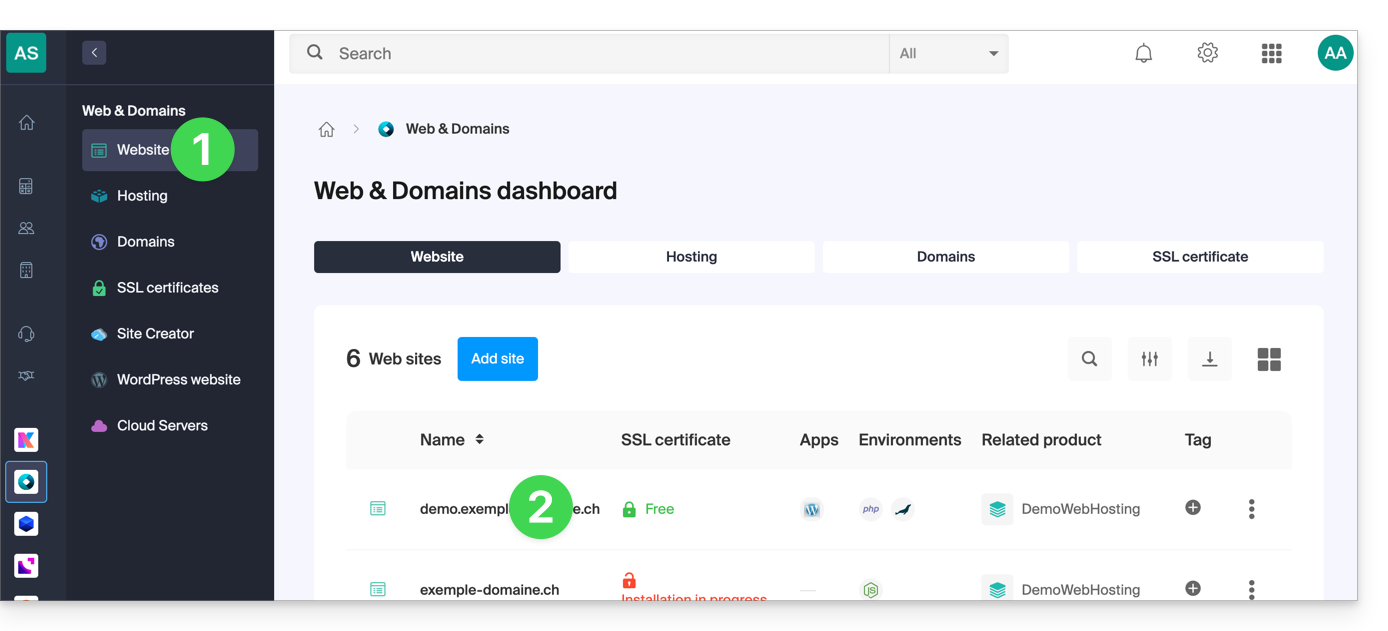
- Click directly on the name assigned to the site concerned:
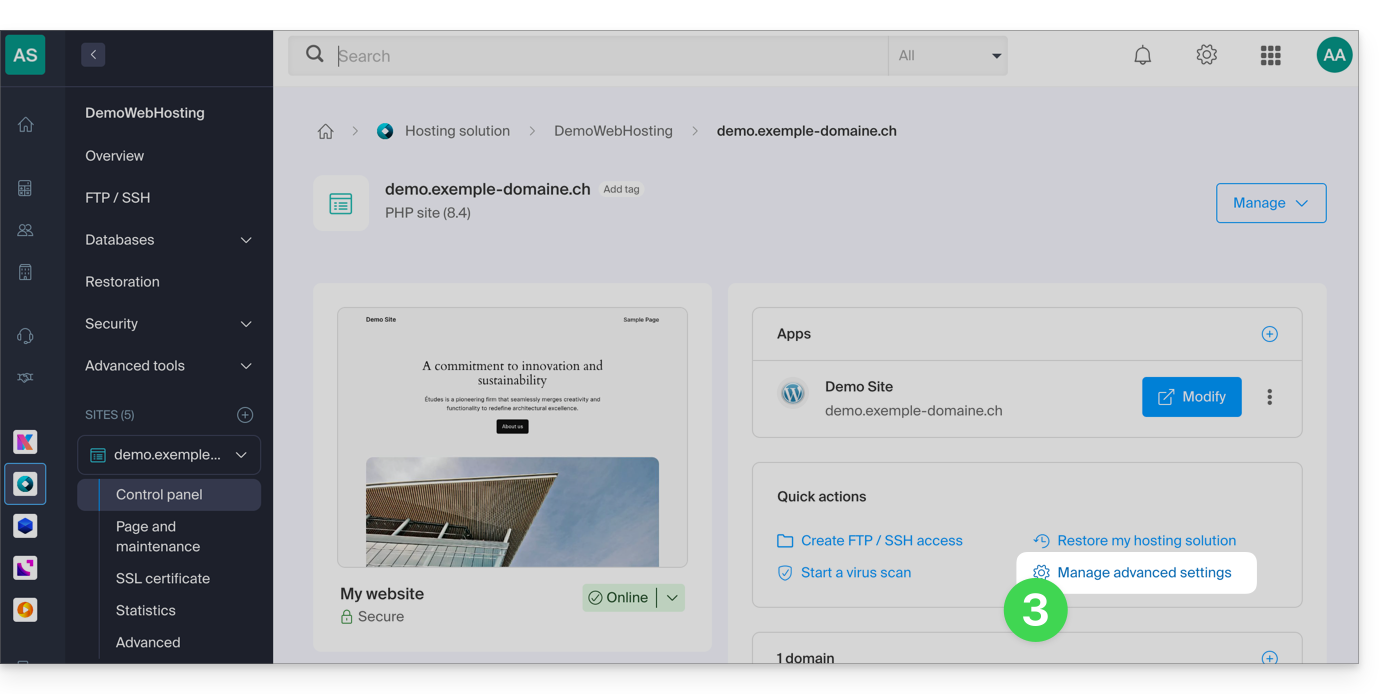
- Click on Manage advanced settings:
- Click on the tab PHP / Apache:
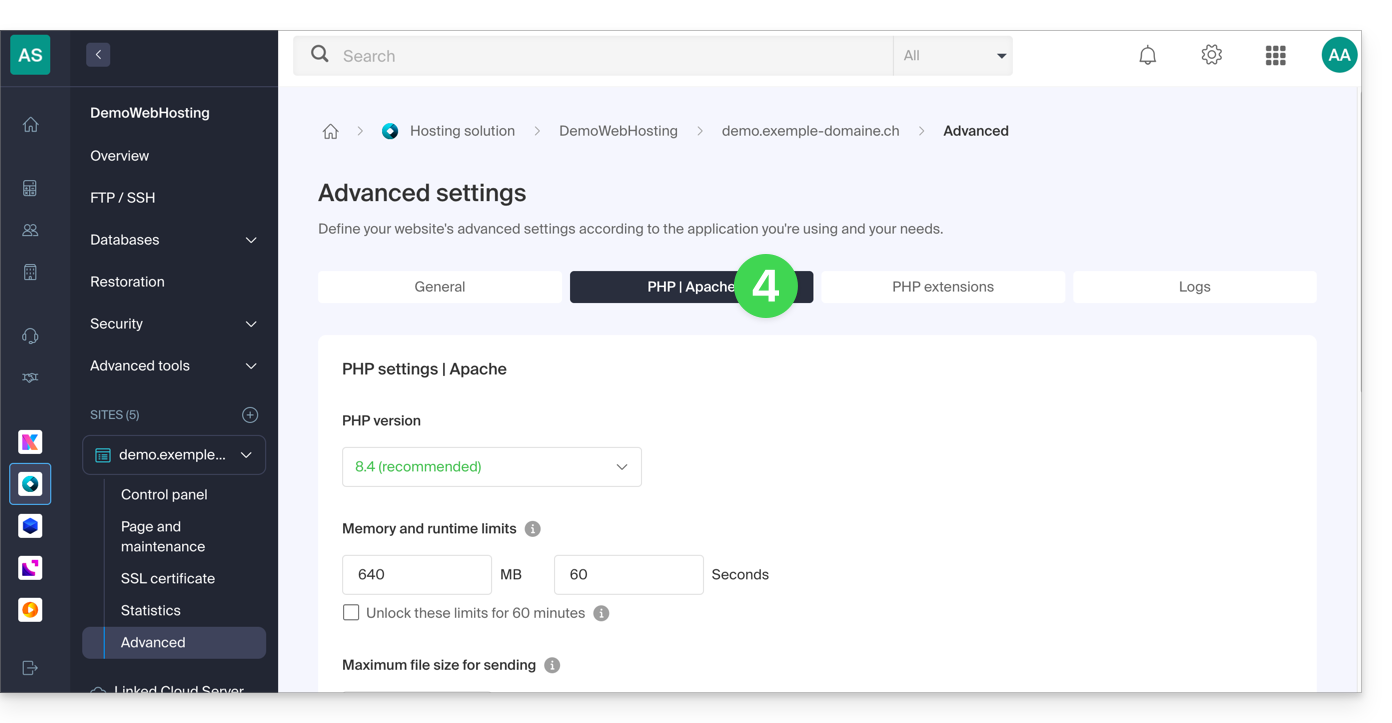
You can notably...
- ... unlock for 60 minutes the memory limit (
memory_limit= 1280 MB) and the maximum execution time of scripts (max_execution_time= 60 minutes):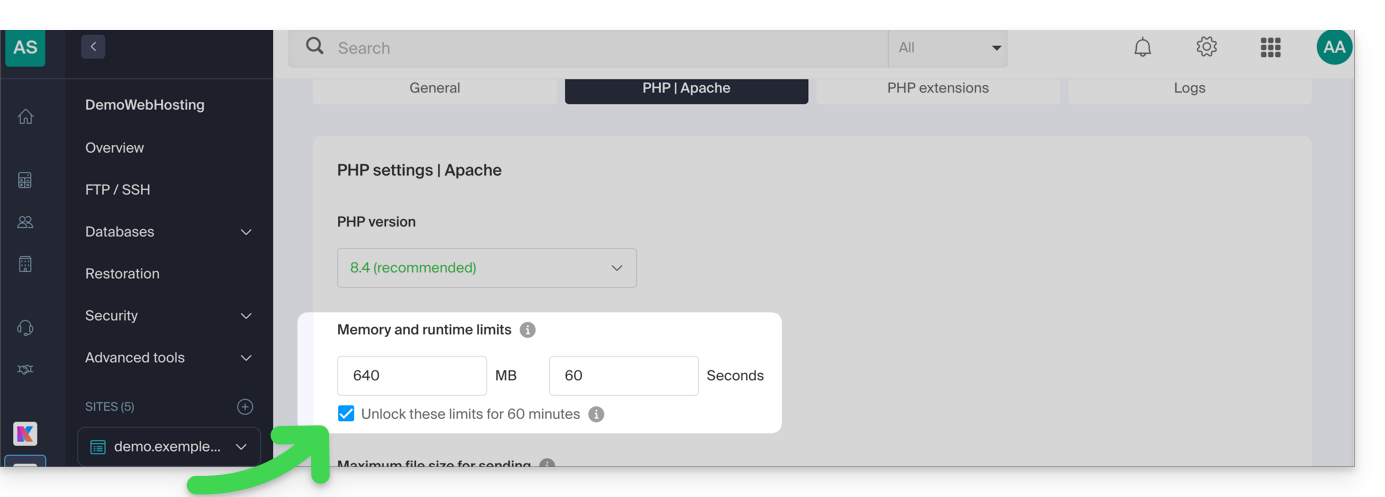
- This unlock is possible up to 10 times per year.
- ... customize the limits of:
max_execution_time(in seconds)memory_limit(in MB)post_max_size&upload_max_filesize(maximum file size for sending, in MB)- Cloud Server only:
Max children(refer to this other guide) - Cloud Server only:
Max input time
Do not forget to save the changes at the bottom of the page.
Maximum values by hosting type
| Limits | Mutualized | Cloud Server | CLI (Cloud Server only) |
|---|---|---|---|
| max_execution_time | 300 s | 3600 s | 0 (unlimited) s max |
| memory_limit | 1280 MB | 2048 MB max | 512 MB max |
| post_max_size + upload_max_filesize | 9223372036854775807 MB max | 9223372036854775807 MB max | 48 MB max |
| max_children | 20 max | 20 (default, modifiable) | |
| simultaneous connections per IP | 30 max | 30 (default, modifiable) | |
| max_input_time | 0 (unlimited) | 0 (default, modifiable) | 0 (unlimited) |
| files (inodes) | no limit on the number of files per hosting | ||
Link to this FAQ: https://faq.infomaniak.com/2158
Has this FAQ been helpful?