Knowledge base
1000 FAQs, 500 tutorials and instructional videos. Here, there are only solutions!
Modify PHP/Apache limits for websites from the Infomaniak Manager
Update 10/13/2026
This guide explains how to customize the limits of a website hosted on a shared Web Hosting plan or a Cloud Server.
Increase or adjust website limits
To access website management:
- Click here to access the hosting & website management section in your Infomaniak Manager (❓: help).
- Click on the name of the website in question.
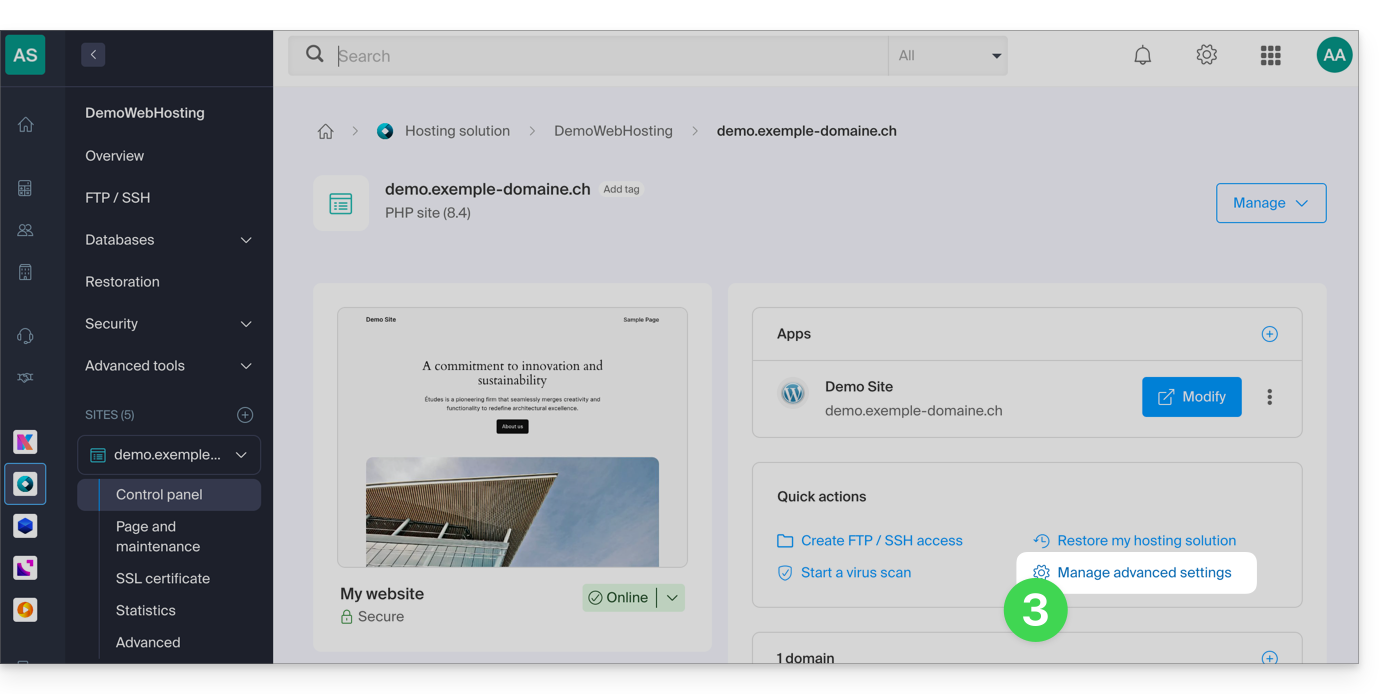
- Click on Manage advanced settings:
- Click on the PHP / Apache tab:
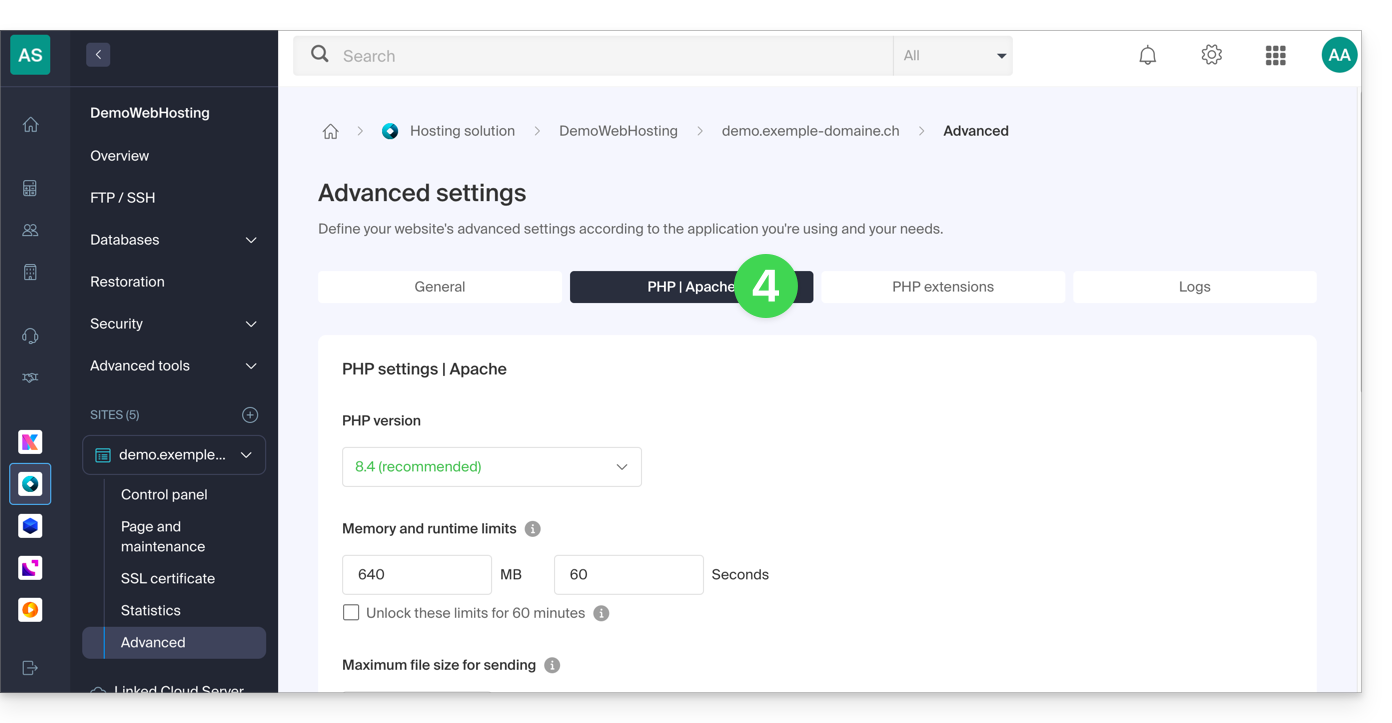
You will be able to…
- … temporarily increase the memory limit (
memory_limit= 1280 MB) and the maximum script execution time (max_execution_time= 60 minutes) for 60 minutes: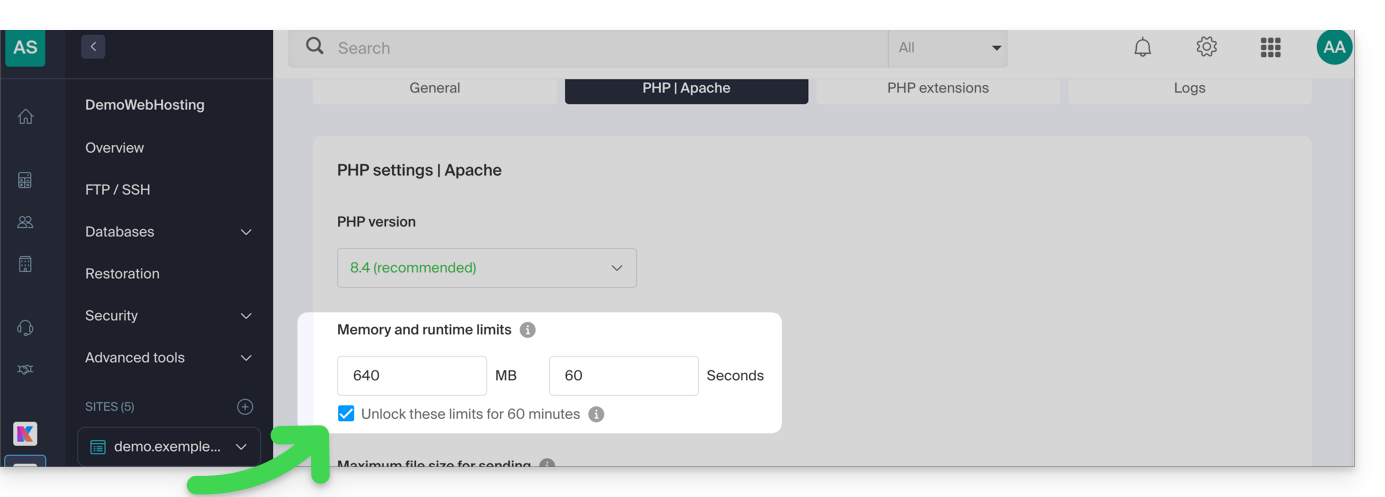
- This increase is possible a maximum of 10 times per year.
- … customize the limits of:
max_execution_time(in seconds)memory_limit(in MB)post_max_size&upload_max_filesize(maximum file size for uploads, in MB)- Cloud Server only:
Max children(refer to this other guide) - Cloud Server only:
Max input time
Don't forget to save the changes at the bottom of the page.
Maximum values per hosting type
| Limits | Shared | Cloud Server | CLI (Cloud Server only) |
|---|---|---|---|
| max_execution_time | 300 s | 3600 s | 0 (unlimited) s max |
| memory_limit | 1280 Mo | 2048 MB max | 512 MB max |
| post_max_size + upload_max_filesize | 9223372036854775807 Mo max | 9223372036854775807 Mo max | 48 MB max |
| max_children | 20 max | 20 (default, can be modified) | |
| simultaneous connections per IP | 30 max | 30 (default, can be modified) | |
| max_input_time | 0 (unlimited) | 0 (default, can be modified) | 0 (unlimited) |
| files (inodes) | no limit on the number of files per hosting account | ||
Link to this FAQ: https://faq.infomaniak.com/2158
Has this FAQ been helpful?