Knowledge base
1000 FAQs, 500 tutorials and instructional videos. Here, there are only solutions!
Troubleshooting a DNS Issue (Newsletter)
This guide concerns the configuration of the Newsletter Infomaniak product in the case where the domain name used for sending your emails is not managed by Infomaniak.
Introduction
- To use the Newsletter tool automatically, you need to manage the domain name from which you send your newsletters (as well as its DNS zone) with Infomaniak.
- For example, if you send your newsletters from the address
news@domain.xyz, the domaindomain.xyzmust be managed with Infomaniak.
Specific DNS Configuration
To use the Newsletter tool with a domain that is not managed with Infomaniak, you will need to add specific entries to your DNS zone, as provided in your Manager: 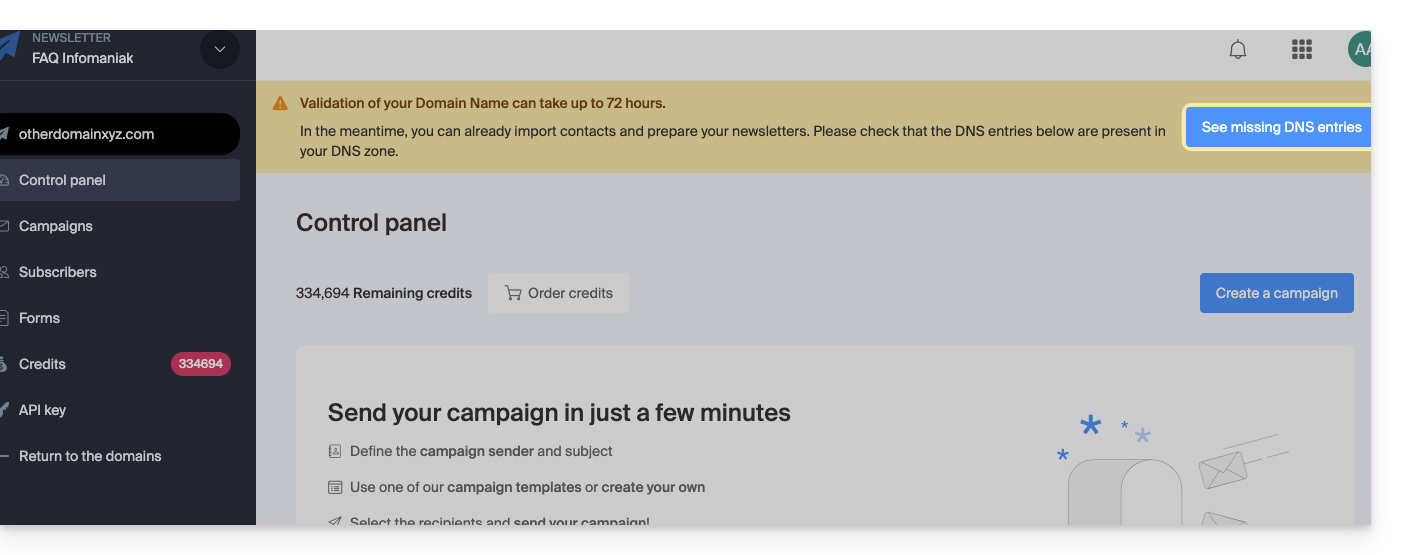
Refer to this other guide to add the DNS entries mentioning ._domainkey, ensuring that you select the DKIM type first, and then the CNAME subtype when adding the DKIM.
In case of domain transfer
If the domain name currently managed by Infomaniak (and associated with the Newsletter) is transferred to another registrar, the Newsletter tool will be deactivated within 30 days if no corresponding DNS changes are made.
Link to this FAQ: https://faq.infomaniak.com/2157
Has this FAQ been helpful?