Knowledge base
1000 FAQs, 500 tutorials and instructional videos. Here, there are only solutions!
Discover Chk.me
Update 10/13/2026
This guide explains how to use Infomaniak Chk.me, a platform available with kSuite, designed to transform long URLs into shorter, more manageable links.
Introduction
- The tool also generates associated QR codes, which are available for download in
PNGandSVGformats. - The data created is stored in Switzerland, which guarantees Swiss-level security.
- Creating an Infomaniak account is essential to use the service, however, there is no dedicated dashboard to monitor your links.
- Number of new items created per month:
- kSuite Free = 50
- kSuite Standard = 100
- kSuite Business = 200
- kSuite Enterprise = 500
- my kSuite = 50
- my kSuite+ = 50
- Regardless of the plan you choose, the validity period of a created link can be set to 7 days, 30 days, 6 months, 1 year, or lifetime.
Use Chk to share links and QR codes
To do this:
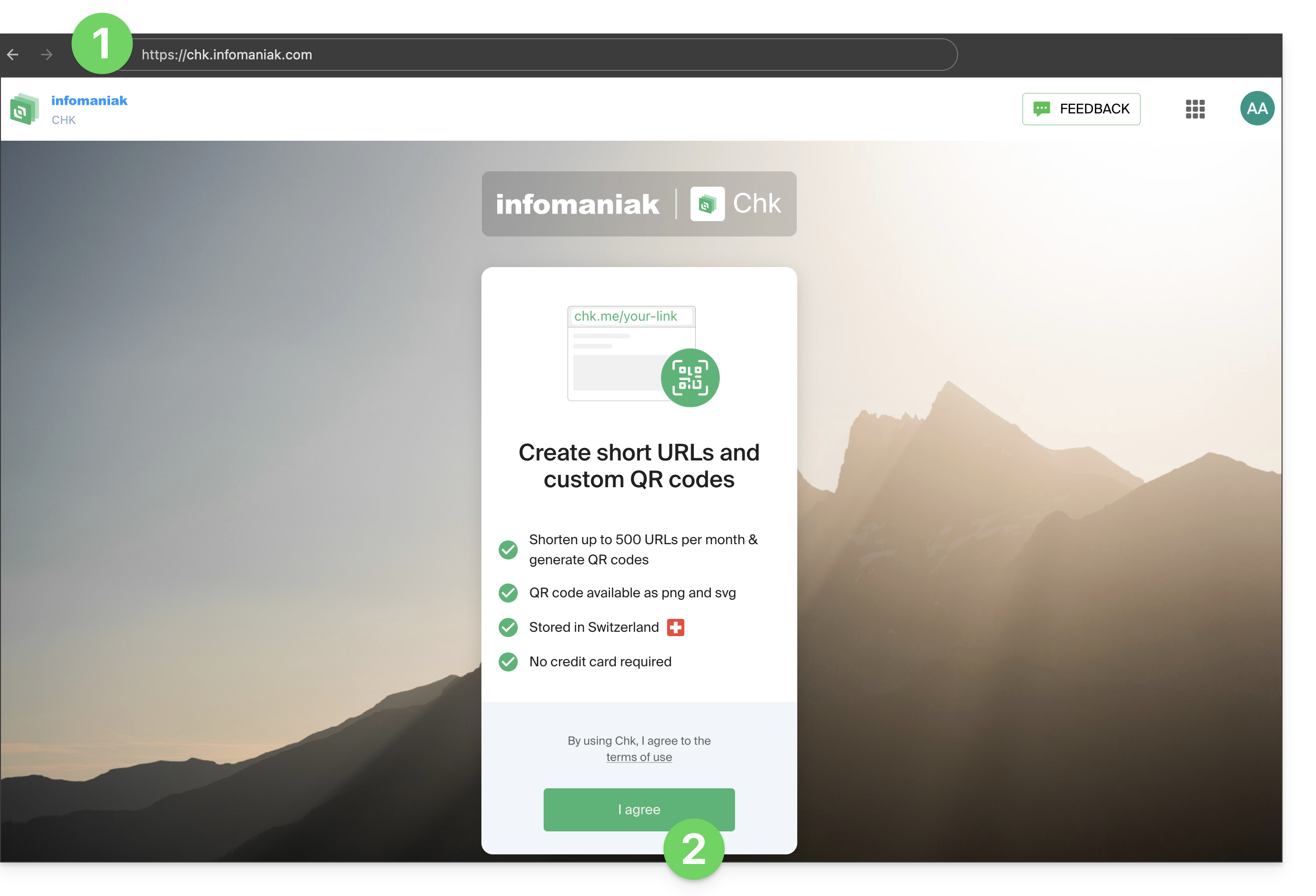
- Access the chk.me service.
- Click the button to accept the terms of service during your first visit:
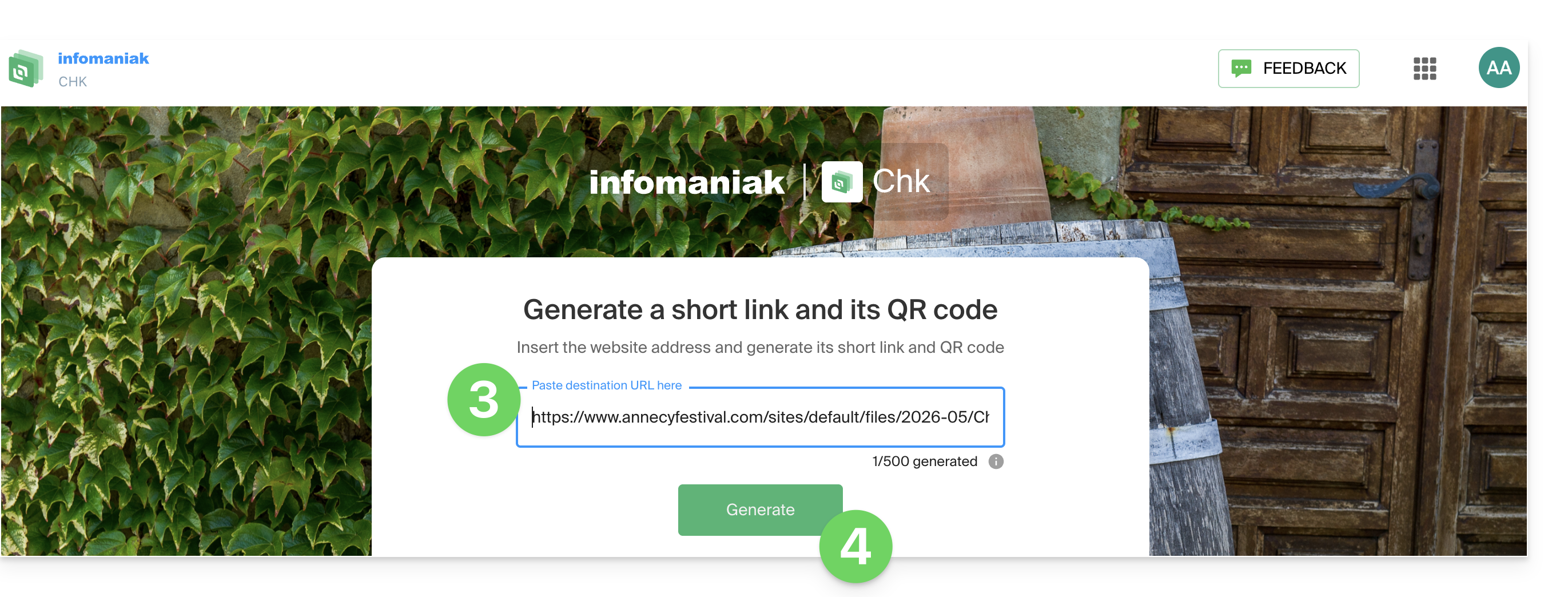
- Enter the website address (your original long URL) in the field that says “Paste destination URL here”.
- Click the « Generate » button to simultaneously create the short link and its QR code:
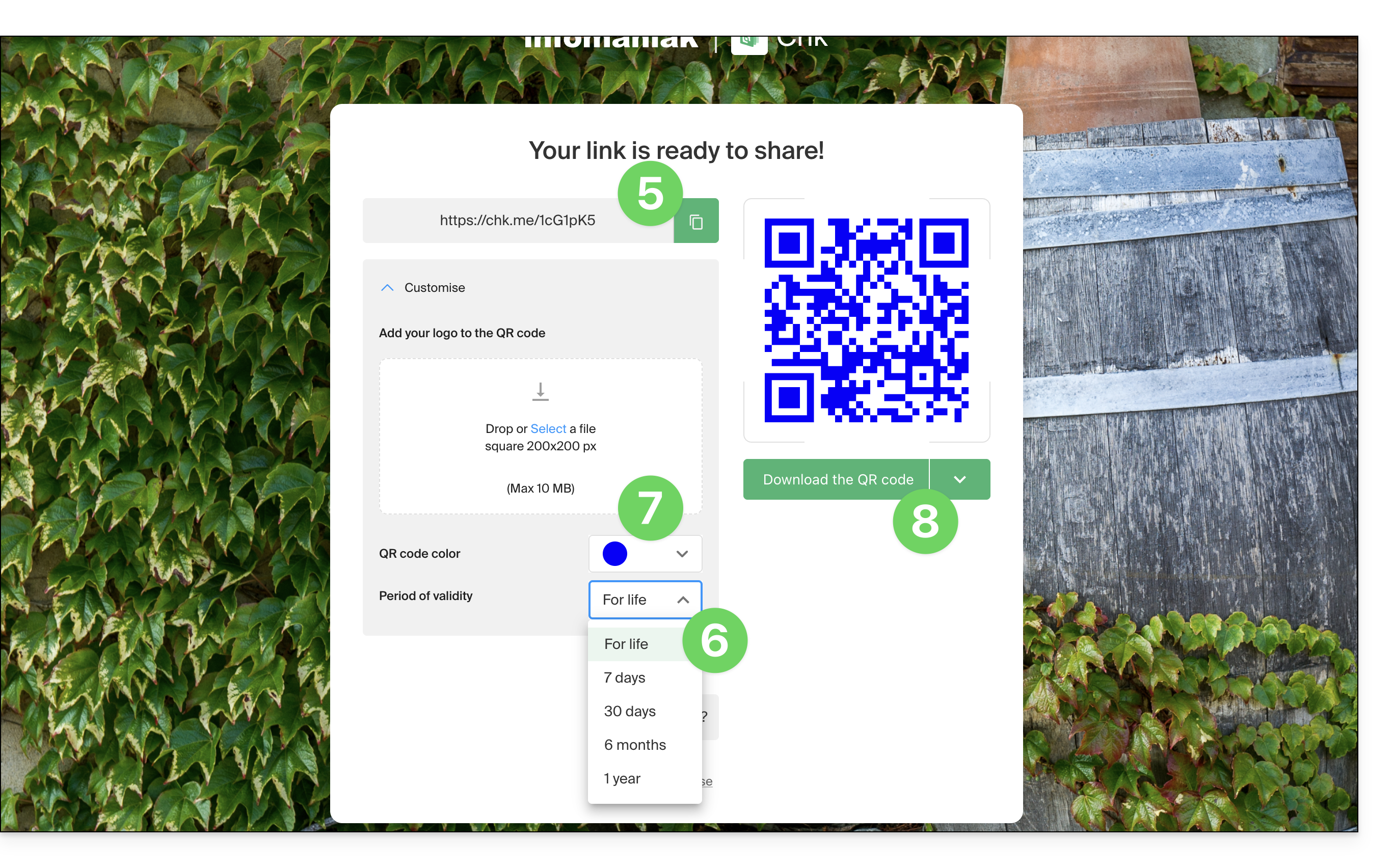
- Get and copy the short link in the format
chk.me/… - Define the validity period of the link according to your needs.
- (Optional) Customize your QR code in more detail by adding a personal logo in the center to strengthen your brand's visual identity.
- Download the generated QR code or copy the short link to easily integrate it into your social media, emails, or printed marketing materials:
- You can start the process again to create a new link, but be aware that once you leave the page,It is not possible to retrieve a previously generated link..
Example of use
You are an event organizer and want to add the link to your ticketing page to a printed flyer:
- Open the Infomaniak Chk interface.
- Paste the very long URL of your ticketing page into the field provided.
- Select a validity period suitable for your campaign, for example 6 months.
- Click on « Generate ».
- Add your event logo to the center of the QR code to promote immediate brand recognition.
- Download the QR code (in PNG or SVG format) and integrate it into the design of your flyer.
- As soon as a participant scans the code from the physical medium, they will access the ticketing system, which increases click-through rates while eliminating the risk of broken links over time.
Link to this FAQ: https://faq.infomaniak.com/2135
Has this FAQ been helpful?