Knowledge base
1000 FAQs, 500 tutorials and instructional videos. Here, there are only solutions!
Understanding the Different Subscriber Statuses
This guide explains the different statuses of your Newsletter subscribers and details how invalid addresses are managed to optimize the deliverability of your emails.
Access the subscriber list and filter the view
To organize and filter your contacts based on their status:
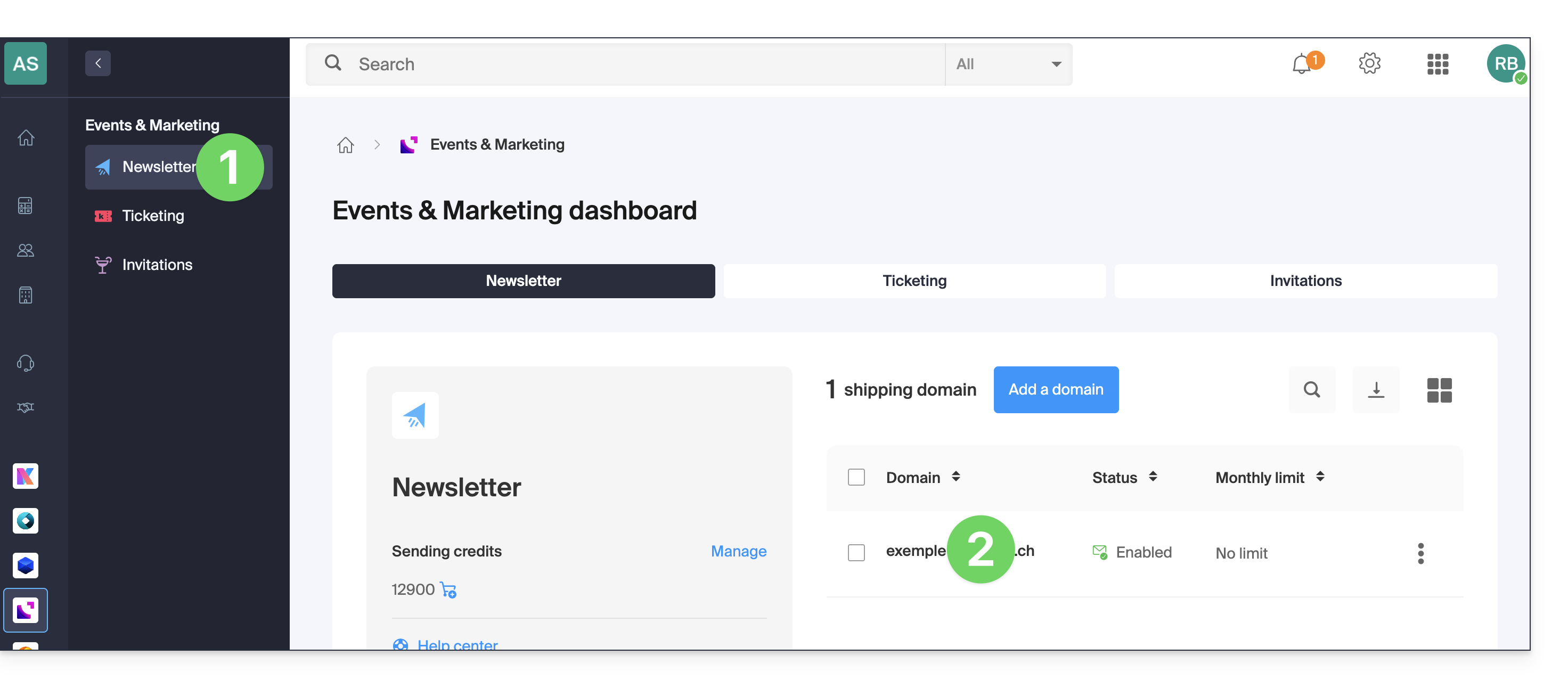
- Click here to access the Newsletter Management section in your Infomaniak Manager.
- If nothing is displayed, you may not be in the Organization to which your Newsletter is linked (❓: help).
- Click on the domain name associated with your emails:
- Click on Subscribers in the left-hand menu.
- Use the drop-down menu located to the right above the table (default filter: ACTIVE) to change the display according to the desired status:
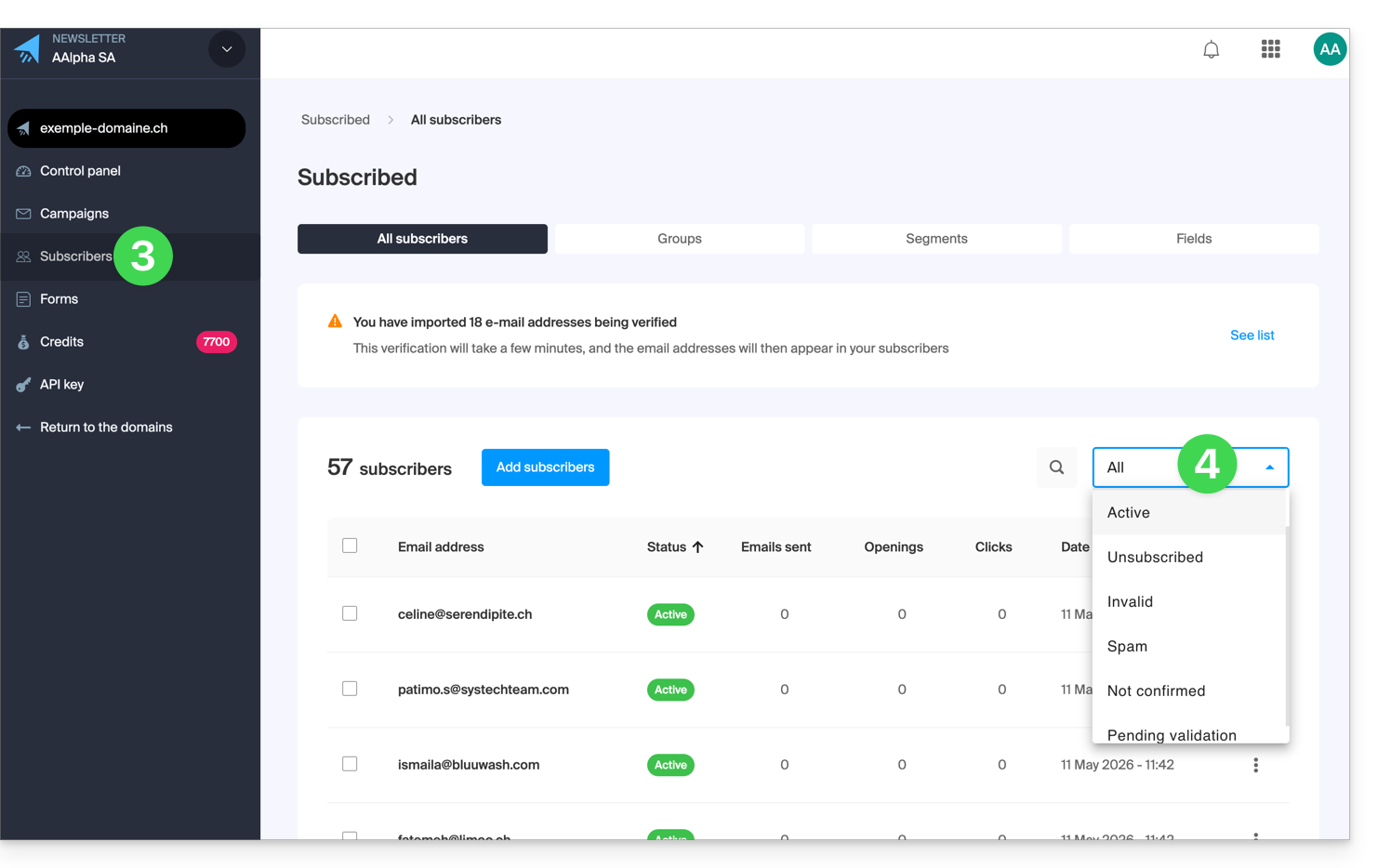
- The ALL filter displays all of your contacts.
Understanding the different statuses of a subscriber
Each contact in your list has a specific status that determines whether or not they will receive your communications:
1. ACTIVE subscribers
- This is the default status upon successful registration or import.
- An active subscriber receives all your newsletters as long as their status does not change.
2. Unsubscribed subscribers
- This status indicates that the subscriber has chosen not to receive your messages anymore (usually via the unsubscribe link at the bottom of your emails).
- You can also manually unsubscribe a contact from their subscriber profile using the dedicated button (refer to this other guide).
3. INVALID subscribers
- An address is marked as Invalid if it is detected as incorrect, unreachable, disabled, or at risk.
- This status change can occur at two points:
- During import: following the automatic scan by the verification system.
- During sending: if the recipient's hosting provider permanently reports that the address is unreachable (hard bounce).
4. SPAM subscribers
- This status indicates that the subscriber has chosen to no longer receive your messages by selecting "this is spam" or "I never signed up" on the unsubscribe link at the bottom of your emails.
5. Unconfirmed subscribers
- This status applies to users who registered via a form using the double opt-in method but have not yet clicked on the confirmation link.
- Note: It is impossible to force a contact to subscribe until they have validated their registration.
6. Subscribers AWAITING VALIDATION
- Temporary status, applied immediately after an import.
- The system analyzes the addresses to verify their technical validity; the final status is assigned once the scan is complete.
Why are some addresses filtered?
Rigorous management of Invalid addresses is essential to ensure that your newsletters reach the inbox (deliverability) and to prevent Infomaniak's sending services from being blocked.
The main causes of invalidity
- Non-existent address: This may be due to a typo (e.g.
john.doe@infomania.cominstead ofinfomaniak.com) or a deleted address. - List obsolescence: An unmaintained list can see its rate of invalid addresses double each year.
- Technical restrictions: If the Catchall option is enabled on the destination domain or if the remote server refuses verification, the system may mark the address as invalid as a security measure to protect your sender reputation.
By excluding these addresses, you maximize your open rate and minimize the risk of spam complaints to your recipients' hosting providers.
Link to this FAQ: https://faq.infomaniak.com/2104
Has this FAQ been helpful?