Knowledge base
1000 FAQs, 500 tutorials and instructional videos. Here, there are only solutions!
Display the transfer code for a domain managed by Infomaniak
This guide explains how to obtain the authorization code (EPP code) for a domain name managed by Infomaniak, allowing you to transfer the management of a domain to another registrar.
Introduction
- The terms "
EPP", "AuthCode", "AuthInfo", "transfer code", and "authorization code" all refer to alphanumeric sequences specific to the domain, the main purpose of which is to verify the owner's authorization before a transfer between Registrars. - Consult the main guide regarding domain name transfer procedures.
- The authorization code is always and only sent to the email address of the owner registered in the WHOIS of the domain.
Get the authorization code for a domain
To obtain the transfer authorization code:
- Click here to access the domain management section in your Infomaniak Manager (❓: help).
- Click on the name of the domain in question.
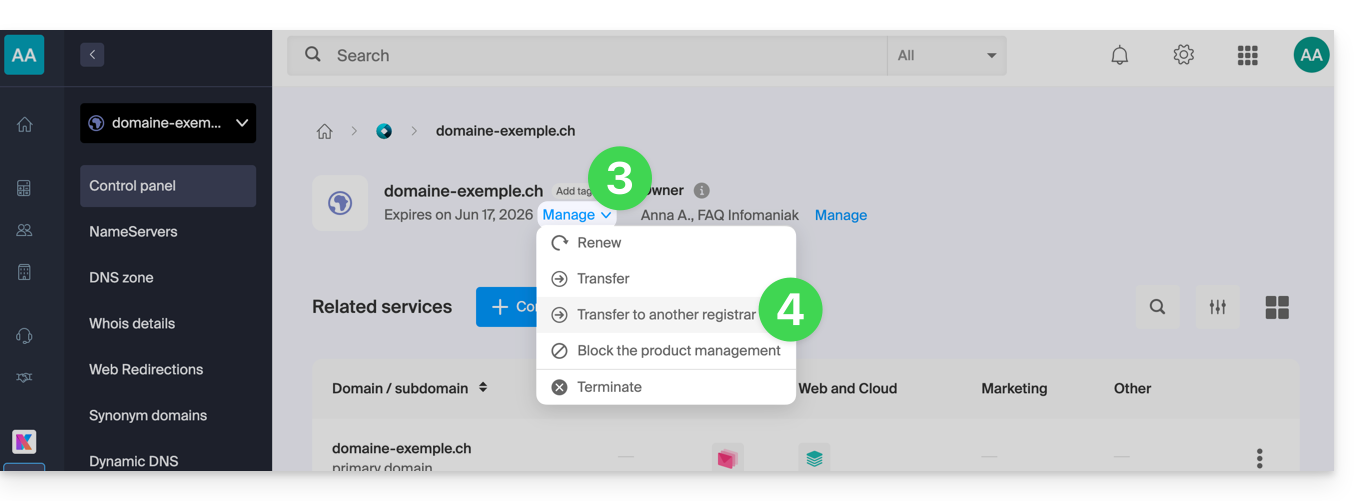
- Click on the Manage button .
- Click on Transfer to another registrar:
- If necessary, to authorize the transfer:
- Click to disable the Domain Privacy option.
- Click to Unlock this domain.
- Click the button to Continue:
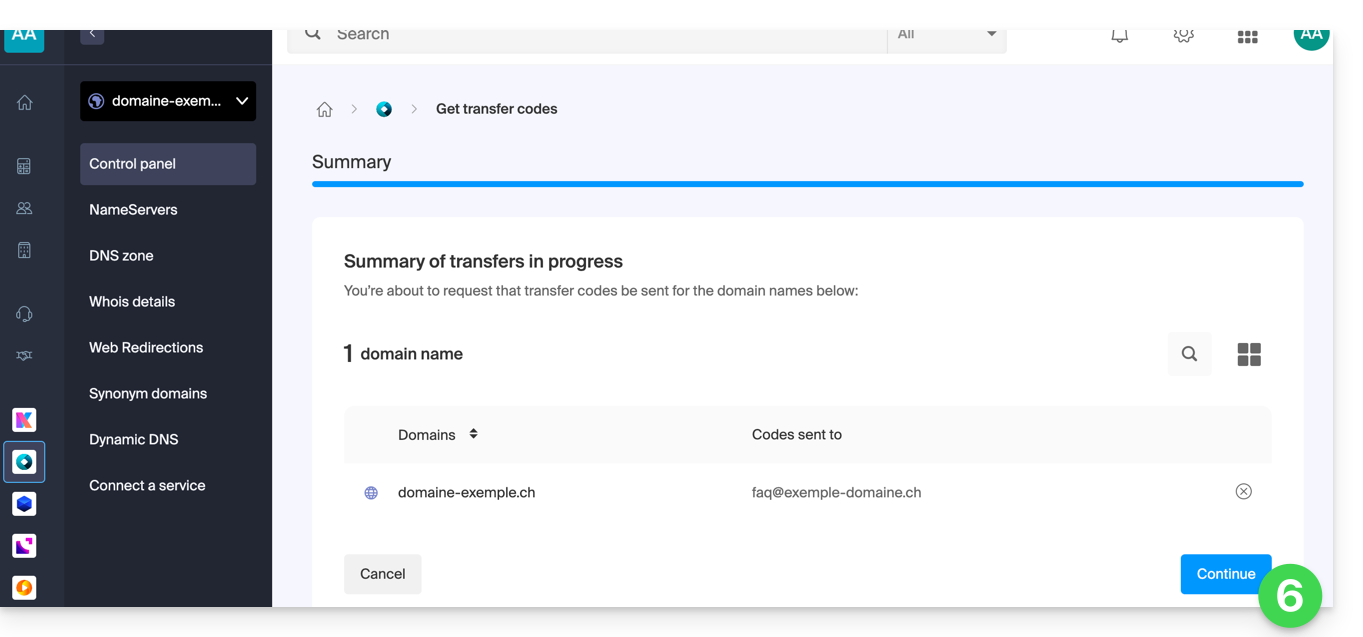
- The code is sent by email to the contact address (see the introduction above).
To resend the code, repeat the procedure from the beginning.
Specific features of certain extensions
What's next?
Once you have entered the authorization code with the third-party provider and the outgoing transfer has started, Infomaniak no longer intervenes.
Contact your new registrar to find out the transfer time during which the domain name will still be visible in your Infomaniak interface.Infomaniak cannot, unfortunately, intervene in any operation that would allow for accelerating the outgoing transfer..
Link to this FAQ: https://faq.infomaniak.com/2075
Has this FAQ been helpful?