Knowledge base
1000 FAQs, 500 tutorials and instructional videos. Here, there are only solutions!
Display the direct link to a media file without a player
This guide explains how to obtain the link to video/audio files uploaded to an Infomaniak VOD/AOD service.
Retrieve the media link based on its encoding
You can find the link in your VOD interface:
- Click here to access the management of your product in the Infomaniak Manager (need help?).
- Click directly on the name assigned to the product in question:
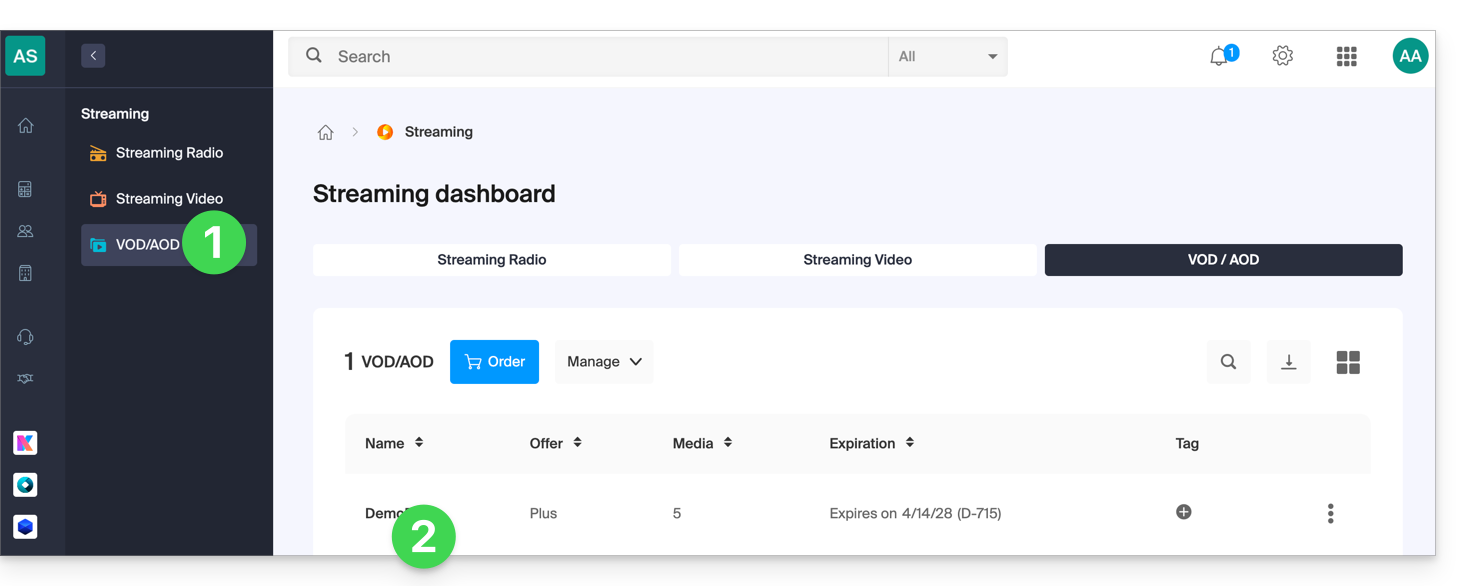
- Click on Media in the left-hand menu.
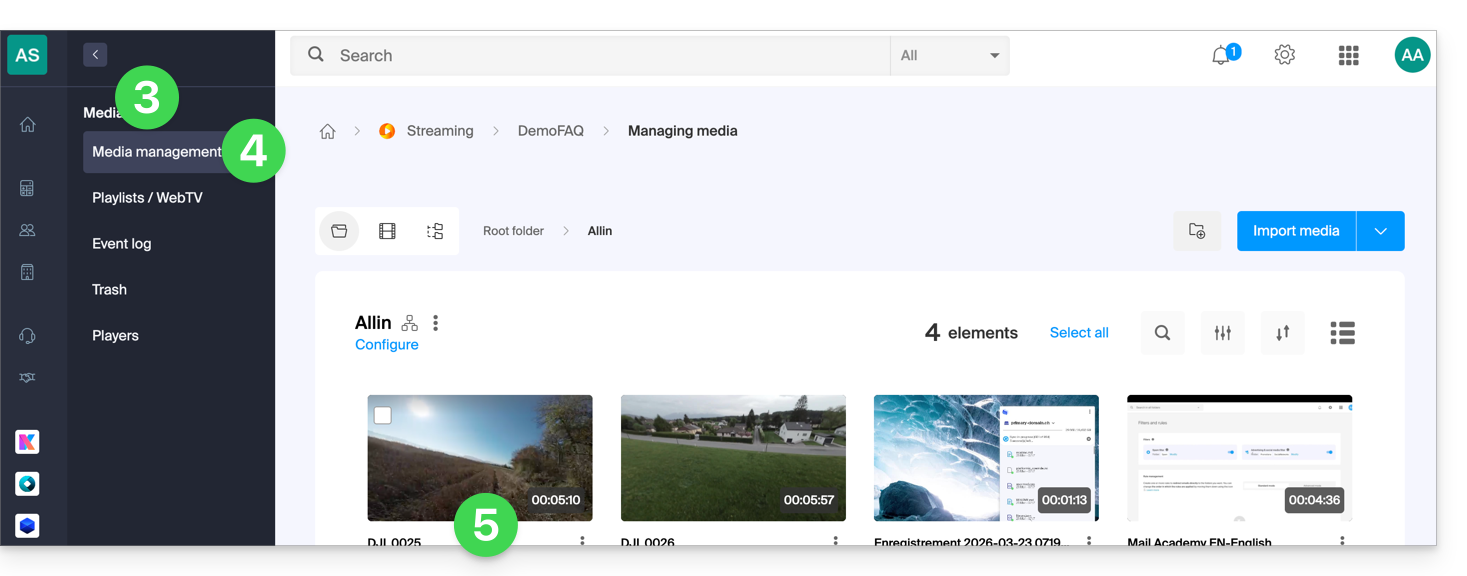
- Click on Media Management in the left-hand menu.
- Click on the relevant media in the table that appears:
- Click on the action menu ⋮ to the right of the encoding in question in the table that appears.
- Choose Copy link to obtain the direct link to the media, for example in
.mp4format: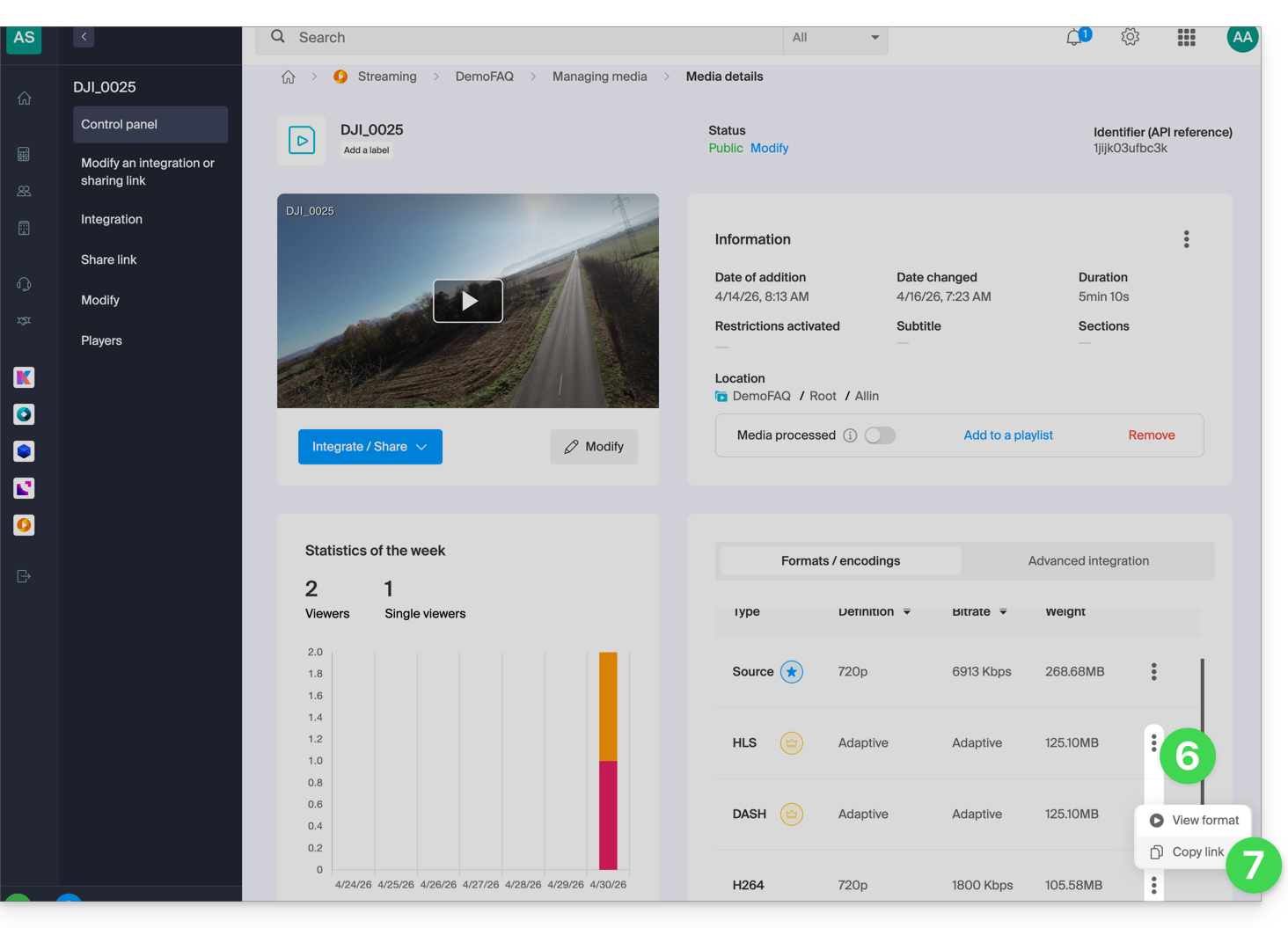
Link to this FAQ: https://faq.infomaniak.com/2062
Has this FAQ been helpful?