Knowledge base
1000 FAQs, 500 tutorials and instructional videos. Here, there are only solutions!
Display the direct link of a media without Player
This guide explains how to obtain the link for video/audio files imported on an Infomaniak VOD/AOD service.
Retrieve the media link according to its encoding
The link is obtained on your VOD interface:
- Click here to access the management of your product on the Infomaniak Manager (need help?).
- Click directly on the name assigned to the product concerned:
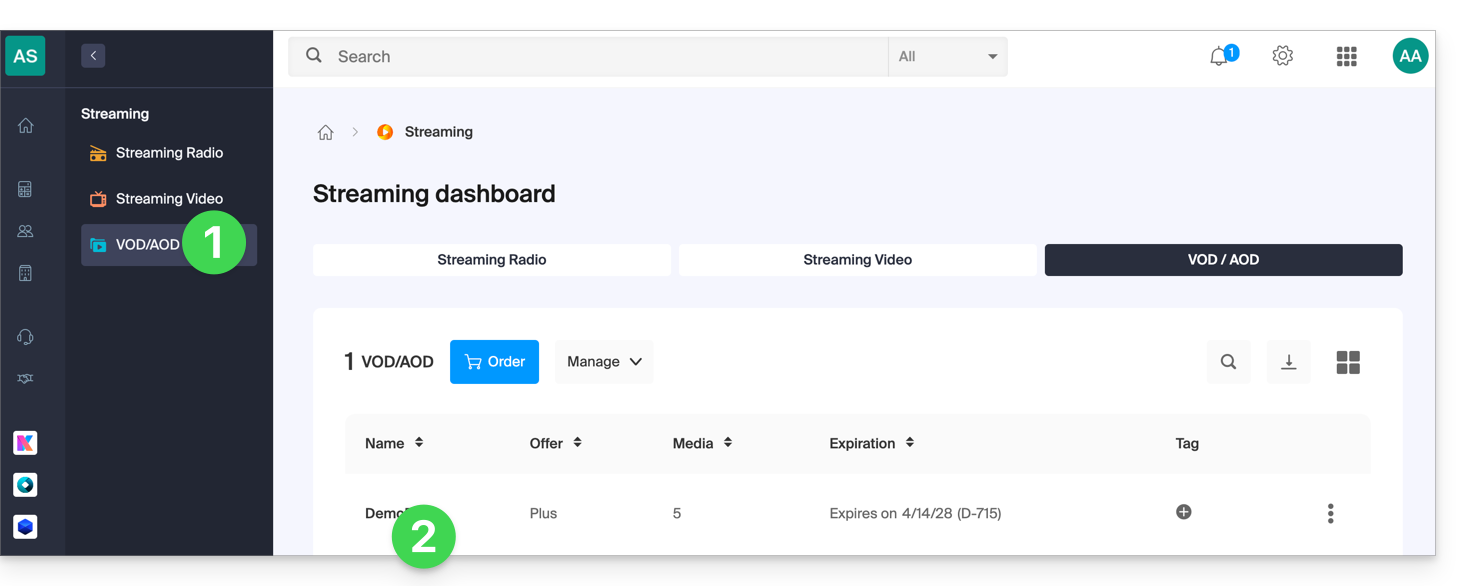
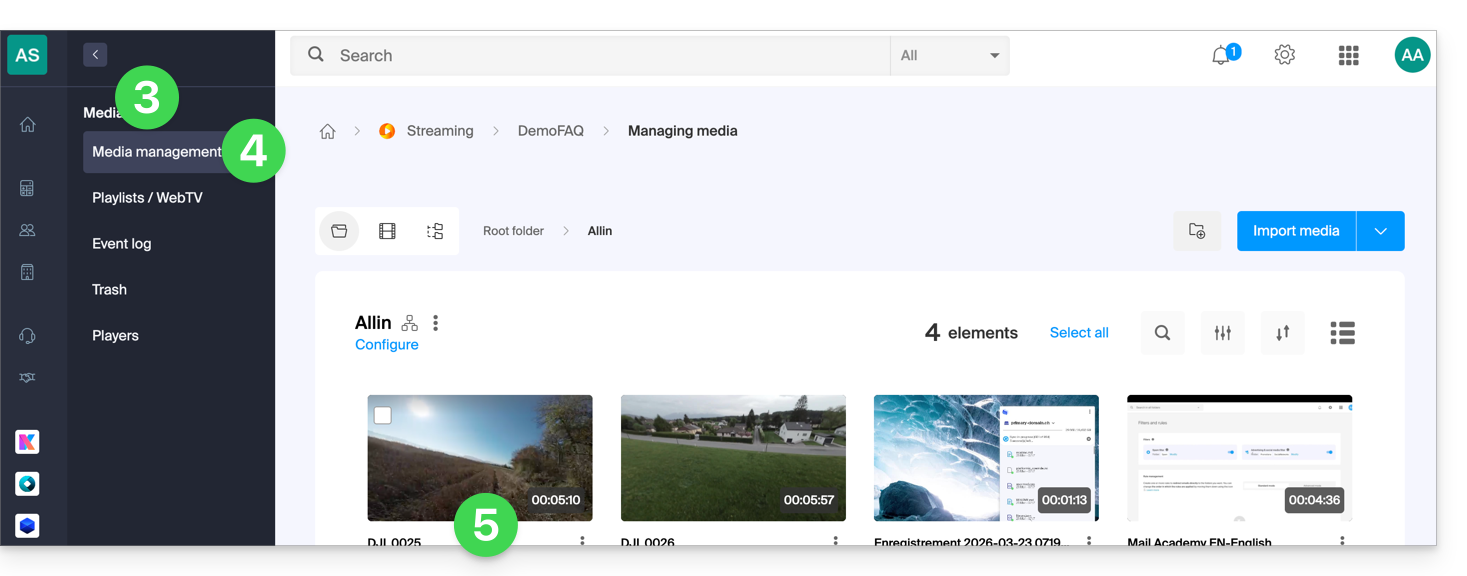
- Click on Media in the left sidebar menu.
- Click on Media Management in the left sidebar menu.
- Click on the media concerned in the displayed table:
- Click on the action menu ⋮ to the right of the encoding concerned in the displayed table.
- Choose Copy the link to obtain the direct link to the media, for example in
.mp4format: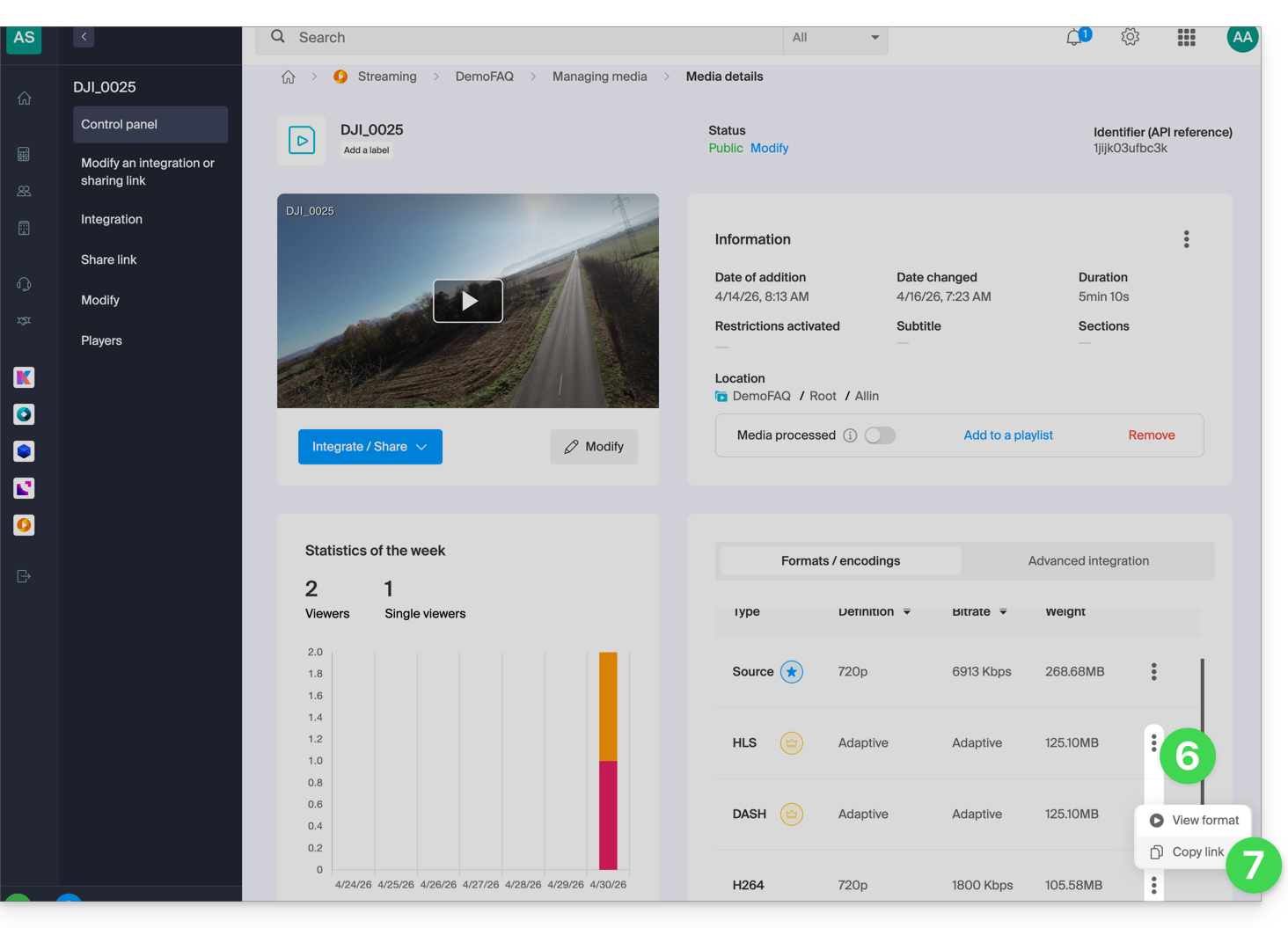
Link to this FAQ: https://faq.infomaniak.com/2062
Has this FAQ been helpful?