Knowledge base
1000 FAQs, 500 tutorials and instructional videos. Here, there are only solutions!
Customize WordPress with Elegant Themes
This guide explains how to add a theme from Elegant Themes (Divi) to a WordPress site that has already been installed using the Infomaniak installer, free of charge.
Prerequisites
- Your WordPress site must be installed using the Infomaniak WordPress tools to use these themes and extensions.
- The theme can be added during installation (approximately step 14 of this other guide) or activated later.
- To benefit from Elegant Themes support (customer service), you must subscribe to an Elegant Themes plan.
Add an Elegant Themes theme
To do this:
- Click here to access the management of your WordPress site in the Infomaniak Manager (need help?).
- If your site does not appear here, it means that it was not installed using the Infomaniak tools (see prerequisites).
- Click directly on the name assigned to the product in question:
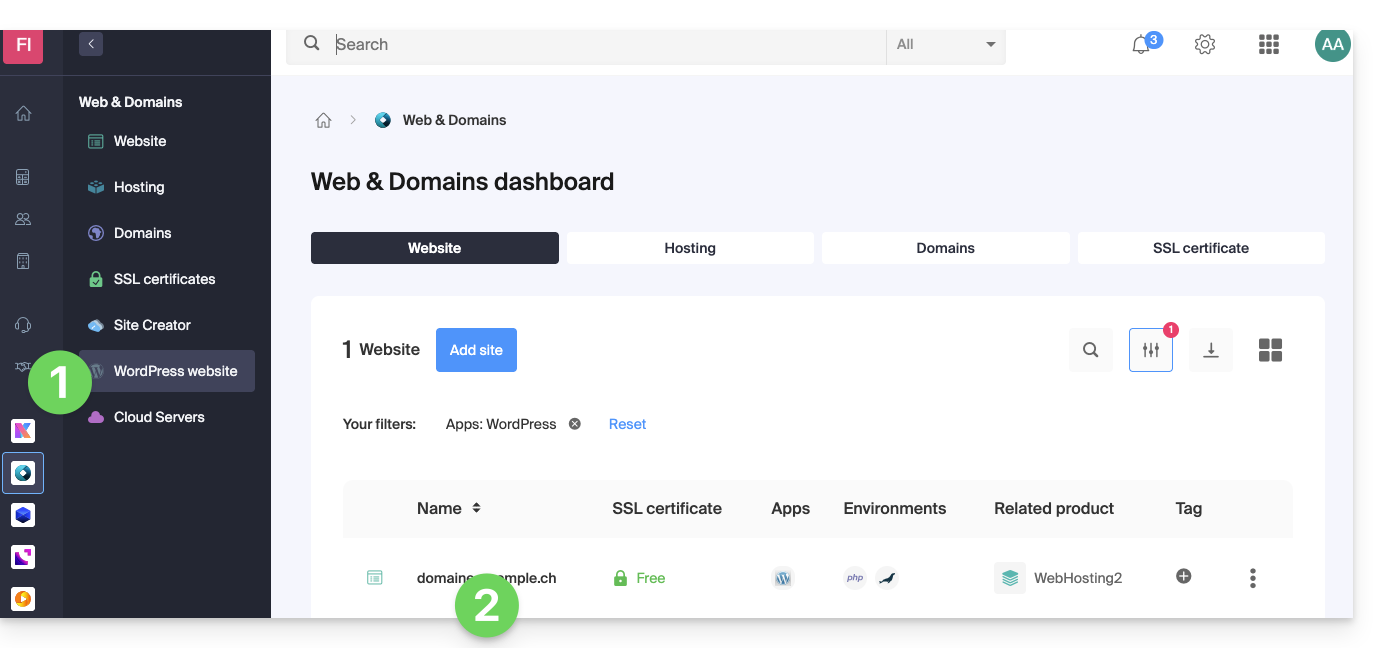
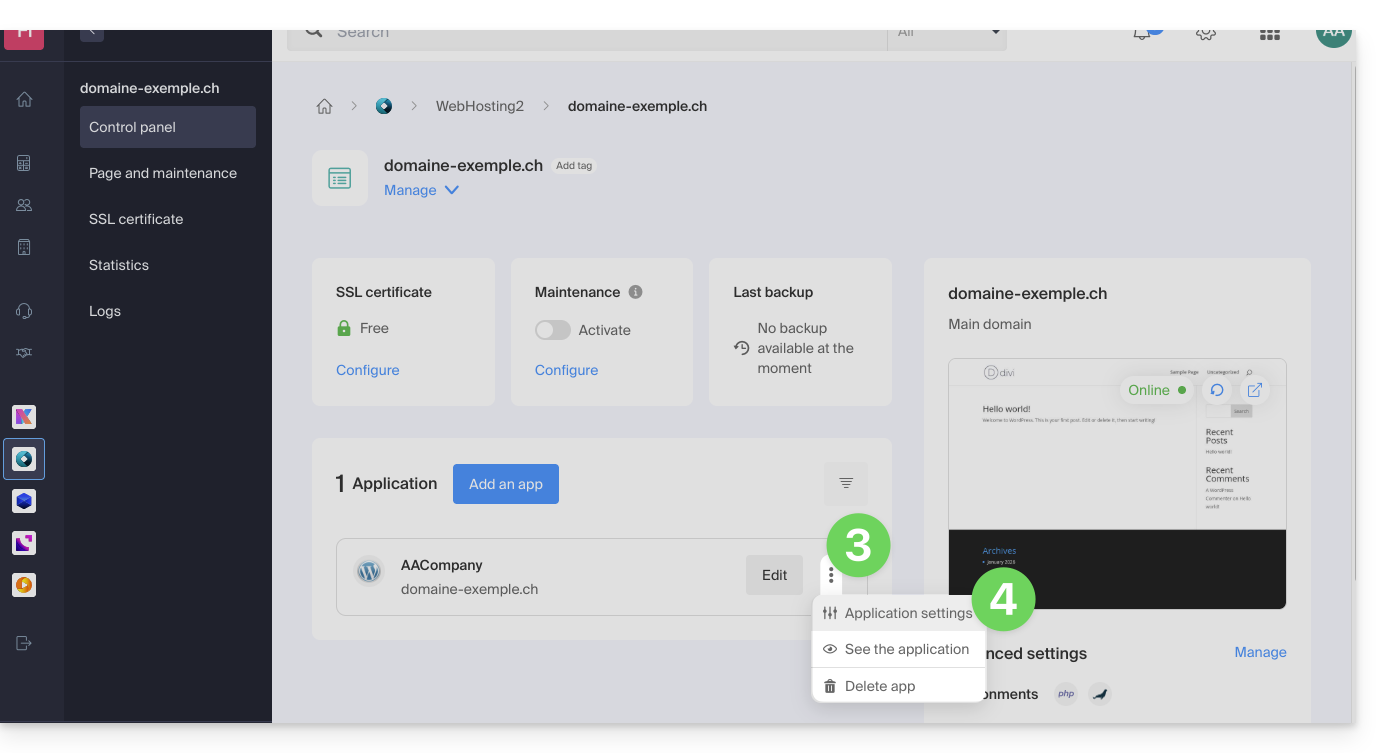
- Click on the action menu ⋮ located to the right of the relevant Web Application.
- Click on Settings in the application:
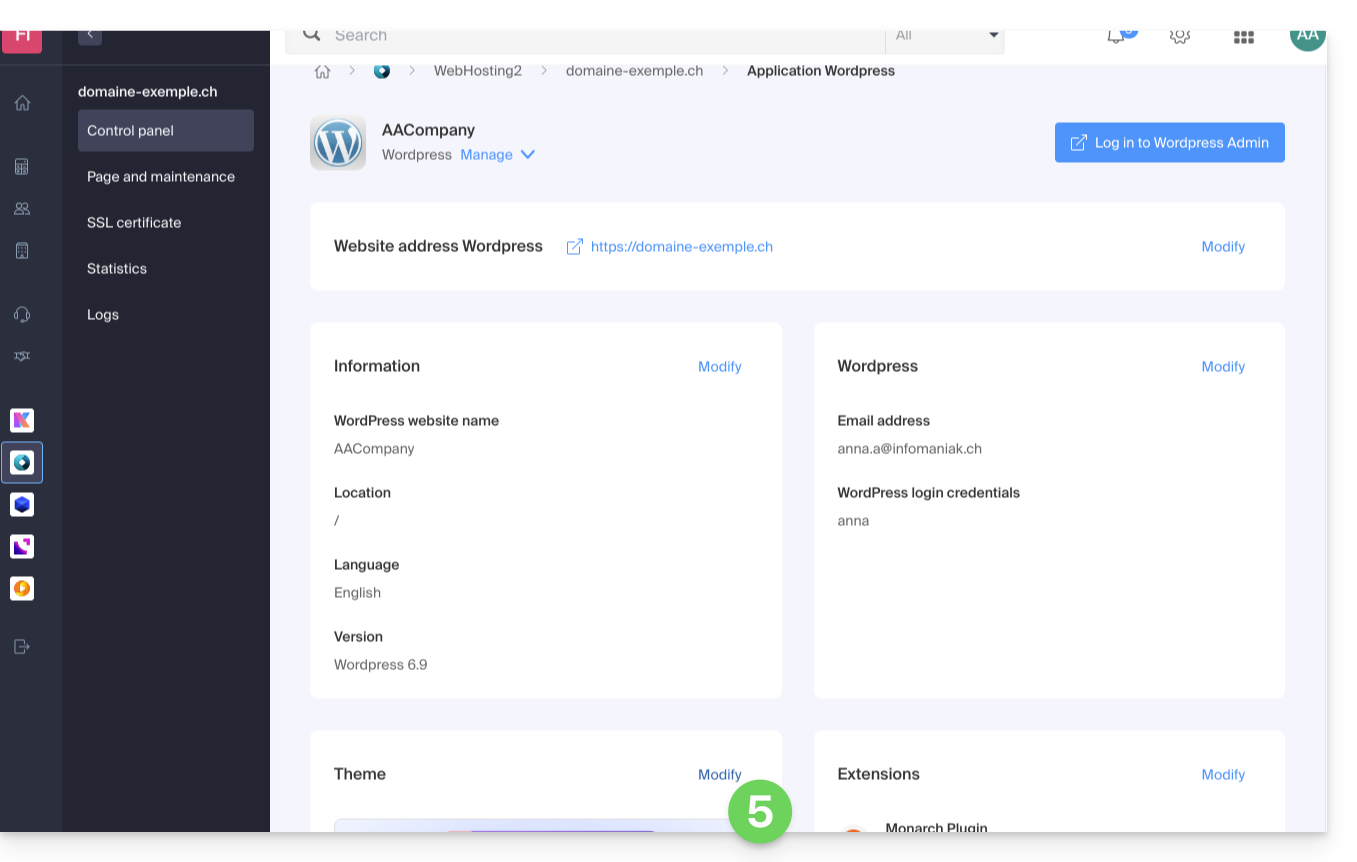
- Click on Edit under Theme:
- Select the desired theme.
- Click on the Save button:
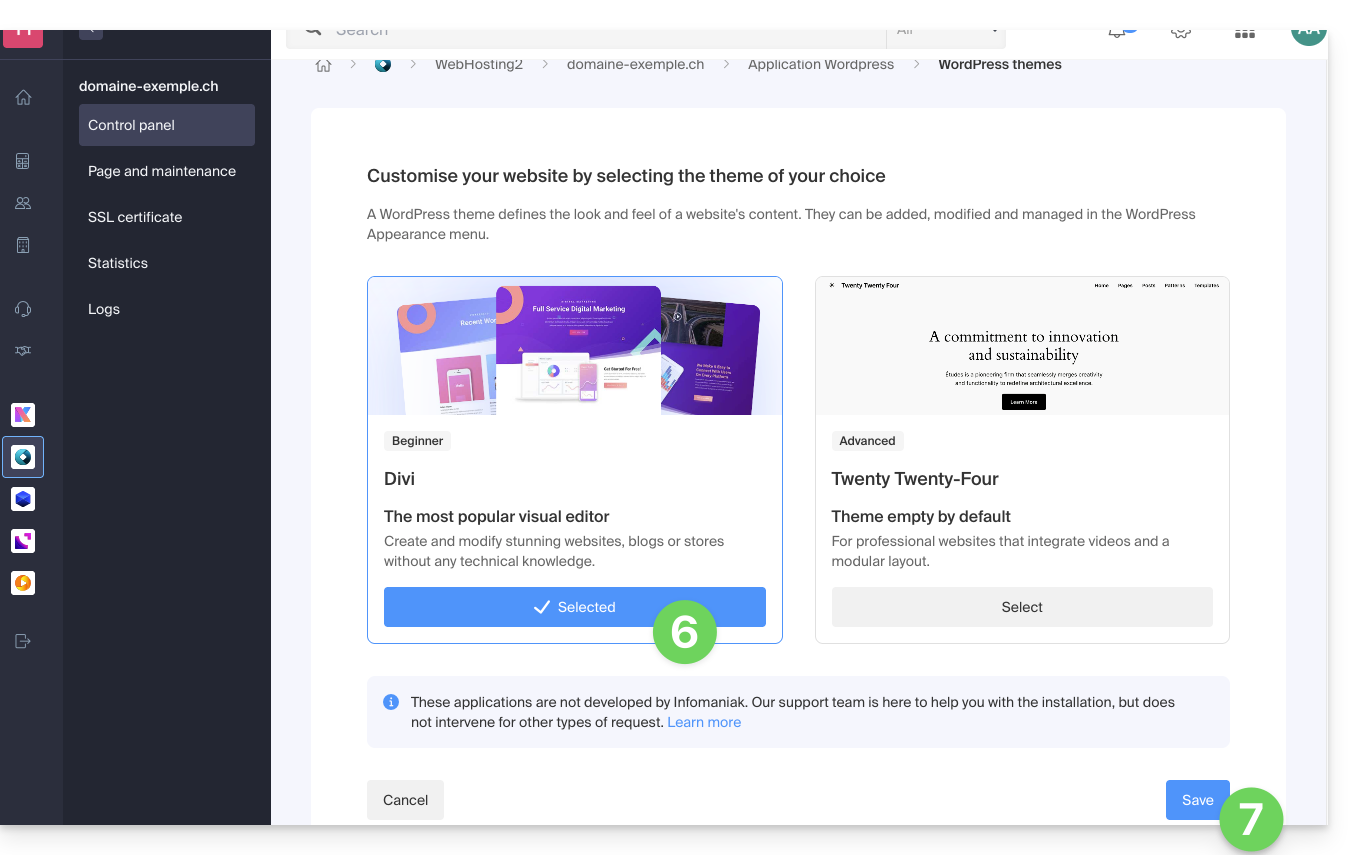
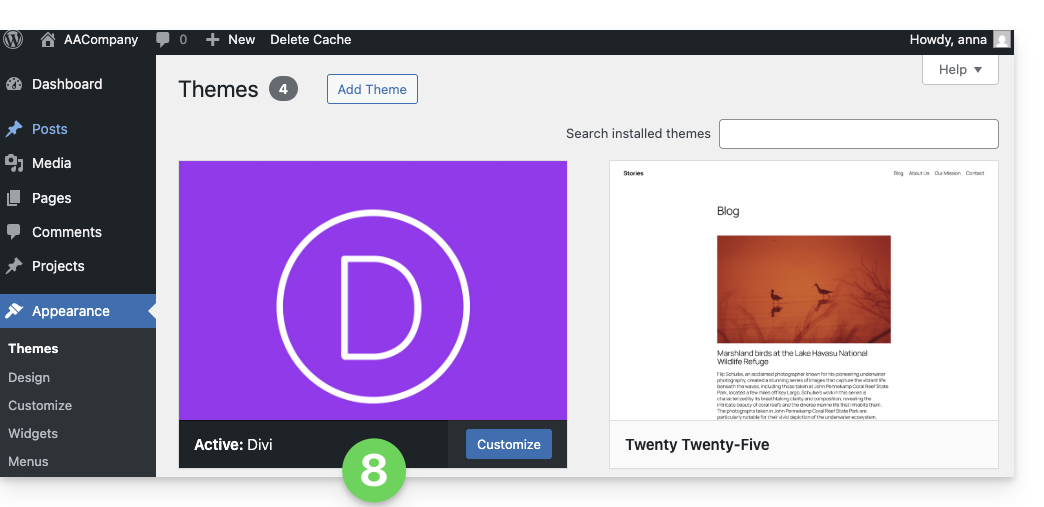
- The theme has been applied and is now available for configuration in your WordPress administration interface:
Link to this FAQ: https://faq.infomaniak.com/2056
Has this FAQ been helpful?