Knowledge base
1000 FAQs, 500 tutorials and instructional videos. Here, there are only solutions!
Customize WordPress with Elegant Themes
This guide explains how to add an Elegant Themes (Divi) theme for free to a WordPress site that has already been installed via the Infomaniak installer.
Prerequisites
- Your WordPress site must be installed using the Infomaniak WordPress tools to use these themes and extensions.
- The theme can be added during installation (approximately step 14 of this other guide) or activated later.
- To benefit from Elegant Themes support (customer service), you must subscribe to an Elegant Themes plan.
Adding an Elegant Themes Theme
To do this:
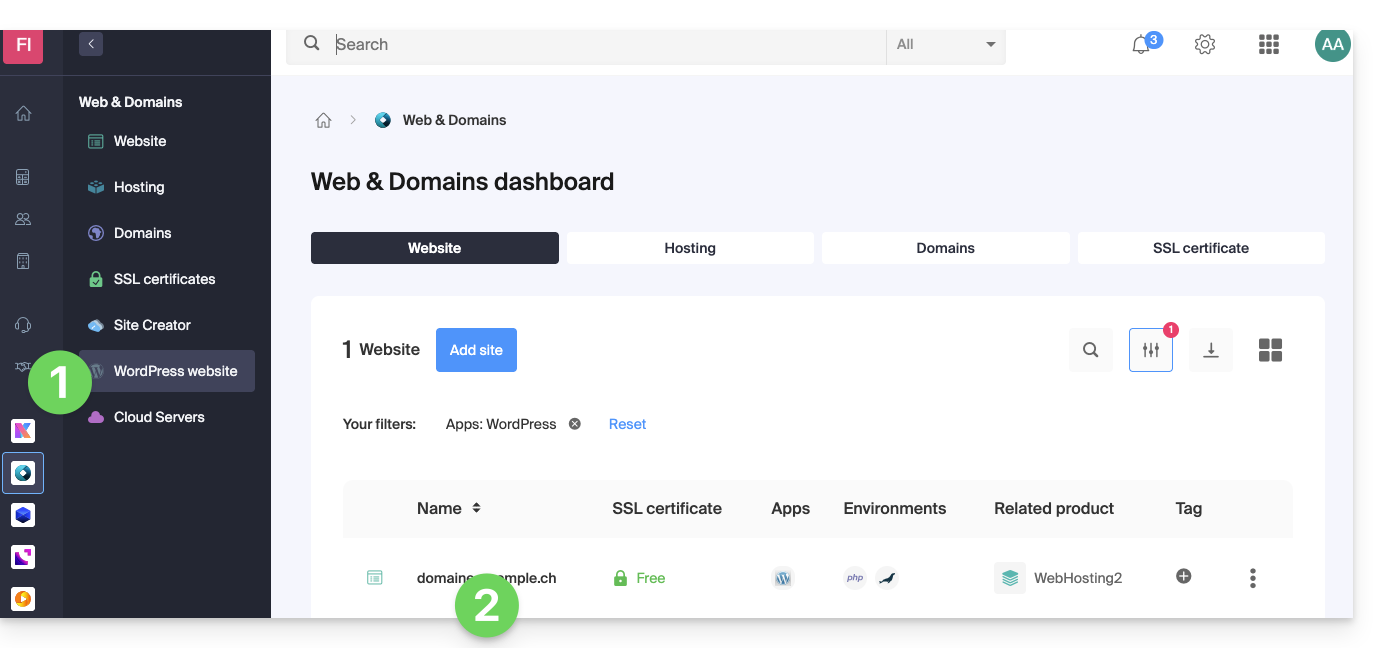
- Click here to access the management of your WordPress site in the Infomaniak Manager (need help?).
- If your site does not appear here, it has not been installed using the Infomaniak tools (see prerequisites).
- Click directly on the name assigned to the relevant product:
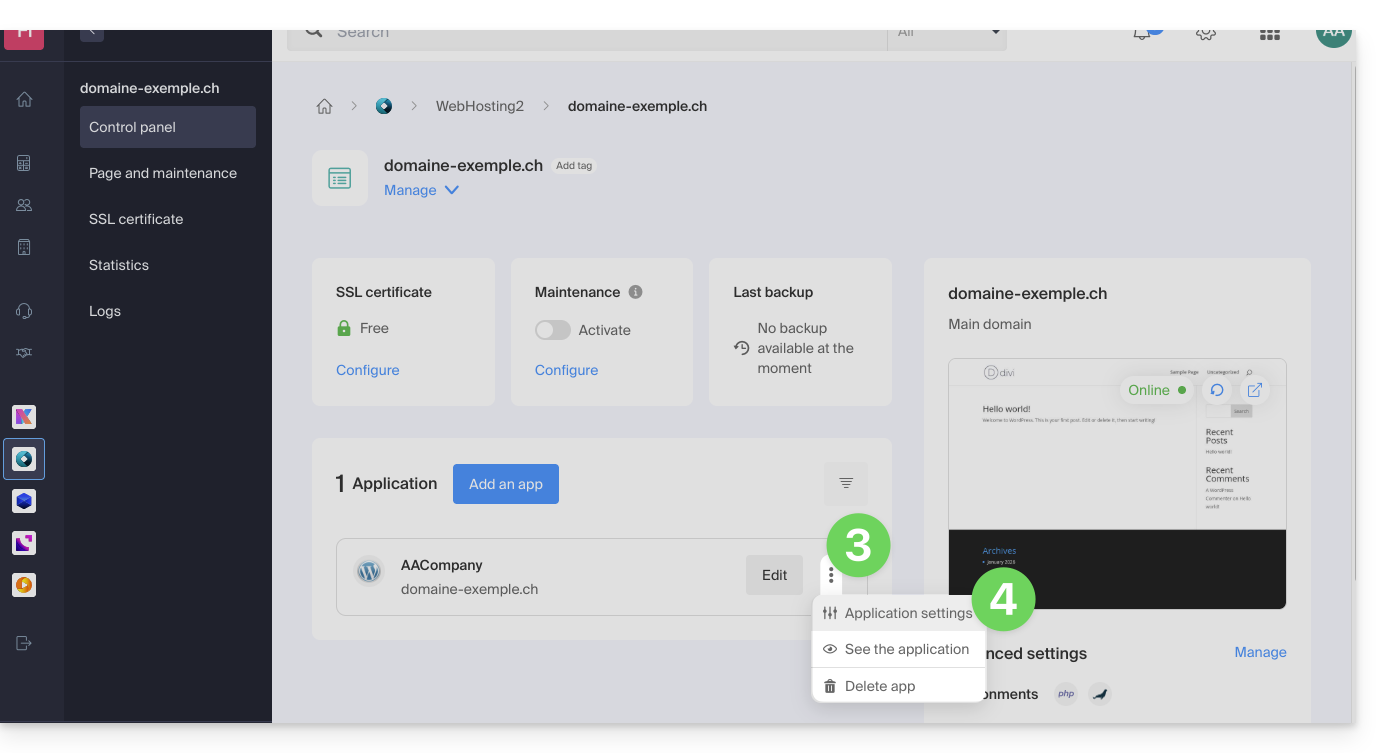
- Click on the action menu ⋮ located to the right of the relevant Web Application.
- Click on Settings for the application:
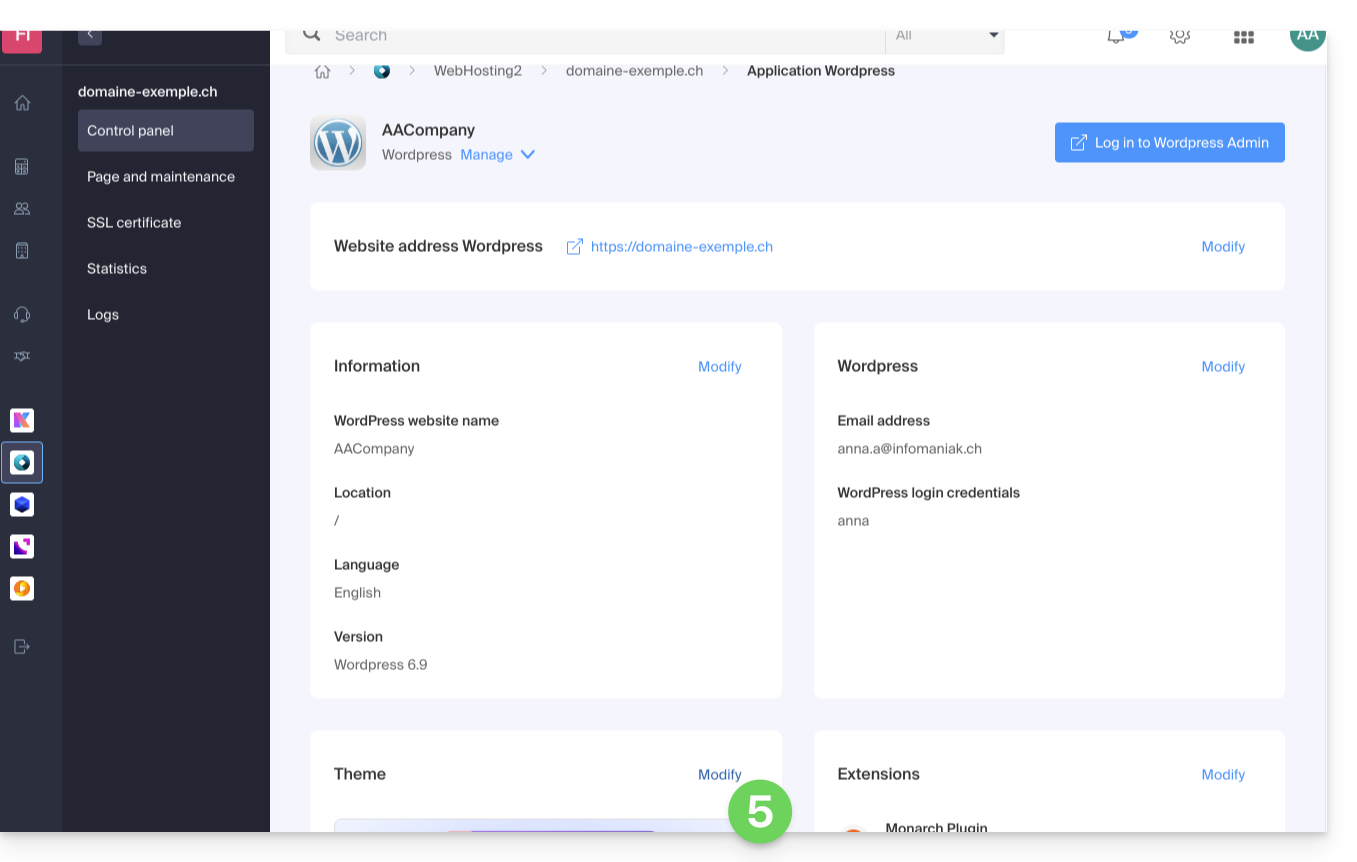
- Click on Edit under Theme:
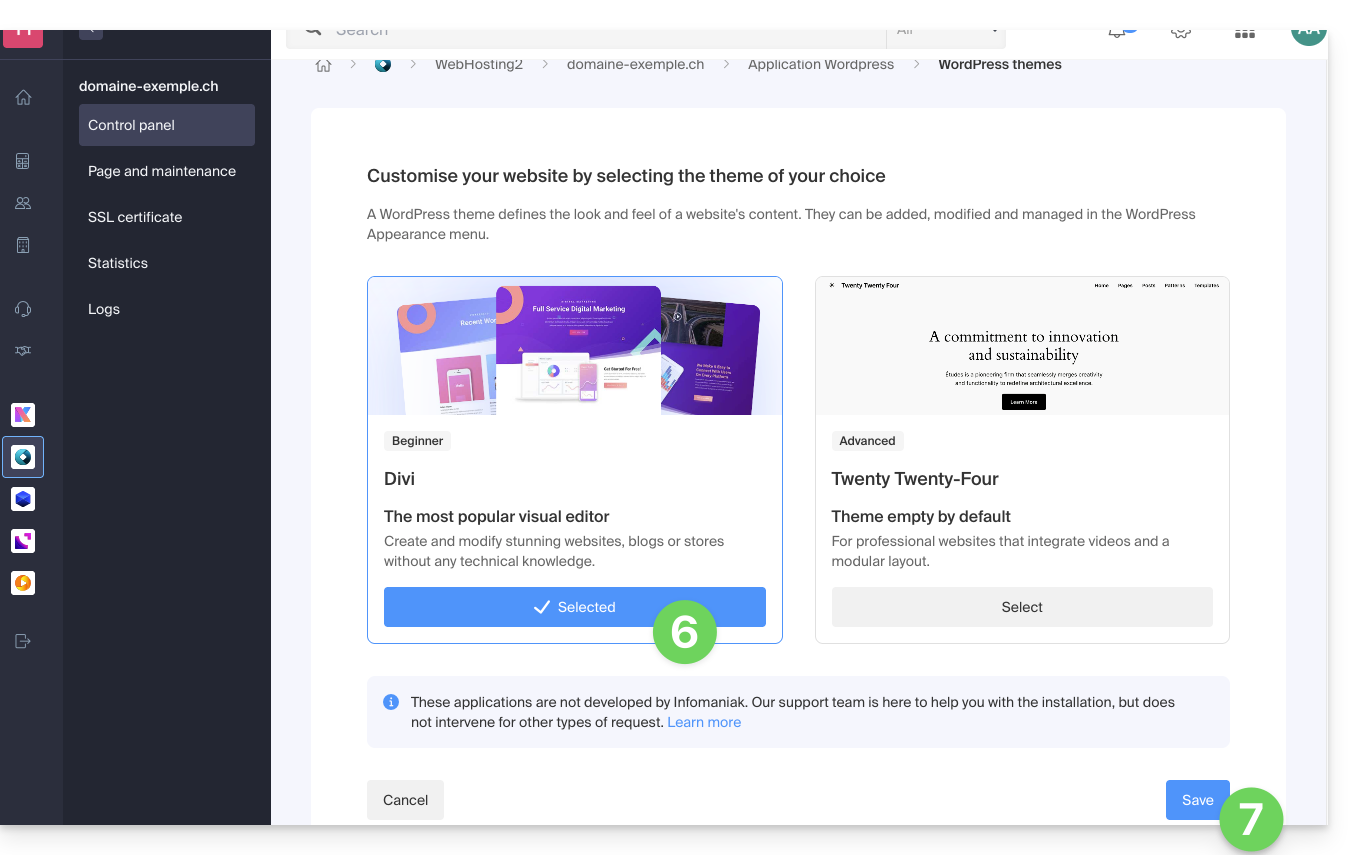
- Select the desired theme.
- Click on the Save button:
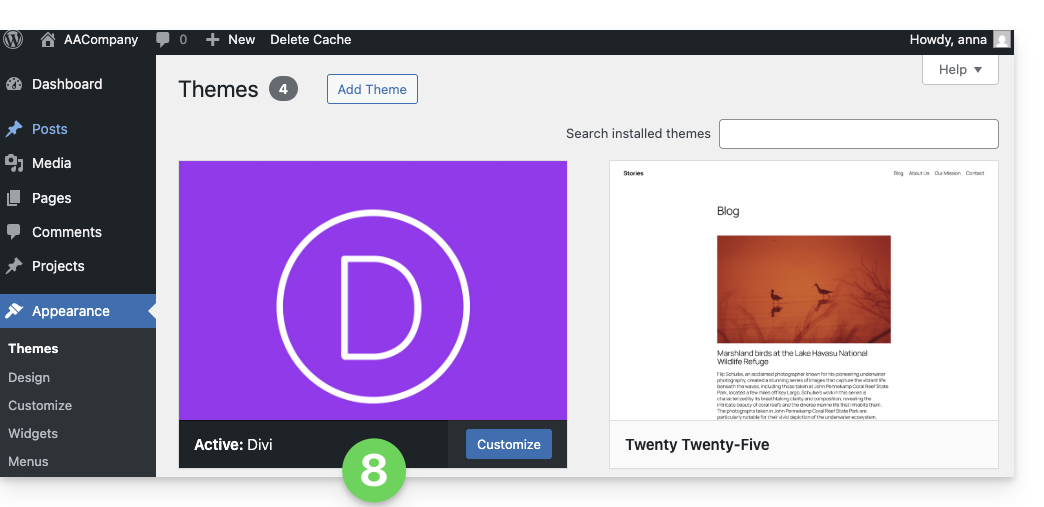
- The theme is applied and available for configuration in your WordPress administration interface:
Using an Elegant Themes extension
Refer to this other guide to install an Elegant Themes extension with Infomaniak.
Link to this FAQ: https://faq.infomaniak.com/2056
Has this FAQ been helpful?