Knowledge base
1000 FAQs, 500 tutorials and instructional videos. Here, there are only solutions!
Edit the DNS zone (advanced mode) of a domain managed by Infomaniak
This guide explains how to modify specific entries, records of type A & AAAA (❓: help), MX (❓: help), TXT (❓: help), etc. in advanced (expert) mode within the DNS zone of a domain registered with Infomaniak.
If you are a beginner, prefer the simple mode (❓: help).
Prerequisites
- You must have a domain name with Infomaniak or at least a DNS zone.
- Understand:
Modify an existing record
To configure the services associated with the domain and enable the correct resolution of domain names to the corresponding resources (such as external websites, third-party email servers, etc.):
- Click here to access the domain management section in your Infomaniak Manager (❓: help).
- Click on the name of the domain in question.
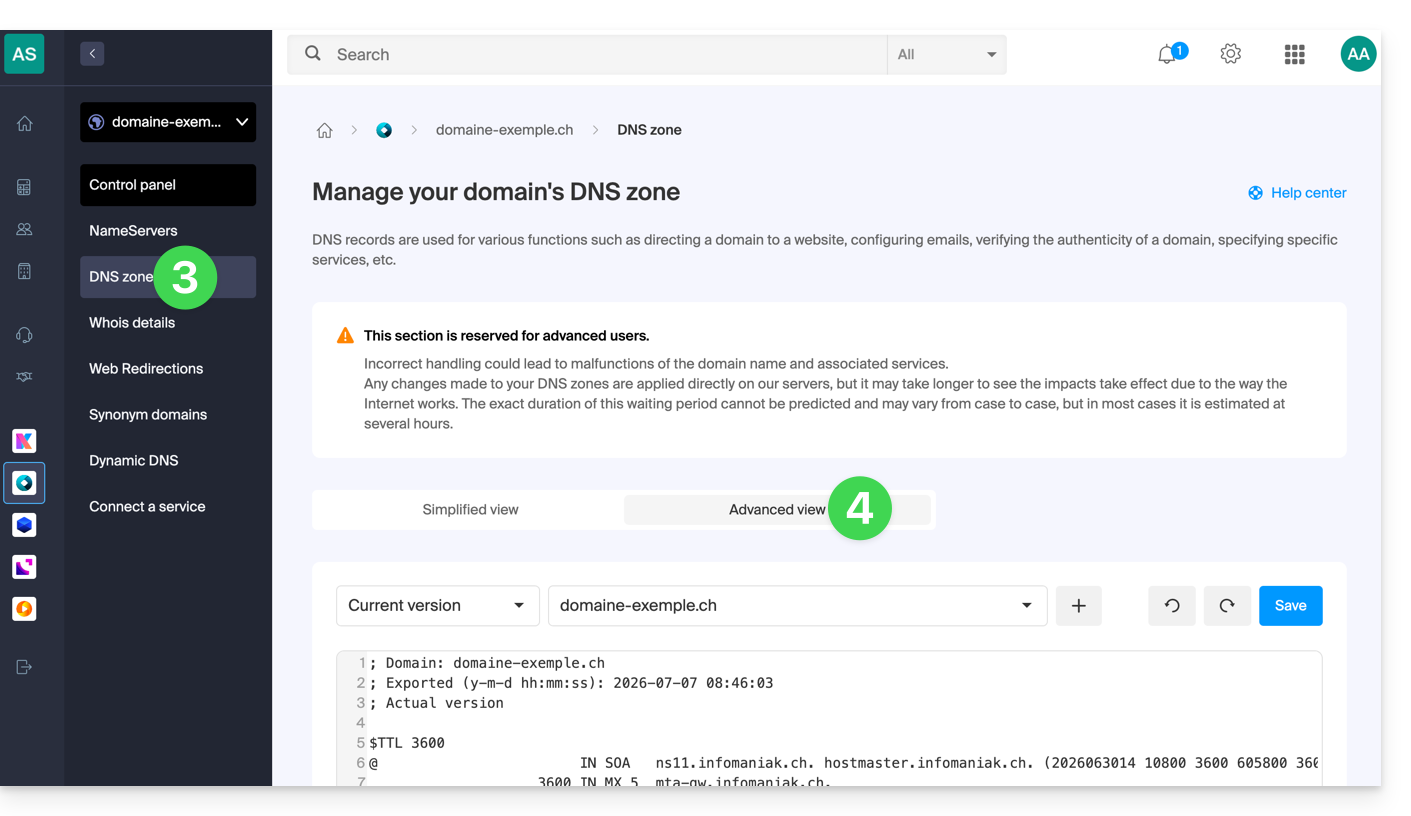
- Click on DNS Zone in the left-hand menu.
- Click on Advanced view:
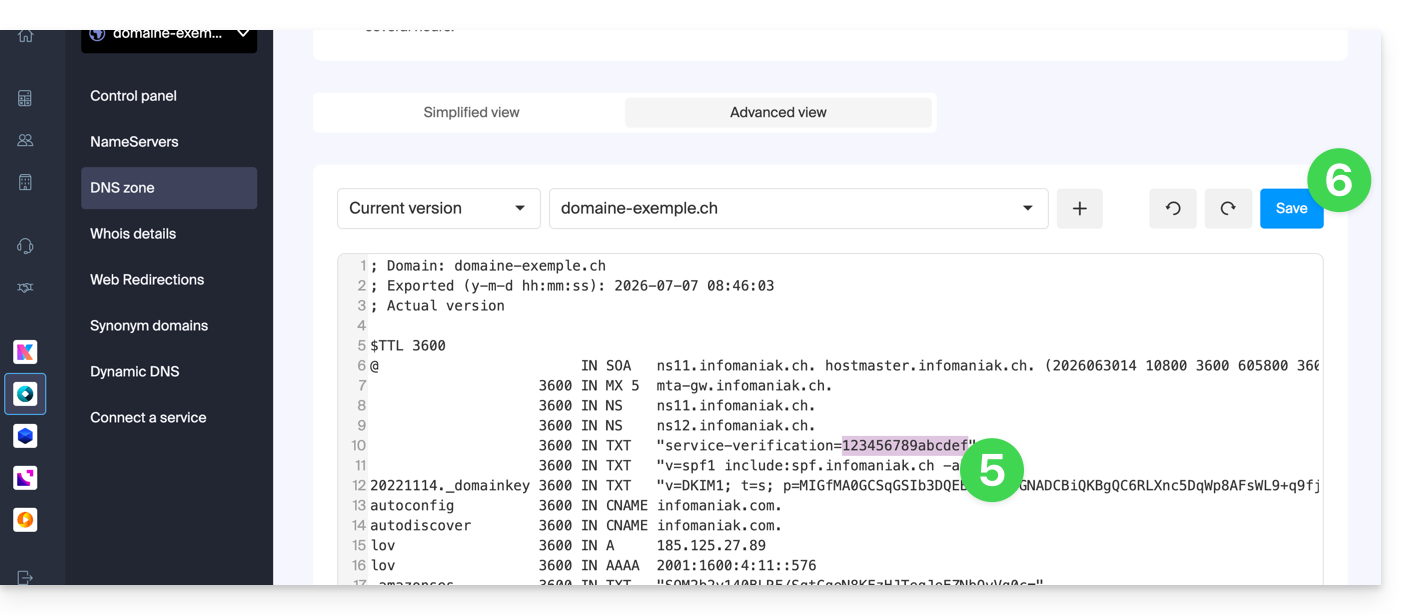
- Edit the desired information.
- The syntax is accepted in BIND format (❓: help).
- Save your changes:
Restore a DNS zone
Thanks to Expert mode, you can use versioning to find a previous version of your domain name's DNS zone and restore it to its state at a specific point in time:
- Once in the Advanced View tab (see above), click on Current Version to display the menu containing previous dates.
- Click on the desired date to view the changes.
- Click the blue Save button on the right to revert to the selected version:
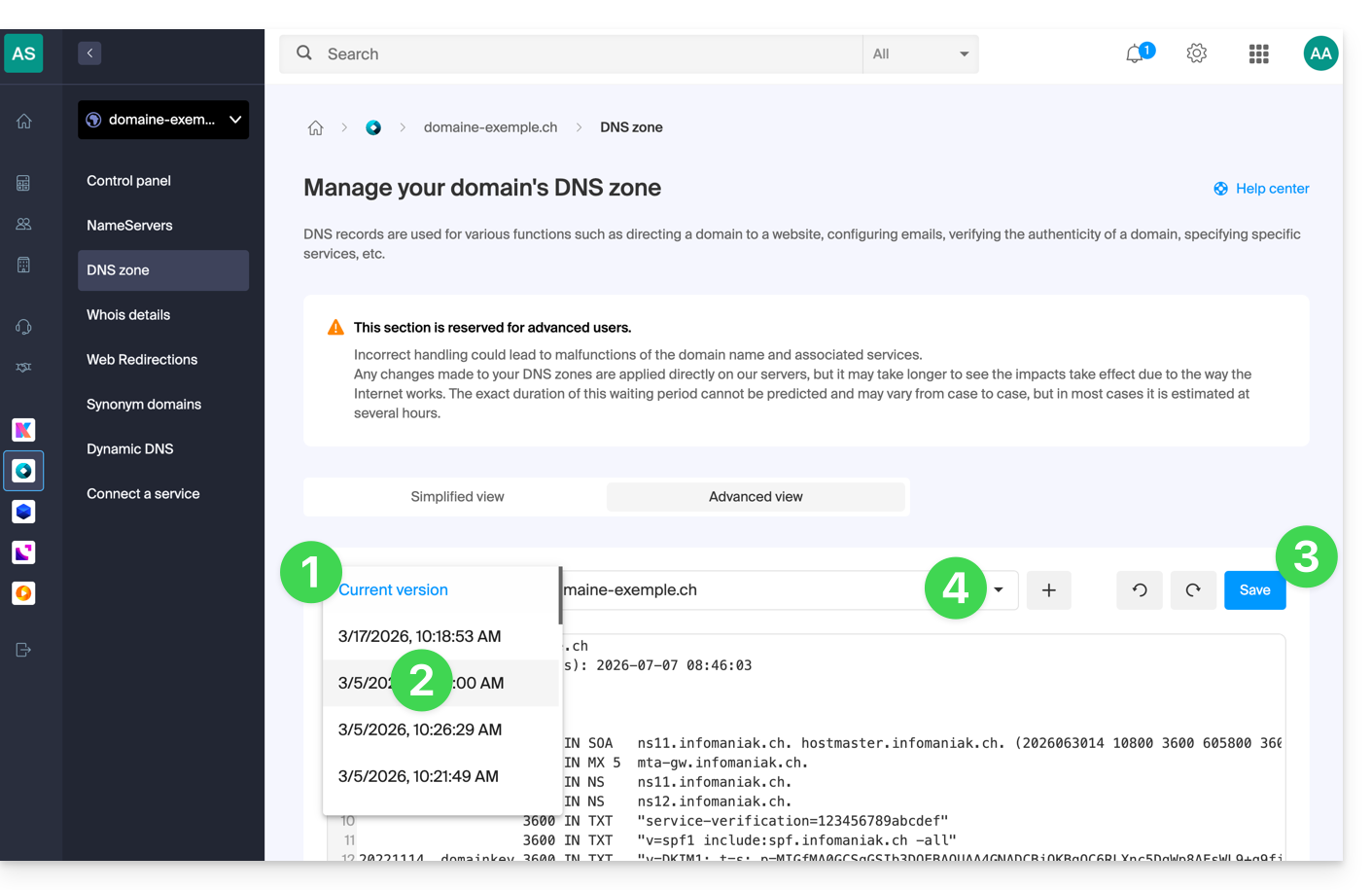
- Click on the second drop-down menu if necessary to access the configuration restoration for delegated subdomains.
DNS Diagnostics
A tool available in your Manager (❓: help) allows you to easily correct certain problematic records.
Link to this FAQ: https://faq.infomaniak.com/2051
Has this FAQ been helpful?