Knowledge base
1000 FAQs, 500 tutorials and instructional videos. Here, there are only solutions!
Add a zone delegation for a subdomain
Update 10/05/2026
This guide explains how to set up a zone delegation for a subdomain.
Prerequisites
- Own a domain name with Infomaniak or at least a DNS zone.
- Understand:
Setting up a zone delegation
To do this:
- Click here to access the domain management section in your Infomaniak Manager (❓: help).
- Click on the name of the domain in question.
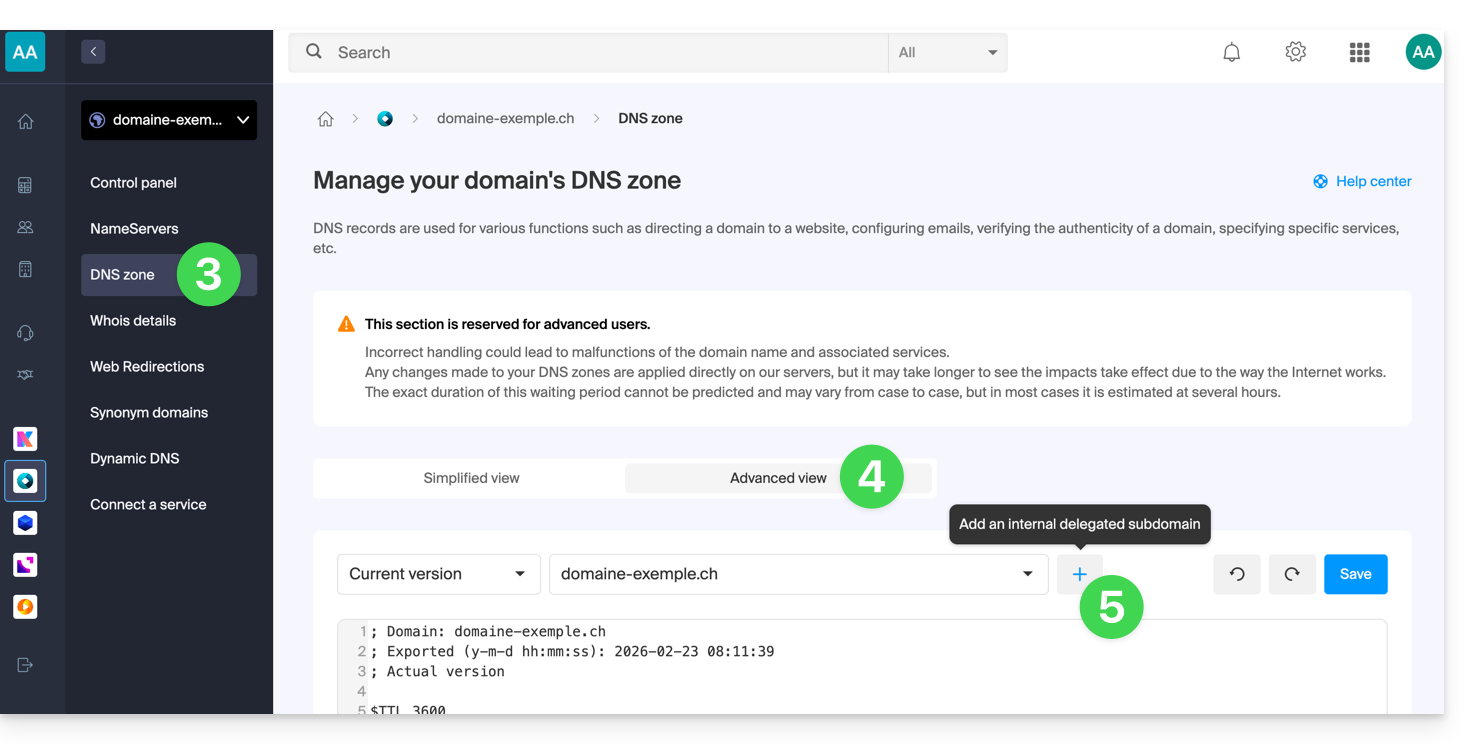
- Click on DNS Zone in the left-hand menu.
- Click on the Advanced View tab.
- Click on the + button:
- Enter the desired subdomain (e.g.,
testto obtaintest.domain.xyz) - You can now edit the DNS zone of the delegated subdomain.
Link to this FAQ: https://faq.infomaniak.com/2050
Has this FAQ been helpful?