Knowledge base
1000 FAQs, 500 tutorials and instructional videos. Here, there are only solutions!
Create a PTR record for Cloud VPS / VPS Lite
This guide explains how to create a PTR record on the dedicated IPs of VPS Cloud / VPS Lite.
Introduction
- A PTR (Pointer Record) is a type of DNS record used to resolve IP addresses to domain names.
- The PTR record is used to associate an IP address with a domain name or subdomain.
- This is the opposite of an A record, which is used to resolve domain names into IP addresses.
Create a PTR record for the IP address of your Cloud VPS / VPS Lite
Prerequisites
- Make sure your domain or subdomain points to the IP address (v4 or v6) of your Cloud VPS / VPS Lite server.
- You can do this by creating an A record for your domain or by modifying the existing record to point to the IP address of your Cloud VPS / VPS Lite.
- Make sure your domain name points to the IP address of your Cloud VPS / VPS Lite (see 1).
- Note the IP address of your Cloud VPS / VPS Lite server (you can find this IP address in your server management dashboard or by using a command-line command such as "
ifconfig" or "ipconfig" depending on the operating system you are using).
Next, to create a PTR record for your dedicated IP address:
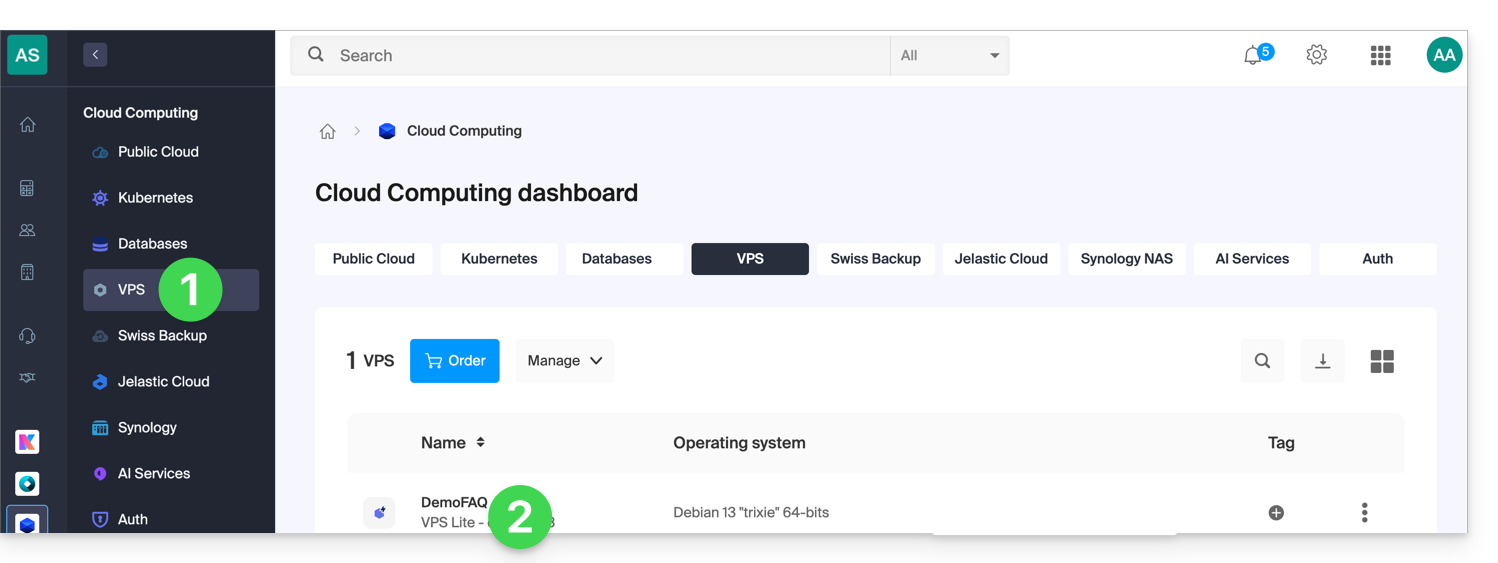
- Click here to access the management of your VPS in the Infomaniak Manager (need help?).
- Click directly on the name assigned to the VPS in question:
- Click on the appropriate quick action or directly on the menu items at the server's IP address level:
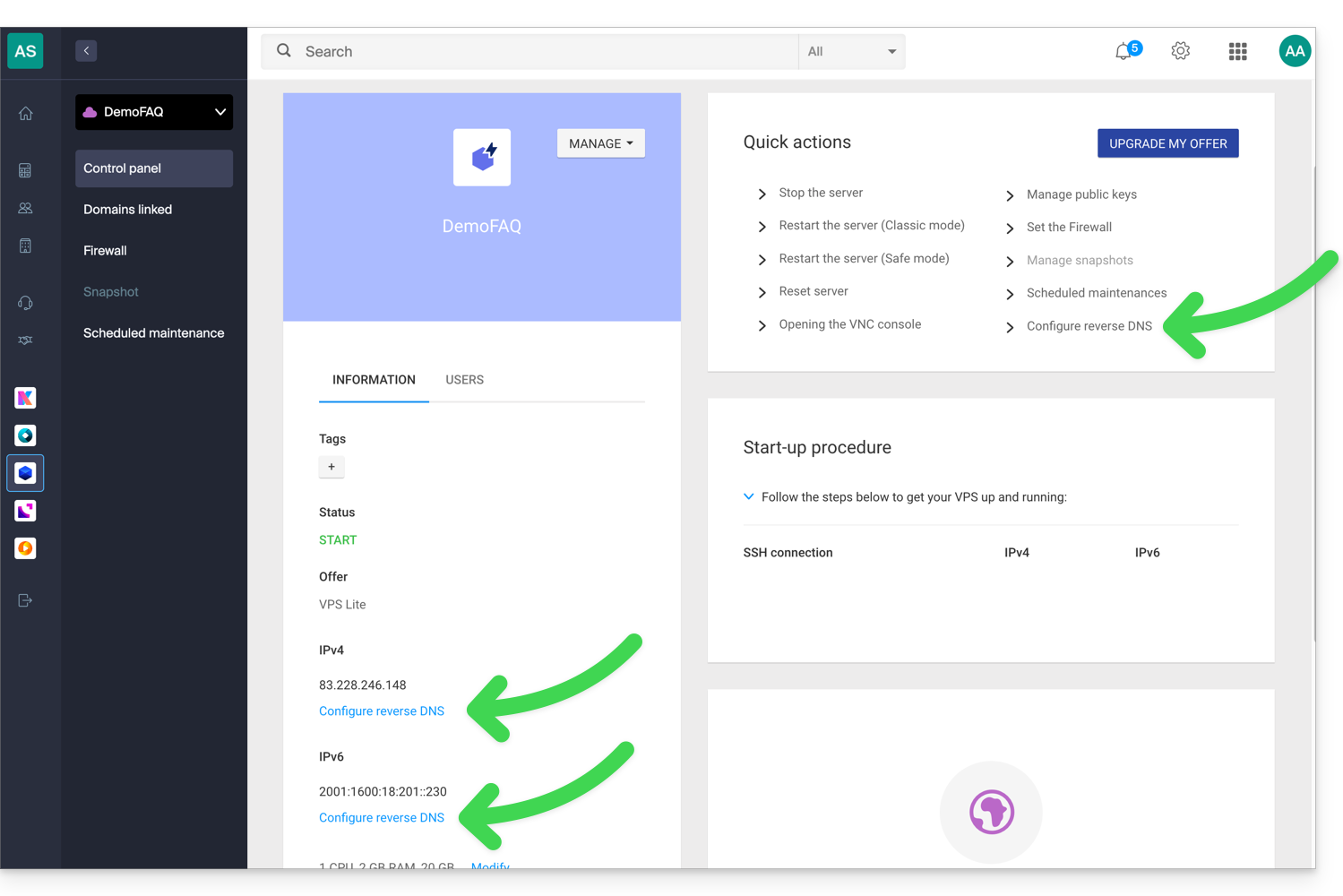
- Enter the desired information and save.
- Once the PTR record is created, use an online verification tool to ensure that the PTR record points to your domain or subdomain.
Link to this FAQ: https://faq.infomaniak.com/2012
Has this FAQ been helpful?