Knowledge base
1000 FAQs, 500 tutorials and instructional videos. Here, there are only solutions!
Modify the DNS zone (simple mode) of a domain managed by Infomaniak
This guide explains how to add, modify, or delete specific entries (records of type A & AAAA, MX, TXT, etc.) within the DNS zone of a domain registered with Infomaniak.
Prerequisites
- You must own a domain name with Infomaniak or at least a DNS zone.
- Understand:
- the operation of a domain and a DNS zone before modifying it.
- that the DNS zone presented here is valid and used only if the name server names are those of Infomaniak.
- that any DNS addition/modification may take up to 48 hours to propagate.
Add a record (simple mode)
To configure the services associated with the domain and enable the proper resolution of domain names to the corresponding resources (such as external websites, third-party email servers, etc.):
- Click here to access the management of your domain on the Infomaniak Manager (need help?).
- Click directly on the name assigned to the domain in question.
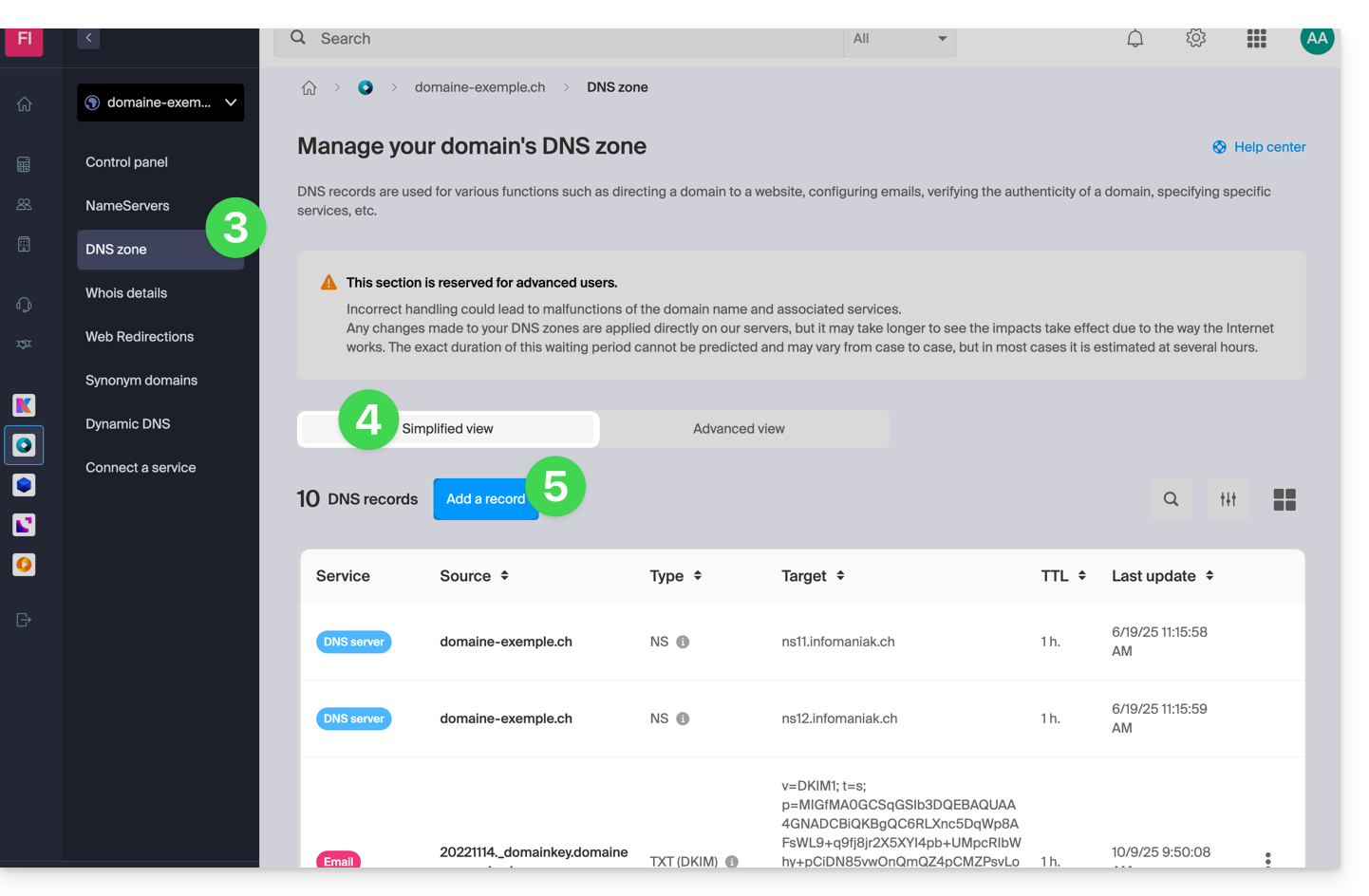
- Click on DNS Zone in the left-hand menu.
- The currently existing entries are listed in the Simple Mode table.
- Click on the blue Add an entry button:
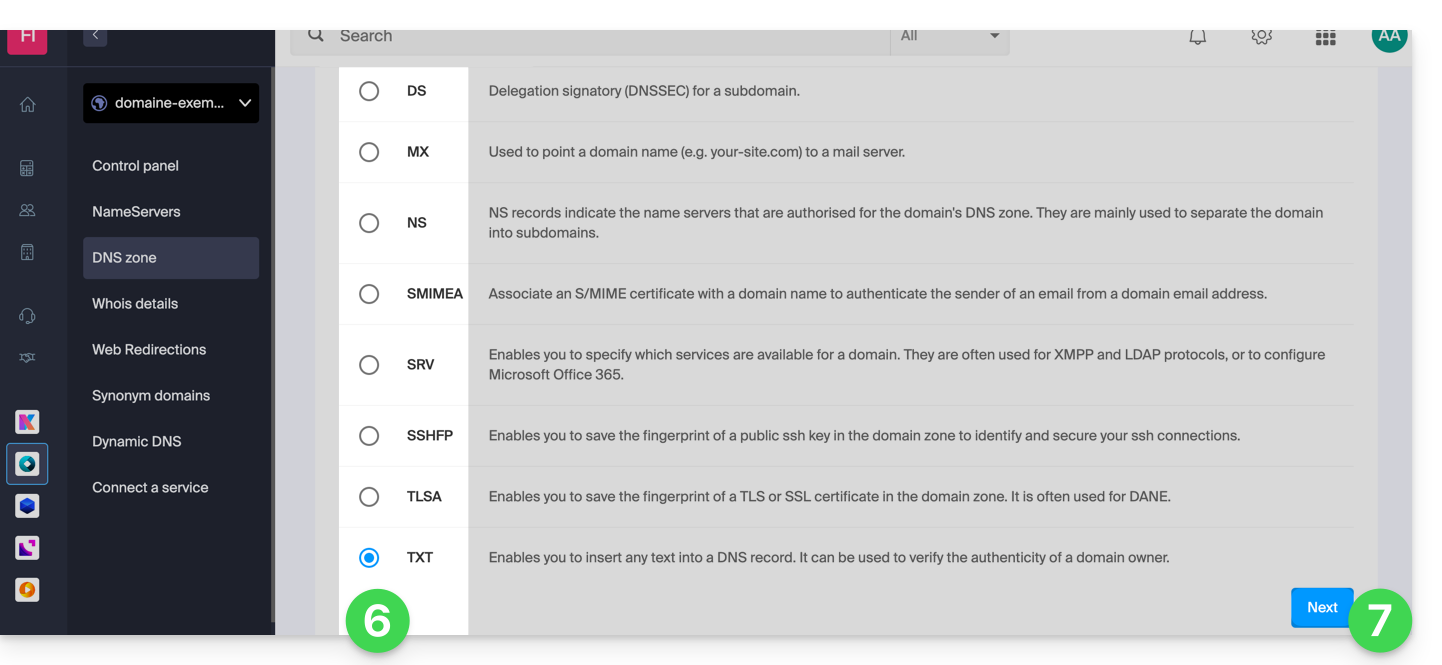
- Choose the desired record type (records of type A & AAAA, MX, TXT, etc.)
- Click on Next:
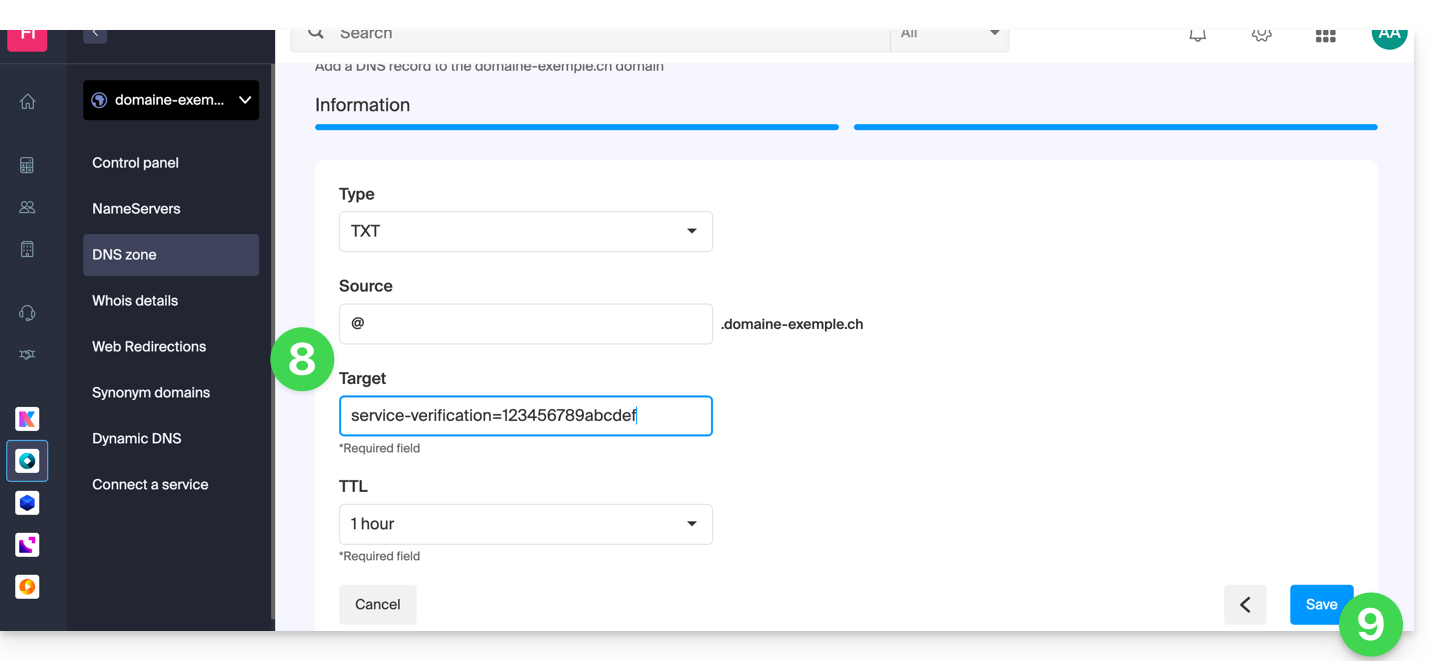
- Complete the various fields according to your information:
- Under Source, leave it blank or enter the relevant subdomain.
- Under Target, enter the information obtained from your external provider or any other useful indication.
- Leave the TTL as indicated.
- Save the addition:
Modify an existing record
To modify a DNS record that has already been entered:
- Follow steps 1 to 4 above.
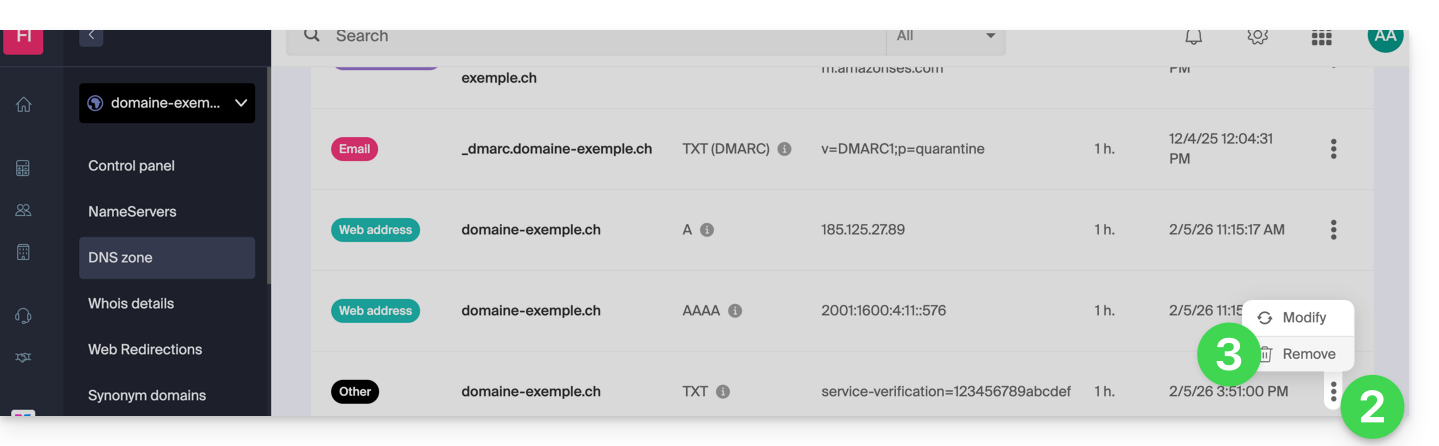
- Click on the action menu ⋮ to the right of the record to be modified.
- Click on Edit to access the editing page:
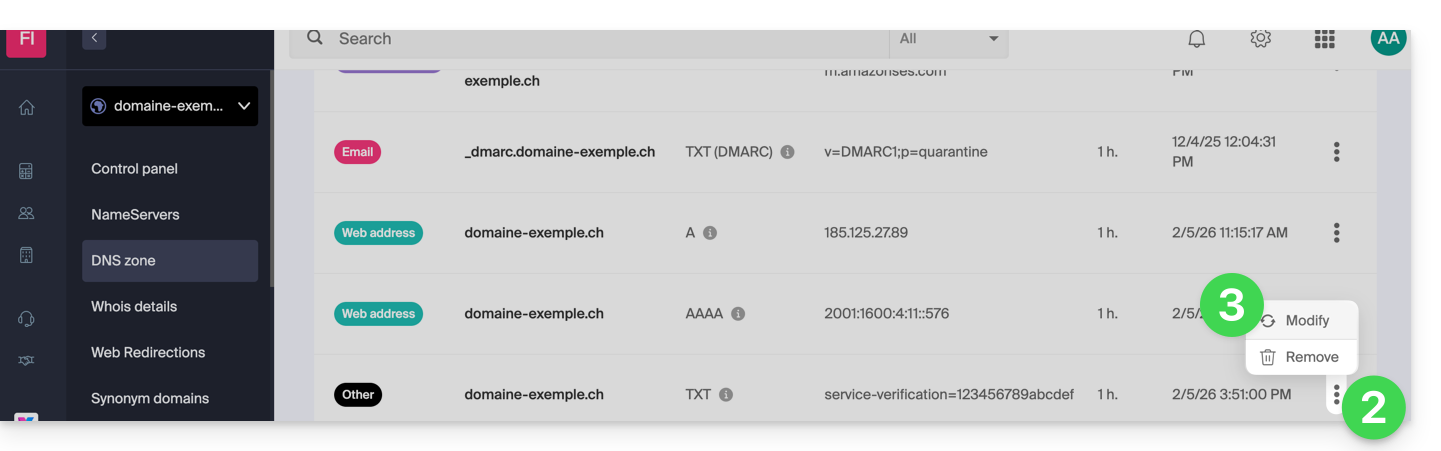
- Edit the desired information and then save your changes.
Delete an existing record
To delete a DNS record that has already been entered:
- Follow steps 1 to 4 above.
- Click on the action menu ⋮ to the right of the record you want to modify.
- Click on Delete and confirm the deletion:
DNS Diagnostics
A tool available in your Manager allows you to easily correct certain problematic records. You can also use an external and free service like the one mentioned at the bottom of this other guide.
Expert Mode
To edit the DNS zone in advanced (expert) mode, which allows you, among other things, to restore a previous version of the various records, please refer to this other guide.
Link to this FAQ: https://faq.infomaniak.com/2000
Has this FAQ been helpful?