Knowledge base
1000 FAQs, 500 tutorials and instructional videos. Here, there are only solutions!
Link a domain name to another
Update 10/05/2026
This guide explains how to add a domain alias to a domain name.
Introduction
- A synonymous domain is a domain name that can serve as a secondary name for another domain.
- When a synonymous domain is added, it automatically inherits the content of the DNS zone of the main domain (including
MX,A, etc. records), as well as its Web and Mail hosting. - Alternatively, you can add an (domain) alias to a website or add a (domain) alias to a Mail Service.
Add a synonym domain to a domain
Prerequisites
- The domain name for the future alias or its DNS zone management…
- … must be registered with Infomaniak,
- … must be configured with Infomaniak DNS,
- … must not yet be linked to any product.
- The domain name on which the alias will be placed…
- … must not be associated with the Newsletter product from Infomaniak.
To access your domain names:
- Click here to access the domain management section in your Infomaniak Manager (❓: help).
- Click on the name of the main domain in question.
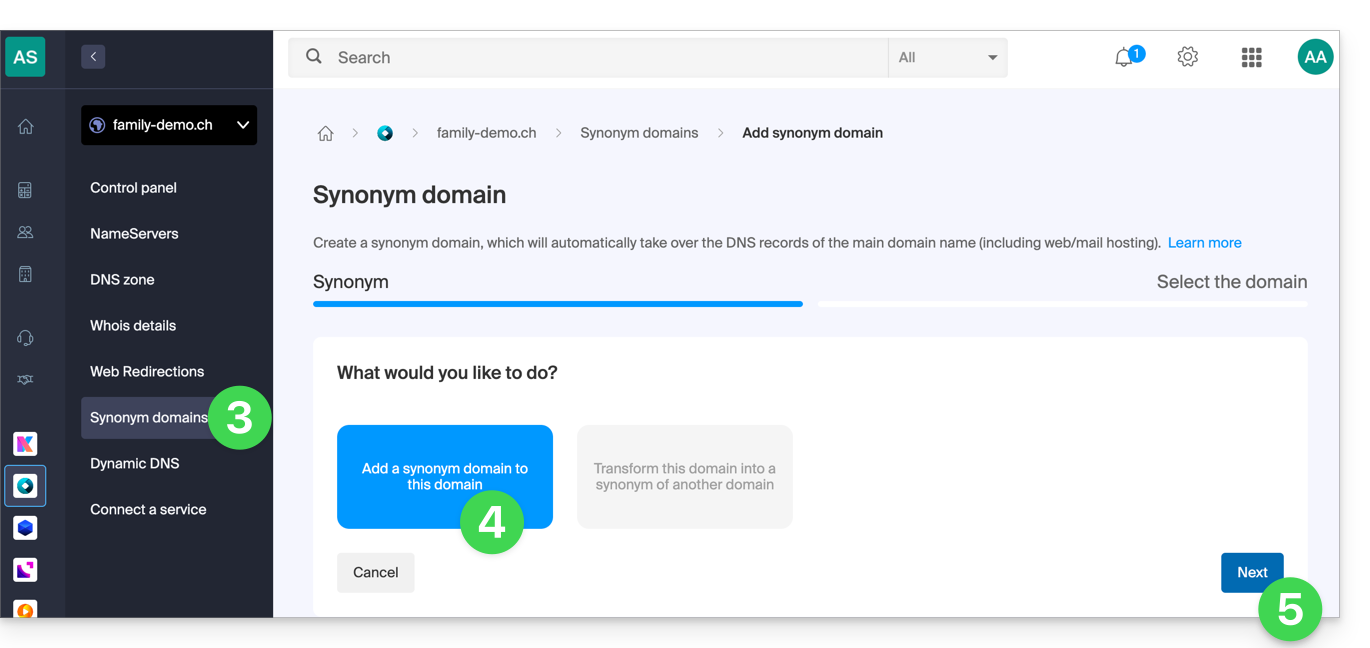
- Click on Synonymous domains in the left-hand menu.
- Choose to add a synonym.
- Click on Next:
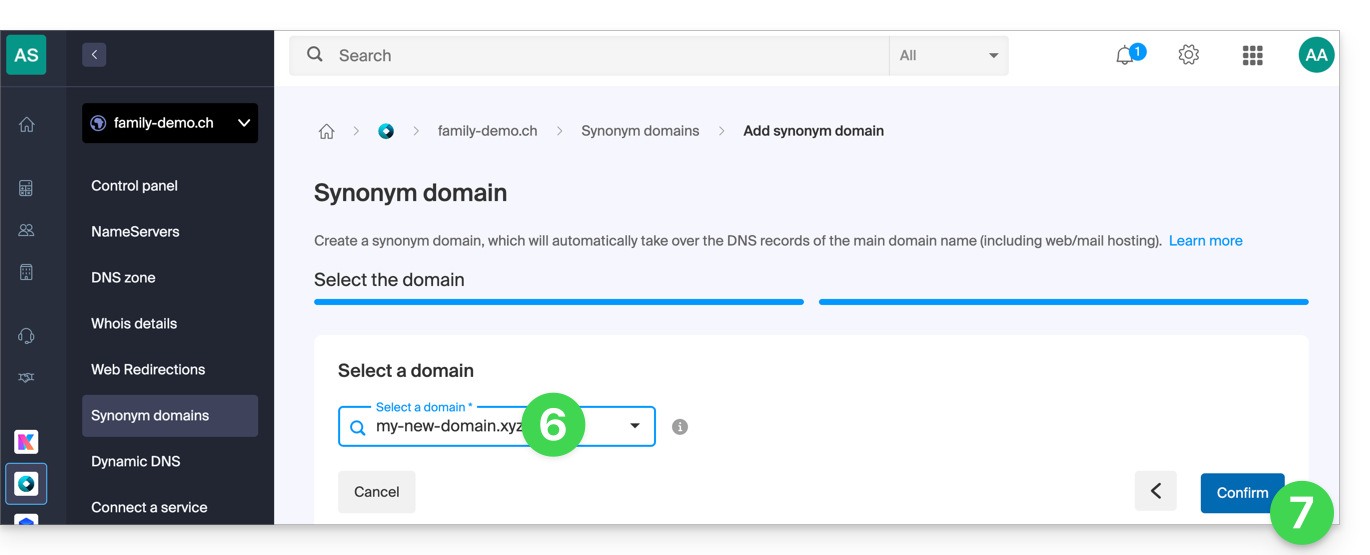
- Choose an existing domain within this Organization, or order a new domain in advance.
- Click the button to Confirm:
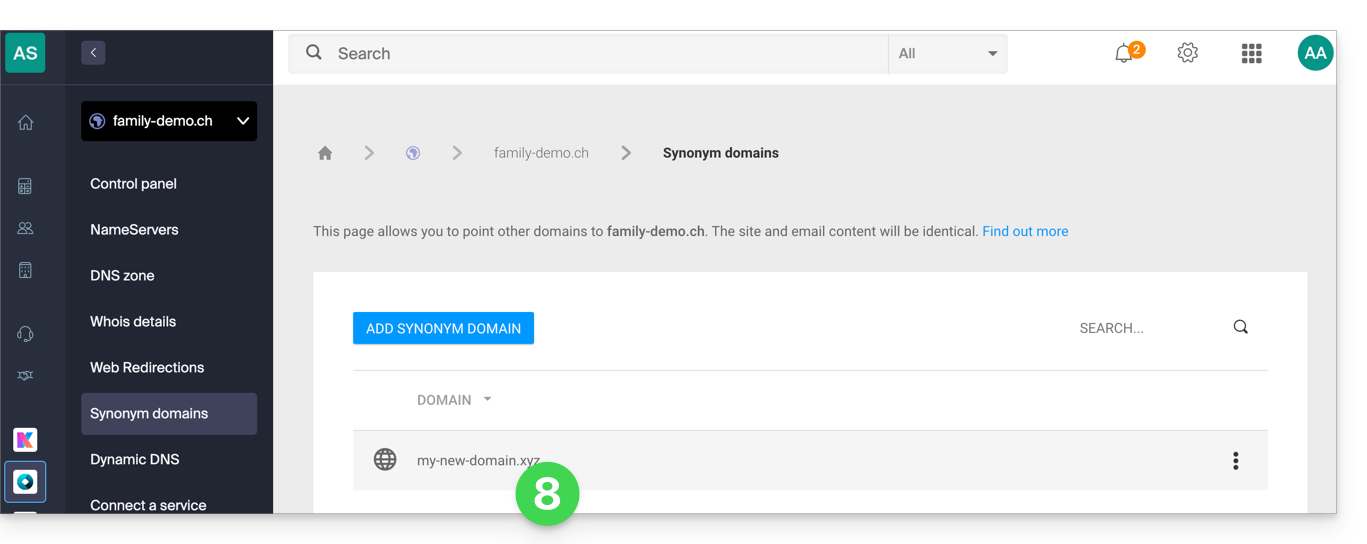
- That's it:
Refer to this other guide if you are looking for information on how to unlink a domain name alias.
Link to this FAQ: https://faq.infomaniak.com/1999
Has this FAQ been helpful?