Knowledge base
1000 FAQs, 500 tutorials and instructional videos. Here, there are only solutions!
Add a website to a web hosting plan
Update 10/13/2026
This guide explains how to add an additional website to an existing Infomaniak hosting plan.
Introduction
- Hosting can be on a shared web hosting plan or on an Infomaniak Cloud Server.
- The additional website can be either:
- a second domain name (e.g.
domain2.xyz), - or a subdomain (e.g.
abc.domain.xyz) of a domain name you already own.
- a second domain name (e.g.
- In this multi-site/multi-domain management (virtual host), the total disk space and resources of your hosting are shared between your sites/subdomains.
Accessing site management
Prerequisites
- If the 20 website slots offered with the web hosting package are already in use, order additional websites.
To access a web hosting plan and add a website:
- Click here to access the management of your products in the Infomaniak Manager (need help?).
- Click directly on the name assigned to the product in question.
- Click on the blue Add button:

- Choose the optional content for the new site (A) or another specific installation, blank space, advanced technologies (Node.js for example) (B):
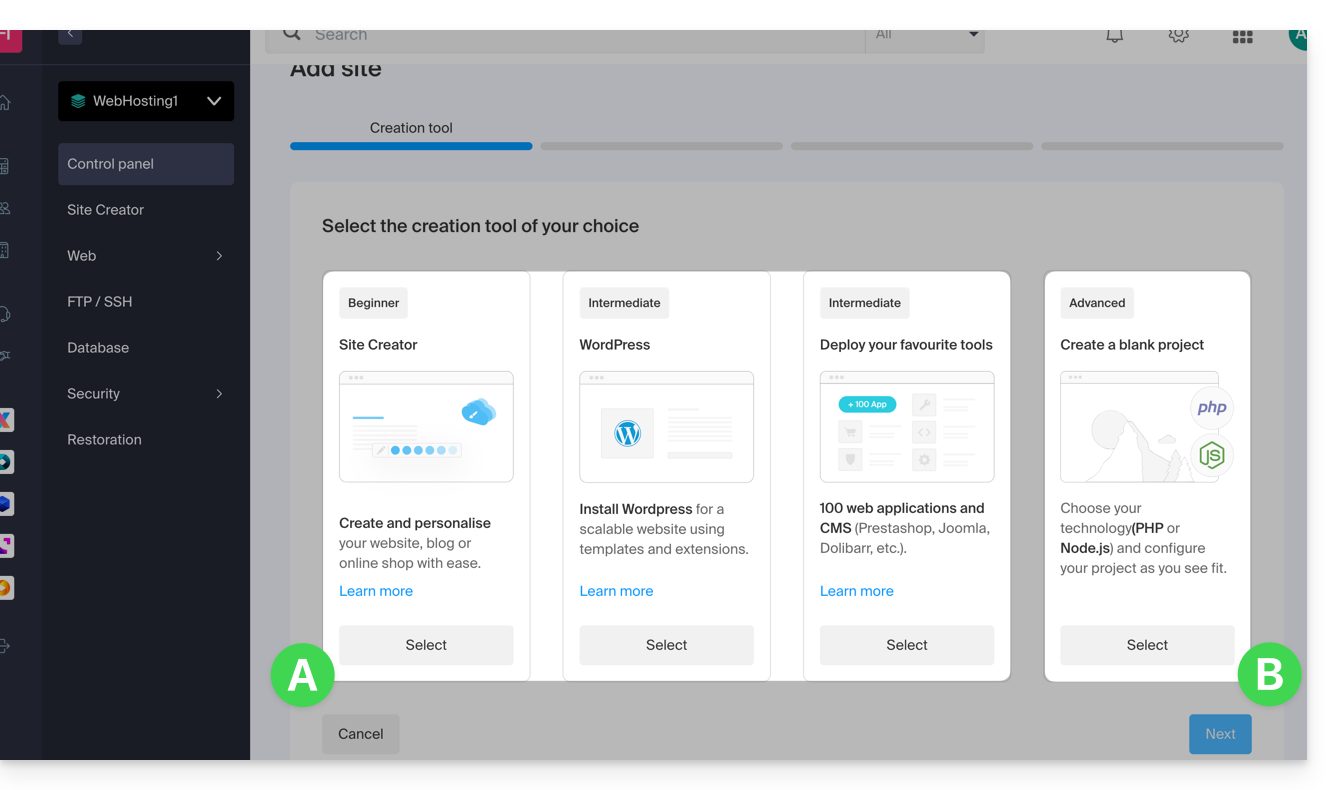
- Click on Next.
- Choose the type of domain to assign to this new site:
- an already acquired domain name
- a subdomain created from an already acquired domain name
- a domain name that is still available and to be ordered
- Enter the domain name (e.g.,
domain2.xyz) or the subdomain.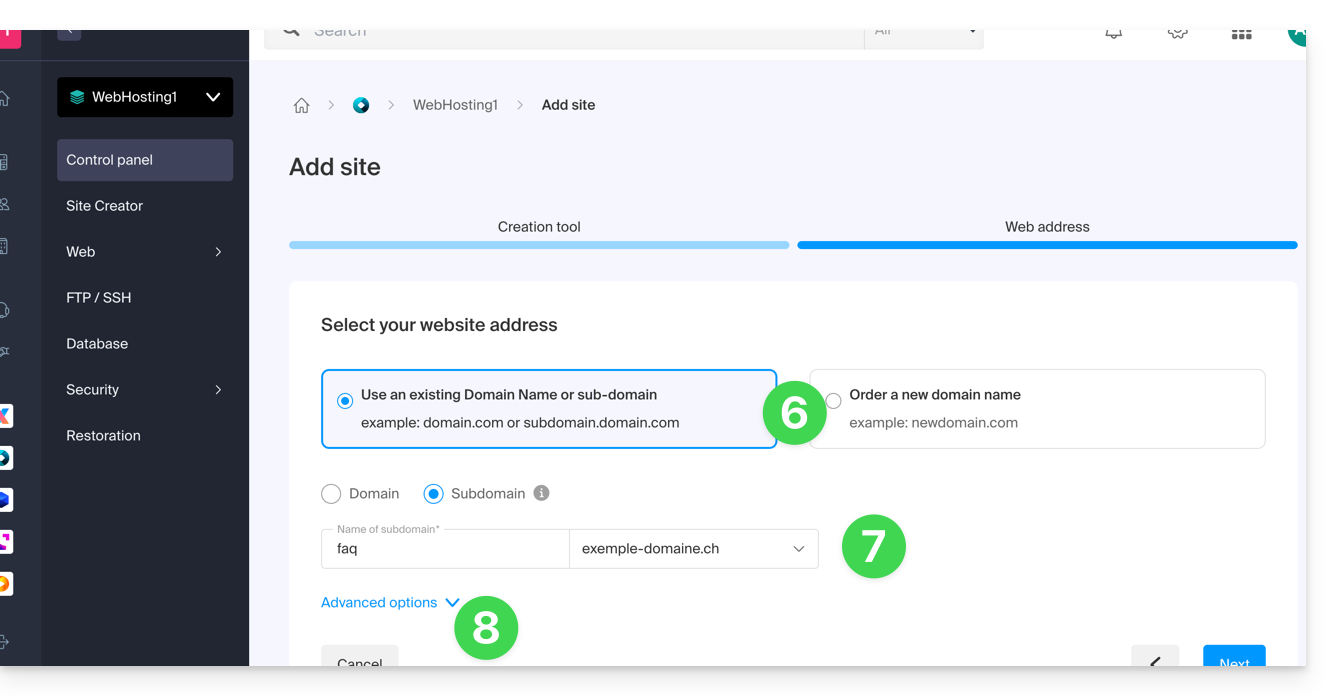
- Choose any desired advanced options, including:
- By default, the new site is added to the
/sites/domain2.xyzdirectory on your FTP server. - To manually define a different directory, check Define the location manually and enter the path and name.
- Create a new folder if necessary:
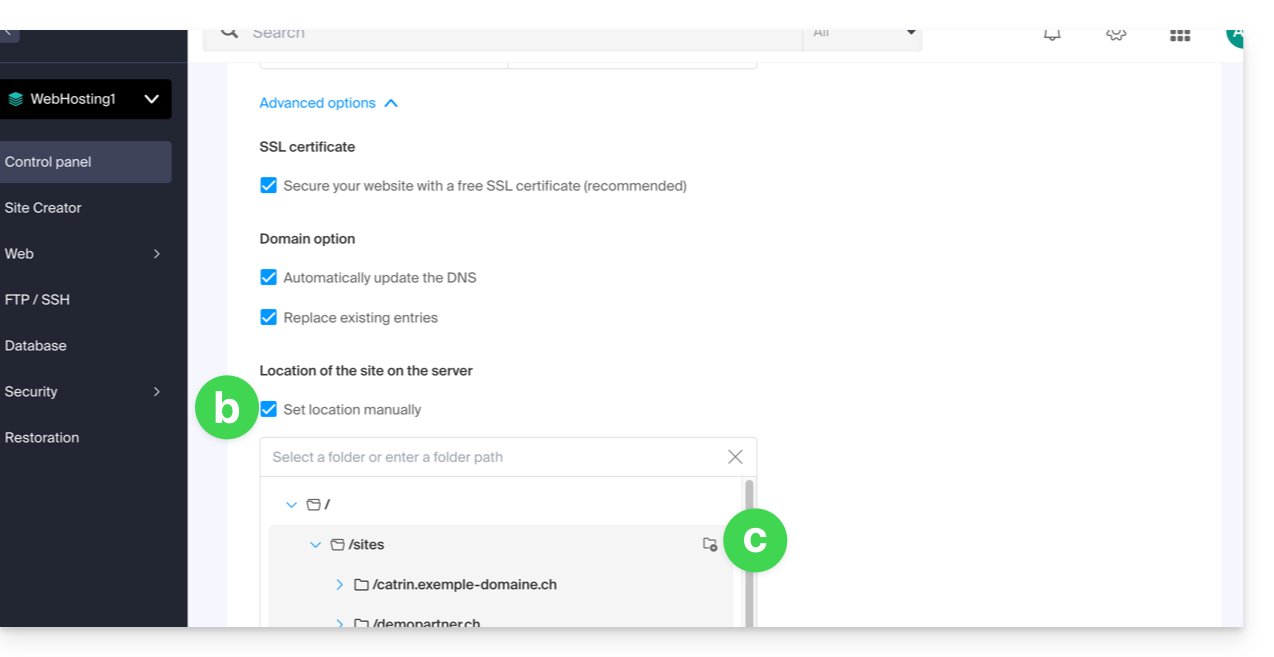
- By default, the new site is added to the
- Click on Continue.
If it is a subdomain, or if the domain name or its DNS zone is managed by Infomaniak, it is possible to automatically update the existing DNS entries. Otherwise, make the necessary changes with your registrar or transfer the domain name management to Infomaniak.
Link to this FAQ: https://faq.infomaniak.com/1988
Has this FAQ been helpful?