Knowledge base
1000 FAQs, 500 tutorials and instructional videos. Here, there are only solutions!
Manage the start and end of a VOD media
It is possible to manage the start and end actions of a video that has already been uploaded to a VOD service. This tool cannot be used for audio-only media.
Manage the end screen (and skip the introduction)
To access a media file in the VOD space:
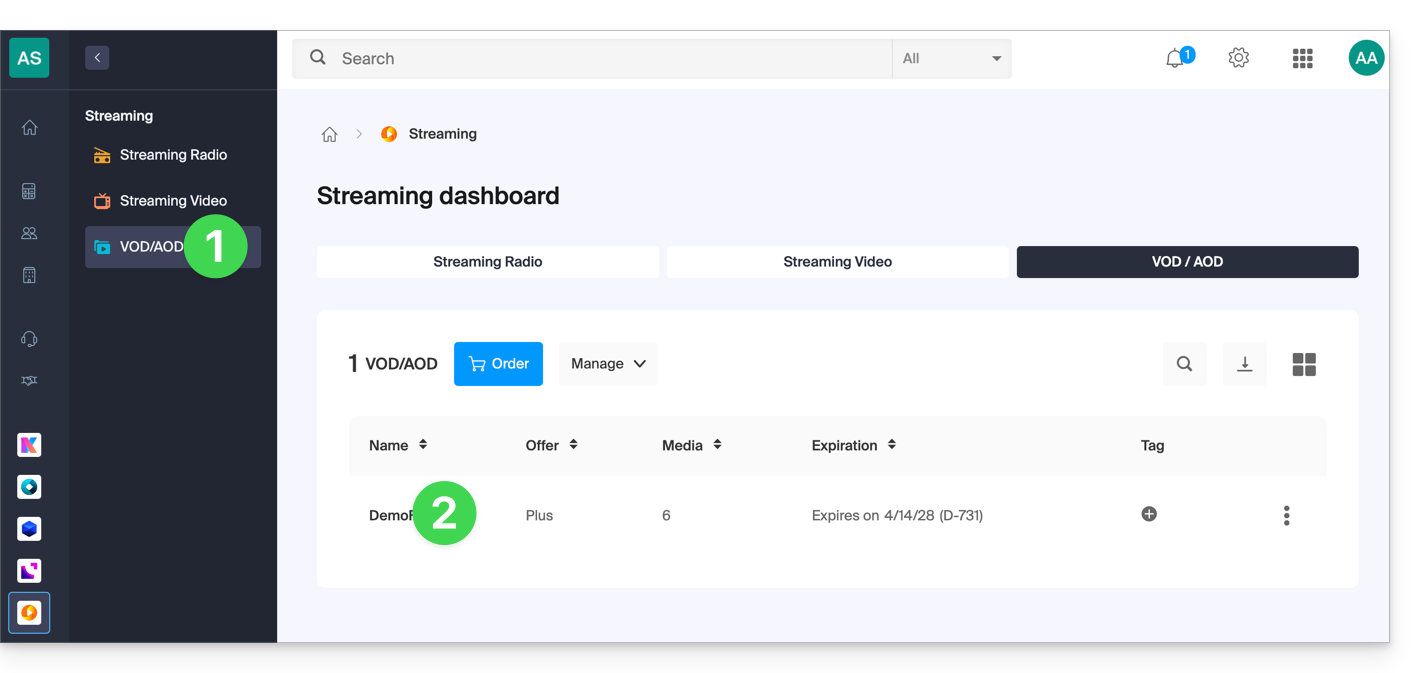
- Click here to access the management of your VOD/AOD in the Infomaniak Manager (need help?).
- Click directly on the name assigned to the product in question:
- Click on Media in the left-hand menu.
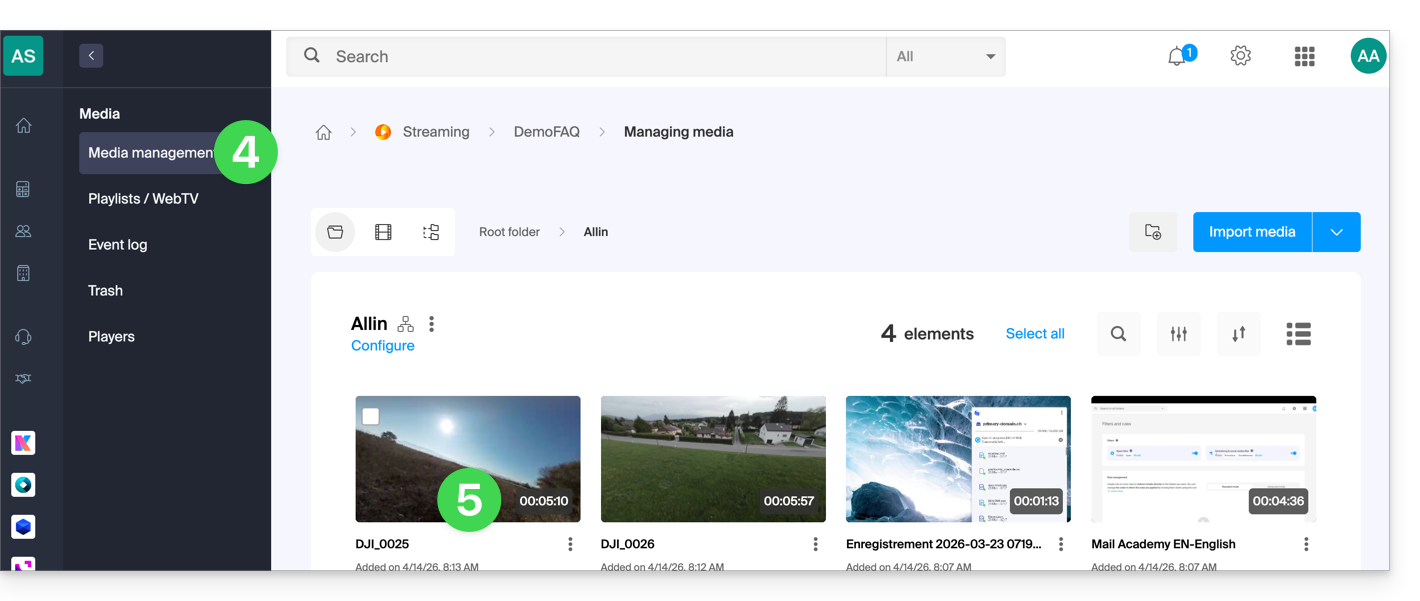
- Click on Media Management in the left-hand menu.
- Click on the relevant media:
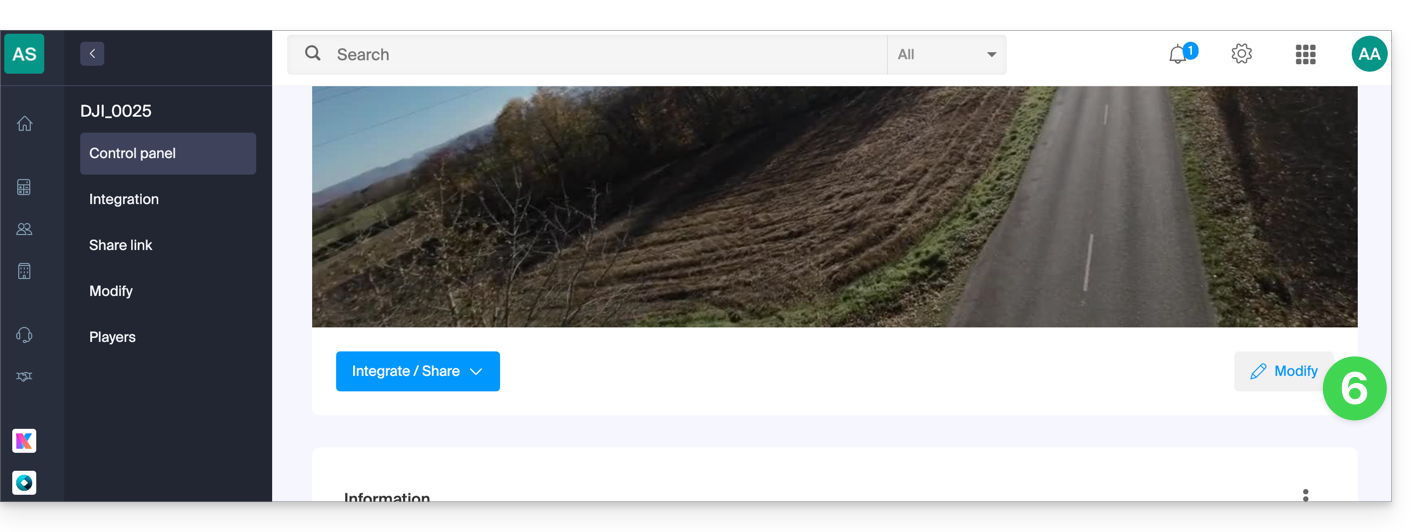
- Click on the Edit button:
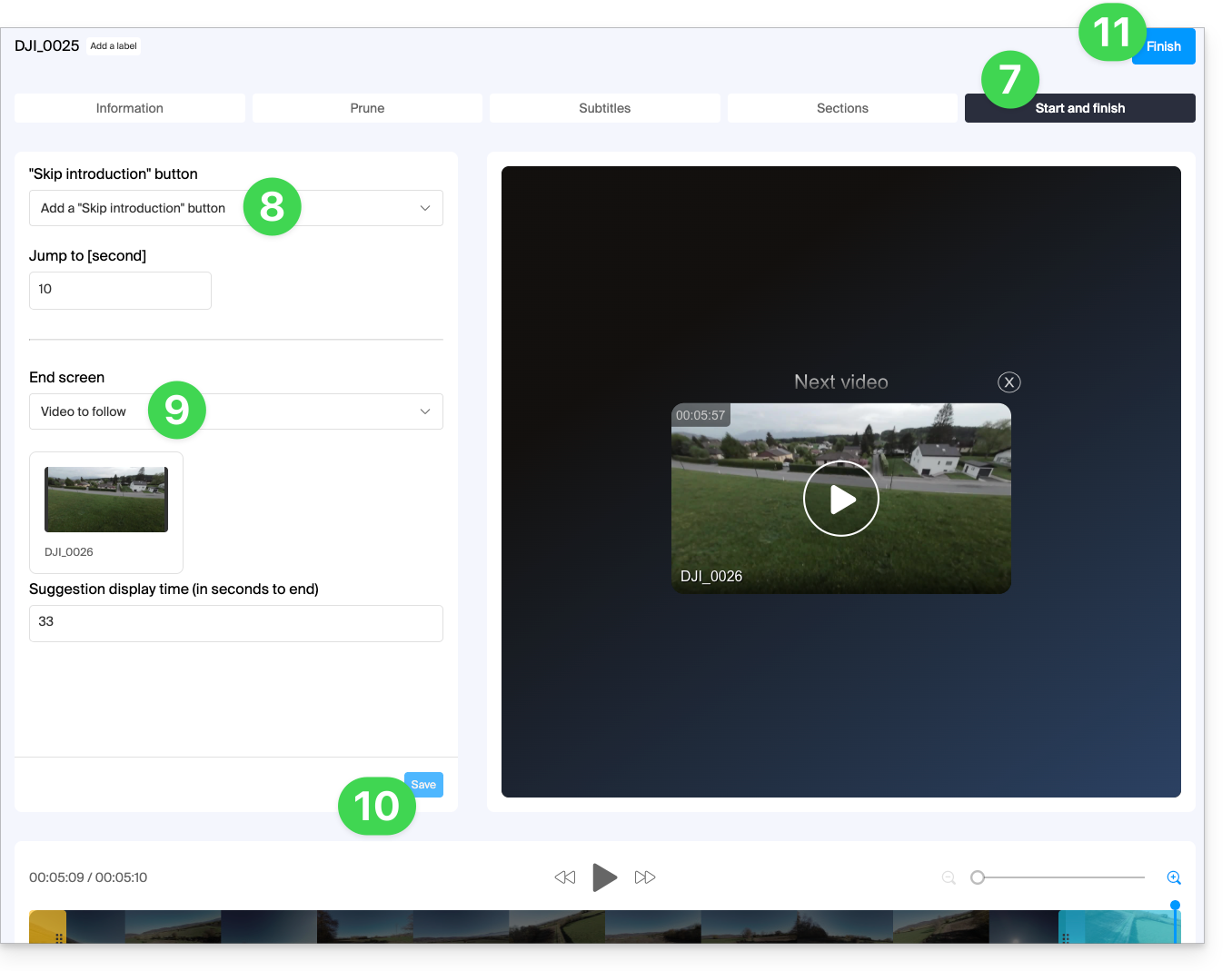
- Click on the START AND END tab.
- Choose the desired action for the start of playback: add a button to advance by a predefined number of seconds, in order to skip an introduction, for example…
- Alternatively, you can choose whether this setting should be based on the Player's preferences (refer to point
din this other guide):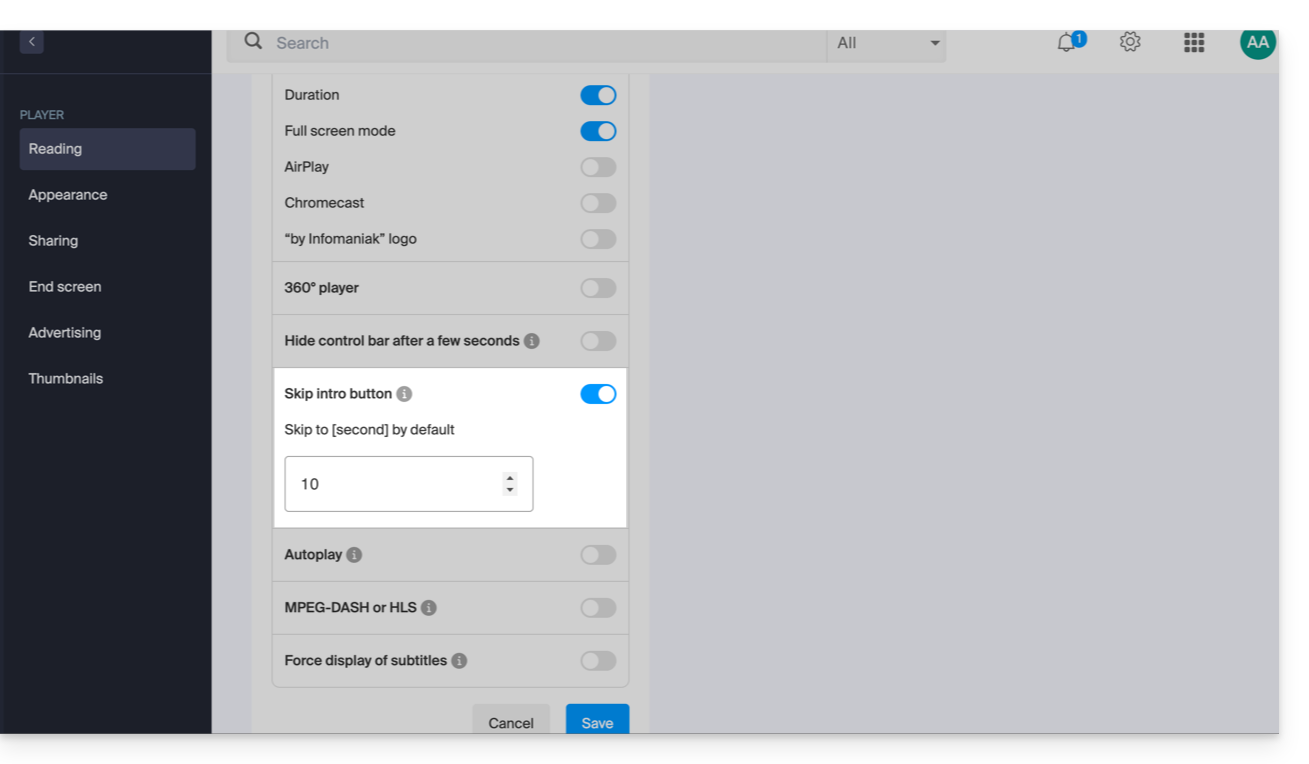
- Alternatively, you can choose whether this setting should be based on the Player's preferences (refer to point
- Choose the action to be offered at the end of the video: offer a video selected manually in advance, displayed for a predefined number of seconds, or display a selection of 6 videos.
- Click Save.
- Click Finish to exit:
Link to this FAQ: https://faq.infomaniak.com/1921
Has this FAQ been helpful?