Knowledge base
1000 FAQs, 500 tutorials and instructional videos. Here, there are only solutions!
Manage start and end of a VOD media
It is possible to manage the start and end actions of a video that has already been uploaded to a VOD service. It is not possible to use this tool in the case of an audio-only media.
Manage the end screen (and skip the introduction)
To access a media from the VOD space:
- Click here to access the management of your VOD/AOD on the Infomaniak Manager (need help?).
- Click directly on the name assigned to the product concerned:
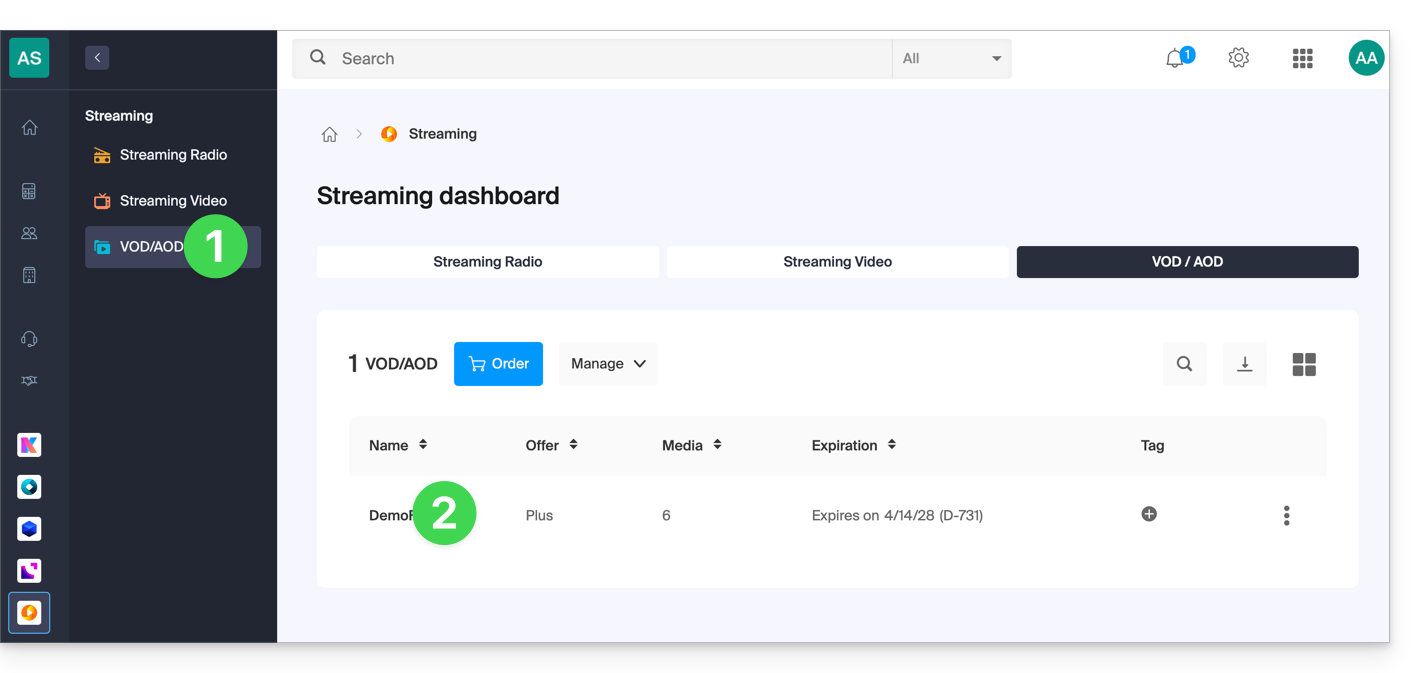
- Click on Media in the left sidebar menu.
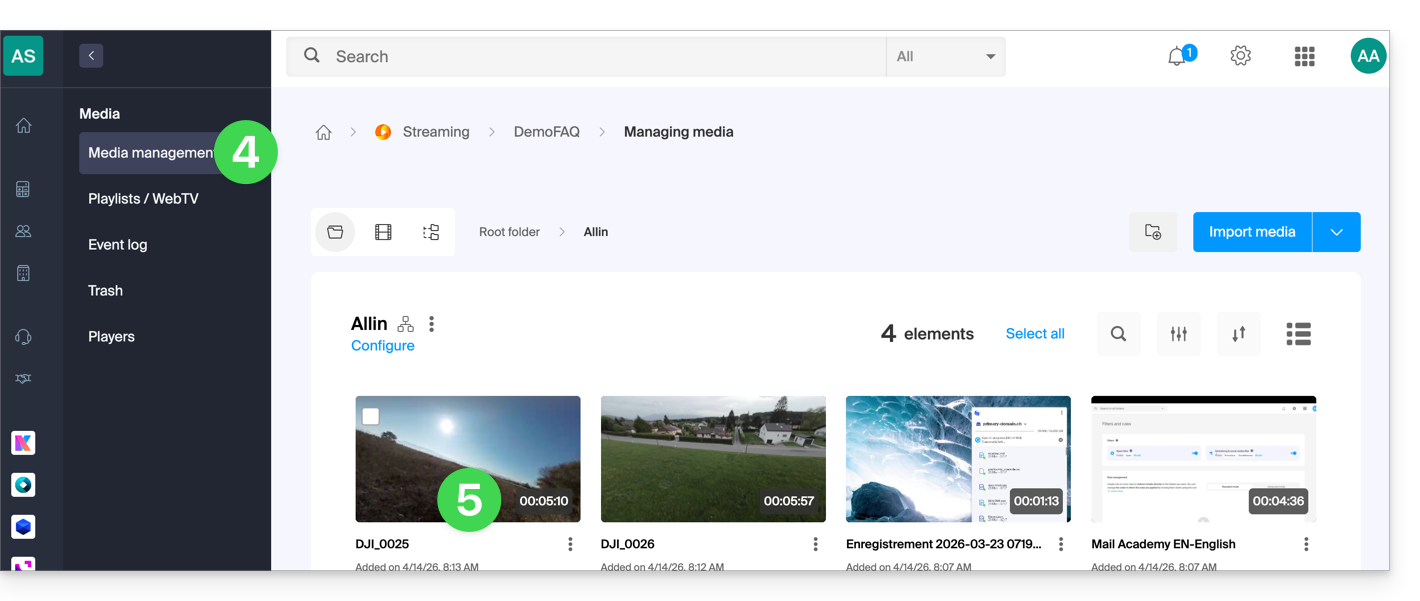
- Click on Media Management in the left sidebar menu.
- Click on the media concerned:
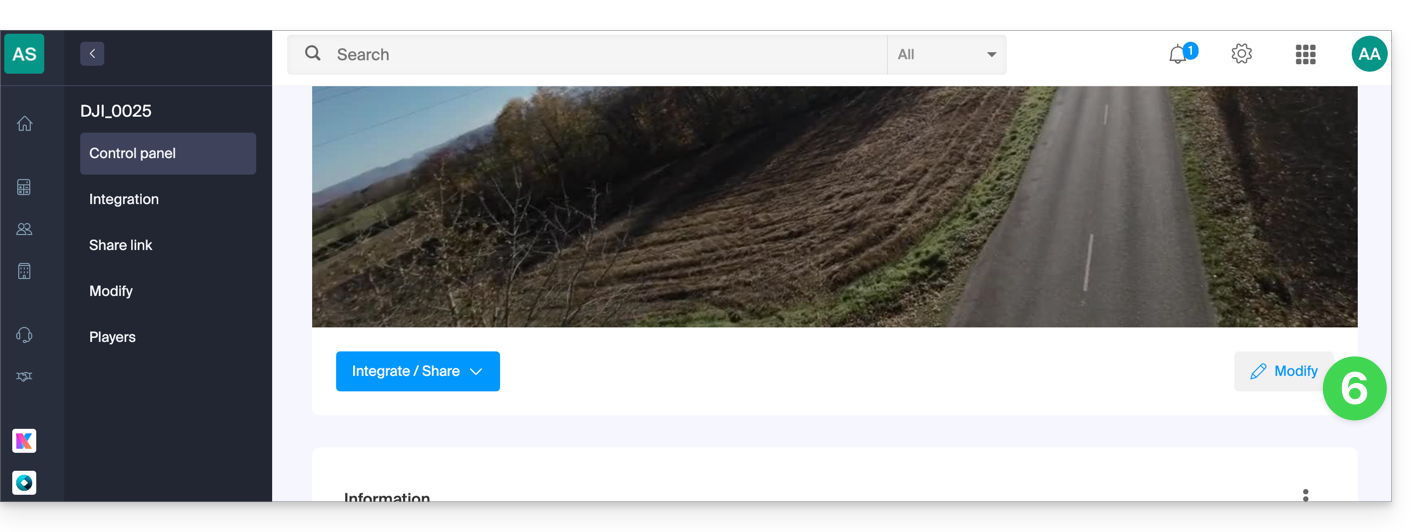
- Click on the Edit button:
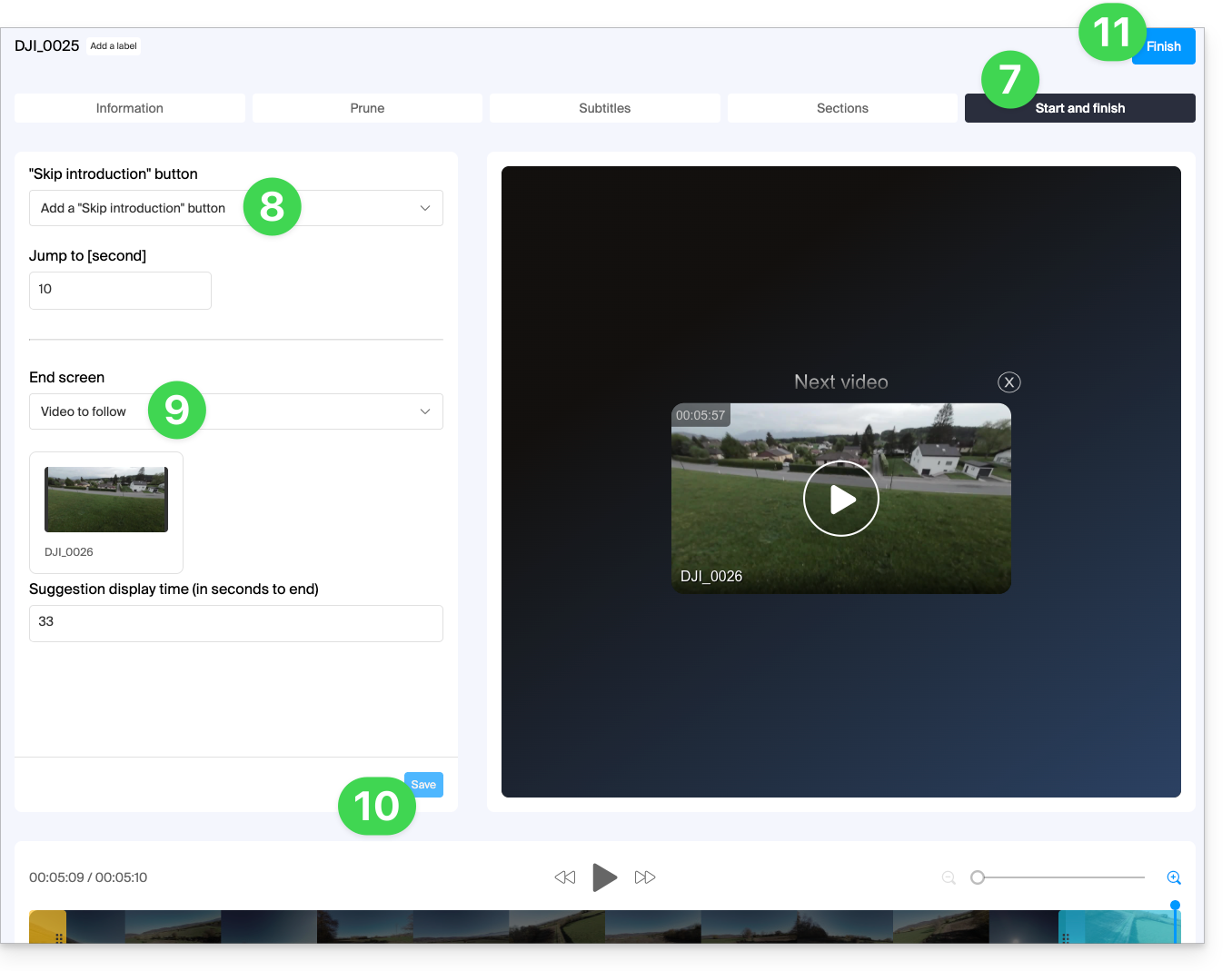
- Click on the START AND END tab.
- Choose the action desired for the start of playback: add a button to skip a predefined number of seconds, to skip an introduction for example…
- otherwise, you can choose if this setting should rather be based on the preferences of the Player (find out about the point
dof this other guide):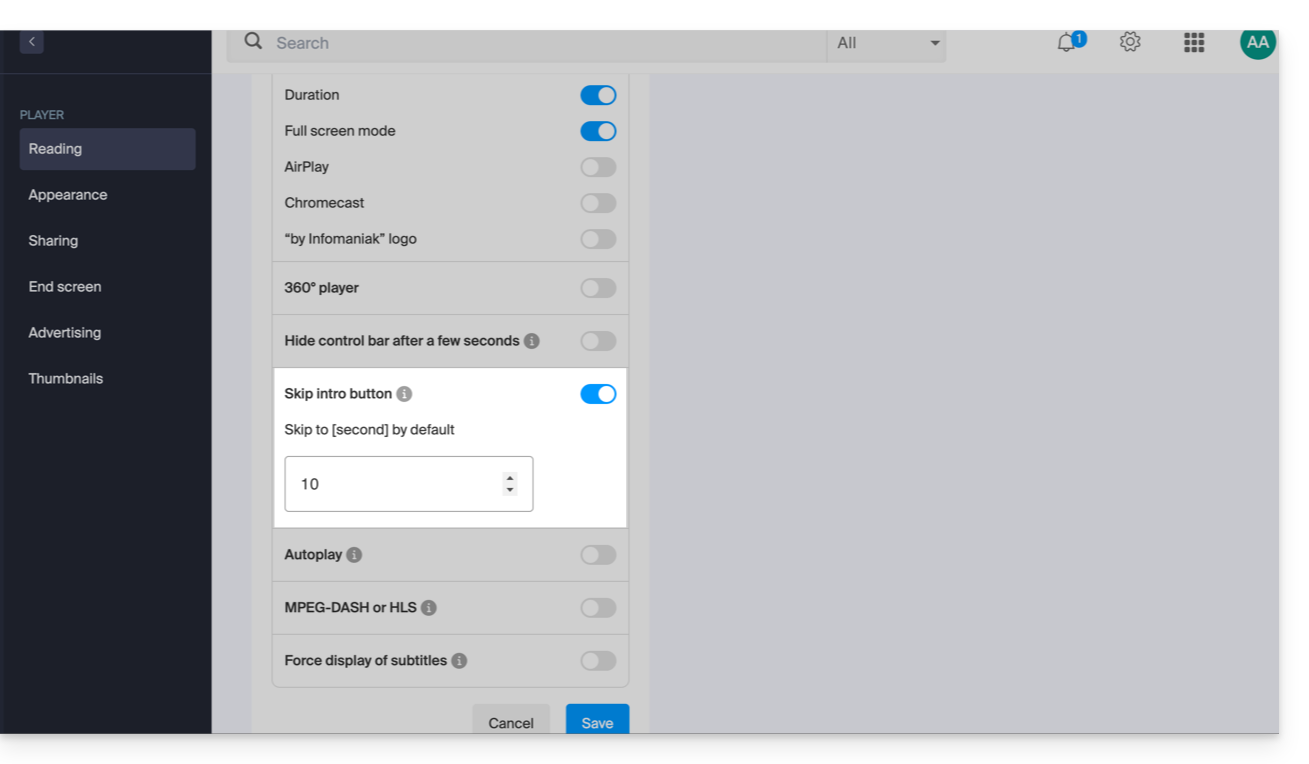
- otherwise, you can choose if this setting should rather be based on the preferences of the Player (find out about the point
- Choose the action that should be proposed at the end of the video: propose a video selected manually in advance, displayed for a predefined number of seconds, or display a proposal of 6 videos.
- Click on Save.
- Click on Finish to exit:
Link to this FAQ: https://faq.infomaniak.com/1921
Has this FAQ been helpful?